 BambooForge Labs

- Effort where the value isProducts ranked by consumption value, consumption quantity or stock value, cut at 80% and 15% by default.
- Demand you can plan, or notThe period cut into 12 buckets: steady (X), variable (Y) or erratic (Z), from how much the deliveries vary.
- Rules from policiesA service level, safety days, lead time and cover per cell and warehouse give a minimum and a maximum; rules you made by hand are never touched.
Runs onOdoo 16 to 20Community or Enterprise, self-hosted or Odoo.sh
NeedsInventoryno Enterprise module
Price99 EURone-time, per series, on the Odoo Apps Store
Demodemo20.bambooforge.devlogin page already filled in
Supportsupport@bambooforge.devfirst reply within one business day
Version20.0.1.1.4
bambooforge_abc_analysis28 automated checks run before every release of this app, the same suite on every series it ships for. The complete list is in the source you receive; run it yourself with --test-enable.
How you use it
From the deliveries to the reordering rules
Flow 01
Run an analysis
For an Inventory Administrator.
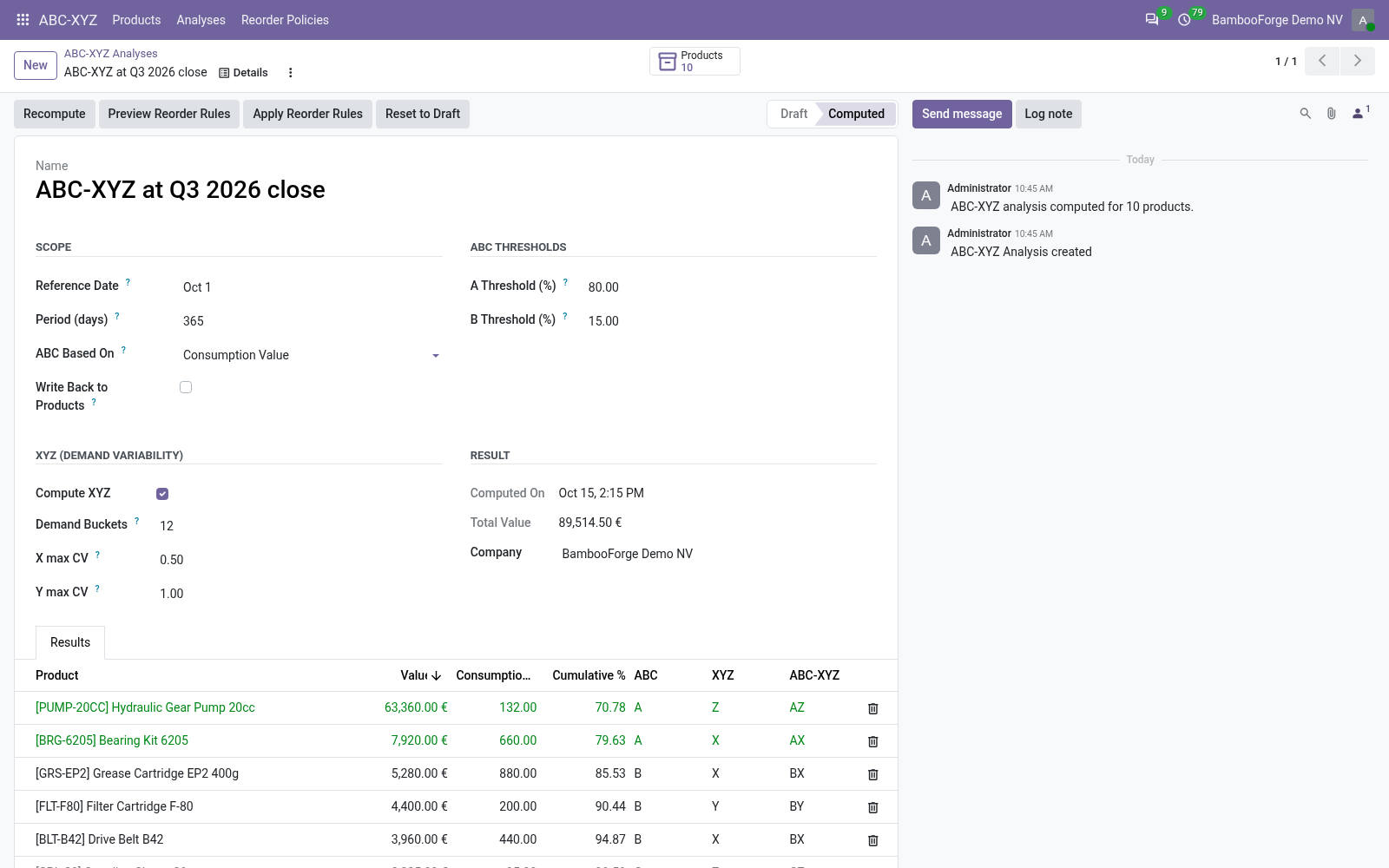
- ABC-XYZ > Analyses, New: a period (365 days) and a basis.
- Keep or change the thresholds (80% and 15%) and the XYZ buckets (12).
- Compute: every product gets its ABC class, XYZ class and cell.
Flow 02
Read the classes
For the buyer.
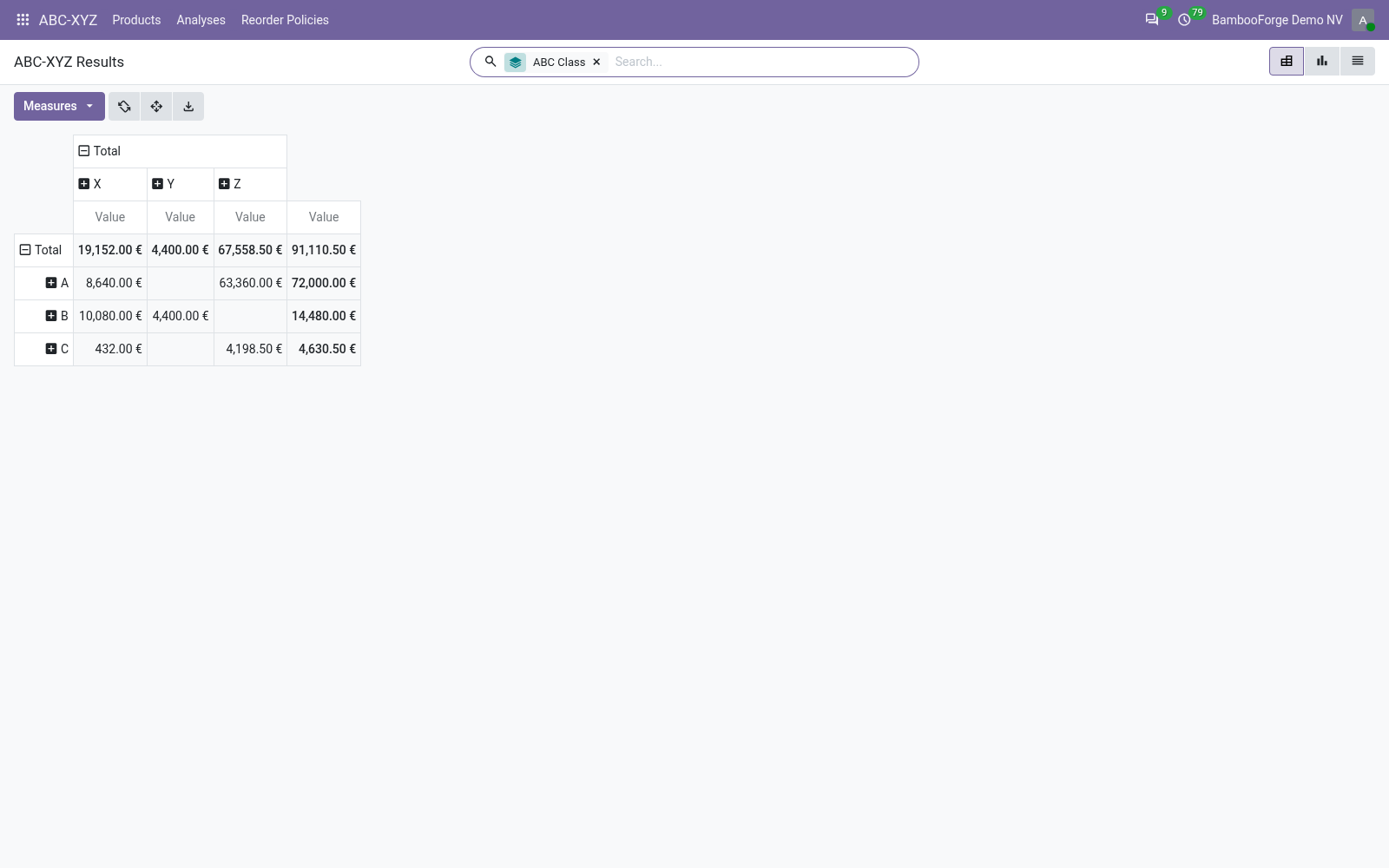
- The Products button opens the matrix: ABC down, XYZ across.
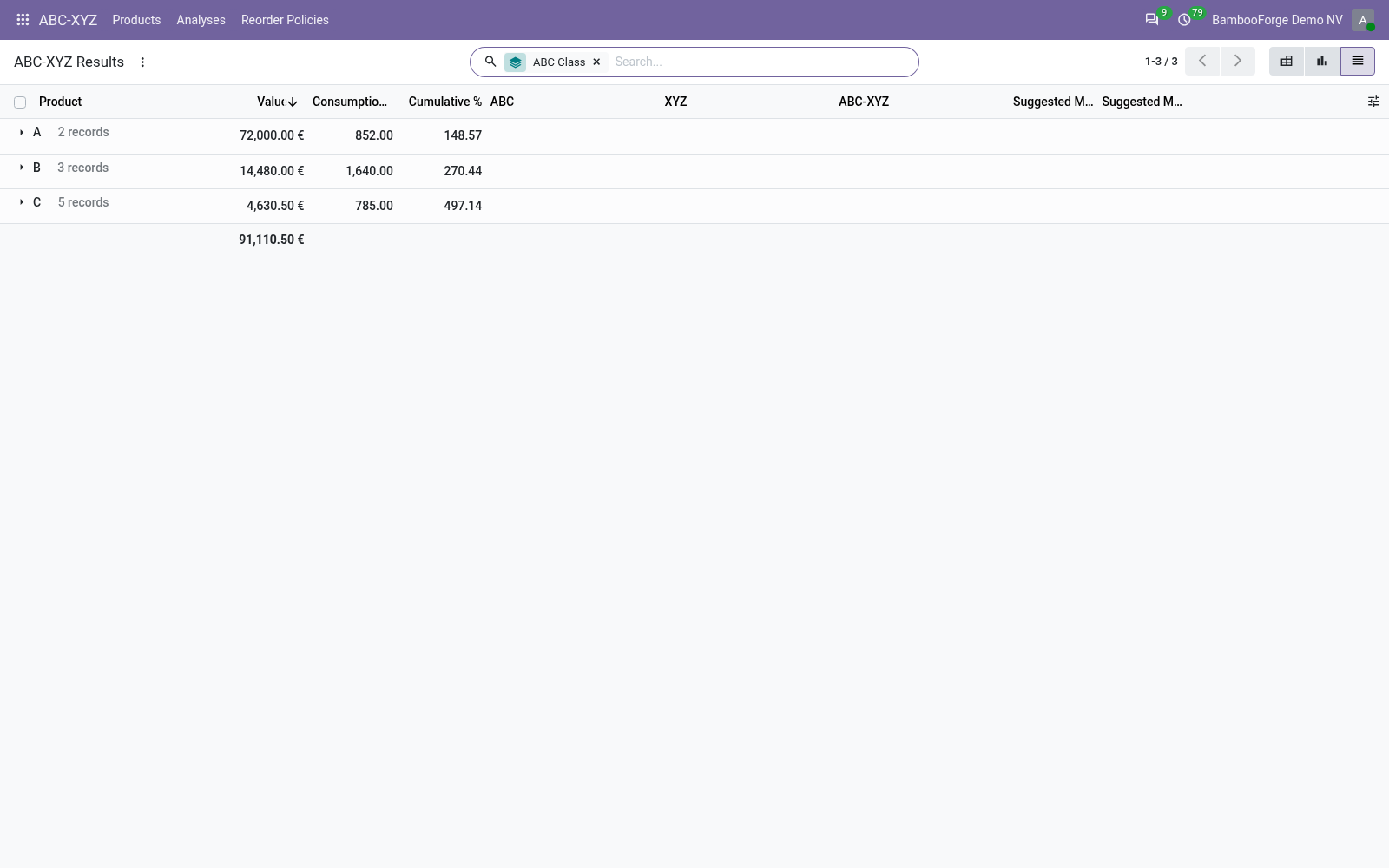
- The list shows each product's value, cumulative share, classes and advice.
- Filter Class A or Erratic (Z); group by class, cell or analysis.
Flow 03
Back on the product
For anyone who opens a product.
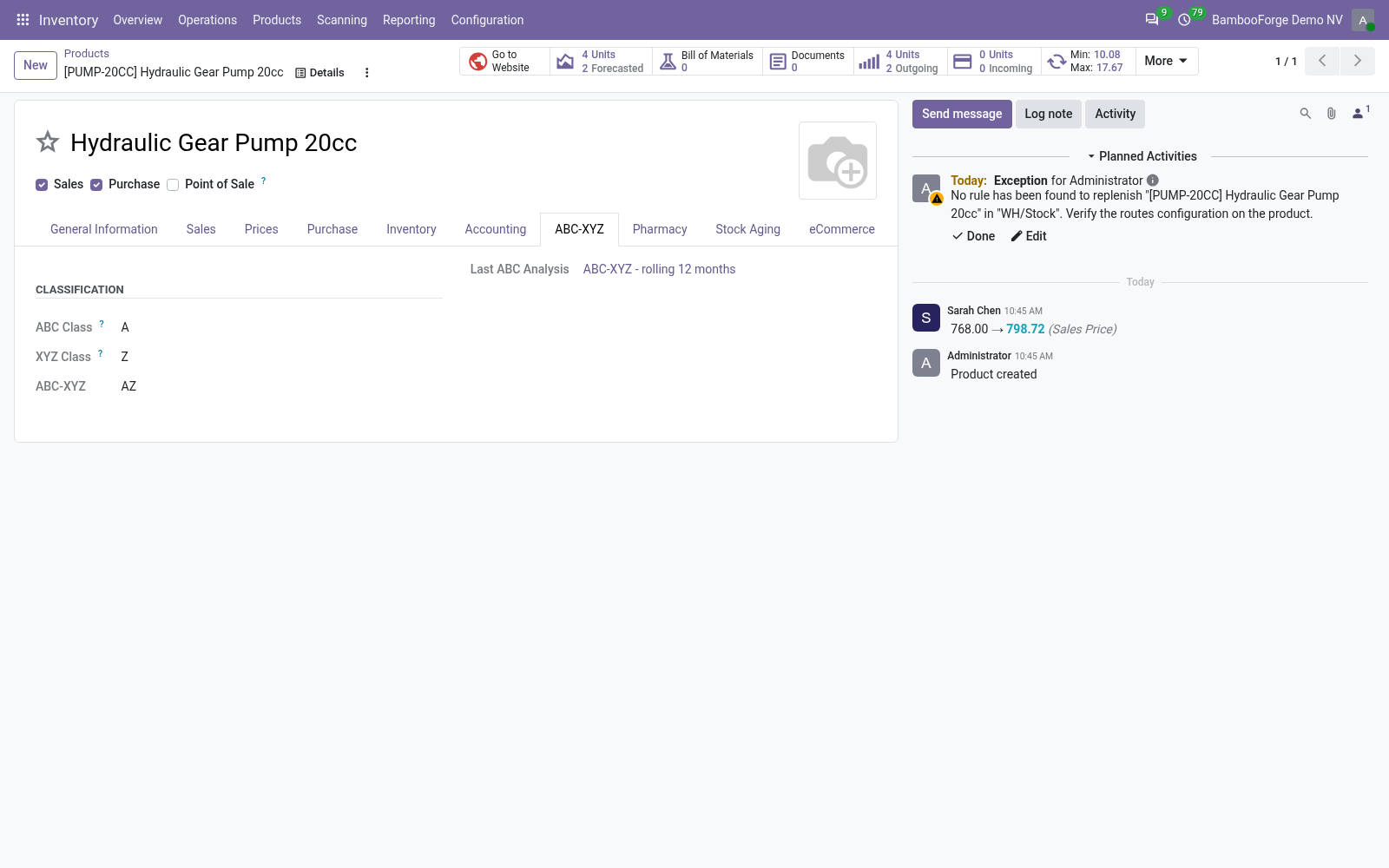
- The product's ABC-XYZ tab shows its classes and the analysis they come from.
- The product list filters ABC Class A and Erratic Demand (Z).
- It groups by ABC Class or XYZ Class.
Flow 04
Write the reordering rules
For an Inventory Administrator.
- Reorder Policies: Create default policies, or one per cell and warehouse.
- Preview Reorder Rules on an analysis: the suggested minimum and maximum.
- Turn Auto-create Reorder Rules on, then Apply Reorder Rules.
Price and where to buy
99 EUR, one payment per Odoo series, on the Odoo Apps Store. Pick your series:
Twelve months of support by the people who wrote the code; bug fixes and improvements within the series free for as long as it is published. Report a bug within two months of purchase and, if it is not resolved within fifteen days, you get a full refund. Full source under OPL-1, no licence key, no phone-home. The whole promise.