 BambooForge Labs

- On Odoo's own tasksSprint, points, epic and release are fields of the task: timesheets and invoices stay on the same tasks.
- A velocity that holdsClosing a sprint freezes the points it finished; the unfinished tasks go back to the backlog and its chatter names them.
- In from JiraIts CSV export becomes epics, tasks, sub-tasks and sprints; imported again, it updates the tasks it made.
Runs onOdoo 16 to 20Community or Enterprise, self-hosted or Odoo.sh
NeedsProjectno Enterprise module
Price199 EURone-time, per series, on the Odoo Apps Store
Demodemo20.bambooforge.devlogin page already filled in
Supportsupport@bambooforge.devfirst reply within one business day
Version20.0.1.1.5
bambooforge_agile47 automated checks run before every release of this app, the same suite on every series it ships for. The complete list is in the source you receive; run it yourself with --test-enable.
How you use it
From the backlog to the velocity
Flow 01
Plan from the backlog
For the product owner.
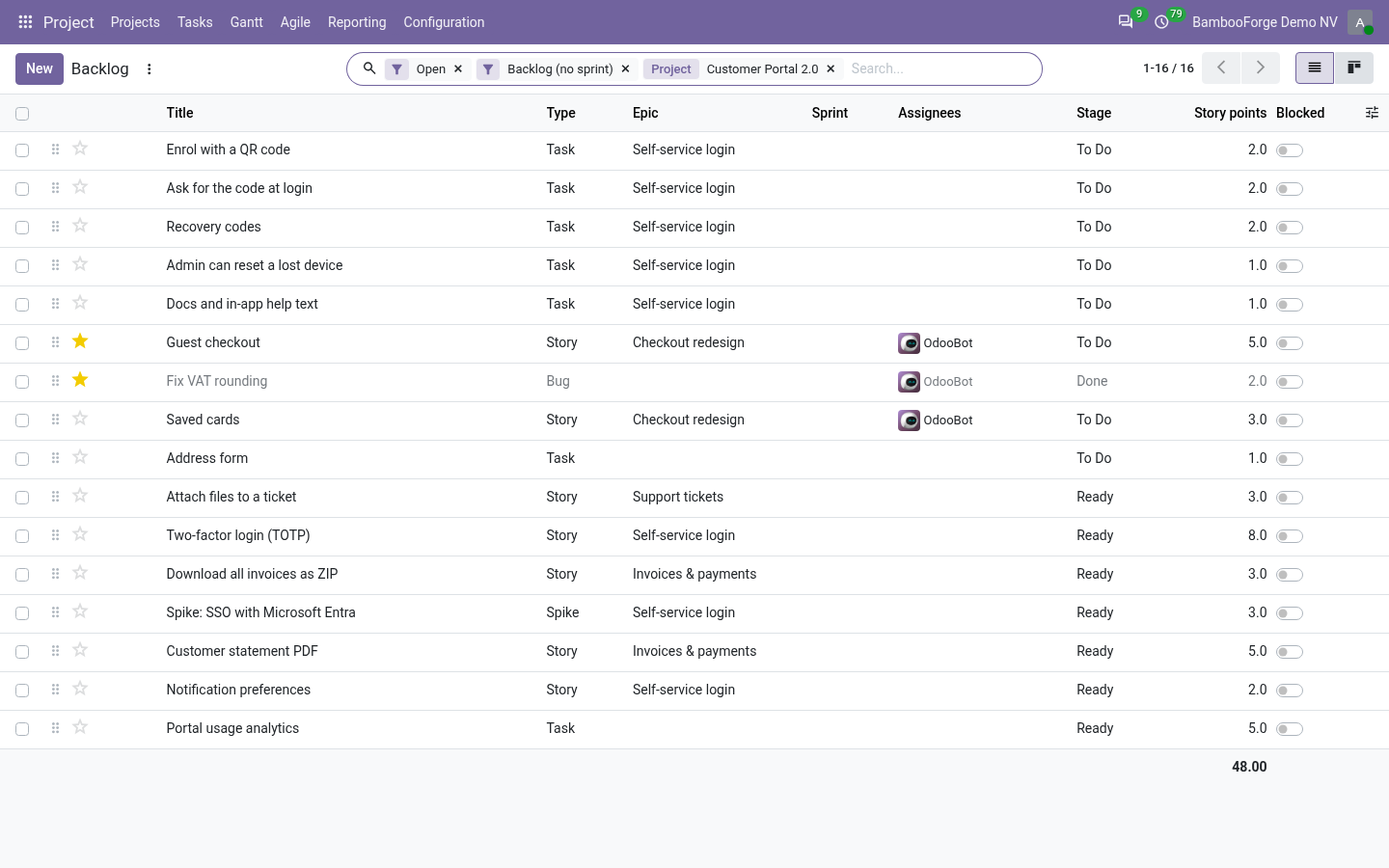
- Agile > Backlog lists the open tasks that are in no sprint, in the order you drag them.
- Type, story points, epic and release are edited in the row.
- In the kanban, drag a card into a sprint to plan it.
Flow 02
Work the board
For the team.
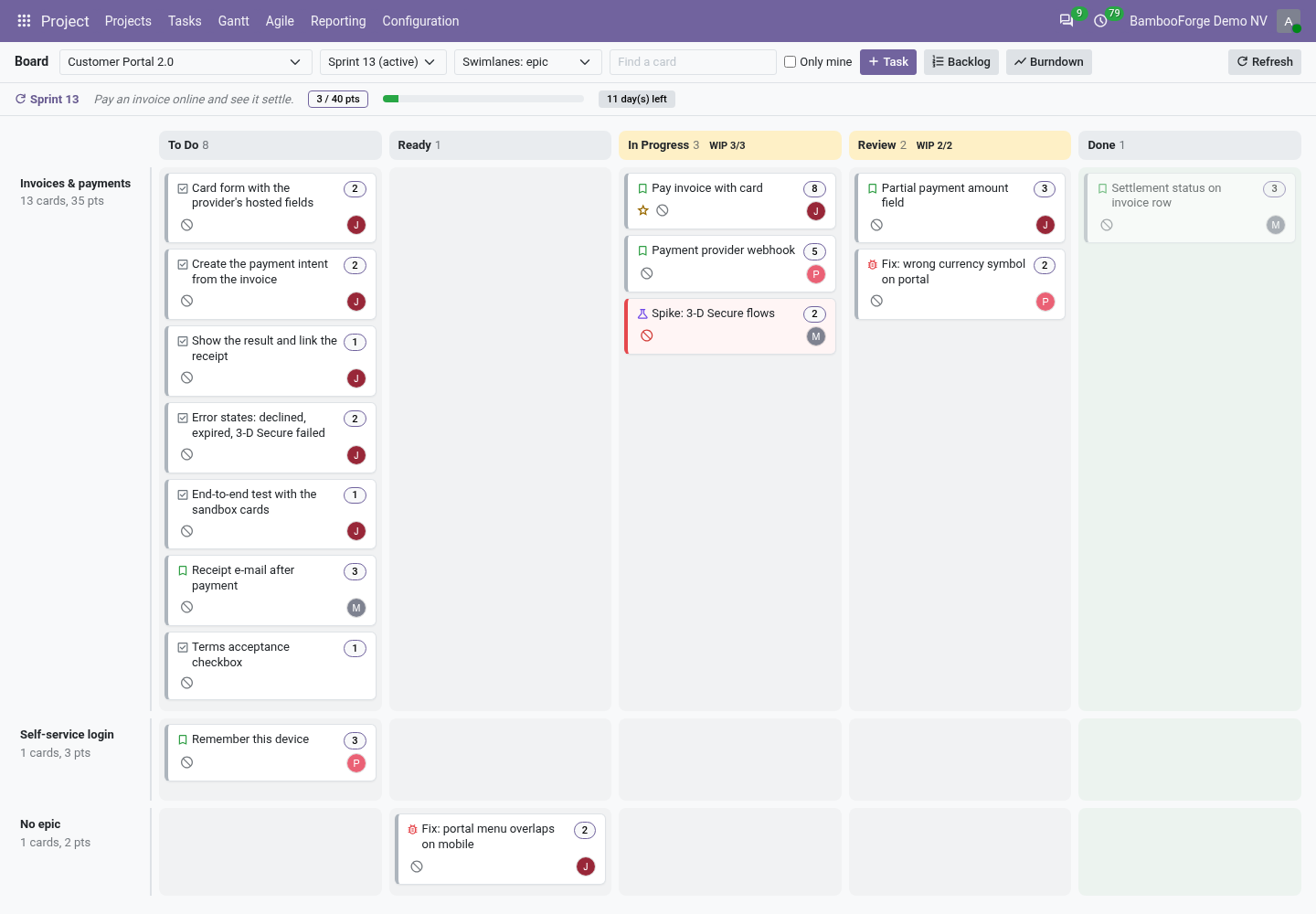
- Pick the project and the sprint; the project's stages are the columns.
- Drag a card to change its stage; an enforced WIP limit refuses a move into a full column.
- Swimlanes by epic, assignee or type; the bar above shows the goal, the points and the days left.
Flow 03
Close and measure
For the Scrum master.
- Close Sprint freezes the velocity and sends the unfinished tasks back to the backlog.
- Burndown draws the remaining points, the ideal line and the scope, day by day.
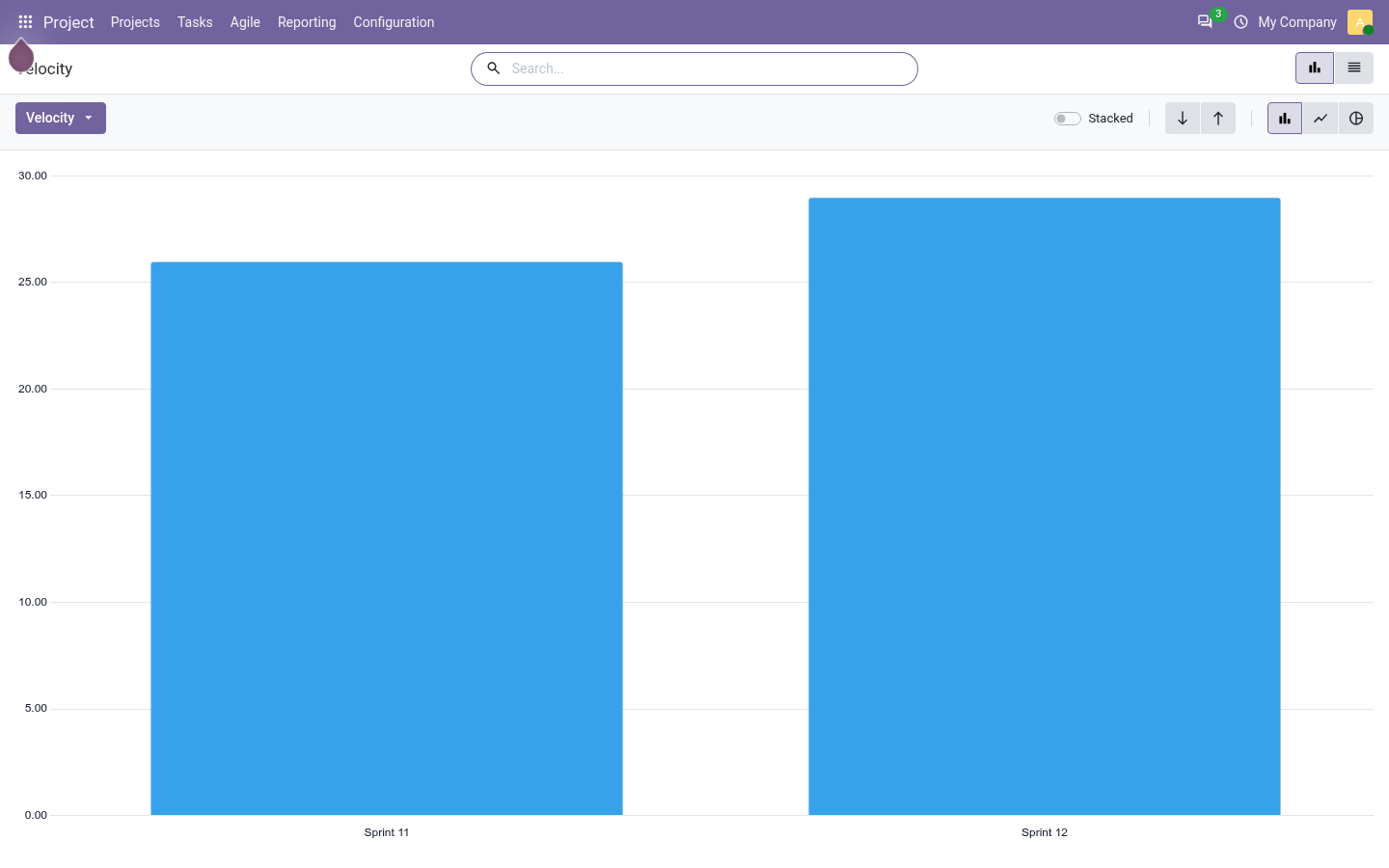
- Agile Reports > Velocity puts each closed sprint's points done beside its points committed.
Flow 04
Bring a project in from Jira
For a team whose backlog is in Jira today.
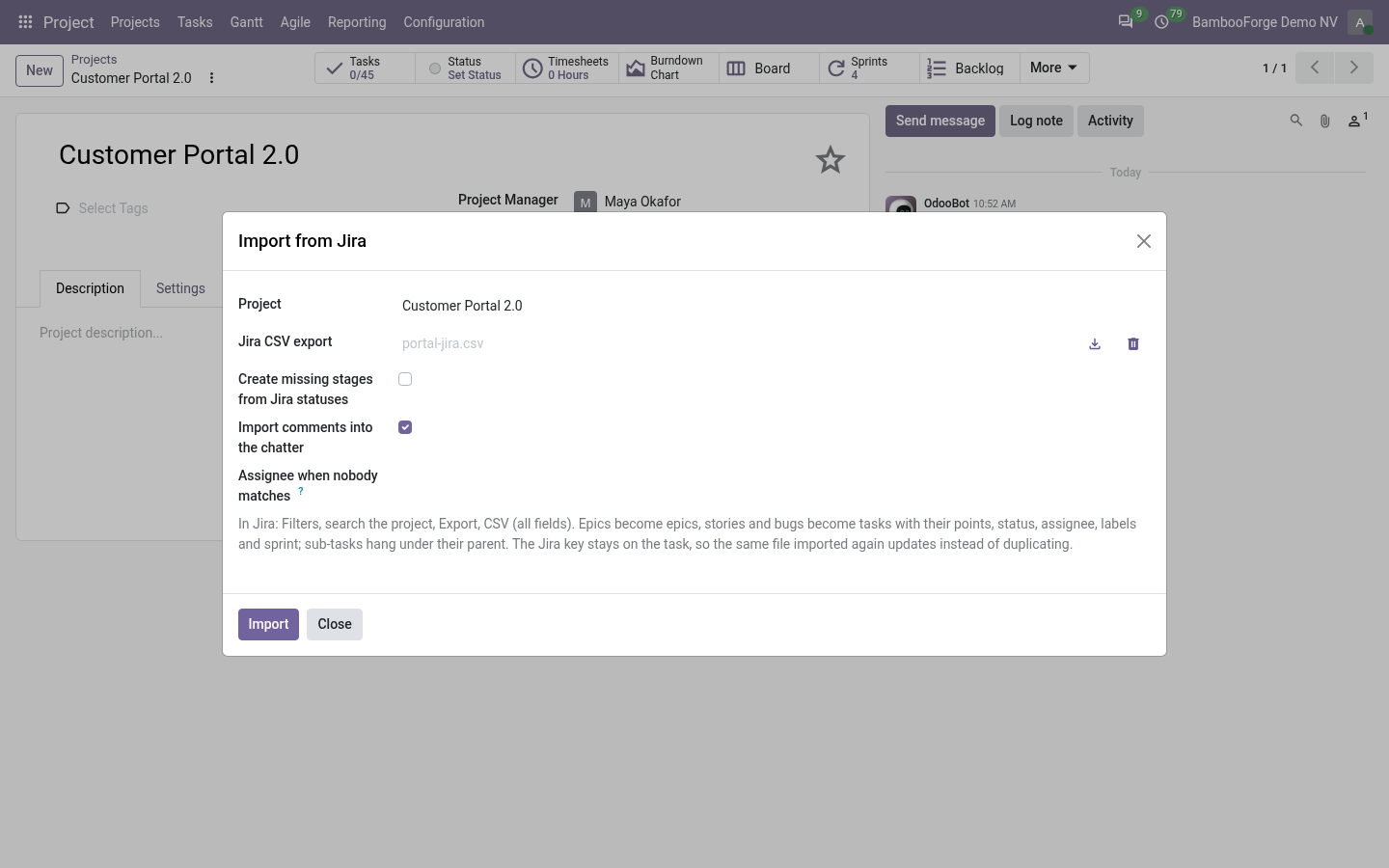
- In Jira, export the project as CSV with all fields.
- Import from Jira creates its epics, tasks, sub-tasks, sprints and tags in the project.
- The Jira key stays on each task: the same file imported again updates them.
Flow 05
Commits on the task
For the developers.
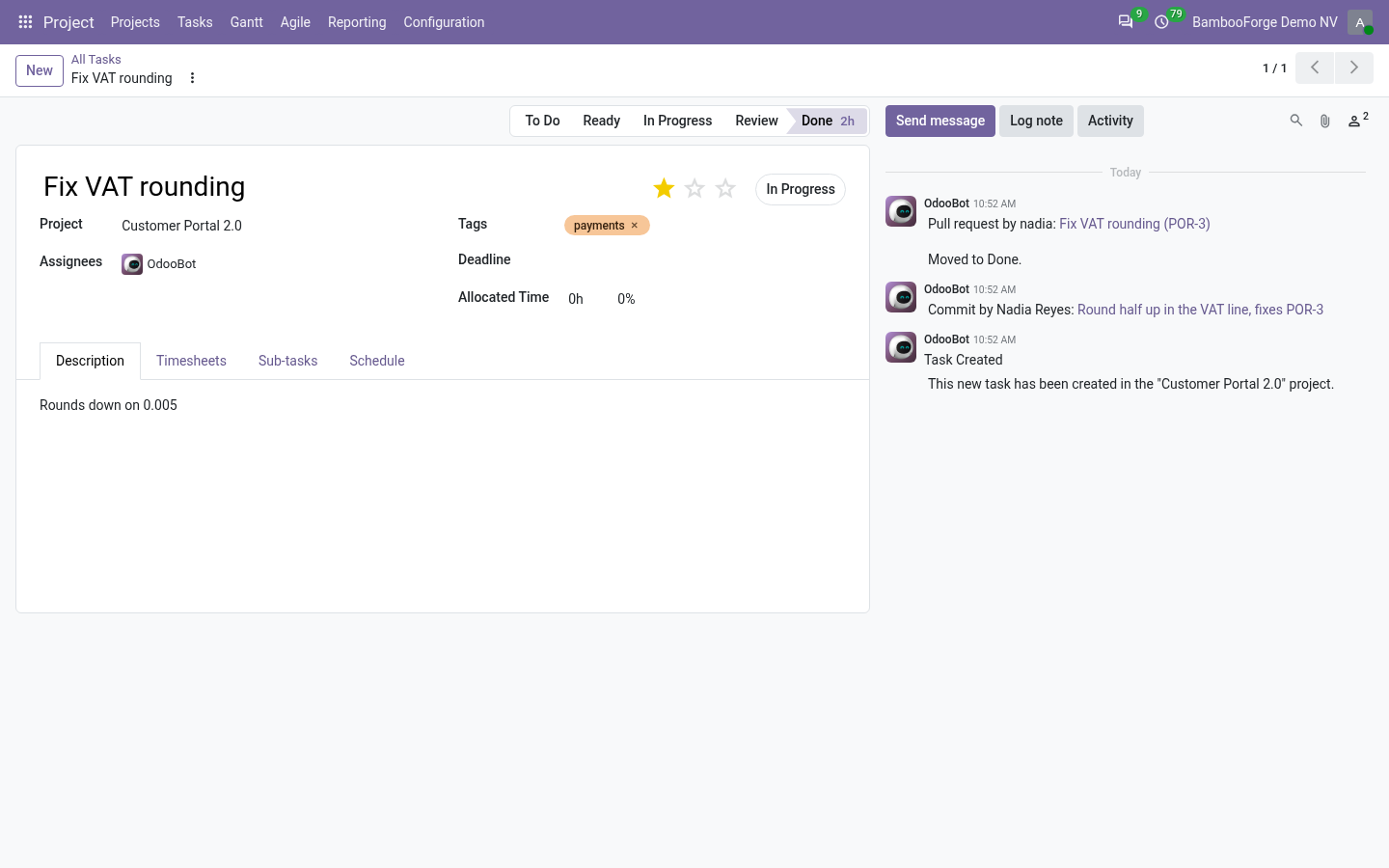
- On the project's Git tab, a GitHub or GitLab webhook with a secret.
- A commit or pull request that names #123, task-123 or the Jira key leaves a note with the link.
- fixes #123 moves the task to the project's first folded stage when the commit reaches the default branch or the pull request is merged.
Price and where to buy
199 EUR, one payment per Odoo series, on the Odoo Apps Store. Pick your series:
Twelve months of support by the people who wrote the code; bug fixes and improvements within the series free for as long as it is published. Report a bug within two months of purchase and, if it is not resolved within fifteen days, you get a full refund. Full source under OPL-1, no licence key, no phone-home. The whole promise.