 BambooForge Labs

- Your model, your keyOpenAI with the model you pick, or Ollama or any OpenAI-compatible server at the address you give. One key for the database, read by administrators only.
- You decide what leavesThe chat's latest messages go with a question, 30 unless you set another number. OpenAI gets store=false unless you tick it. No record and no file goes out.
- One switch per companyOff, the contact answers nobody working in that company. Helpdesk AI and Agile AI read the same switch.
Runs onOdoo 16 to 20Community or Enterprise, self-hosted or Odoo.sh
NeedsOdoo onlyno Enterprise module
Price69 EURone-time, per series, on the Odoo Apps Store
Demodemo20.bambooforge.devlogin page already filled in
Supportsupport@bambooforge.devfirst reply within one business day
Version20.0.1.3.3
bambooforge_ai_assistant20 automated checks run before every release of this app, the same suite on every series it ships for. The complete list is in the source you receive; run it yourself with --test-enable.
How you use it
How it is used
Flow 01
Set it up
For the administrator, once.
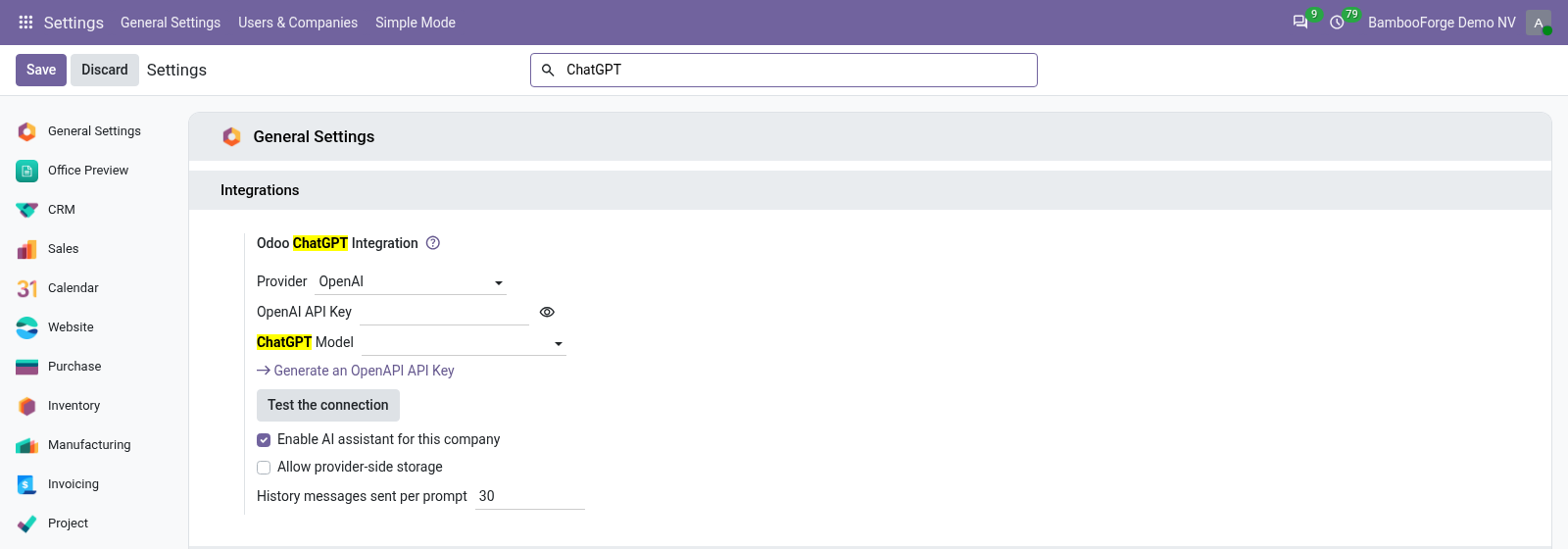
- Install the Python packages openai and markdown on the Odoo server, then the app.
- Settings > General Settings, Odoo ChatGPT Integration: paste your OpenAI key, and the model list fills from your account.
- Press Test the connection: Odoo shows the model's answer, or the provider's error.
Flow 02
Ask in Discuss
For anyone with a chat with the assistant.
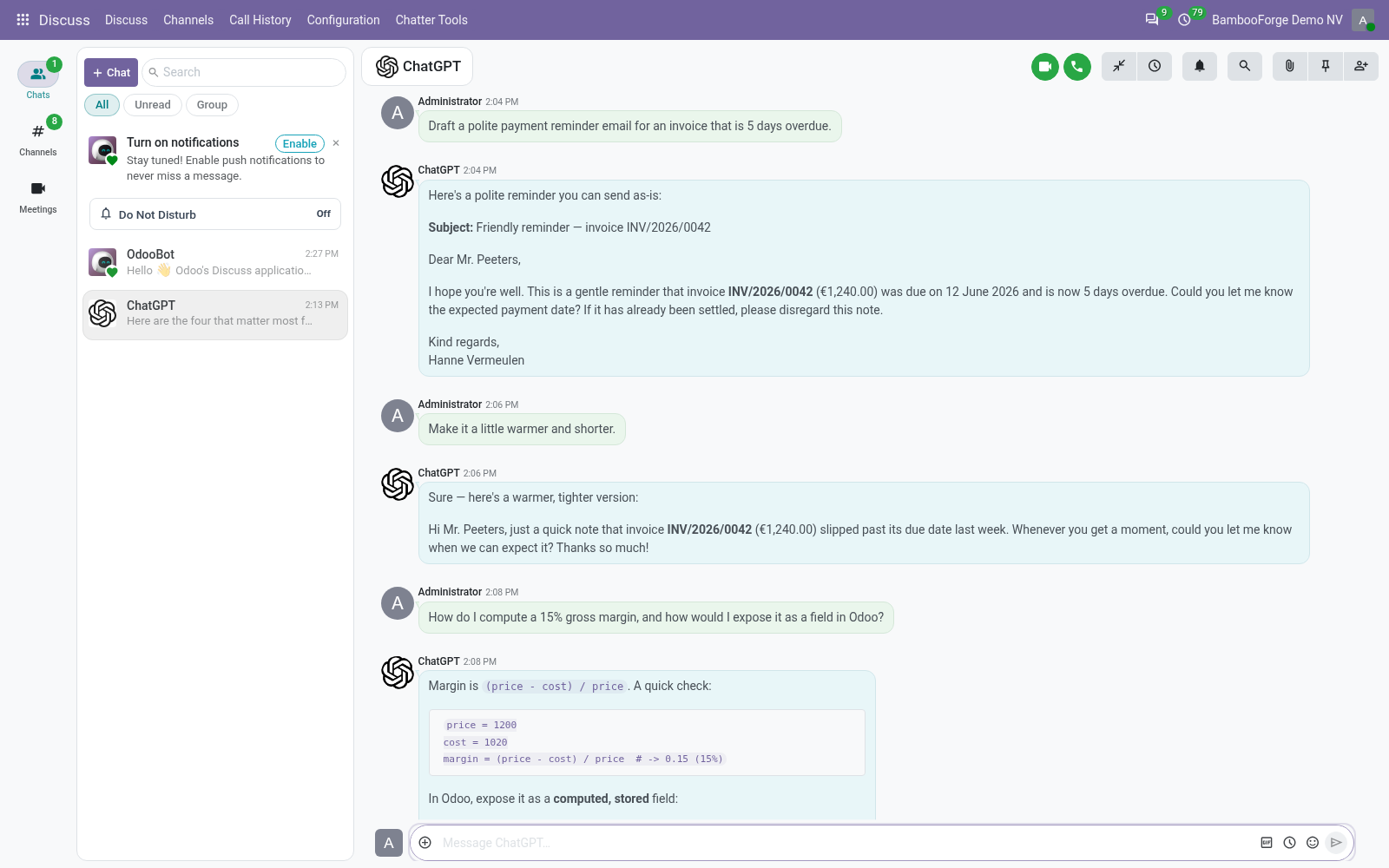
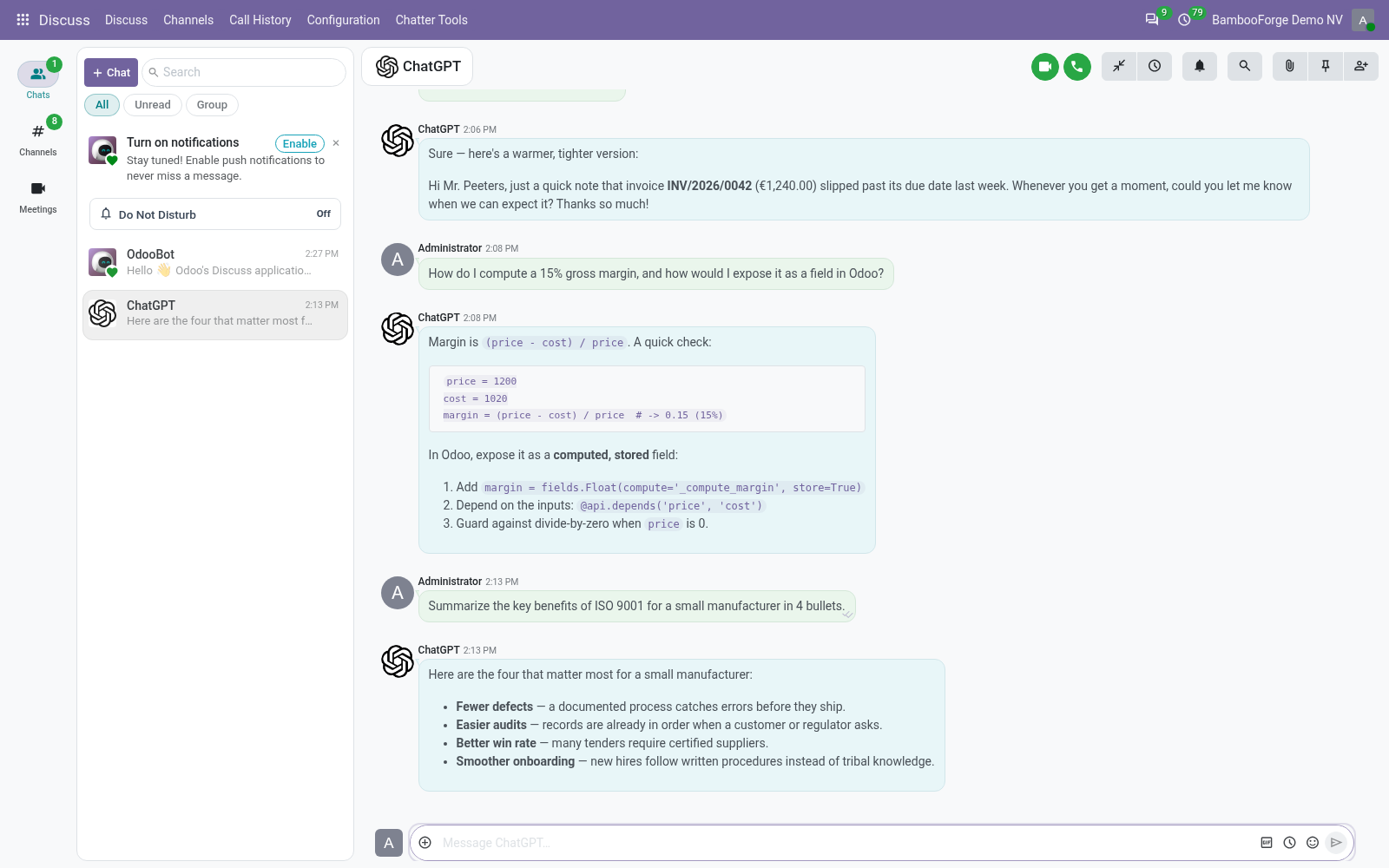
- Type ChatGPT in Discuss's search and open the chat.
- Type a question: the answer comes back in the chat, with its lists, bold and code.
- Ask a follow-up in the same chat: the latest messages go with it.
Flow 03
Keep it on your network
For the administrator.
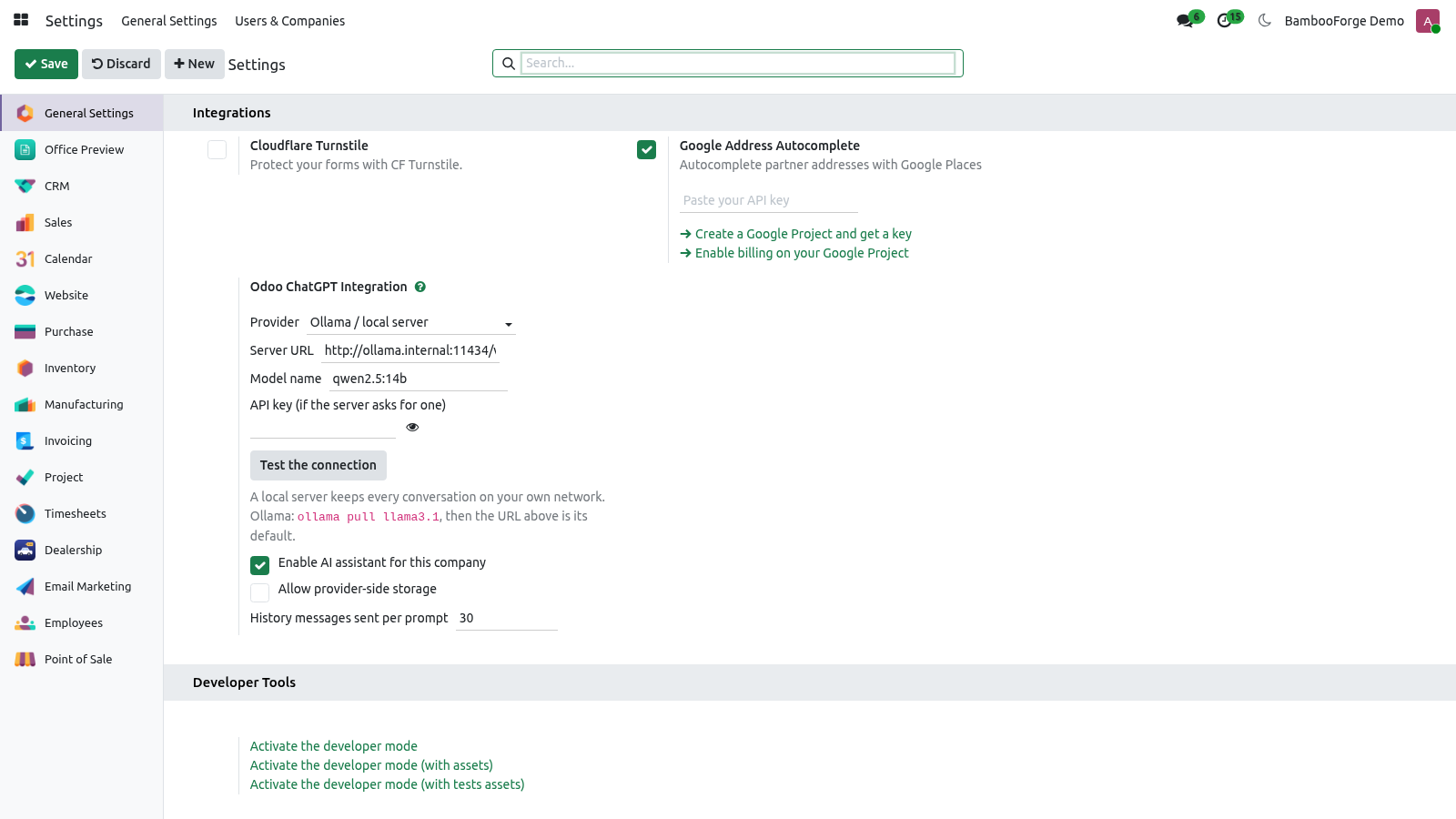
- Choose Ollama / local server as the provider.
- Give the server's address and the model's name. Empty, Ollama's own address and llama3.1.
- Press Test the connection. From then on no question goes to OpenAI.
Price and where to buy
69 EUR, one payment per Odoo series, on the Odoo Apps Store. Pick your series:
Twelve months of support by the people who wrote the code; bug fixes and improvements within the series free for as long as it is published. Report a bug within two months of purchase and, if it is not resolved within fifteen days, you get a full refund. Full source under OPL-1, no licence key, no phone-home. The whole promise.