 BambooForge Labs

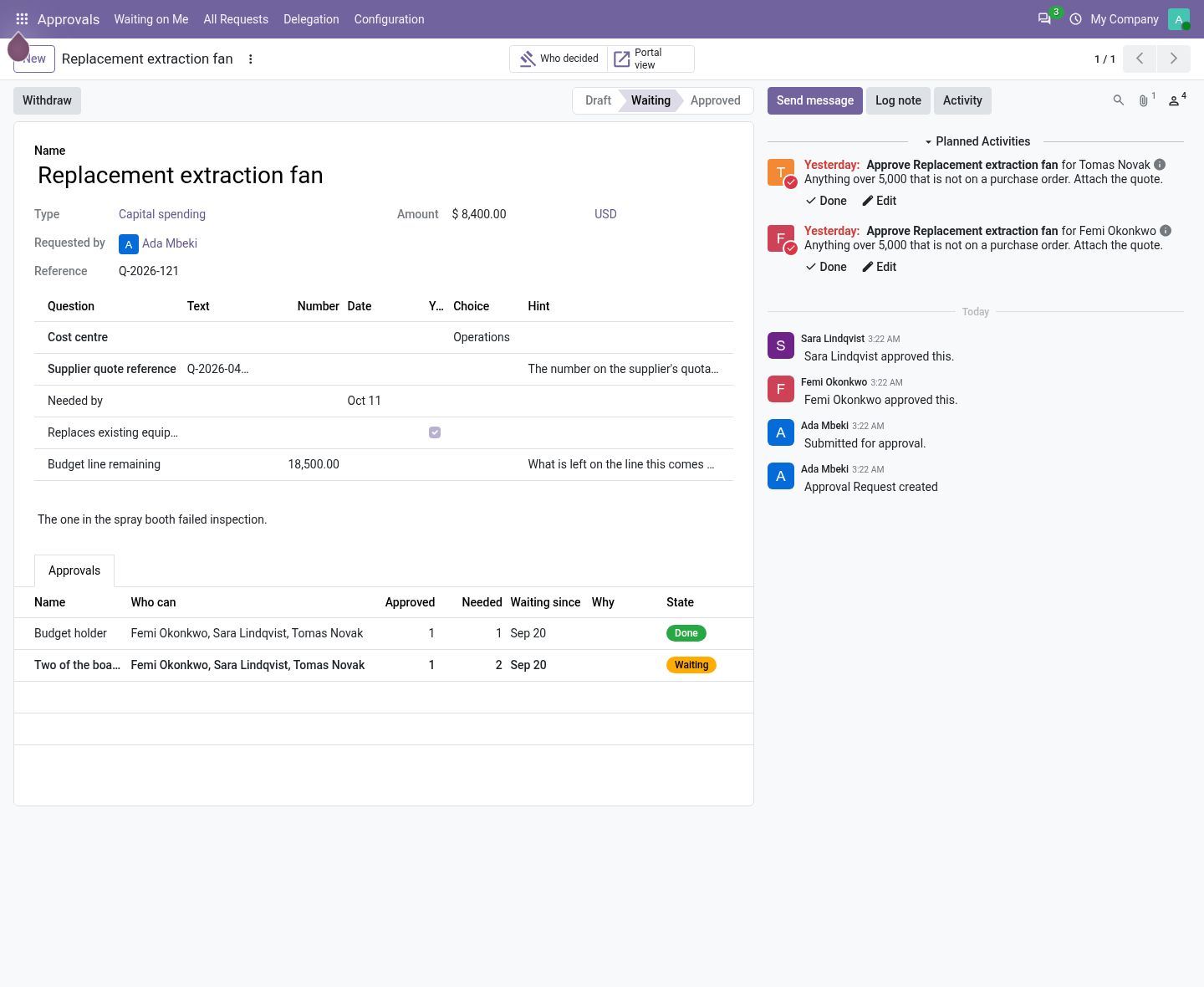
- A ladder, not an e-mail threadSteps in order, how many must say yes, from which amount. The requester is never one of the approvers.
- Frozen at submissionThe people each step resolved to are copied onto the request. What was approved is locked once anybody decides.
- Any record can waitA rule sends sales orders, purchases, bills or transfers up a ladder, and with a gate add-on their own button waits.
bambooforge_approvals136 automated checks run before every release of this app, the same suite on every series it ships for. The complete list is in the source you receive; run it yourself with --test-enable.
For the people who decide
What your managers see
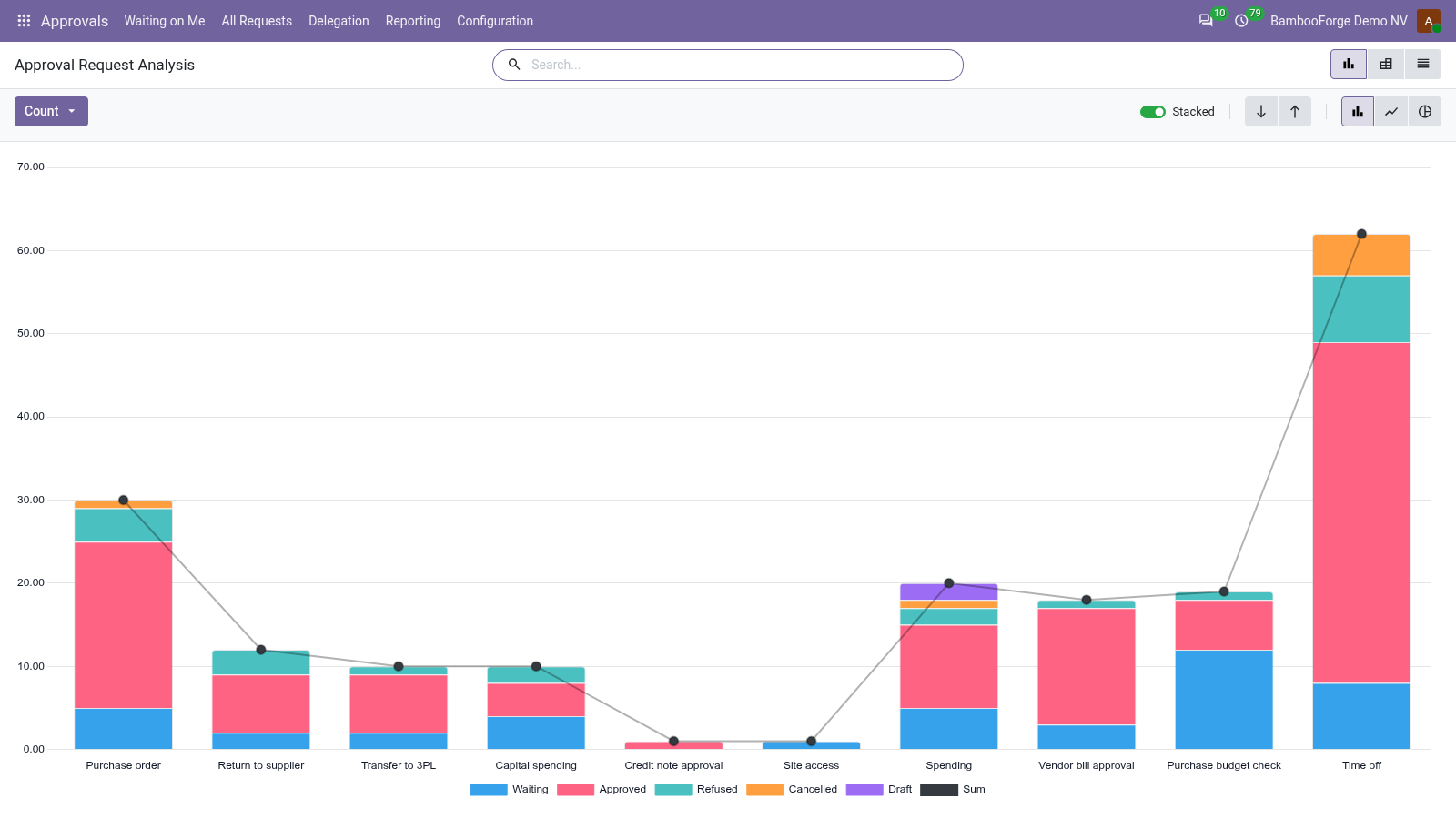
Approvals > Reporting is the approval administrators' menu. Each analysis opens on a chart, with the pivot one click away, and the pivot downloads to Excel from its toolbar.
Requests
requests by type and outcome, with their amounts.
The director sees what the company asks for, and how much of it is refused.
Approver Decisions
each approver's decisions: the days they take once it is their turn, averaged, the decisions made after the step's deadline, and what waits on whom now.
The process owner sees who keeps requests waiting, and where the deadlines are too tight.
How you use it
What people do with it
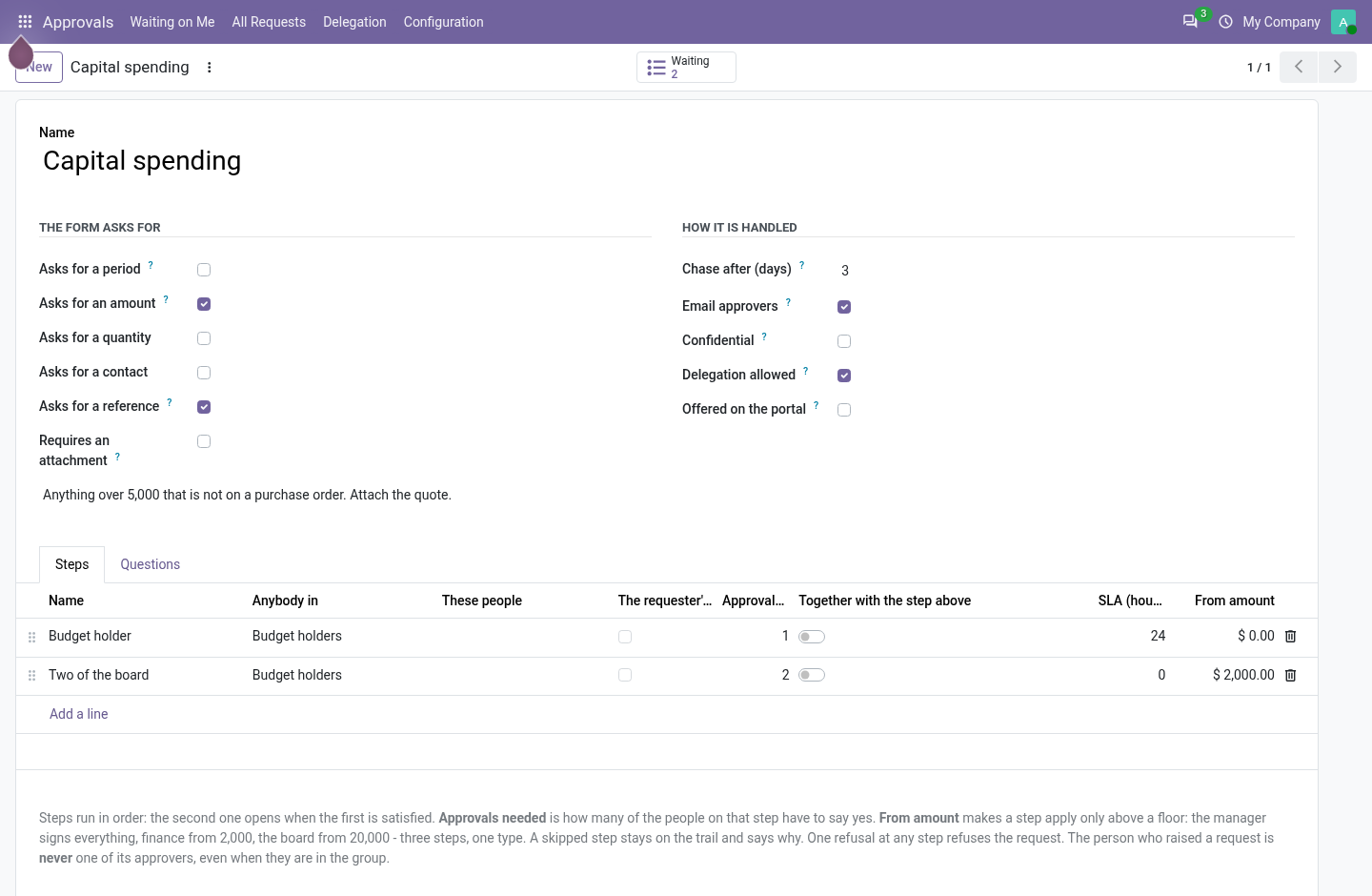
Define a type and its ladder
For an approval administrator, once.
- Approvals > Configuration > Approval Types > New.
- Say what the form asks for: an amount, a period, a reference, an attachment, your own questions.
- Add the steps in order: a group, named people or the requester's manager, how many must approve, from which amount.
- Set Chase after, Email approvers, Confidential, Delegation allowed.
Raise it, decide it
For the requester and the approvers.
- All Requests > New: the type, the amount, the answers; attach the quote.
- Submit: the ladder is built and its first step's approvers get an activity and a mail.
- Approve, or Refuse with a reason the requester reads.
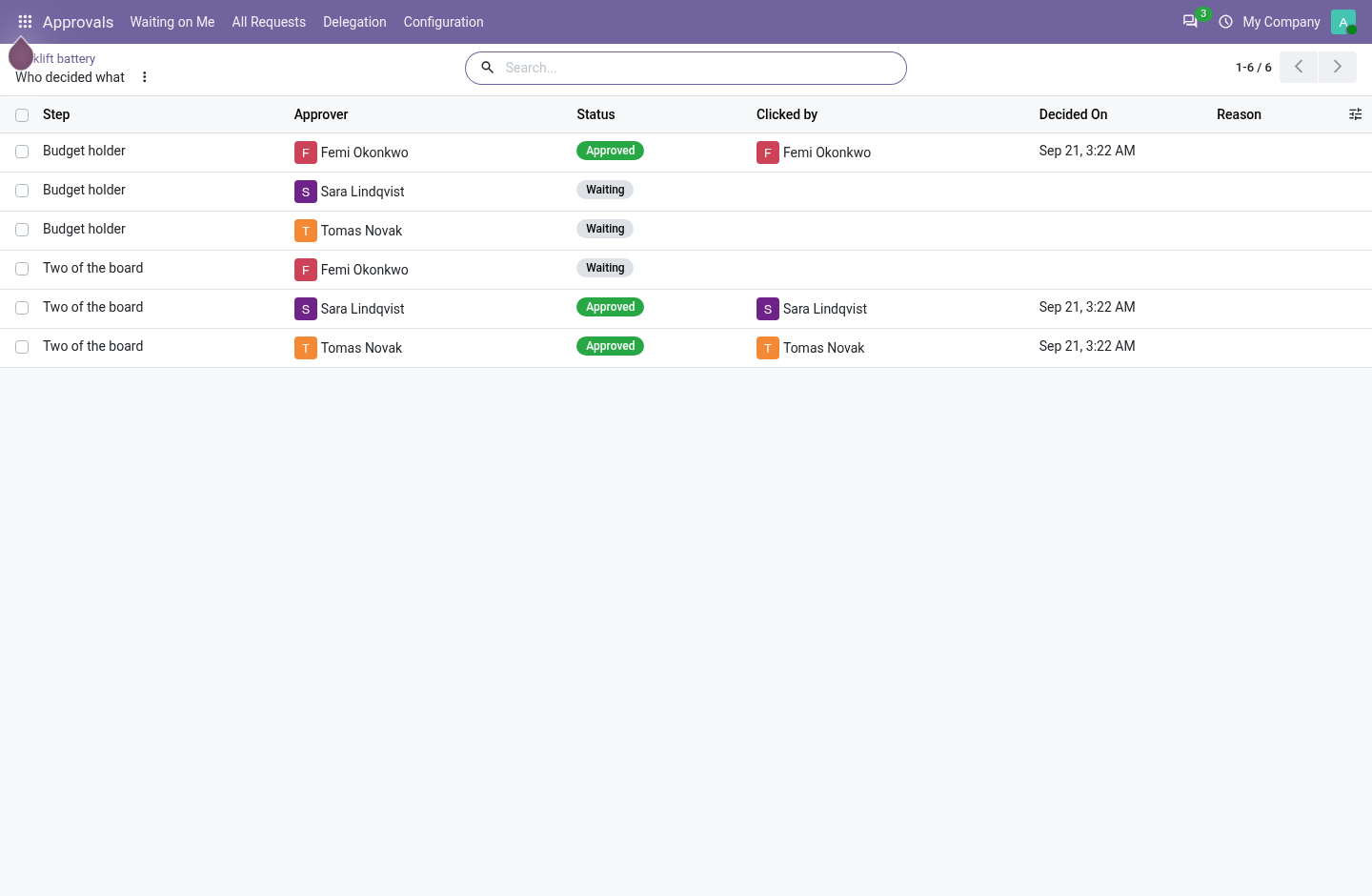
- Who decided lists each decision: who was asked, who clicked, when.
Make a record wait
For an approval administrator.
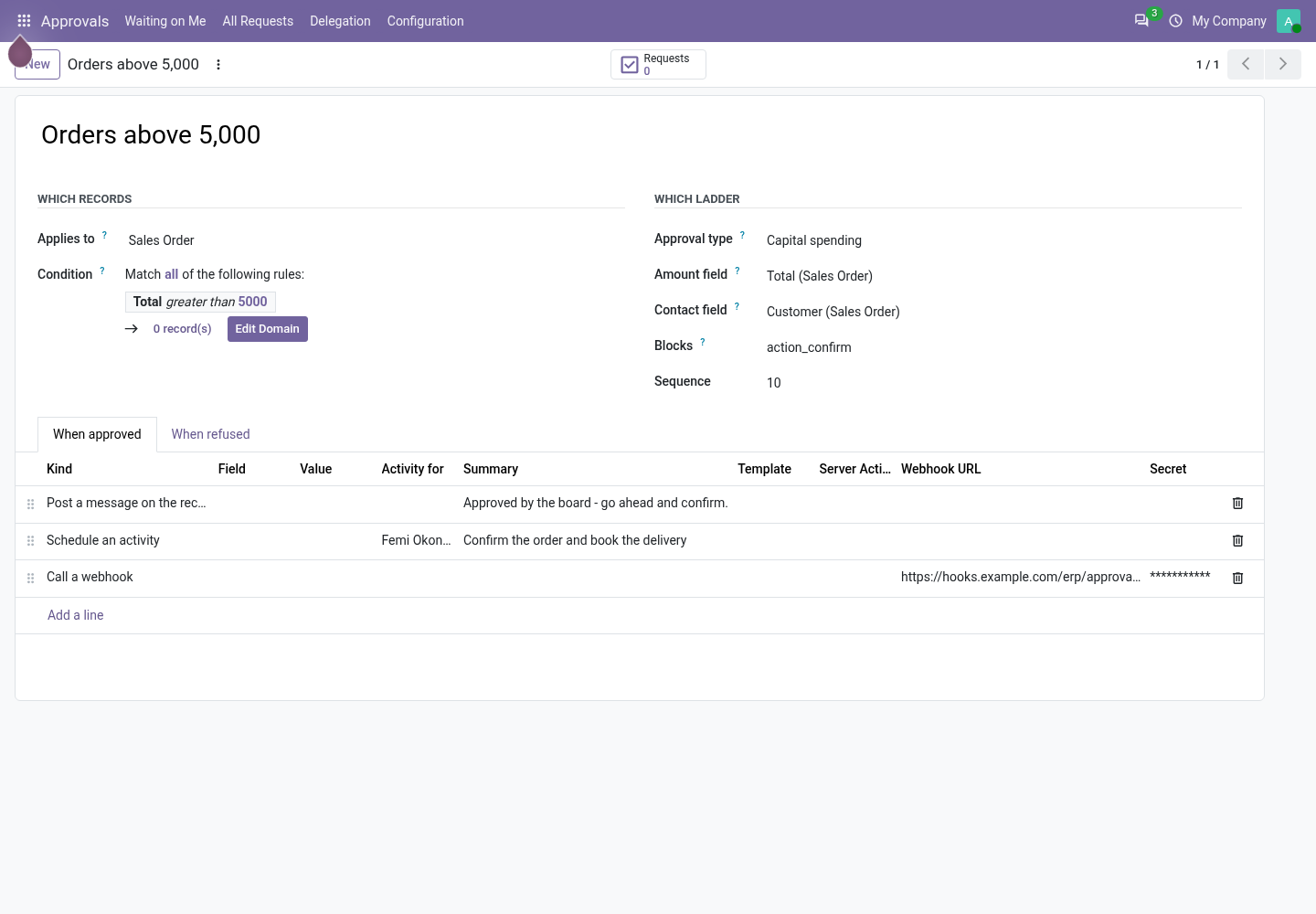
- Approvals > Configuration > Approval Rules > New: the model and a condition written like a filter.
- The ladder, the amount field, and Blocks: the method of the record's button.
- What happens when approved or refused: a field set, an activity, a mail, a server action, a webhook, a message.
Price and where to buy
89 EUR, one payment per Odoo series, on the Odoo Apps Store. Pick your series:
Twelve months of support by the people who wrote the code; bug fixes and improvements within the series free for as long as it is published. Report a bug within two months of purchase and, if it is not resolved within fifteen days, you get a full refund. Full source under OPL-1, no licence key, no phone-home. The whole promise.