 BambooForge Labs

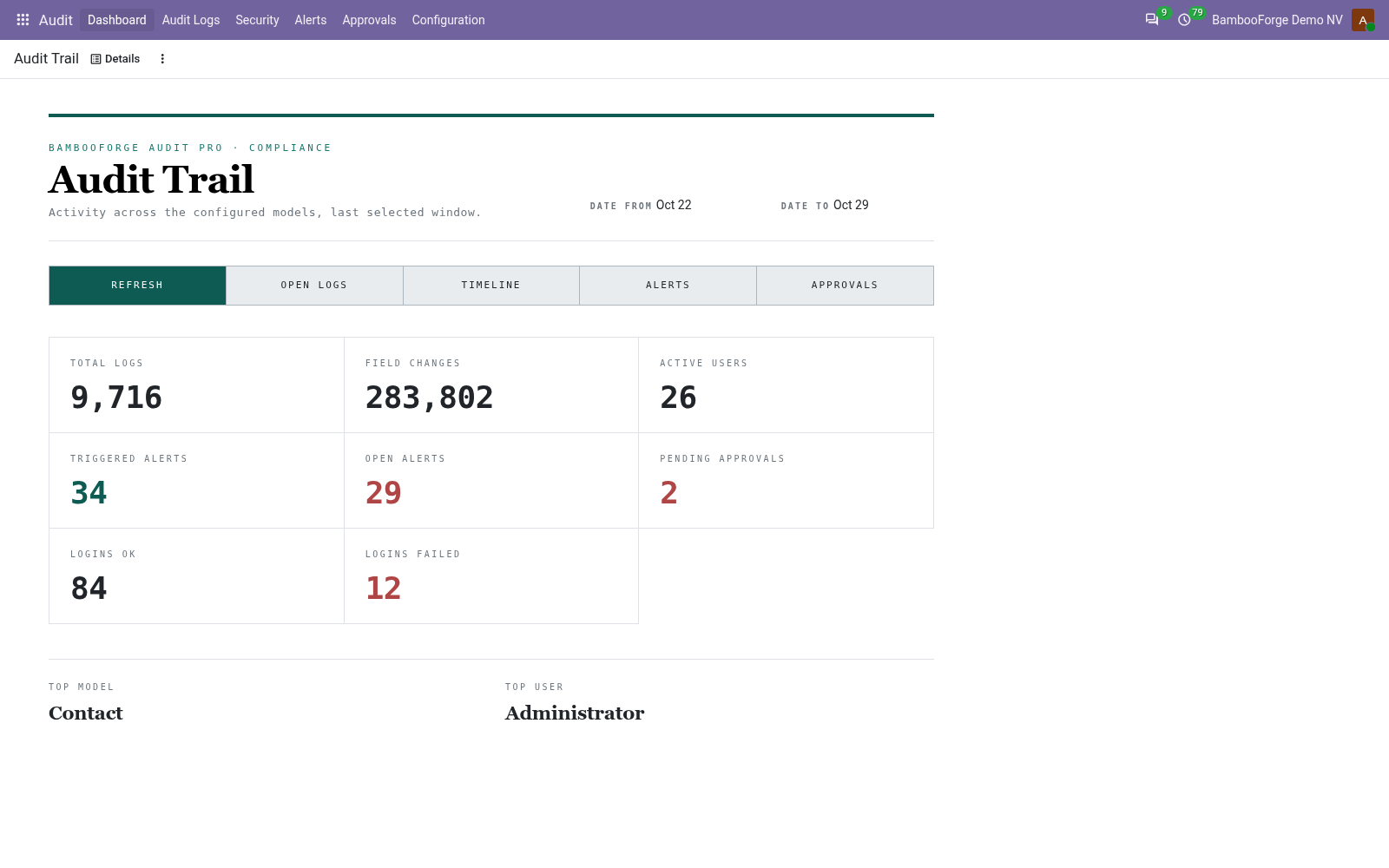
- Every change, field by field, before and afterPick the models to audit; each create, write, delete (and read if you want) is recorded with a per-field diff, the user, the time and the request. Each entry is chained to the one before with a hash you can verify.
- Told when it matters, approved when it is riskyAlert rules match a slice of the trail and notify by email or Slack, Discord, Teams and generic webhooks; anomaly rules catch bursts, after-hours access and privilege escalation; writes to sensitive fields wait for an approver.
- Retention, archiving and the auditor's paperworkLogs expire per rule and ship to a file, syslog or S3 first; PII is masked at capture and can be anonymised for GDPR; access snapshots and reviews and a one-click attestation PDF give the auditor what they ask for.
bambooforge_audit_pro149 automated checks run before every release of this app, the same suite on every series it ships for. The complete list is in the source you receive; run it yourself with --test-enable.
How you use it
The screens, in the order you set them up
Choose what to audit
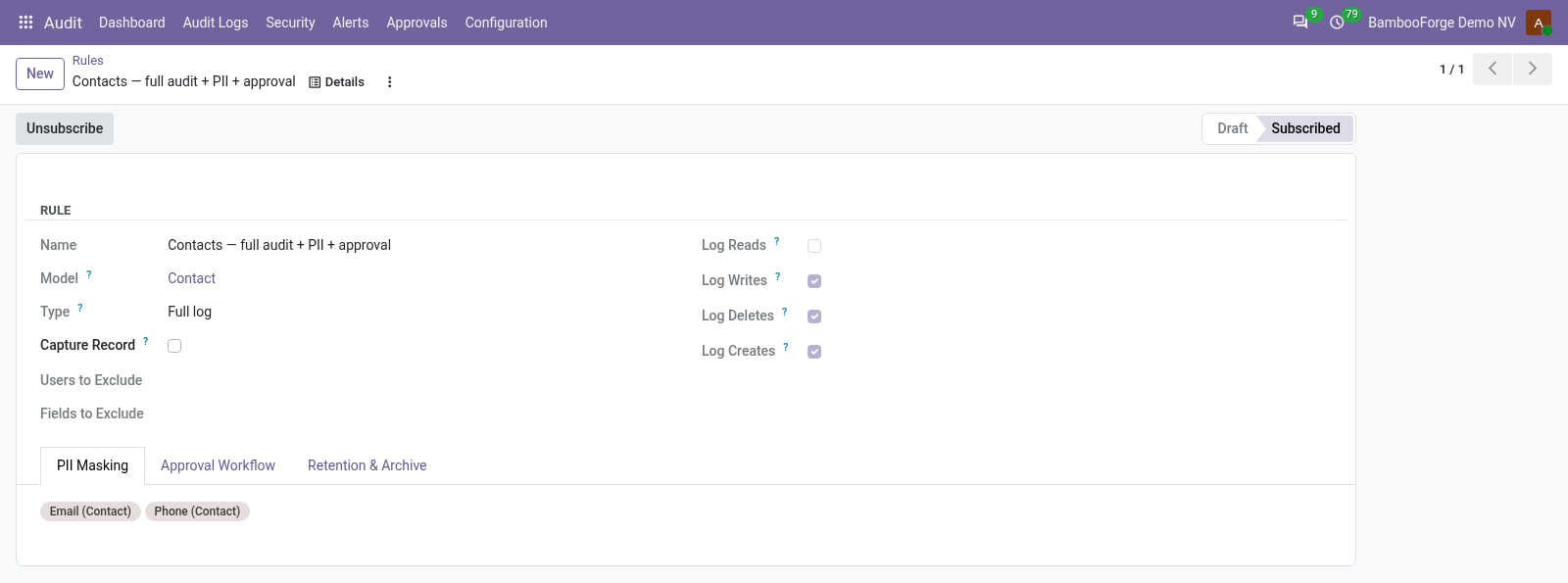
One rule per model says what is recorded: full log with a before-and-after diff of every field, or fast log with the values written; reads, writes, deletes, creates; users and fields to leave out; fields to mask.
- Audit > Configuration > Rules > New: pick the model (one rule per model).
- Choose Full log or Fast log and tick the operations to record; Writes, Deletes and Creates are on, Reads is off because it is the noisiest.
- Exclude users or fields, mark the fields to mask, then Subscribe. The model's form gains a View logs action.
Alerts by email, Slack, Discord or Teams
An alert rule matches a slice of the trail by model, user, operation, field and keyword, and ships each match through the channels you pick. Mail is queued, not sent inline, so a slow server never blocks the write that triggered it.
- Audit > Alerts > Alert Rules > New: narrow the match with Model, User, Method, Field and Keyword.
- Tick Send Email and list the recipients, or pick one or more webhooks.
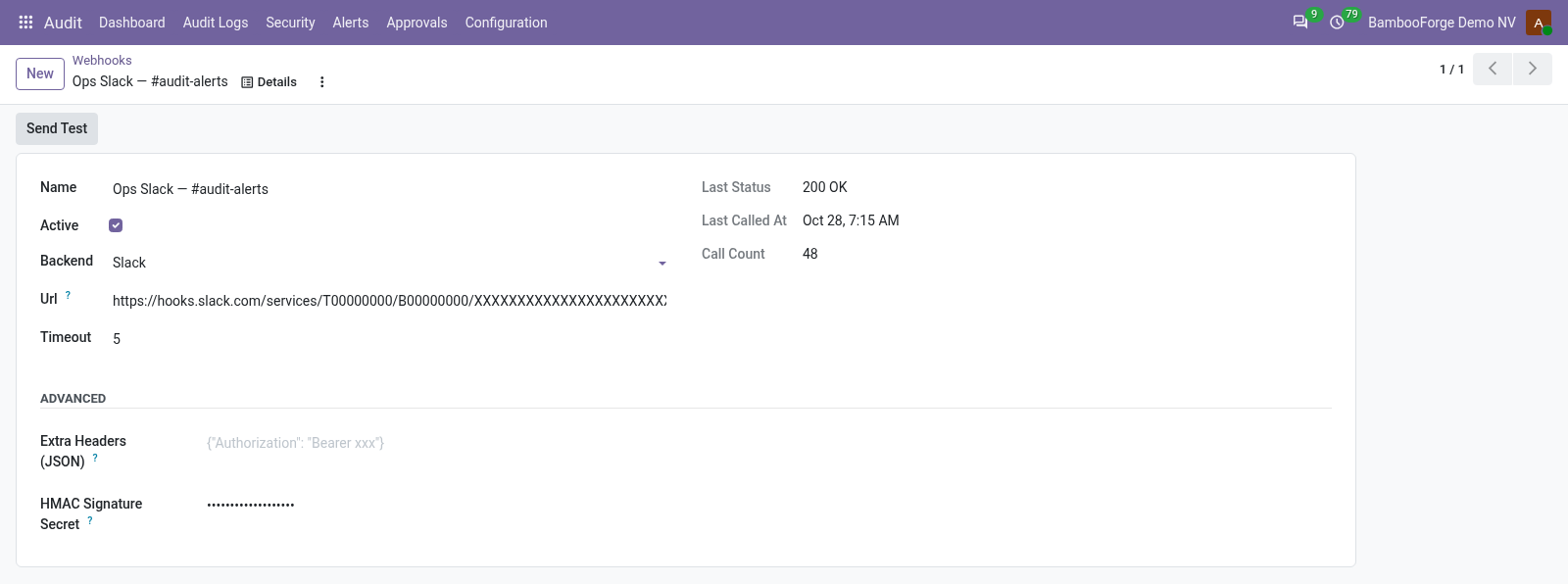
- Audit > Configuration > Webhooks: a receiver is a URL and a format (Slack, Discord, Microsoft Teams or generic JSON), with an HMAC signature if the receiver checks one.
Risky edits wait for an approver
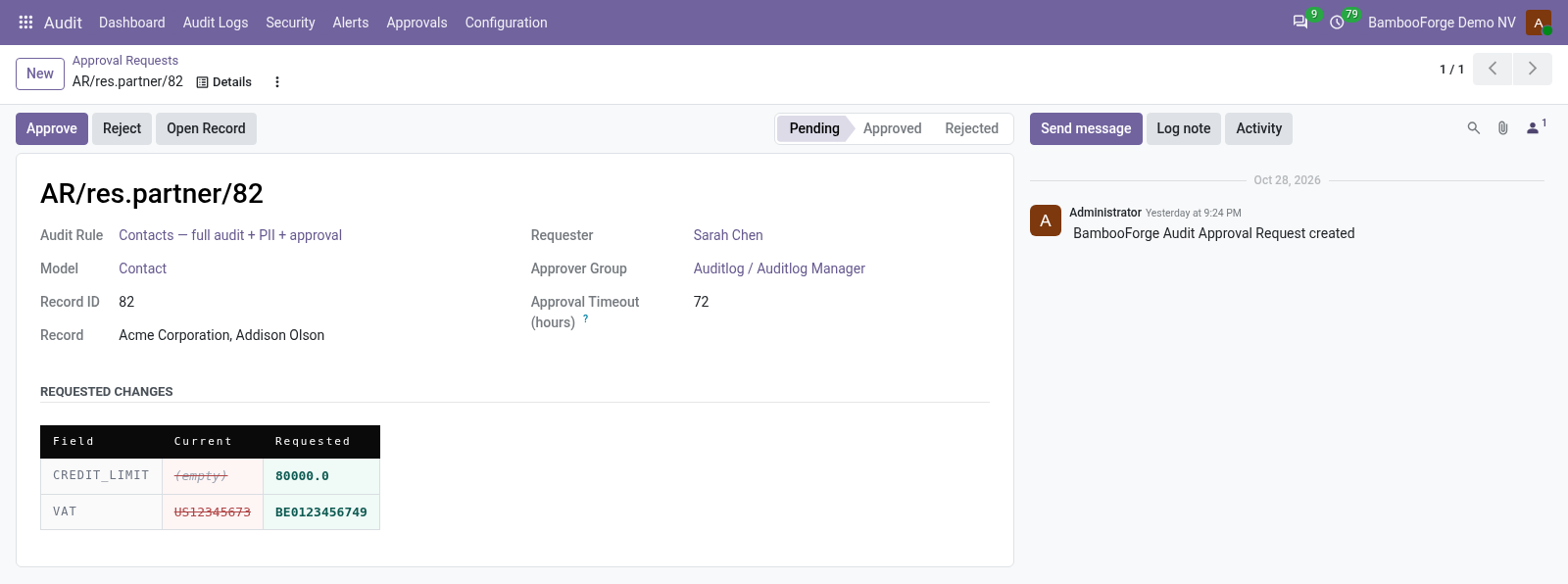
Fields you mark as sensitive on an audit rule cannot be written directly: the save is refused and an approval request is created in its place, with the current and requested values side by side.
- On the audit rule's Approval Workflow tab, add the sensitive fields and set a timeout in hours.
- When somebody saves a new value in one of them, the save is refused with the request's name.
- Approvers find it under Audit > Approvals: Approve writes the change with the approver's own rights, Reject drops it; requests older than the timeout expire by themselves.
Bursts, after-hours access and privilege escalation
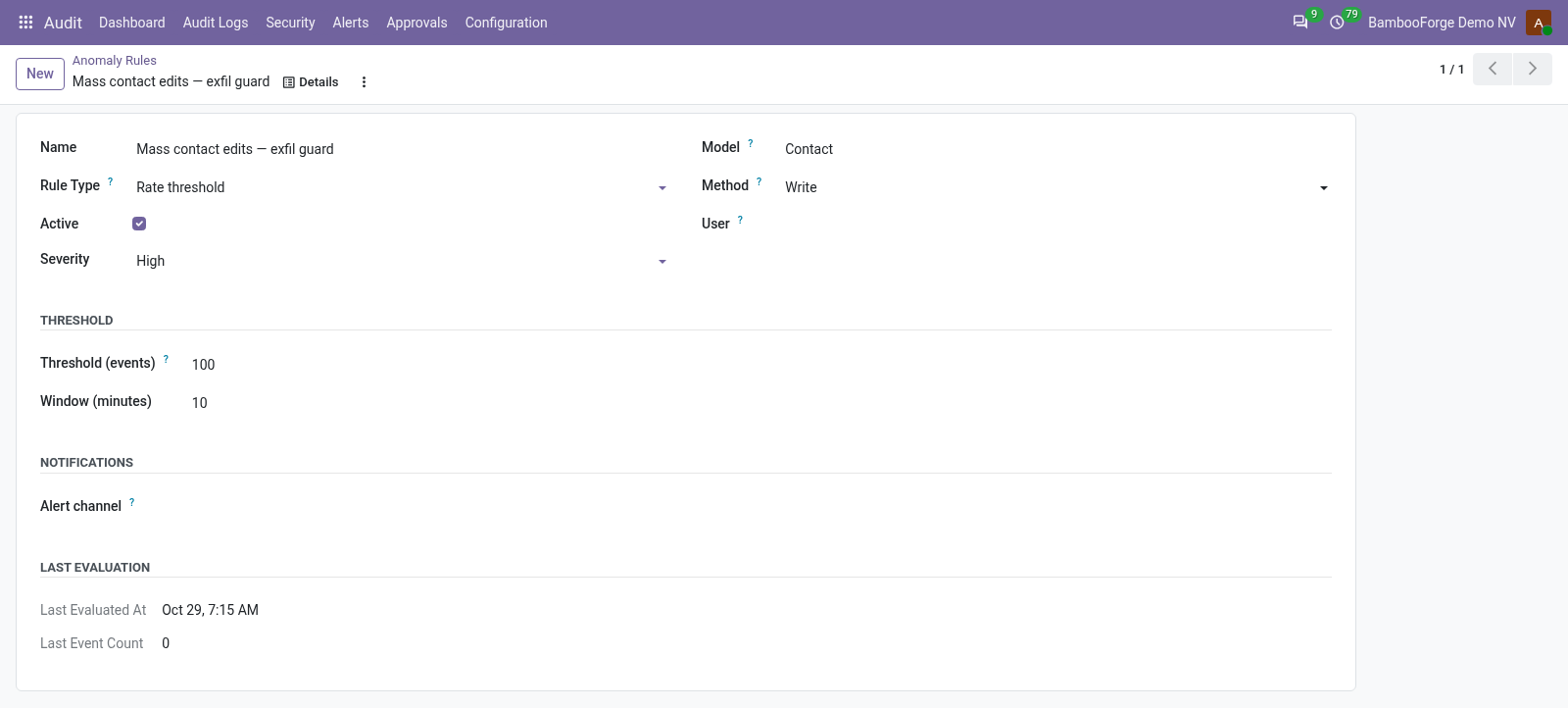
An anomaly rule raises an alert when matching events cross a threshold inside a window, or when a detector fires: after-hours access, a new IP, a mass delete or export, a new group granted.
- Audit > Security > Anomaly Rules > New: pick the detector type.
- Scope it to a model, an operation or a user if you like; set the threshold and the window in minutes, the severity, and for after-hours rules the business hours and days.
- Point it at an alert rule whose channels should fire; one is created for it when you leave it empty.
The trail itself: logs and the timeline
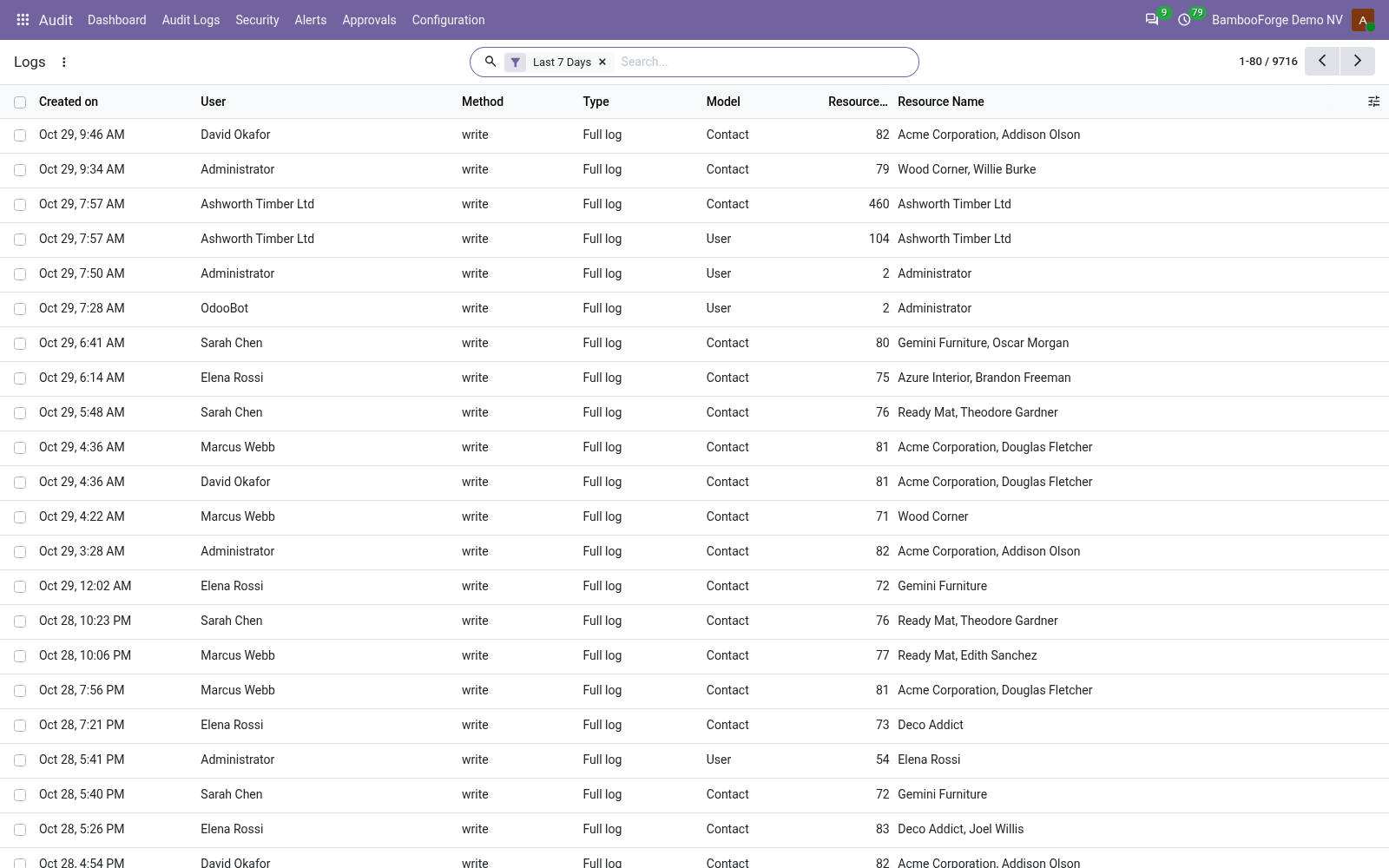
Logs lists every captured operation, one row per operation on one record, with the changed fields and their values before and after. The timeline merges operations and individual field changes into one chronological stream.
- Audit > Audit Logs > Logs: the last 7 days by default; open a row for its changed fields and diff.
- Audit > Audit Logs > Timeline: filter by user, model or date to read what happened in order.
- Export Logs builds an XLSX of a filtered slice, within the row limit, respecting the companies you work in.
Who signed in, and who could not
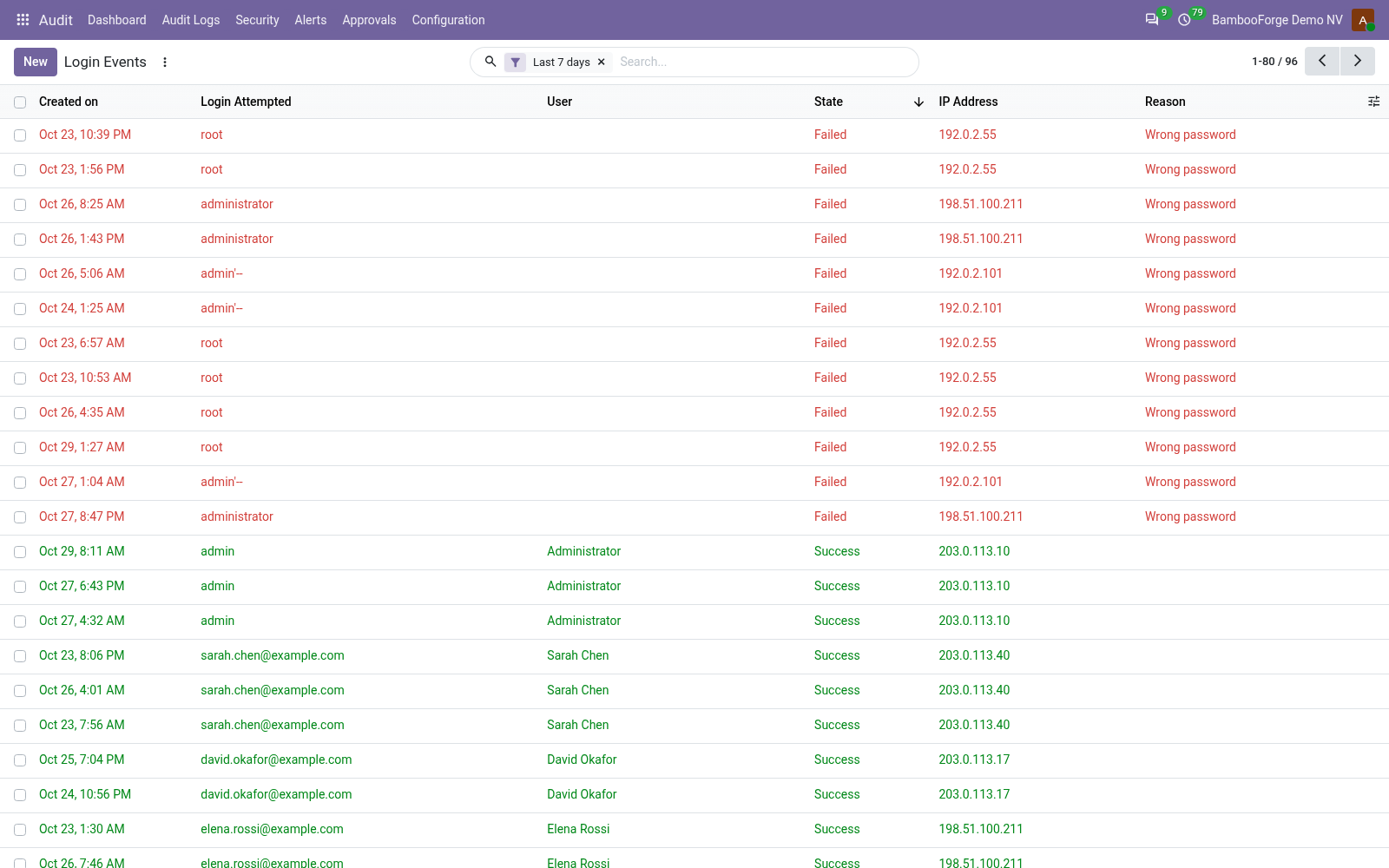
Every authentication attempt is recorded with the login tried, the user, the outcome, the IP address, the user agent and a hashed session token. No rule to set up.
- Audit > Security > Login Events: filter by state (success, failed, blocked), user or IP.
- A failed attempt keeps the reason; an attempt refused by the login cooldown is recorded as blocked.
Access snapshots and access reviews
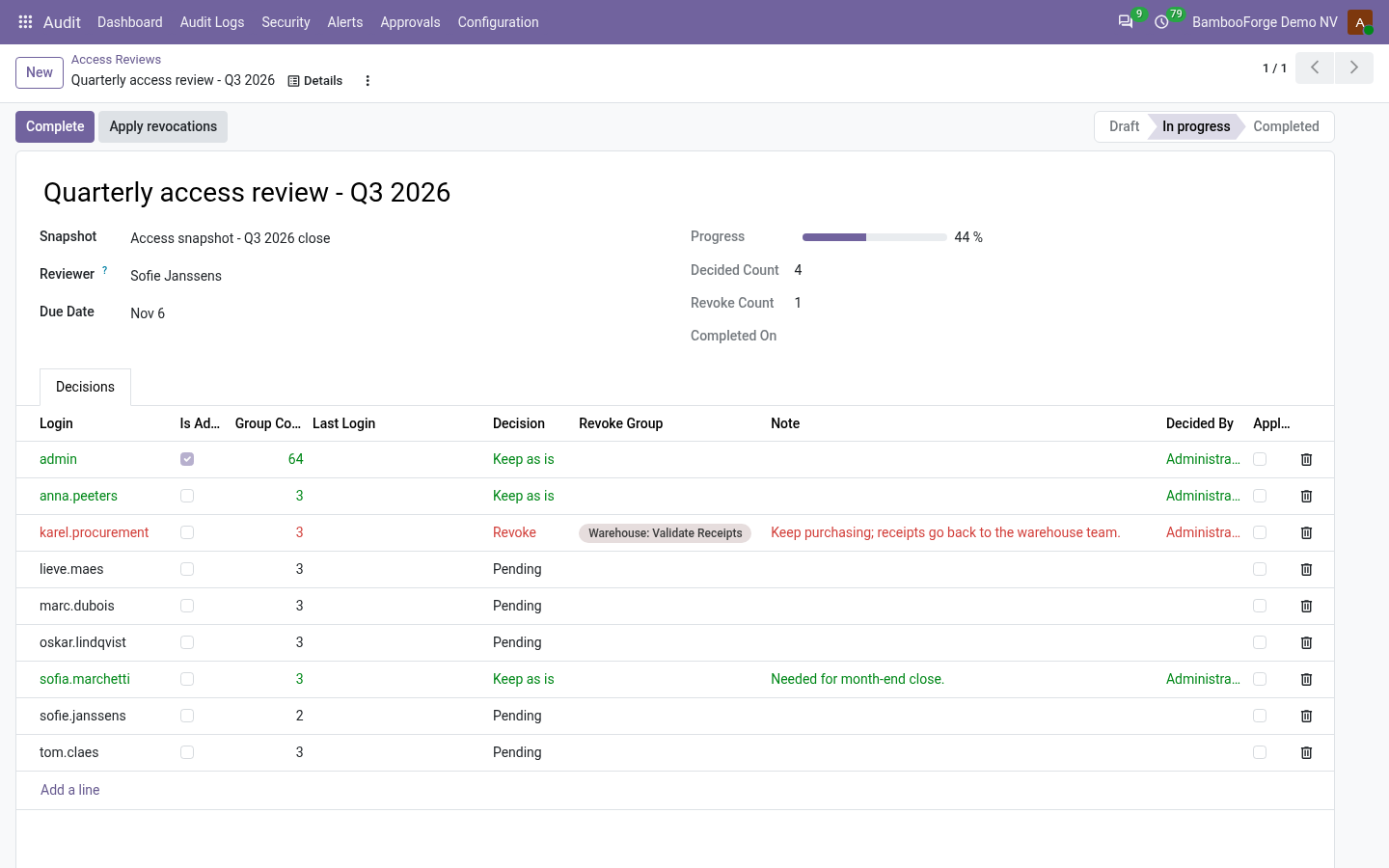
A snapshot freezes what every internal user may do: groups, a fingerprint of them, administrator or not. A review turns a snapshot into one decision per user, keep or revoke, stamped with who answered and when; applying it strips only what the reviewer refused.
- Audit > Security > Access Snapshots: Take Snapshot Now, or let the monthly job do it; the Changes tab compares it with the previous one.
- Audit > Security > Access Reviews > New: pick the snapshot and the reviewer; decide every line; a campaign cannot complete while a user is unanswered.
- Apply revocations removes the refused groups and records who applied it; the person applying cannot revoke their own access.
Retention and archiving
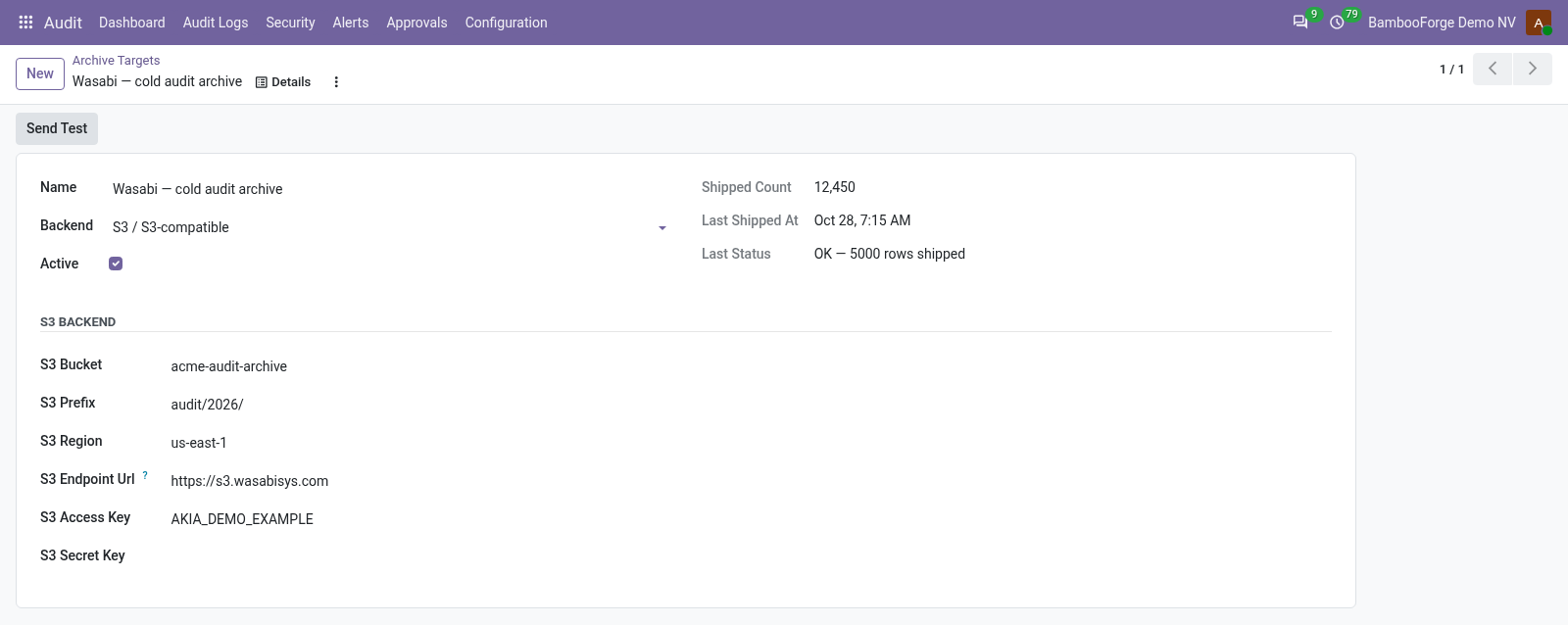
Logs are deleted on a schedule, per rule or by the global retention; an archive target receives a copy of each log before it goes, as JSON Lines to a file, to syslog, or to an S3-compatible bucket.
- Audit > Configuration > Archive Targets > New: pick the destination and its settings, Test it.
- On an audit rule, set Retention Days and the Archive Target; 0 days means the global retention.
- The daily job ships the batch, then deletes; the target keeps its last status and error.
Price and where to buy
229 EUR, one payment per Odoo series, on the Odoo Apps Store. Pick your series:
Twelve months of support by the people who wrote the code; bug fixes and improvements within the series free for as long as it is published. Report a bug within two months of purchase and, if it is not resolved within fifteen days, you get a full refund. Full source under OPL-1, no licence key, no phone-home. The whole promise.