 BambooForge Labs

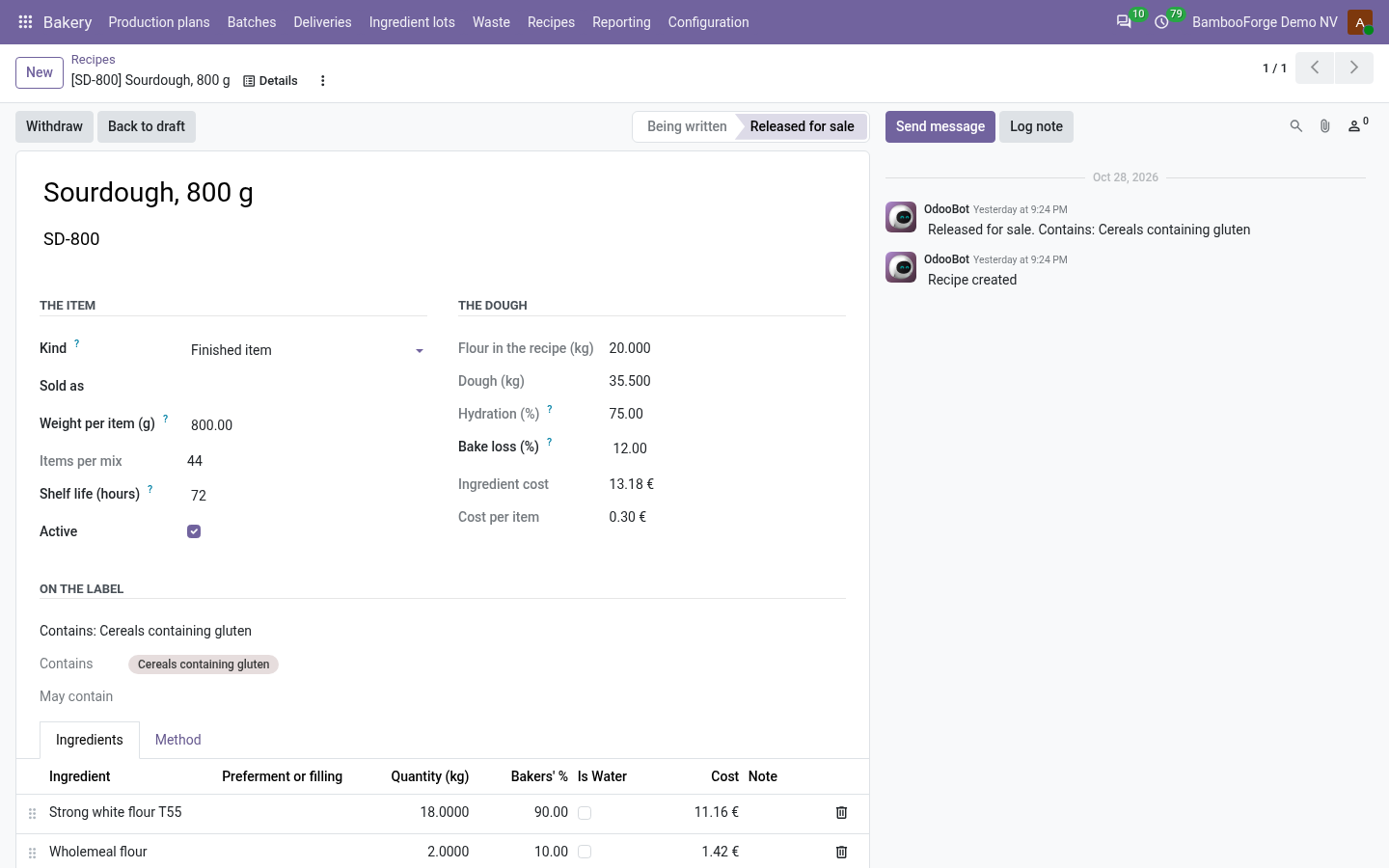
- A label nobody typesContains and may contain come off the ingredients, preferments included. A recipe with an unread specification is not released.
- A recall in one screenThe lot's batches, the deliveries that took them out and how many items each customer kept, written on the lot, with the lot blocked.
- The night and the roundStanding orders add up into the plan, batches carry their use-by, and a van never loads bread past it or more than is left.
bambooforge_bakery148 automated checks run before every release of this app, the same suite on every series it ships for. The complete list is in the source you receive; run it yourself with --test-enable.
For the people who decide
What your managers see
Bakery > Reporting is the bakery manager's menu. Each analysis opens on a chart, with the pivot one click away, and the pivot downloads to Excel from its toolbar.
Production
by recipe, baker, day and week: planned, made, delivered and thrown away, the ingredient cost, and the average bake loss against the recipe, with the bakes two points off it.
The owner sees what each line makes, delivers and throws away, and which oven or baker needs looking at.
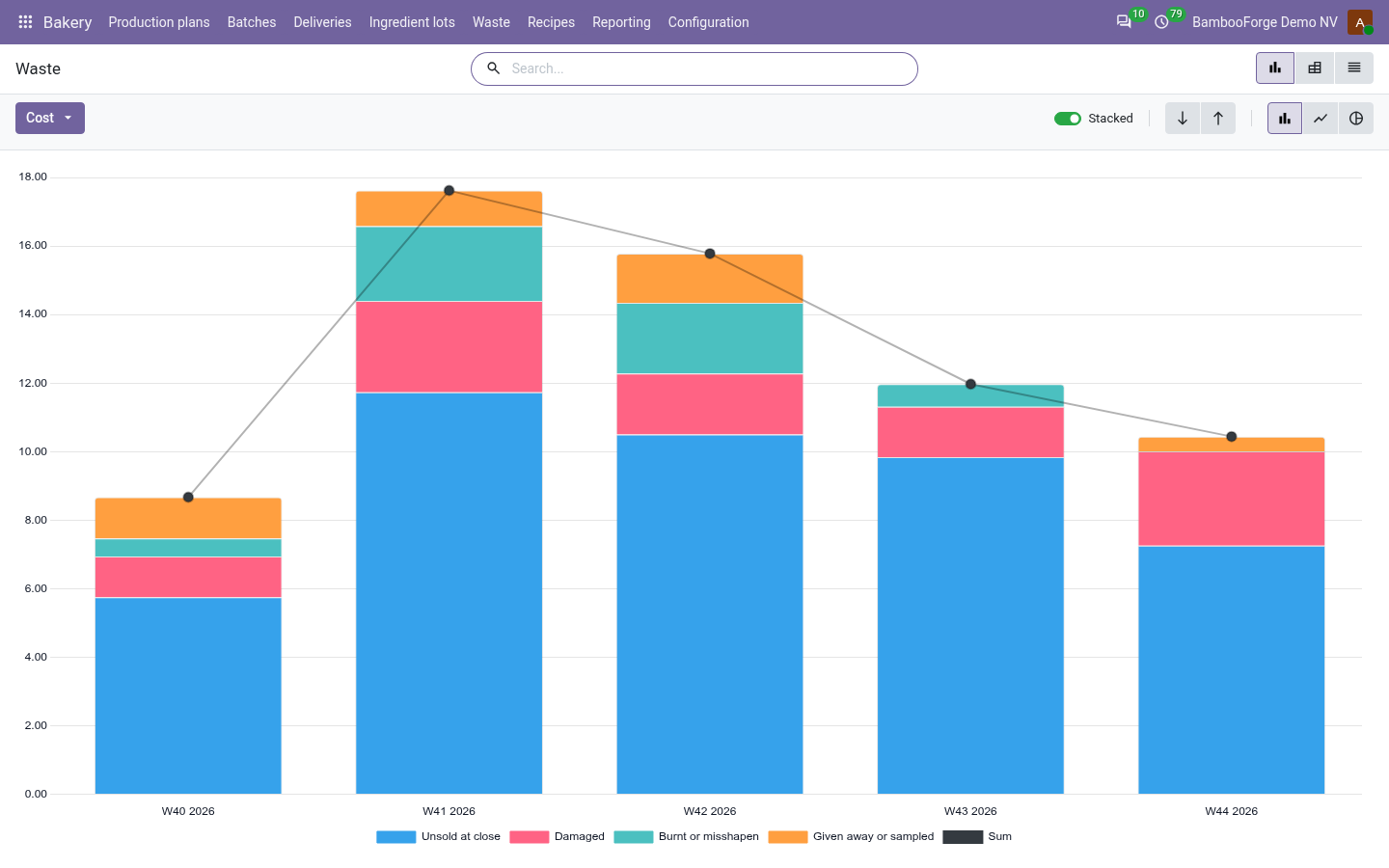
Waste
what was thrown away by reason, recipe and week, and what it cost to make.
The owner cuts tomorrow's counter number where the waste says so.
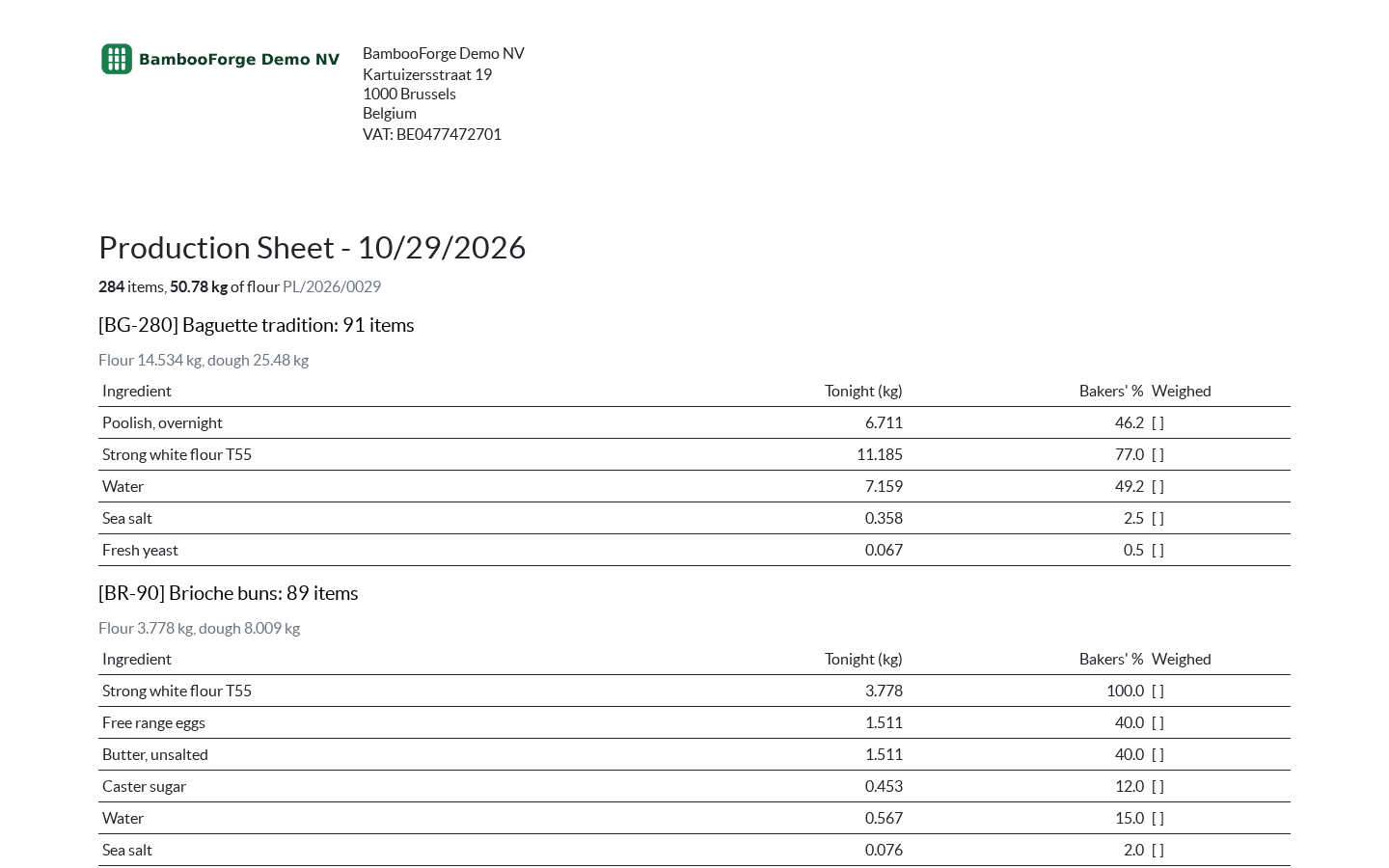
One document prints from the plan, from the Actions menu of its form:
- Production Sheet: the night's sheet: each recipe on the plan with its count and its flour and dough weights, and every ingredient scaled from the recipe to tonight's flour, with the bakers' percentage and a box to tick when it is weighed.
How you use it
From the sack to the cafe
Plan the night
For the baker, every evening.
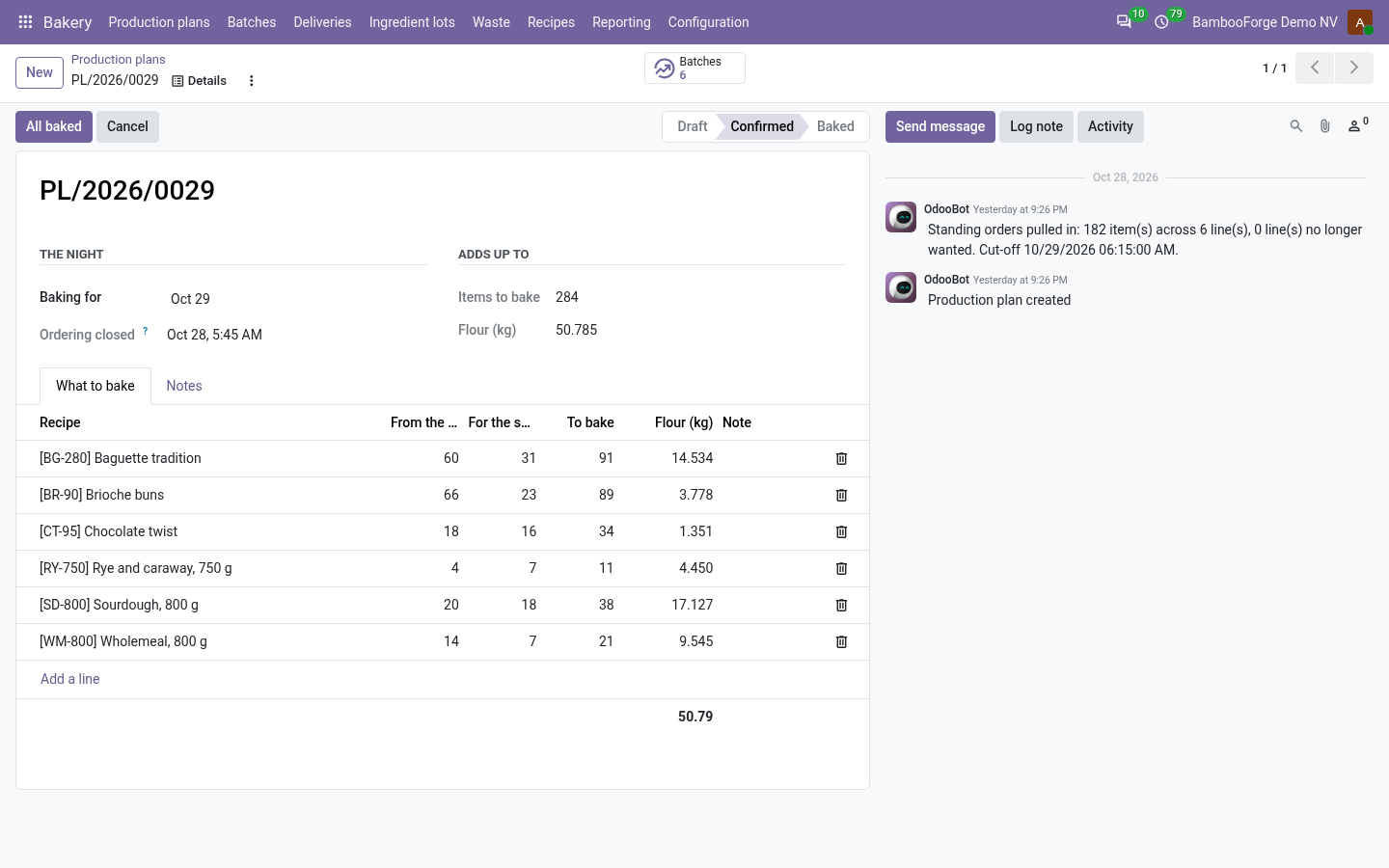
- Bakery > Production plans: New, the day you bake for.
- Pull the round: the standing orders of that weekday, item by item.
- Type what the shop expects, then Confirm and raise the batches.
- Print the Production Sheet from Actions.
Bake a batch
At the mixer and the oven.
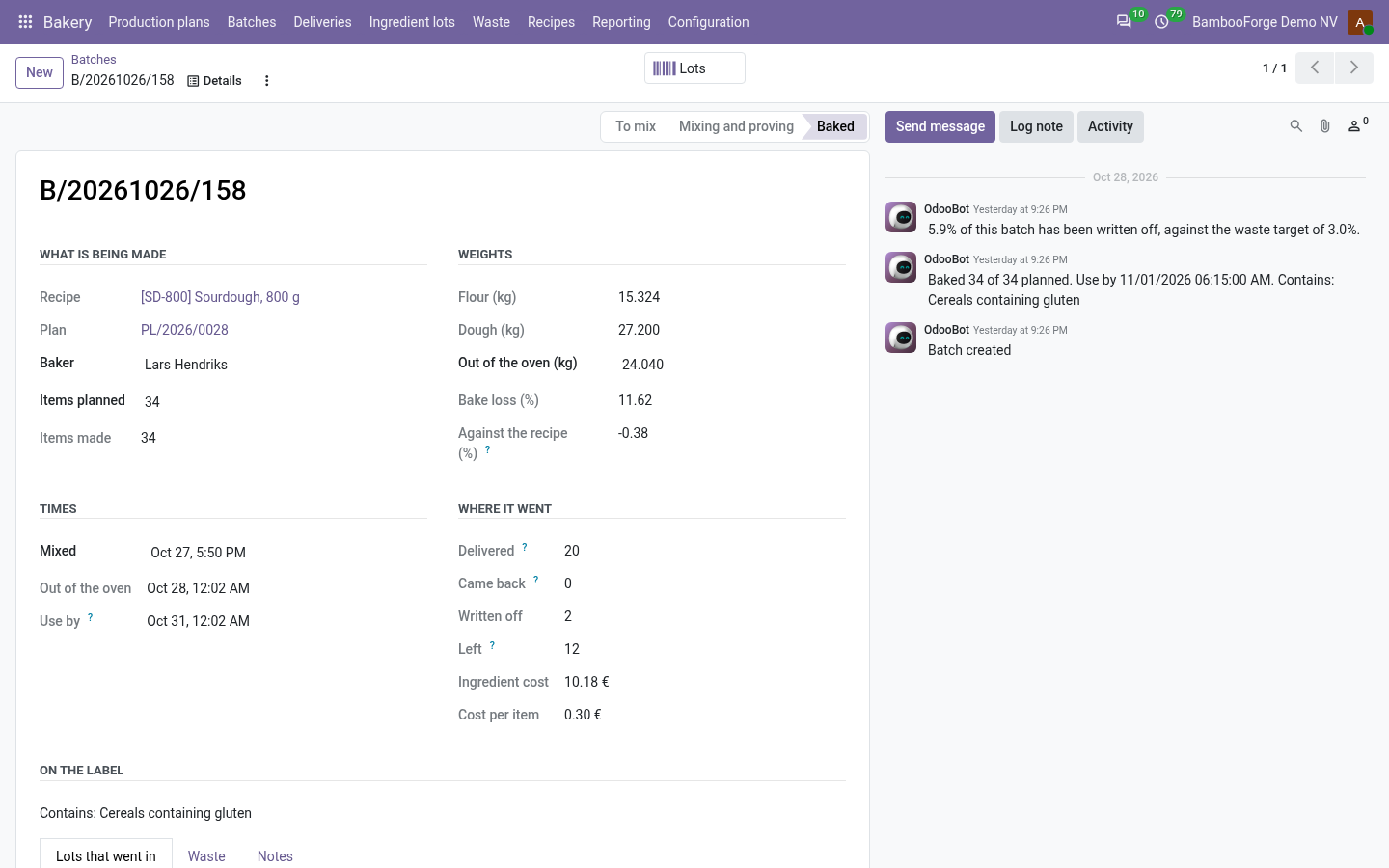
- Into the mixer: the recipe must be released.
- Record the lots that went in: blocked or out-of-date lots are refused.
- Out of the oven: the count and the weight. The use-by and tonight's label are kept.
Load the van
In the morning.
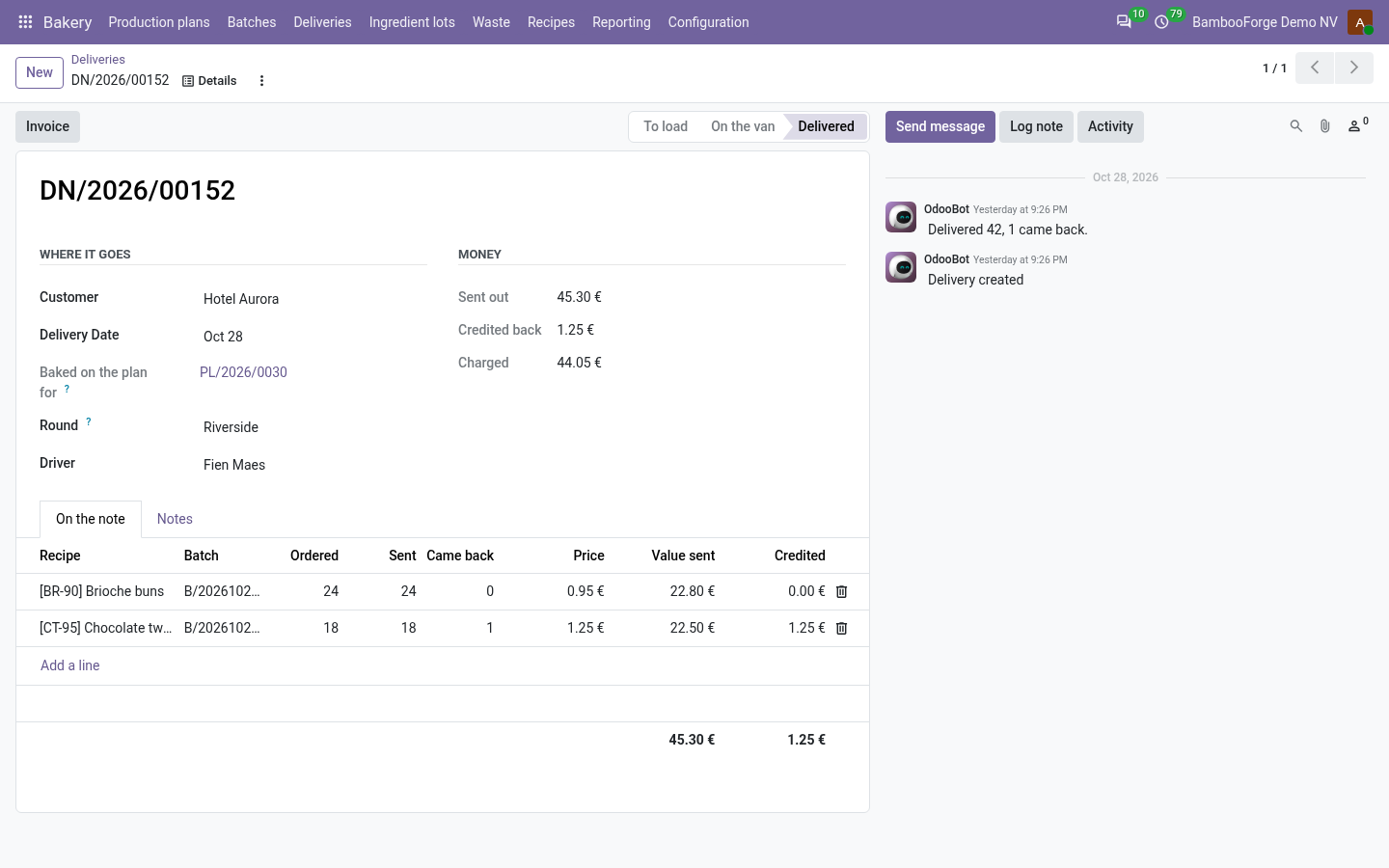
- A delivery per customer, each line with its batch.
- On the van: every batch in date and holding enough.
- Delivered, then what came back; the manager invoices the rest.
Price and where to buy
99 EUR, one payment per Odoo series, on the Odoo Apps Store. Pick your series:
Twelve months of support by the people who wrote the code; bug fixes and improvements within the series free for as long as it is published. Report a bug within two months of purchase and, if it is not resolved within fifteen days, you get a full refund. Full source under OPL-1, no licence key, no phone-home. The whole promise.