 BambooForge Labs

- Their bookings in their own calendarOne address per staff member, added once to their phone or calendar app as a subscribed calendar. It carries their pending and confirmed bookings, and one click revokes it.
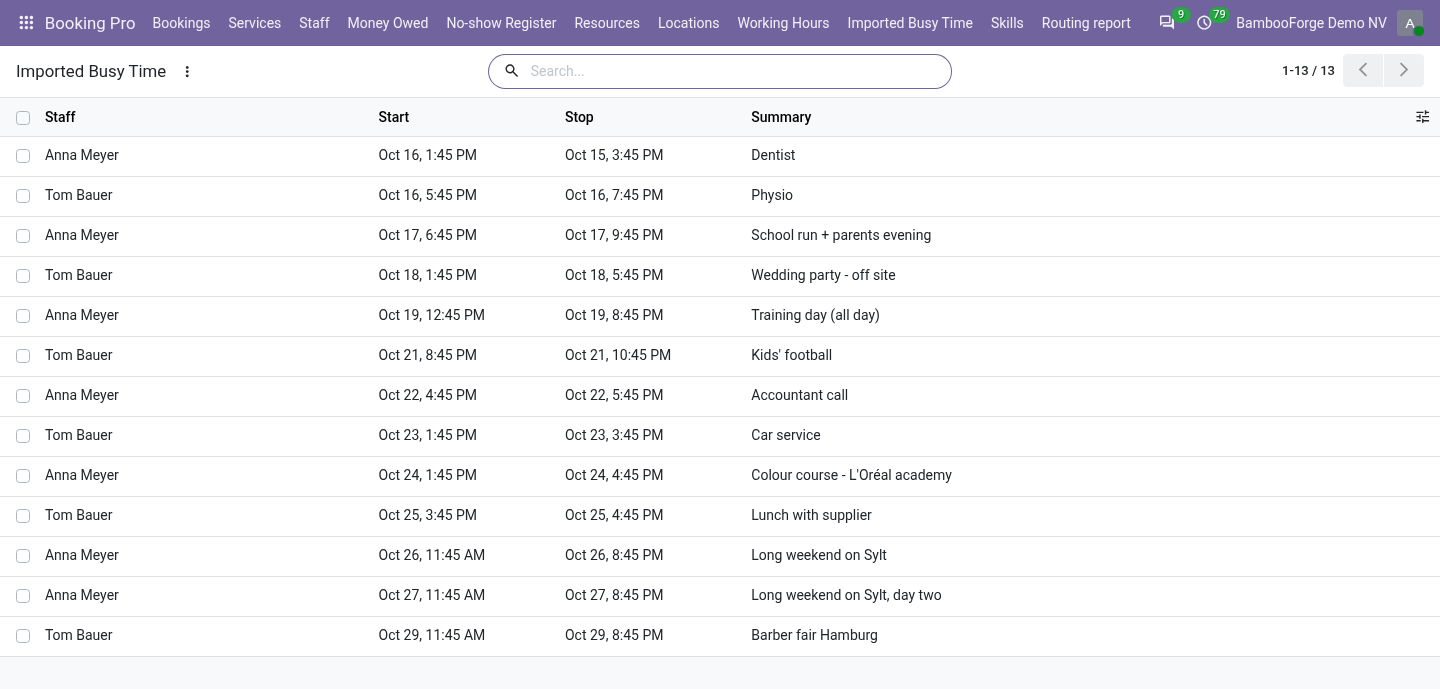
- Their busy times off your booking pagePaste the iCalendar address their calendar publishes. Odoo reads it every 15 minutes and stops offering the slots their events cover.
- No account to connectTwo addresses and nothing else: no sign-in at Google or Microsoft, and nothing written to their calendar.
Runs onOdoo 16 to 20Community or Enterprise, self-hosted or Odoo.sh
NeedsOdoo only; includes booking prono Enterprise module
Price228 EURone-time, per series, on the Odoo Apps Store
Demodemo20.bambooforge.devlogin page already filled in
Supportsupport@bambooforge.devfirst reply within one business day
Version20.0.1.0.3
bambooforge_booking_calendar_sync37 automated checks run before every release of this app, the same suite on every series it ships for. The complete list is in the source you receive; run it yourself with --test-enable.
How you use it
Two addresses per person
Flow 01
A subscription link
From Odoo to the staff member's calendar.
- Booking Pro > Staff, View on a staff member: a Booking manager presses Create a subscription link.
- The staff member adds the address to their calendar as a subscribed calendar.
- Their bookings show there with the service, the customer's name and the customer's phone number or e-mail address, and follow every change.
- Revoke the link stops every calendar that has it.
Flow 02
Their calendar, read back
From the staff member's calendar to Odoo.
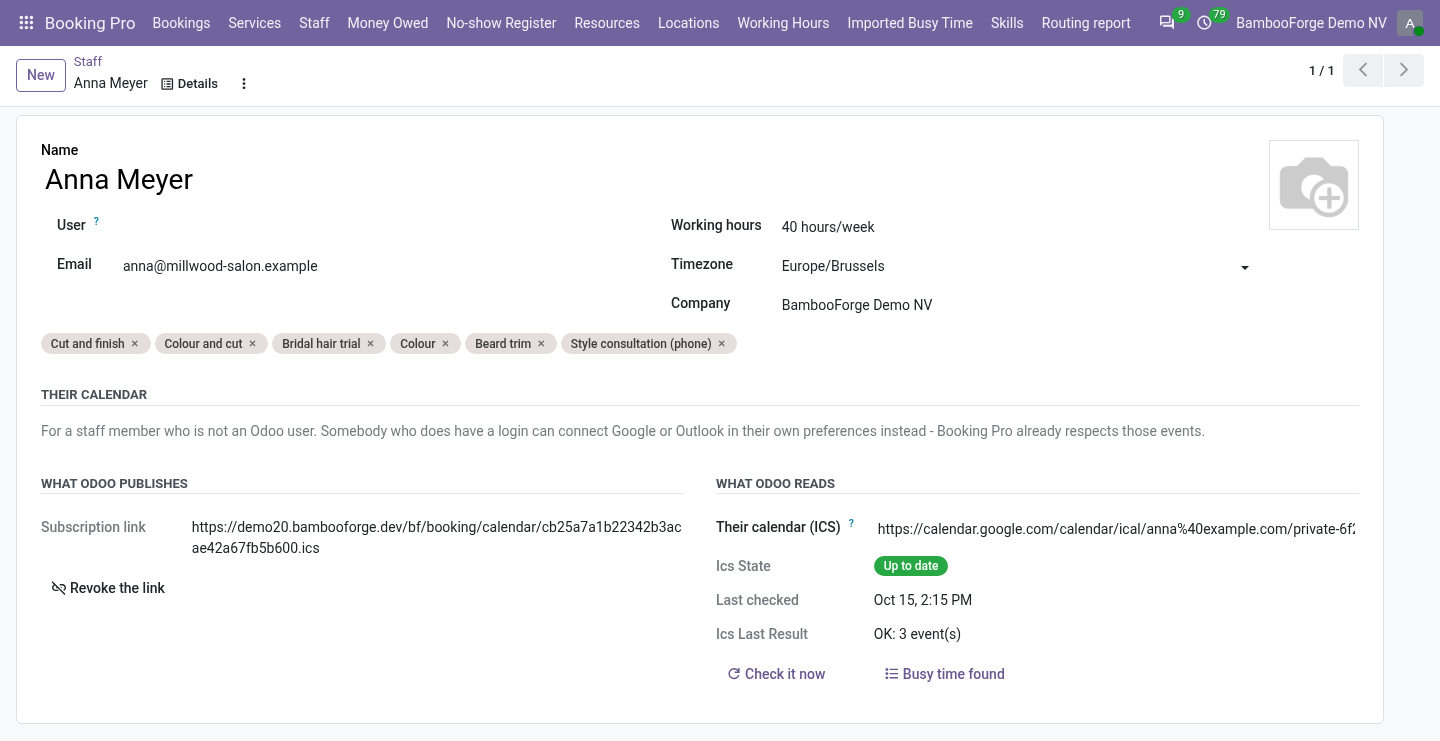
- Paste the address their calendar gives in iCalendar format into Their calendar (ICS).
- Odoo reads it every 15 minutes, or at once with Check it now, and keeps the busy times from one day back to 120 days ahead.
- The status, the time of the last check and its result show on the form.
- On the booking page, that person's slots that would overlap a busy time are not offered.
Price and where to buy
228 EUR, one payment per Odoo series, on the Odoo Apps Store. Pick your series:
Twelve months of support by the people who wrote the code; bug fixes and improvements within the series free for as long as it is published. Report a bug within two months of purchase and, if it is not resolved within fifteen days, you get a full refund. Full source under OPL-1, no licence key, no phone-home. The whole promise.