 BambooForge Labs

- Every slot shown is really freeWorking hours, less bookings and their buffers, less time off and the person's other calendar events, in the visitor's own time zone. Each booking is checked again on the server, one at a time per slot, so two people cannot take the same last place.
- People, or tables, rooms and courtsA service books staff on their own hours, or seats on resources. For a party, the page offers only the times they fit and takes the smallest free table, or tables that can be combined.
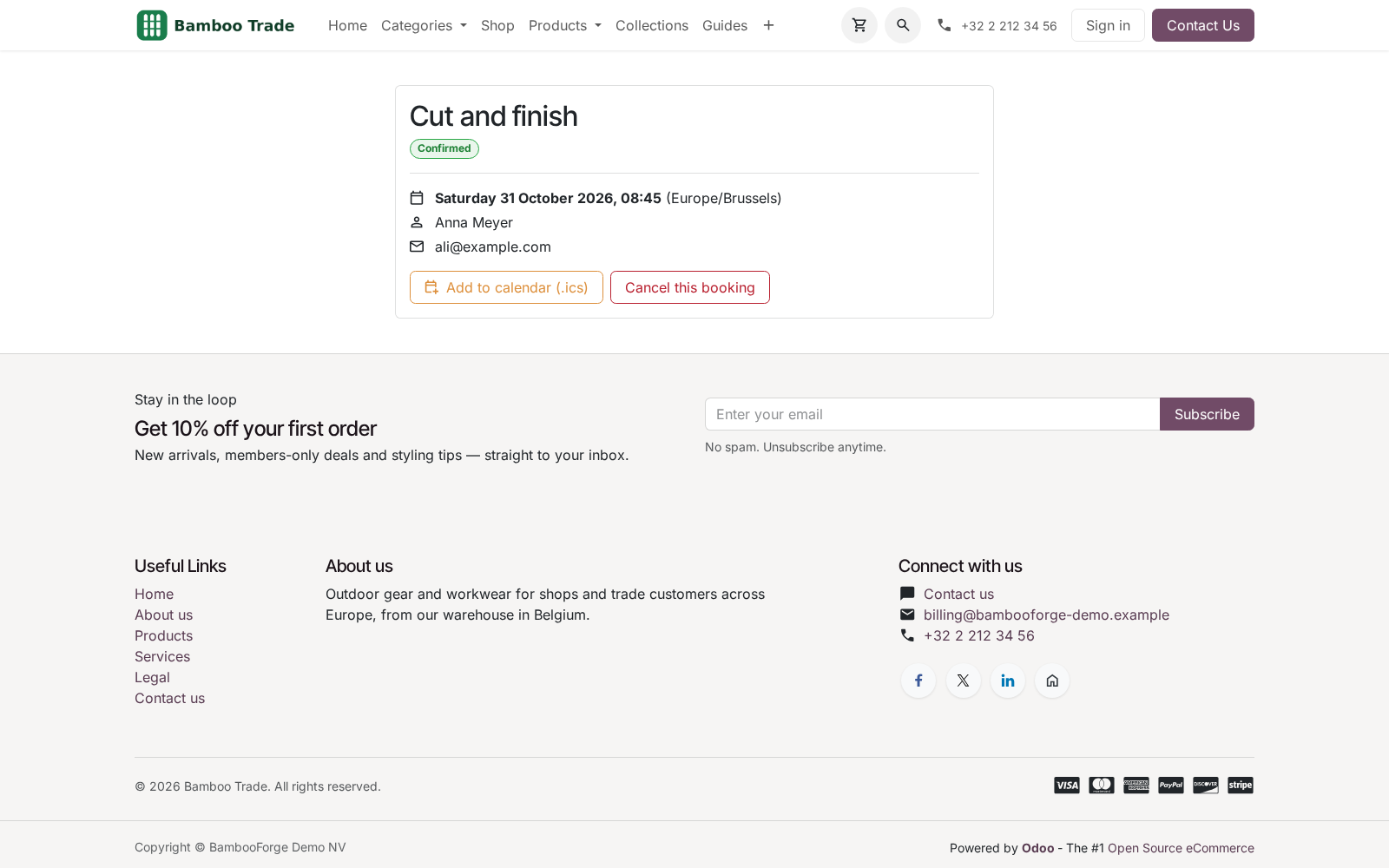
- Customers look after their own bookingThe confirmation links to a private page with a calendar file. They move or cancel there, inside the windows you set, and the diary, the calendar entry and the reminders follow.
bambooforge_booking_pro112 automated checks run before every release of this app, the same suite on every series it ships for. The complete list is in the source you receive; run it yourself with --test-enable.
For the people who decide
What your managers see
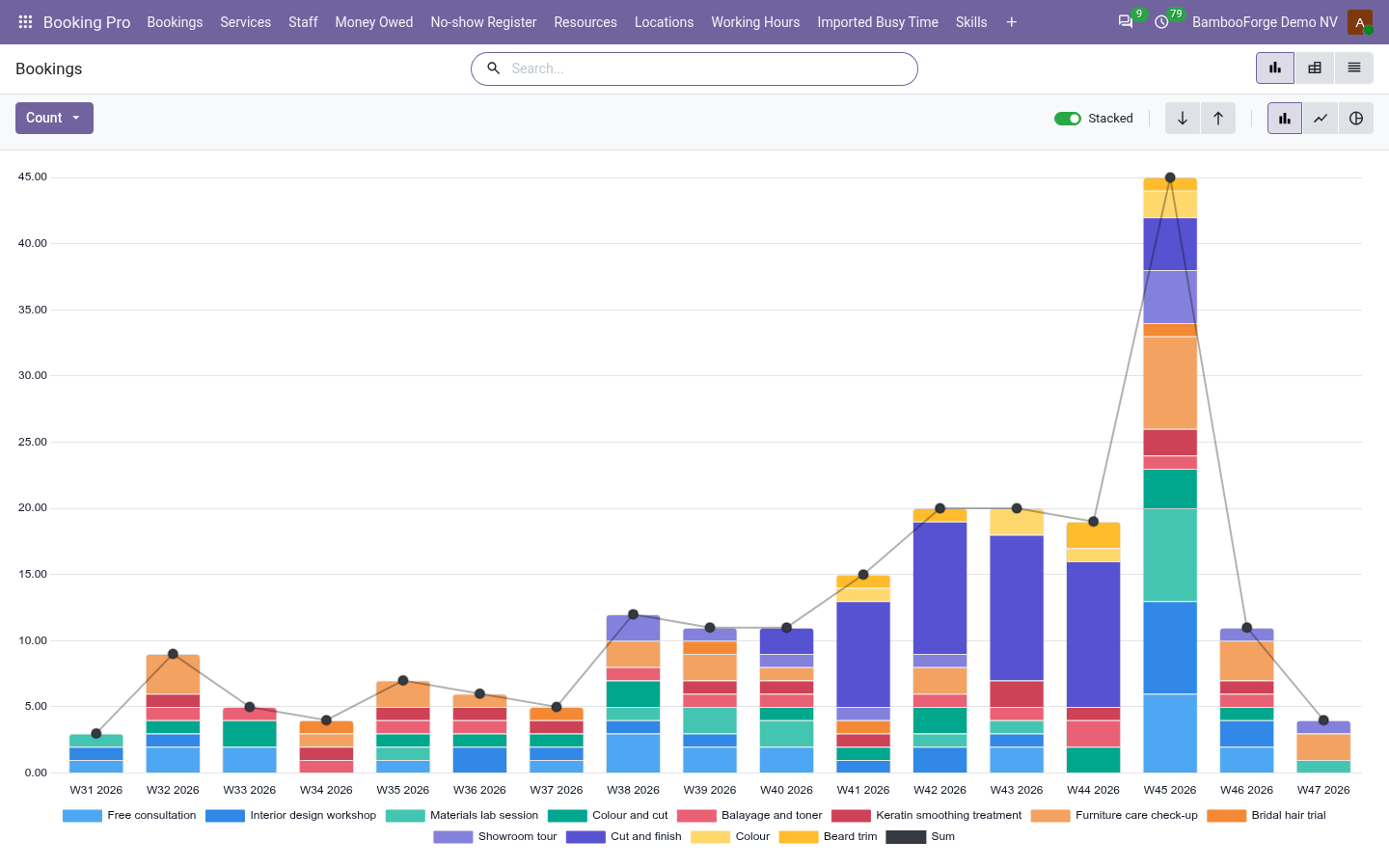
Booking Pro > Reporting is the booking manager's menu. The analysis opens on a chart, with the pivot one click away, and the pivot downloads to Excel from its toolbar.
Bookings
by service, staff member, source and week: how many, the seats, the minutes booked, the takings, how many days ahead people book, and the no-shows and cancellations.
The owner sees which services and which people fill the diary, what the website brings in, and whom to remind before they forget.
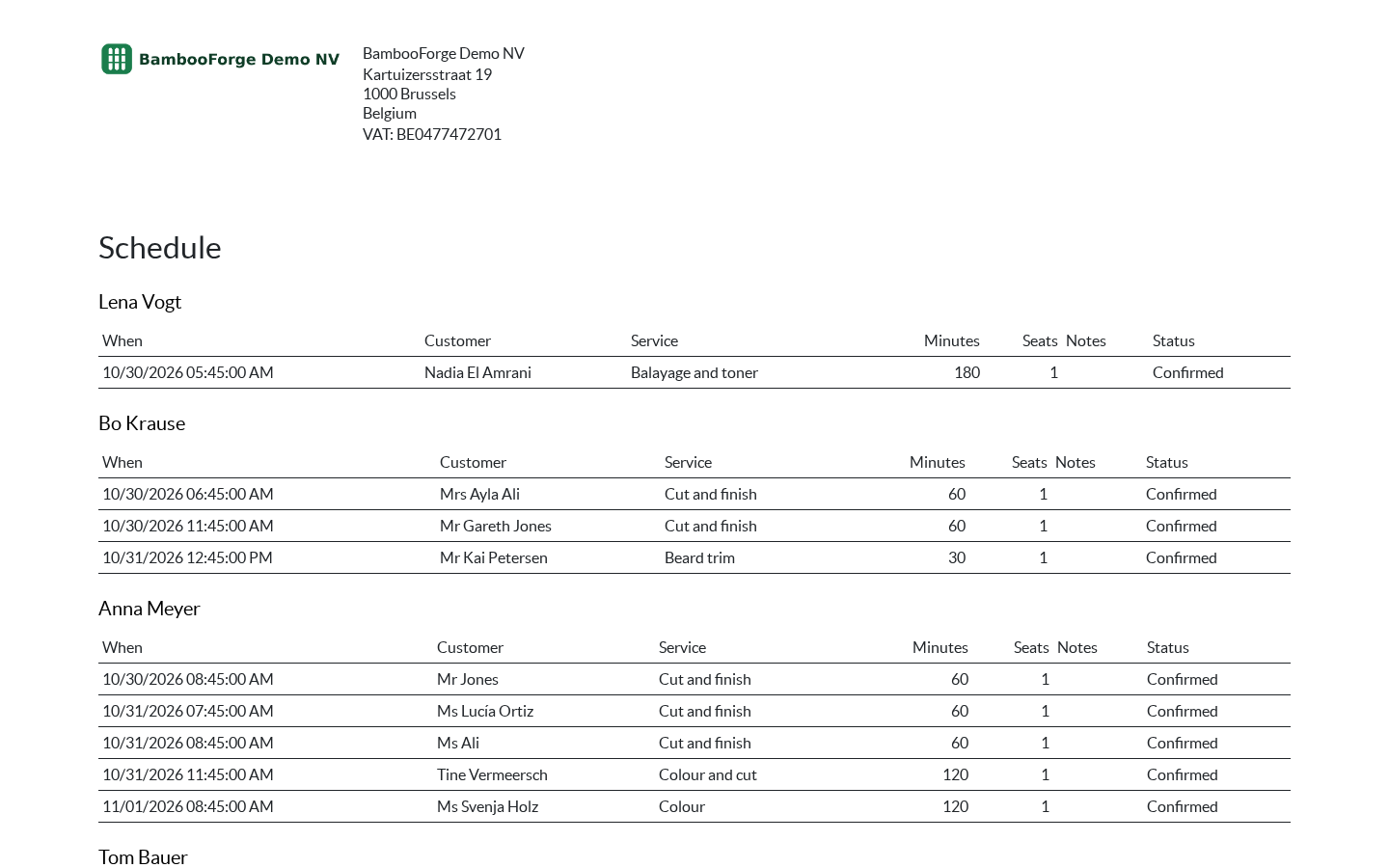
One document prints from the bookings, from Print after selecting them:
- Schedule: one table per staff member in time order: who is coming, for what, how long, how many seats, and their notes. The day a team member works from.
How you use it
Six flows, in the order you will meet them
Set up a service and publish it
A service holds the length, the price, who takes it and the rules. Nothing shows on the website until you publish it.
- Booking Pro > Staff: add who takes appointments, each with their working hours. Link an Odoo user and confirmed bookings land in their calendar.
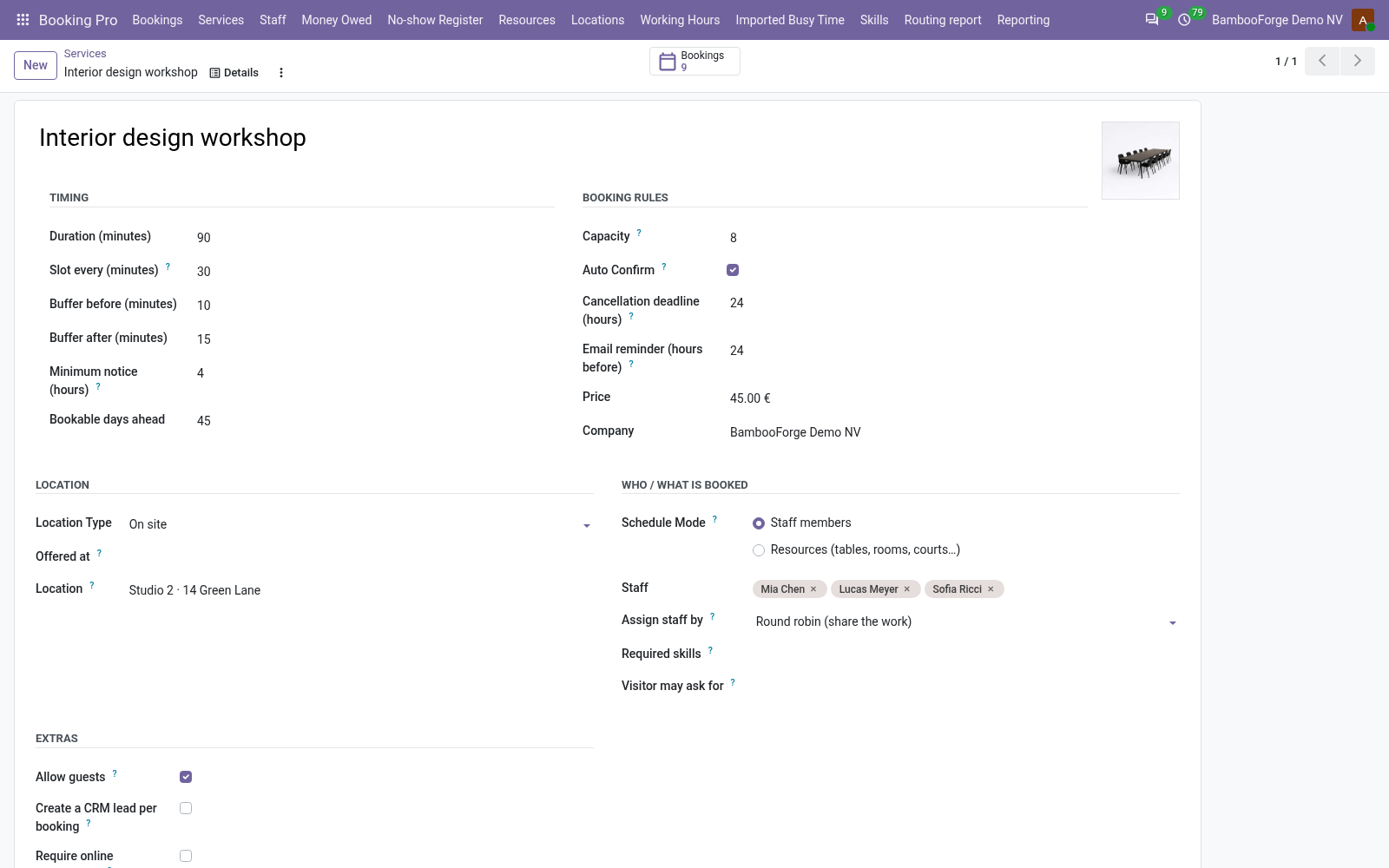
- Booking Pro > Services > New: duration, the grid of start times, buffers, price, minimum notice and how many days ahead, then pick the staff.
- Press Publish on the website on the form. The service is on /booking, and the Booking page button opens it.
A customer books
No account and no app: the page works on any website theme.
- On /booking they pick a service, then a day in the month grid. Free days are highlighted and the first one is selected.
- They pick a time, shown in their own time zone, and with several people on the service, someone or Anyone available.
- They give a name and an e-mail address, plus phone, notes, your custom questions and guests if you allow them. The server checks the slot again and takes it.
- It is confirmed at once with a mail and a calendar file, or Pending for you to confirm. With prepayment it stays Pending with a Pay now link until the payment is done.
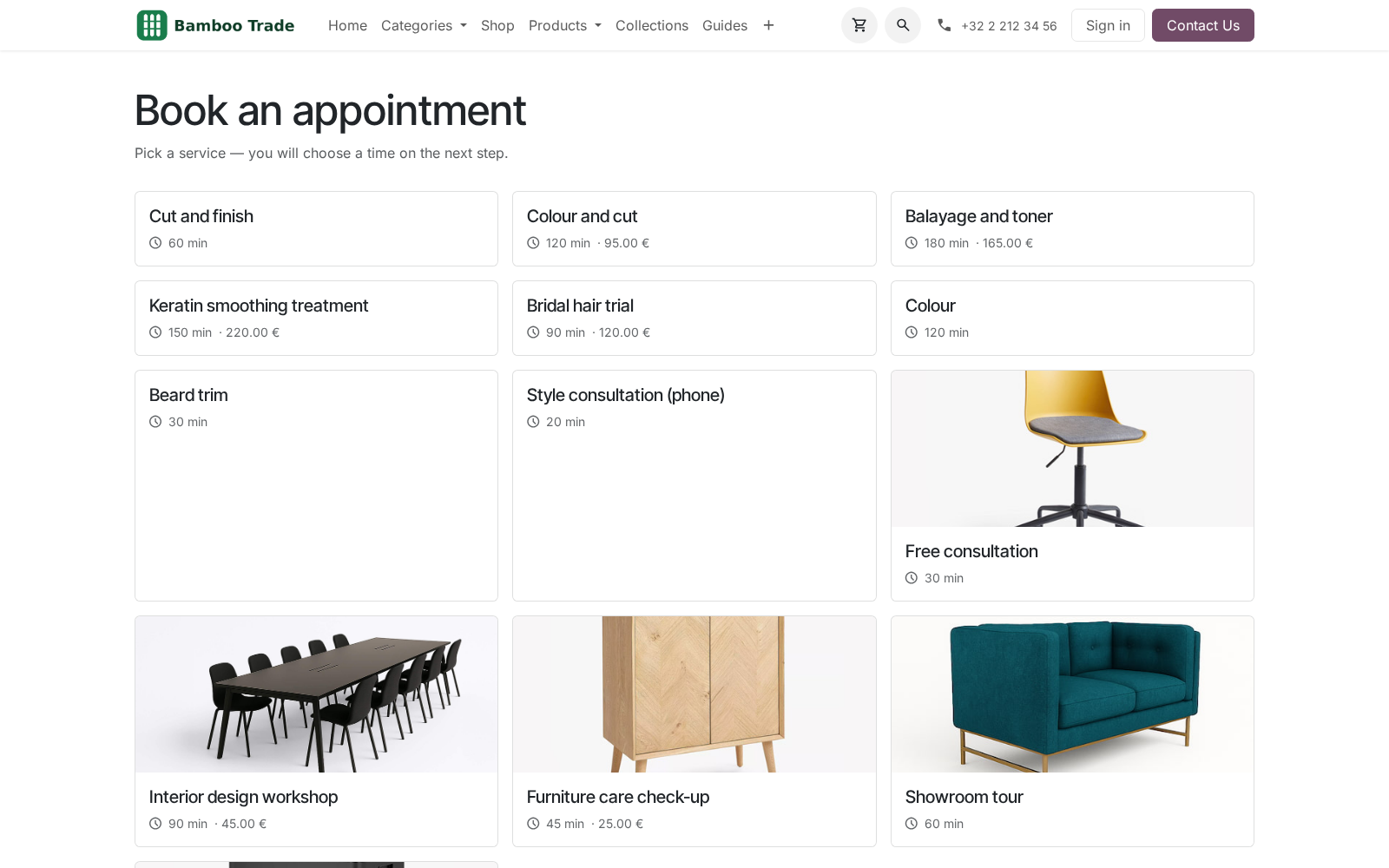
Tables, rooms and courts
Some businesses do not book people. A service can book seats on resources instead, beside services that book staff.
- Booking Pro > Resources: each with its seats, whether several bookings can share it, and the ones it can be combined with.
- On the service, set Schedule Mode to Resources, then pick the resources and the opening hours.
- The page asks how many people, offers only the times they fit, and takes the smallest free resource, or the smallest combination.
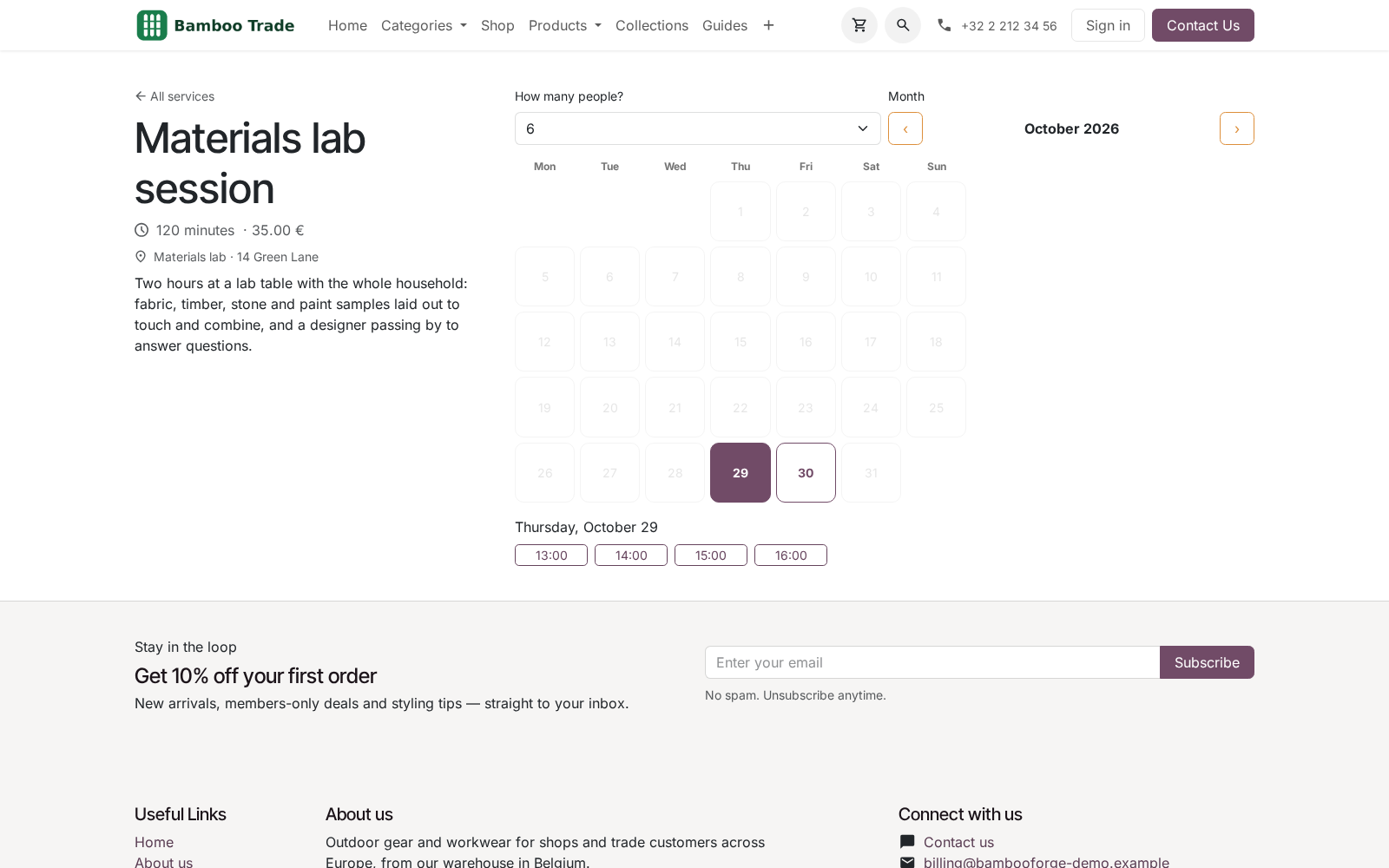
The customer moves or cancels
A customer who cannot make it changes the booking instead of disappearing.
- The confirmation links to a private page with the appointment in their own time zone and a calendar file.
- Move this booking lists the free slots, until the notice you set. One updated invitation goes out, the calendar entry follows and the reminders start over.
- Cancel this booking frees the slot at once, until the deadline you set, and removes the calendar entry.
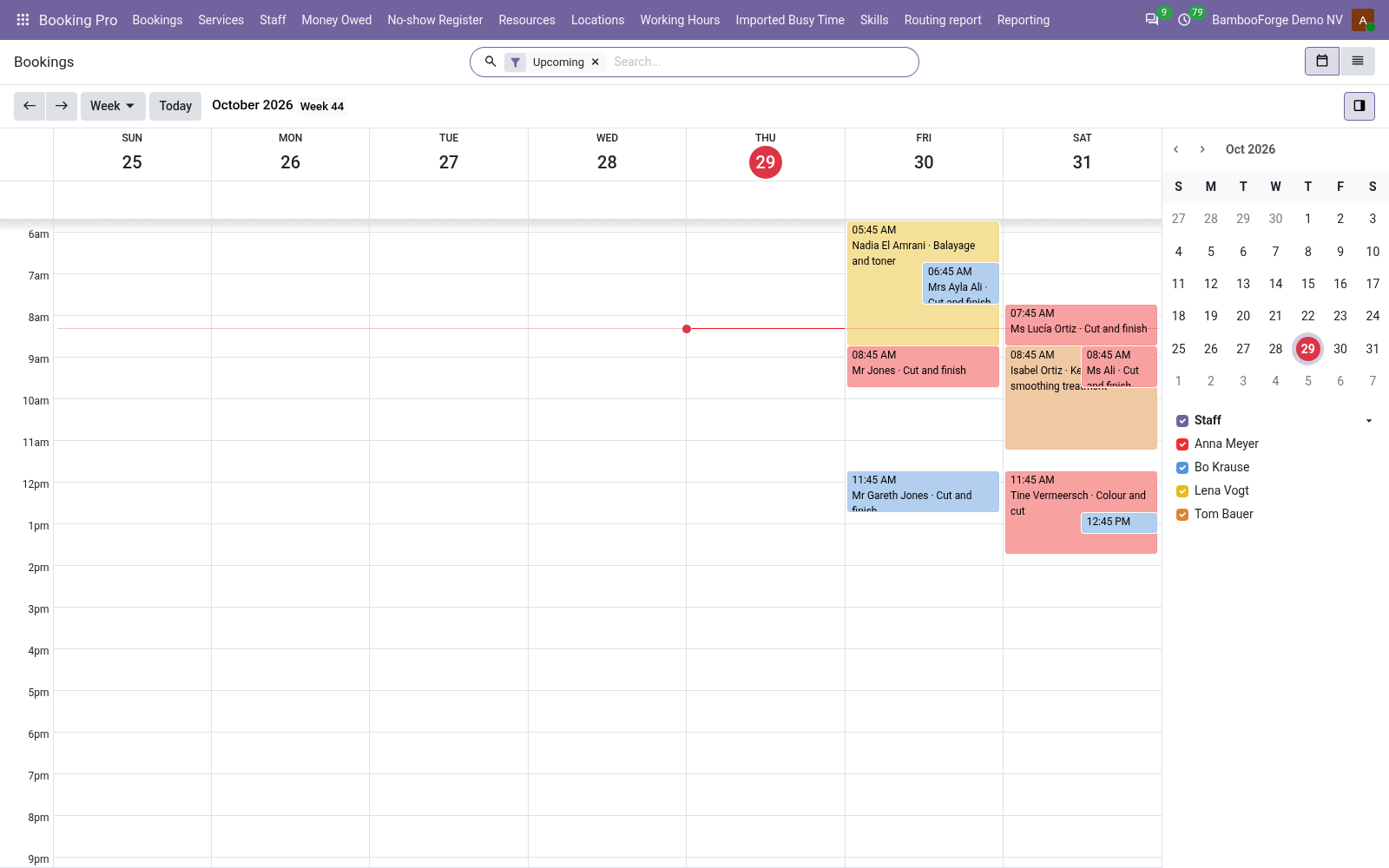
The diary, at the desk
Bookings from the website and from the desk sit in one calendar and follow the same rules.
- Booking Pro > Bookings opens on a week calendar, coloured and filtered per staff member. The list and the form are one click away.
- A booking made here fills in the end, the price and the only staff member from the service, and the customer from the contact. A walk-in needs no e-mail address.
- Drag a booking or change its time and the customer hears of it, with the same clash check as on the website.
- Confirm, Done, No-show or Cancel on the form. Past bookings go to Done by themselves.
Share the work across a team
By default the first free person takes every booking, which is how a rota turns into one tired person and four idle ones.
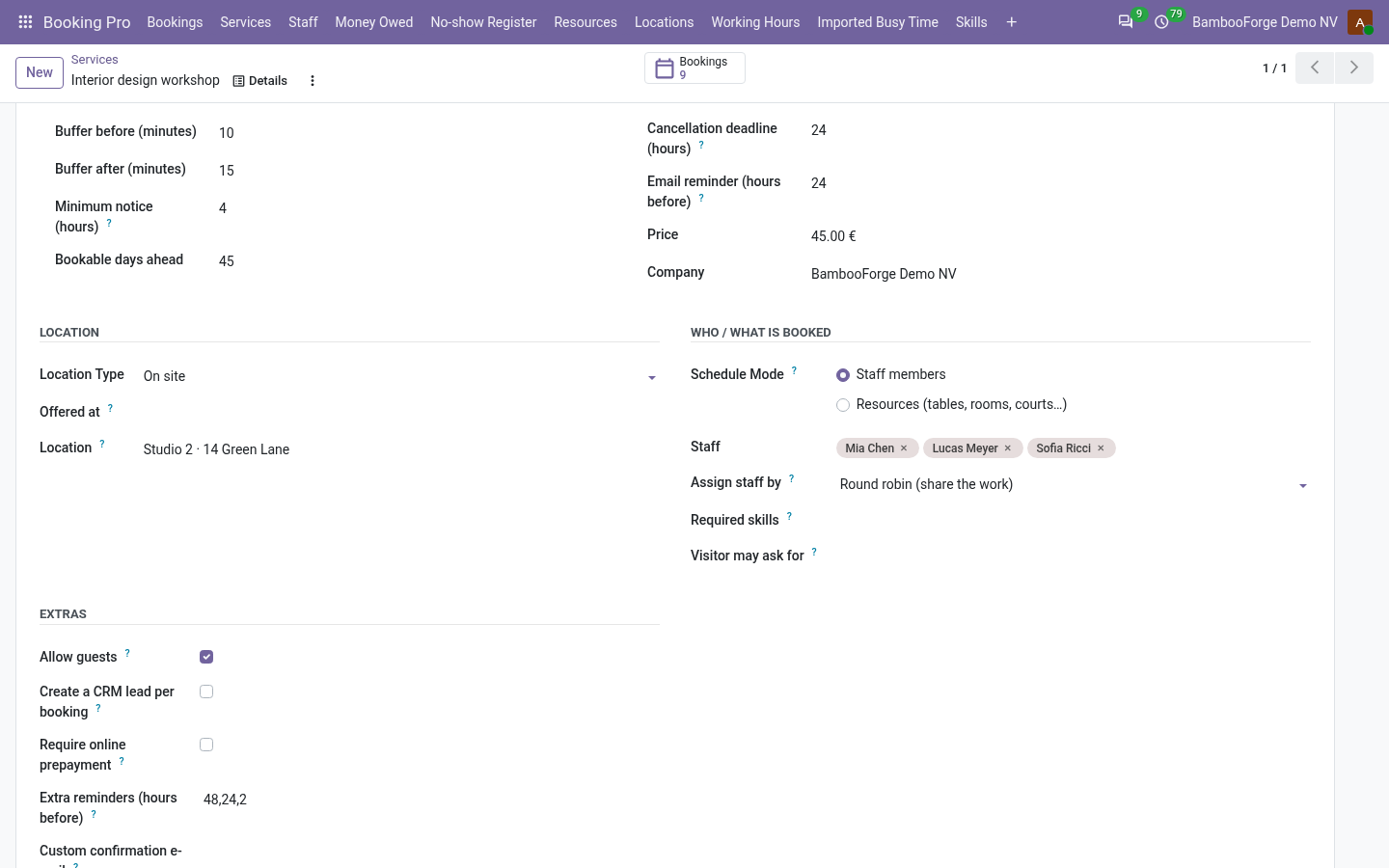
- On the service, Assign staff by offers First free member, Round robin and Least busy member.
- Round robin continues after whoever took the last booking. Least busy picks the member with the fewest upcoming bookings; past and cancelled ones do not count.
- A customer who picks someone on the page keeps that person.
Price and where to buy
179 EUR, one payment per Odoo series, on the Odoo Apps Store. Pick your series:
Twelve months of support by the people who wrote the code; bug fixes and improvements within the series free for as long as it is published. Report a bug within two months of purchase and, if it is not resolved within fifteen days, you get a full refund. Full source under OPL-1, no licence key, no phone-home. The whole promise.