 BambooForge Labs

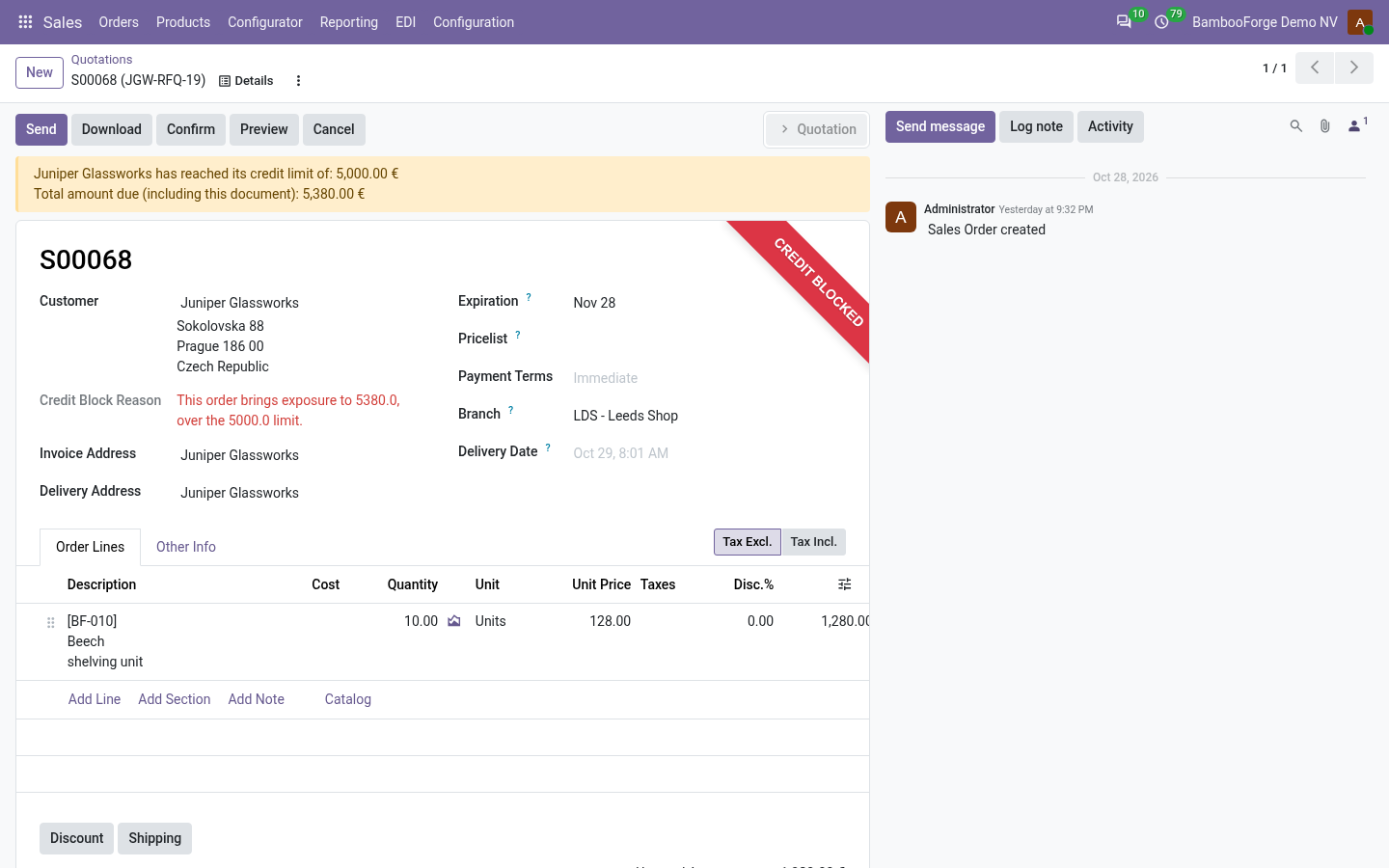
- It follows the documentA quotation's branch reaches its invoice and delivery, a purchase order's its bill and receipt.
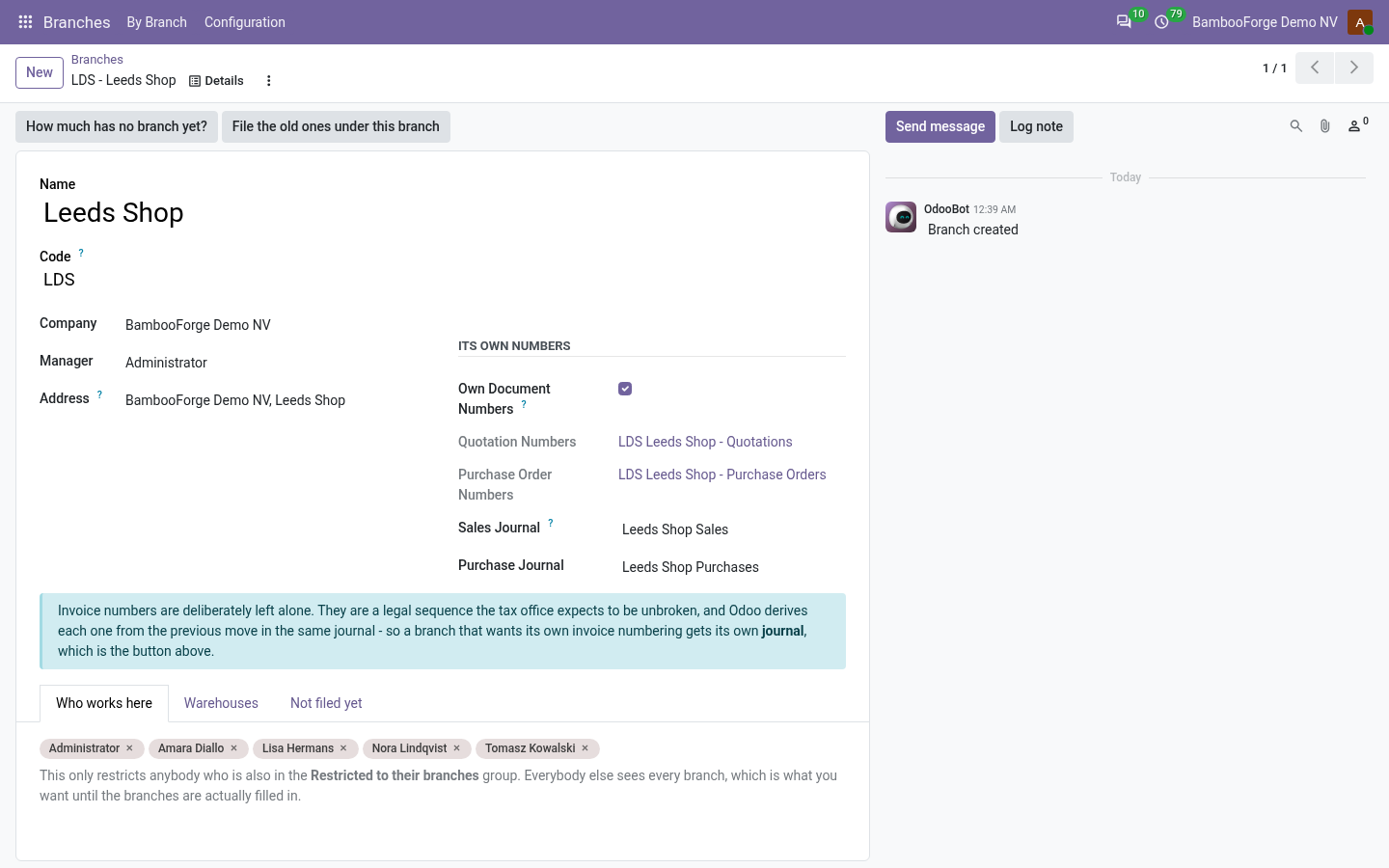
- Its own numbersLDS/SO/00042 for quotations and purchase orders, and journals of its own for invoices.
- A fence when you want oneA restricted person sees their branches' documents and those with no branch yet.
bambooforge_branch75 automated checks run before every release of this app, the same suite on every series it ships for. The complete list is in the source you receive; run it yourself with --test-enable.
For the people who decide
What your managers see
The branches are compared under Branches > By Branch, and in Odoo's own analyses.
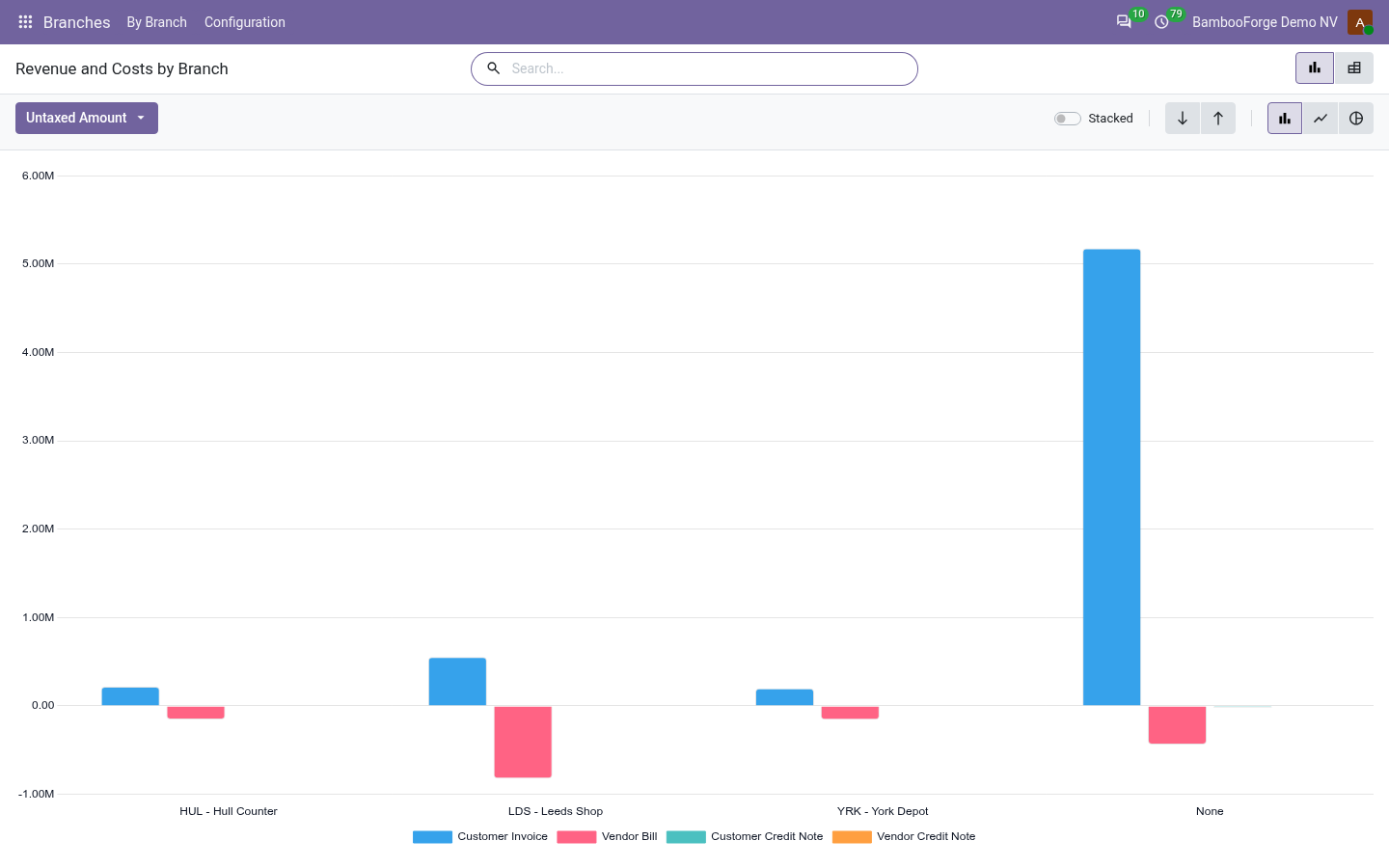
Revenue and Costs
posted customer invoices and vendor bills by branch, untaxed, as a chart and a pivot with the margin, downloadable to Excel from the pivot.
The general manager sees which branch earns and which one costs.
Sales, Purchases, Invoices and Bills, Transfers
Odoo's lists grouped by branch, each with a No branch yet filter.
Each branch manager sees their documents, and the controller what is still unassigned.
Sales, Purchase and Invoice Analysis
Odoo's analyses under each app's Reporting menu, with the branch as a group-by.
The controller compares the branches on any measure those analyses have.
How you use it
How it is used
Set up a branch
Under Branches > Configuration > Branches.
- Press New and set the name, the code and the company.
- Tick Own Document Numbers, and press Give it its own journals.
- Add the people in Who works here, and set the branch on its warehouses.
Work in a branch
In Sales, Purchase and Inventory.
- A new quotation starts at your branch.
- Its invoice takes the branch and the branch's sales journal.
- Its delivery takes the branch, every step of it.
Compare the branches
Under Branches > By Branch.
- Open Revenue and Costs: invoices and bills by branch, as a chart and a pivot.
- Open Sales, Purchases, Invoices and Bills or Transfers, grouped by branch.
- Use the No branch yet filter to find what is still to file.
Price and where to buy
169 EUR, one payment per Odoo series, on the Odoo Apps Store. Pick your series:
Twelve months of support by the people who wrote the code; bug fixes and improvements within the series free for as long as it is published. Report a bug within two months of purchase and, if it is not resolved within fifteen days, you get a full refund. Full source under OPL-1, no licence key, no phone-home. The whole promise.