 BambooForge Labs

- What a car really costBuying price, transport and every preparation line add up to the figure a deal is judged against.
- A floor a salesperson cannot sign underBelow the floor, the part-exchange over-allowance counted, only a manager signs, and the log says who.
- Cars leave against paperworkDelivery is refused until a posted invoice stands that has not been credited.
bambooforge_car_dealership72 automated checks run before every release of this app, the same suite on every series it ships for. The complete list is in the source you receive; run it yourself with --test-enable.
For the people who decide
What your managers see
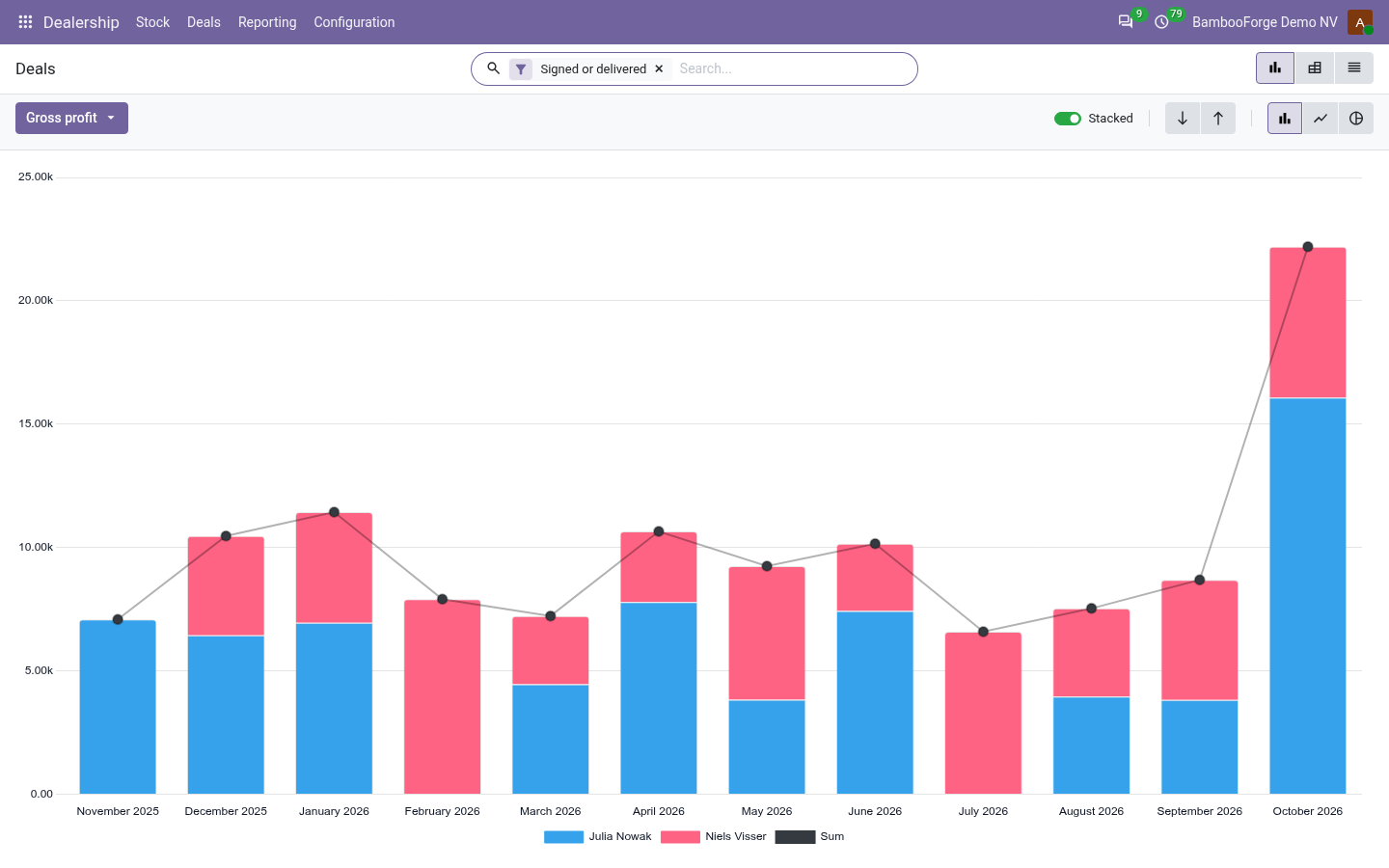
Dealership > Reporting is the sales manager's menu. Each analysis opens on a chart, with the pivot one click away, and the pivot downloads to Excel from its toolbar.
Deals
signed and delivered deals by salesperson, make, model, payment and month: the prices agreed, the discount off the screen price, the part exchange allowed over its worth, the finance commission, the gross, and the average days each car stood.
The dealer principal sees who makes money on a car and who gives it away.
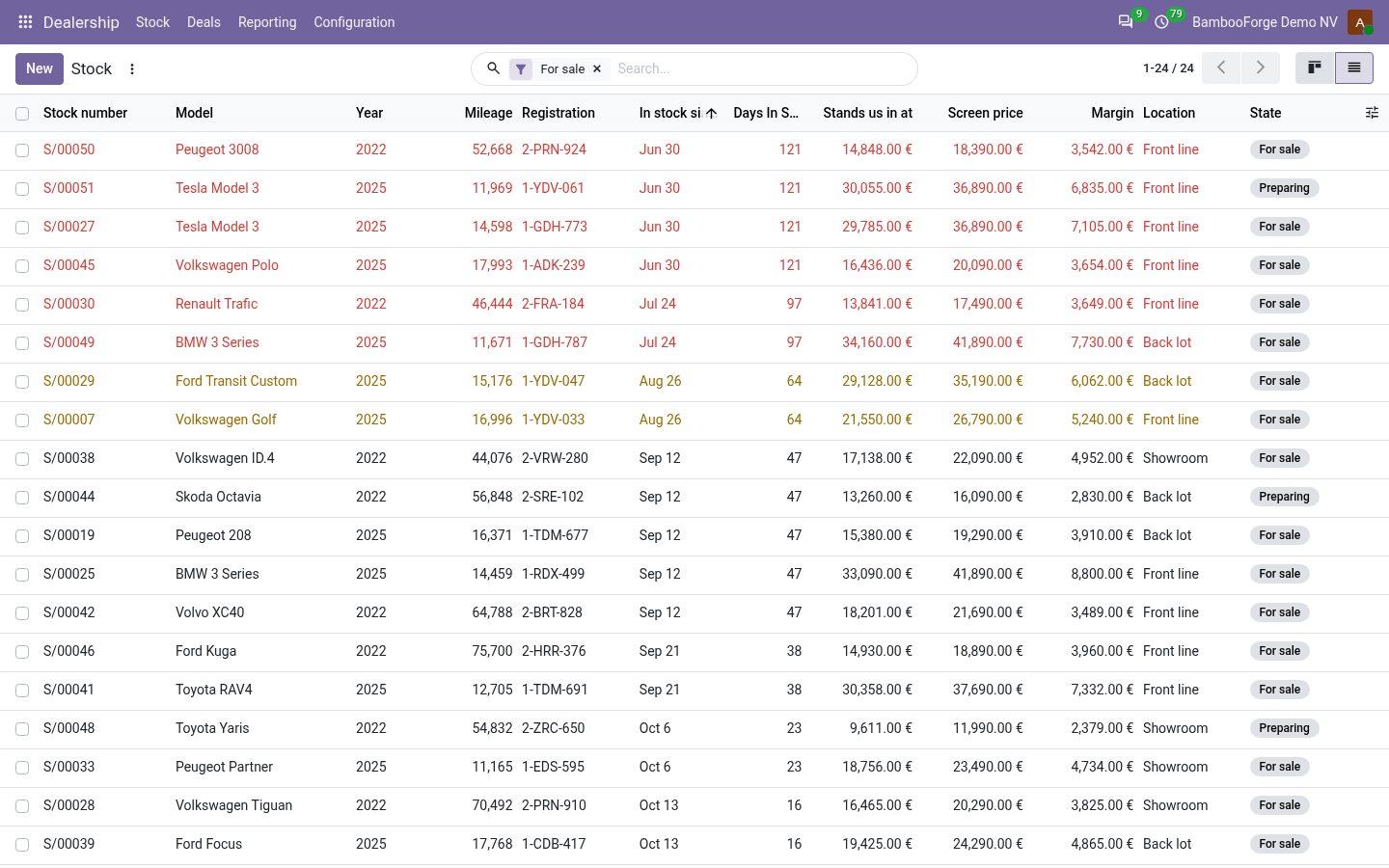
Stock Ageing
the cars on hand by age band, make and model: what they stand in at, what the screen prices would make and the average days in stock.
The used-car manager decides which cars to reprice or send to auction.
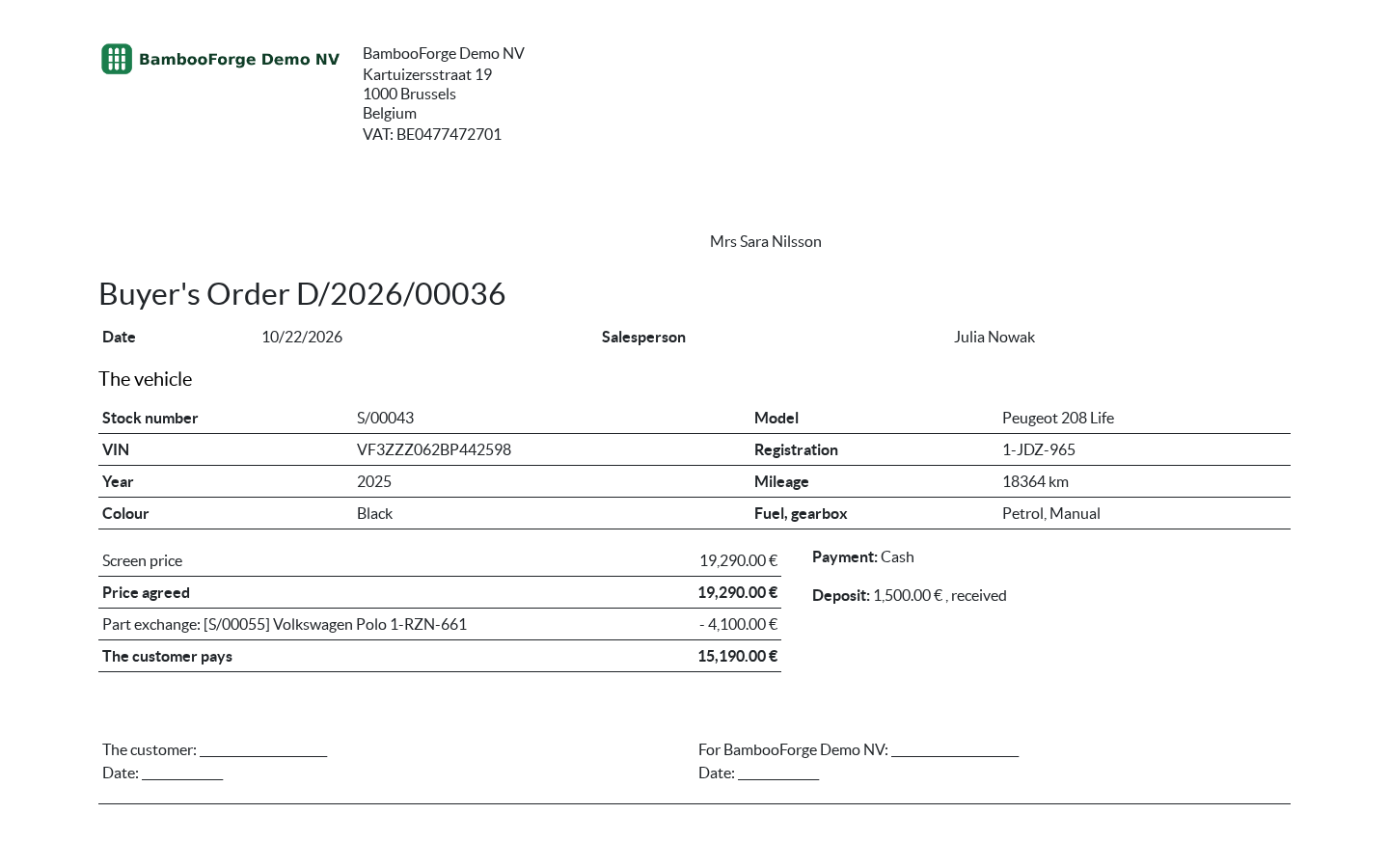
One document prints from the deal, from Print:
- Buyer's Order: the car by stock number, VIN, registration and mileage, the price agreed against the screen price, the extras, the part exchange allowed, the deposit and the payment, and what the customer pays before tax, with a line for each side to sign. No cost and no gross on it.
How you use it
From the forecourt to the hand-over
Buy a car into stock
For the sales manager.
- Dealership > Stock > New: the car, its VIN or registration, the buying price, the transport, the screen price and the floor.
- Add the preparation lines; a car with a line still planned shows as Preparing.
- Each morning a job counts the days in stock and puts a car at 90 days on its buyer's list.
Sell it
For the salesperson.
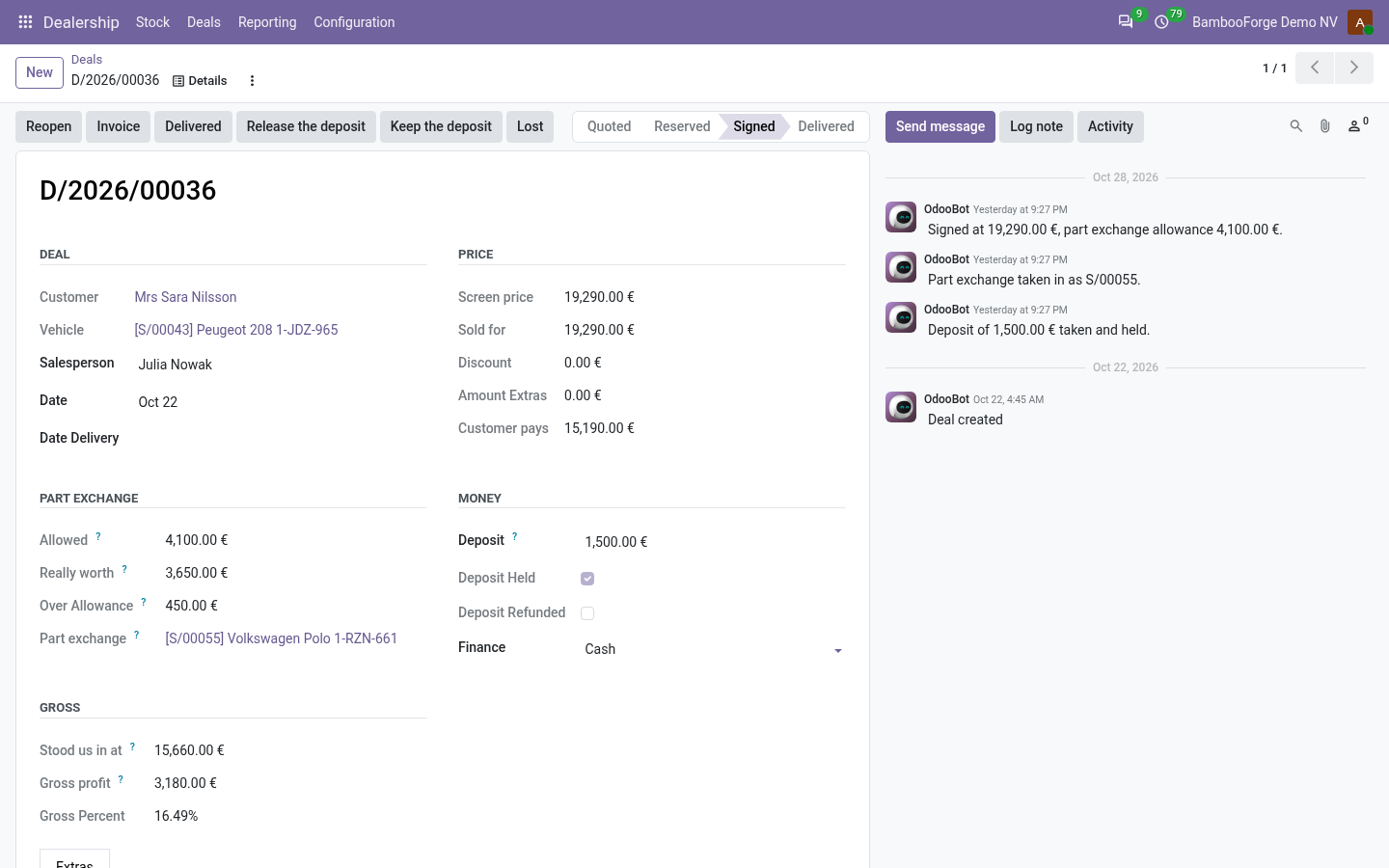
- Dealership > Deals > New: the car and the customer; the price starts at the screen price.
- Add the extras: the cost comes from the product even when the salesperson cannot see it.
- Deposit taken, then Reserve the car, then Signed. Below the floor a manager signs.
- From signature the price, the car, the customer and the extras are locked.
Invoice and hand over
For the sales manager.
- Invoice: the car on the vehicle product with its tax, the extras, and the part exchange as a negative line.
- Post the invoice in Invoicing.
- Delivered: refused until a posted invoice stands that has not been credited.
- Print the Buyer's Order for both sides to sign.
Price and where to buy
129 EUR, one payment per Odoo series, on the Odoo Apps Store. Pick your series:
Twelve months of support by the people who wrote the code; bug fixes and improvements within the series free for as long as it is published. Report a bug within two months of purchase and, if it is not resolved within fifteen days, you get a full refund. Full source under OPL-1, no licence key, no phone-home. The whole promise.