 BambooForge Labs

- The desk sees the day, not the diagnosisReception books, checks in and raises the invoice. Complaint, findings, diagnosis, vitals and allergies are fields it cannot read, on a form, in a list or in an export.
- Signed off and not invoiced: one listBilling > To invoice lists every consultation signed off with no invoice standing. A visit whose invoice is cancelled or credited in full comes back onto it.
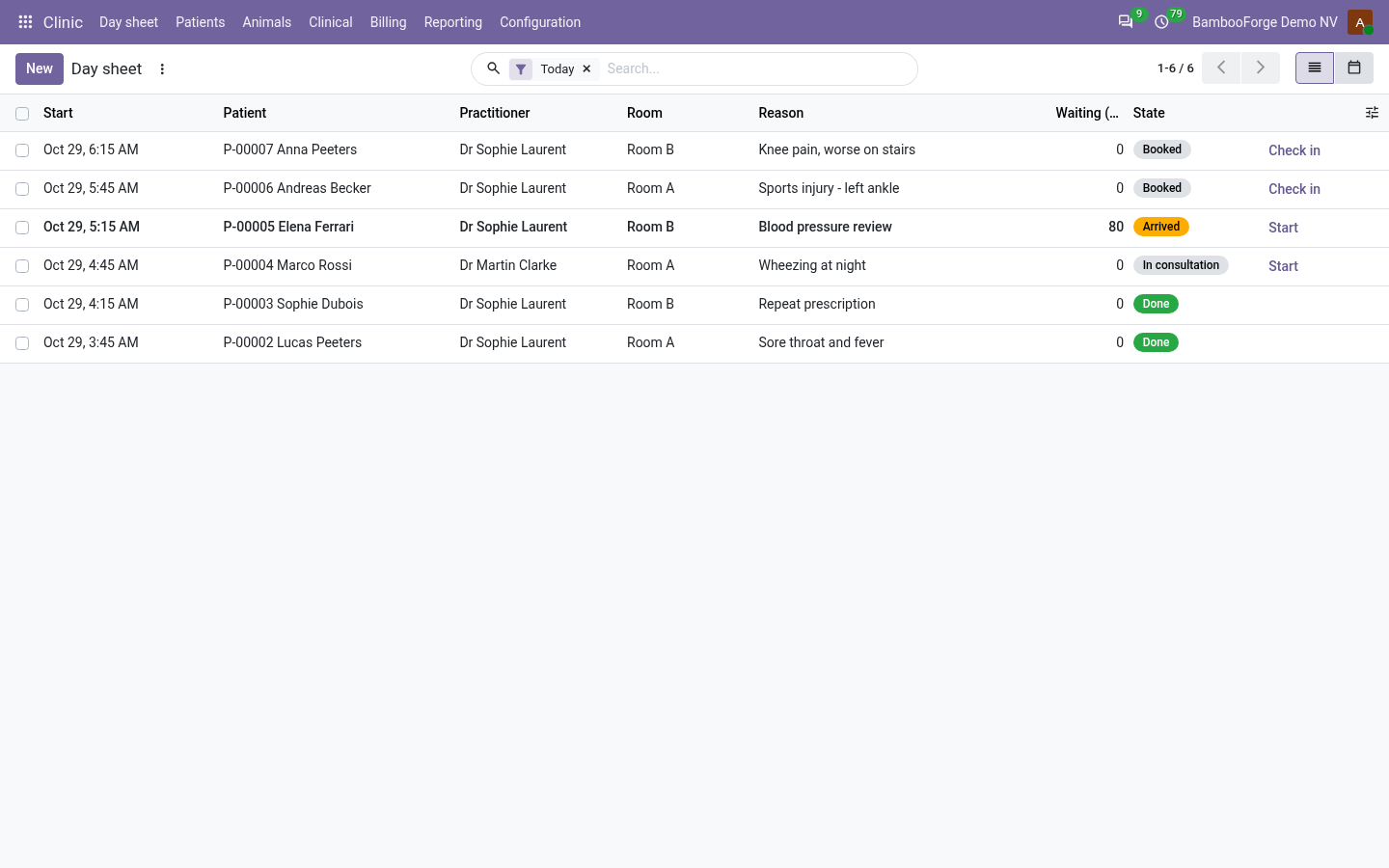
- A day sheet that closes its daysCheck in stamps the arrival and the list counts the minutes waited. A daily job files the days that are over: no show, left without being seen, or done.
bambooforge_clinic121 automated checks run before every release of this app, the same suite on every series it ships for. The complete list is in the source you receive; run it yourself with --test-enable.
For the people who decide
What your managers see
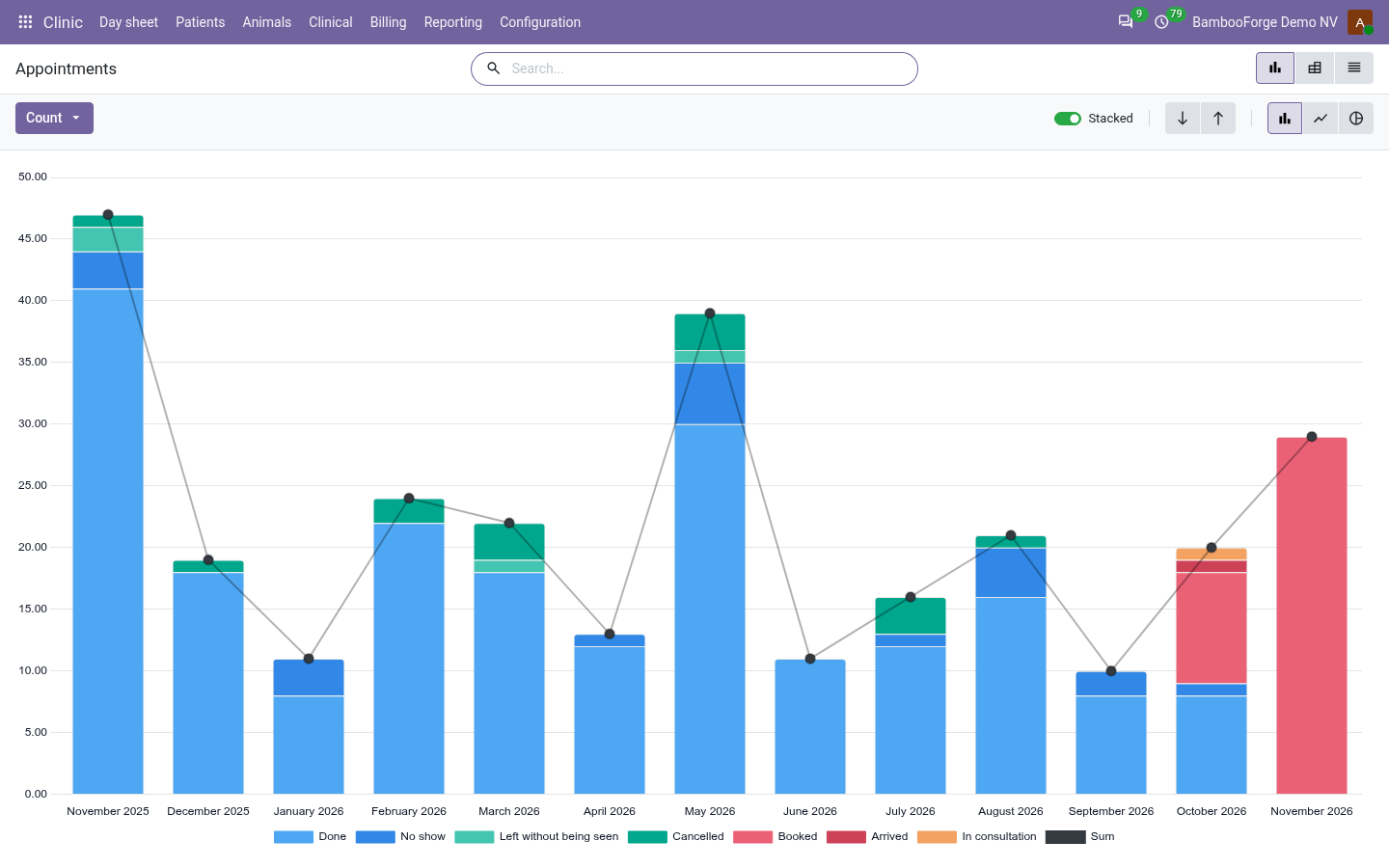
Clinic > Reporting is the clinic manager's menu. Each analysis opens on a chart, with the pivot one click away, and the pivot downloads to Excel from its toolbar. No clinical field is in any of them.
Appointments
appointments by practitioner, room, status, day and month, and how many ended as no-shows or left without being seen.
The manager sees which sessions are overbooked or half empty, and whose patients do not turn up.
Waiting Times
the average minutes from check-in to the start of the consultation, by practitioner, day and month, over the patients who checked in and were seen.
The manager sees where the waiting room backs up, and when to add a session.
Visits
consultations by practitioner, status and month with the amount before tax, and the ones signed off and still not invoiced.
The owner sees what each practitioner bills, and what is left to invoice.
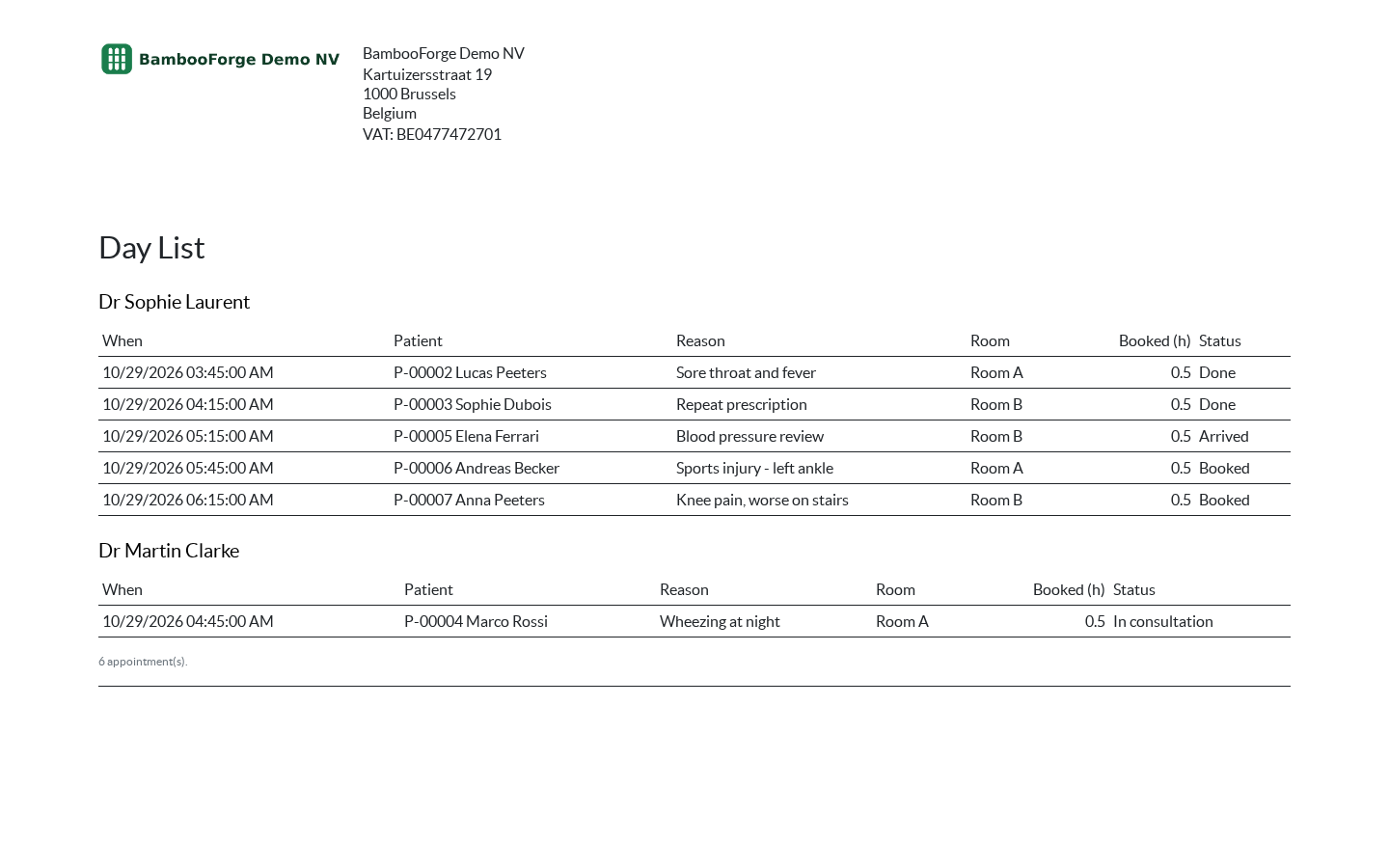
One document prints from the appointment list, from Print after selecting the appointments:
- Day List: one table per practitioner in time order: the patient, the reason, the room, the booked length and the status. For the front desk and the consulting room door; no clinical field is on it.
How you use it
A visit, from the appointment to the invoice
Open a patient file
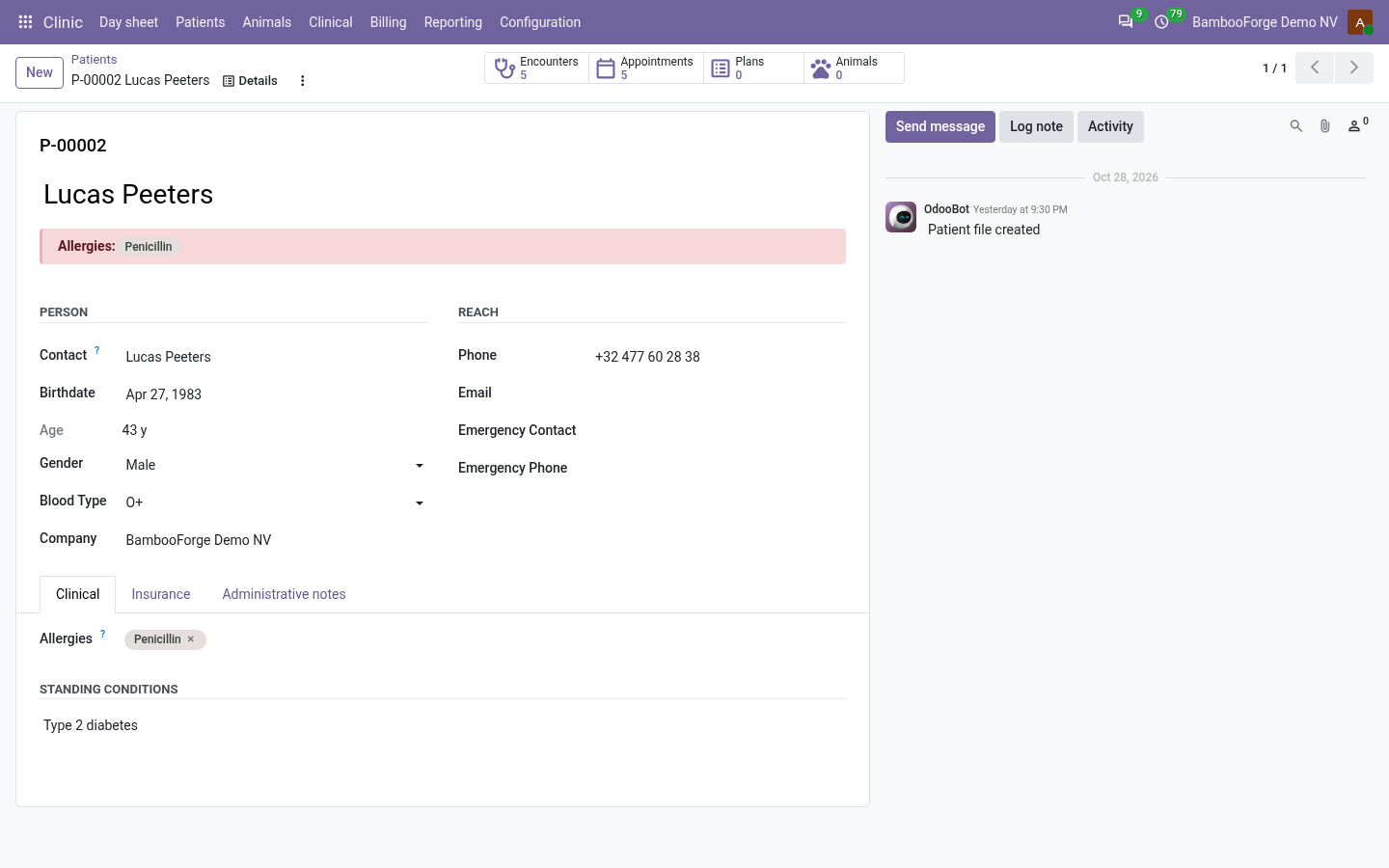
One file per person, attached to the Odoo contact.
- Clinic > Patients > New: choose or create the contact, fill in the date of birth, save. The file takes its number, P- and five digits, and shows the age.
- Insurer, policy number, emergency contact and administrative notes are open to the front desk.
- Blood type, allergies and standing conditions are for practitioners and managers. The allergies stand in a red band on the file, on every consultation and on every prescription.
Run the day sheet
The list the front desk works from.
- Clinic > Day sheet > New: the patient, the practitioner, the start and the duration. A room and the reason are optional.
- Check in when the patient arrives: the status is Arrived and Waiting (min) counts.
- The same practitioner in an overlapping slot is refused unless the appointment is ticked Overbooked. Two appointments never share a room.
- Select appointments and print the Day List: one table per practitioner, in time order.
Write the consultation
For practitioners. The front desk does not see this tab.
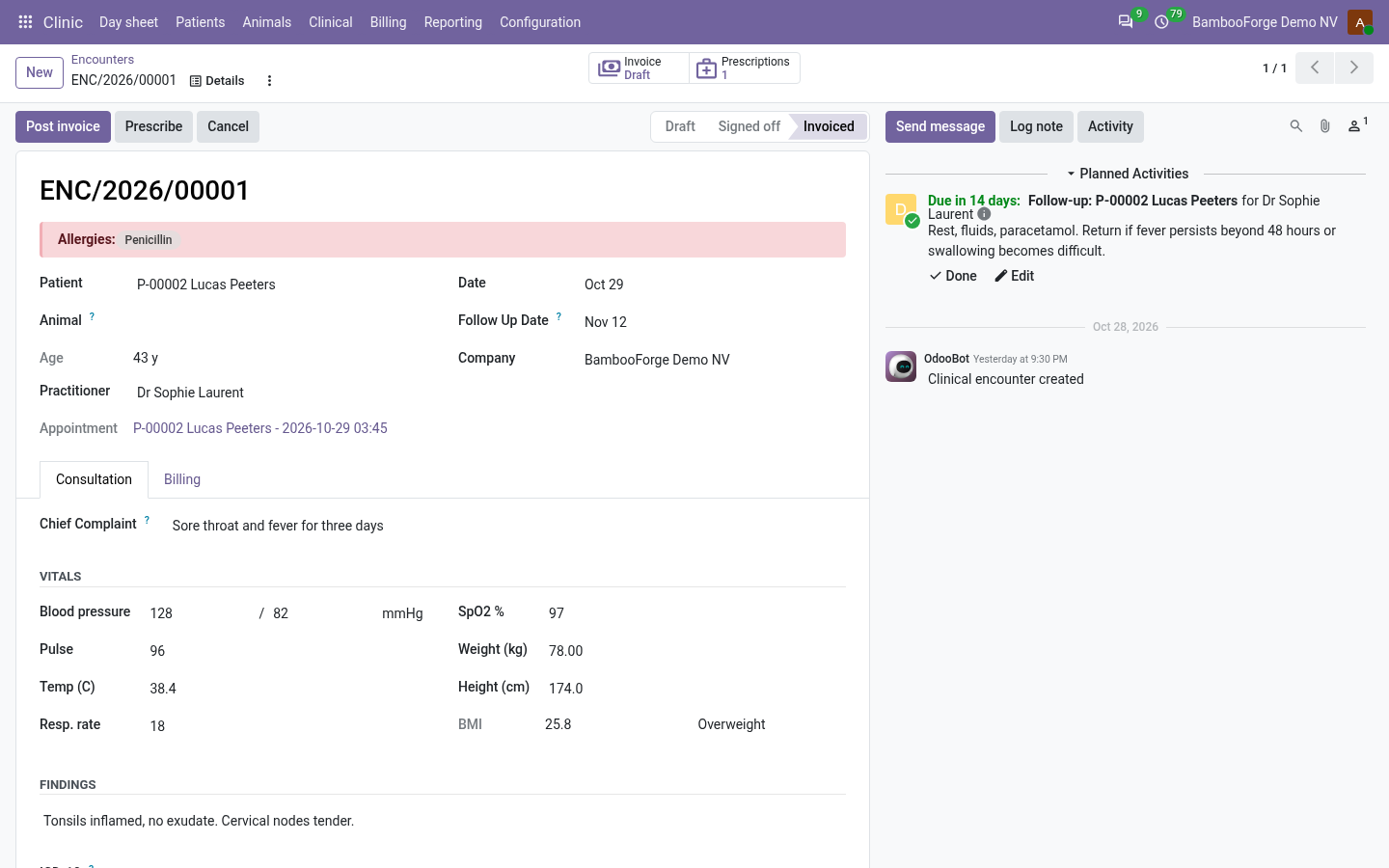
- Start on the appointment opens the consultation with the reason as chief complaint.
- Enter the vitals: a value outside its range is refused, and so is a diastolic pressure at or above the systolic. Weight and height give the BMI and its class.
- Sign off needs a diagnosis. It locks the consultation on its form and marks the appointment Done. A clinic manager reopens it.
- A follow-up date puts a to-do on that date in the practitioner's activities.
Prescribe
A document the patient takes away.
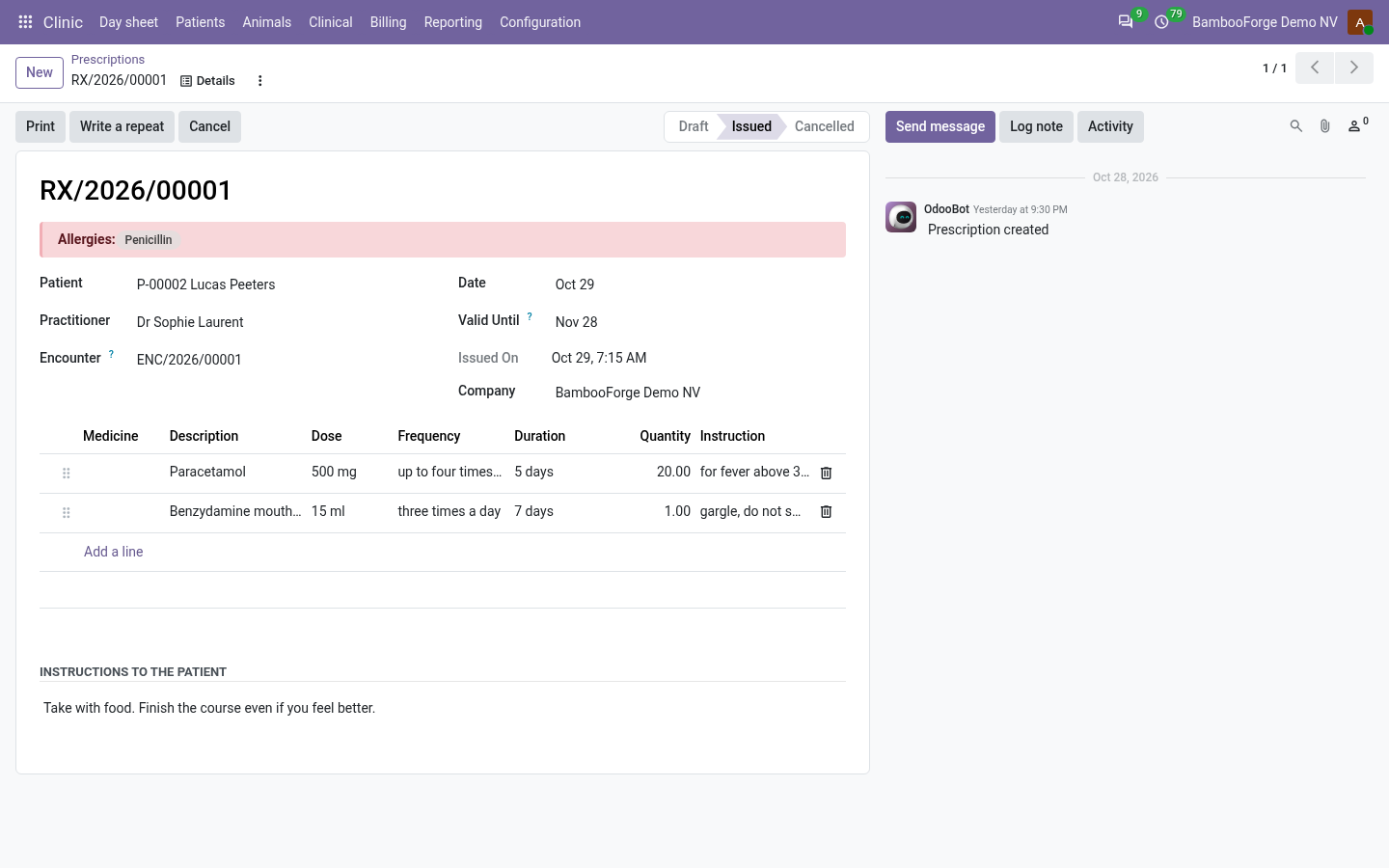
- Prescribe on the consultation opens a prescription for the patient: one line per medicine with dose and frequency.
- Issue needs one medicine at least and the prescriber's licence number.
- Print: the PDF carries the licence number, the patient's allergies, the validity date and the prescriber's signature picture.
- An issued prescription is not edited on its form. Cancel it and write another, or use Write a repeat.
Bill the visit
The front desk does it, without Odoo's invoicing rights.
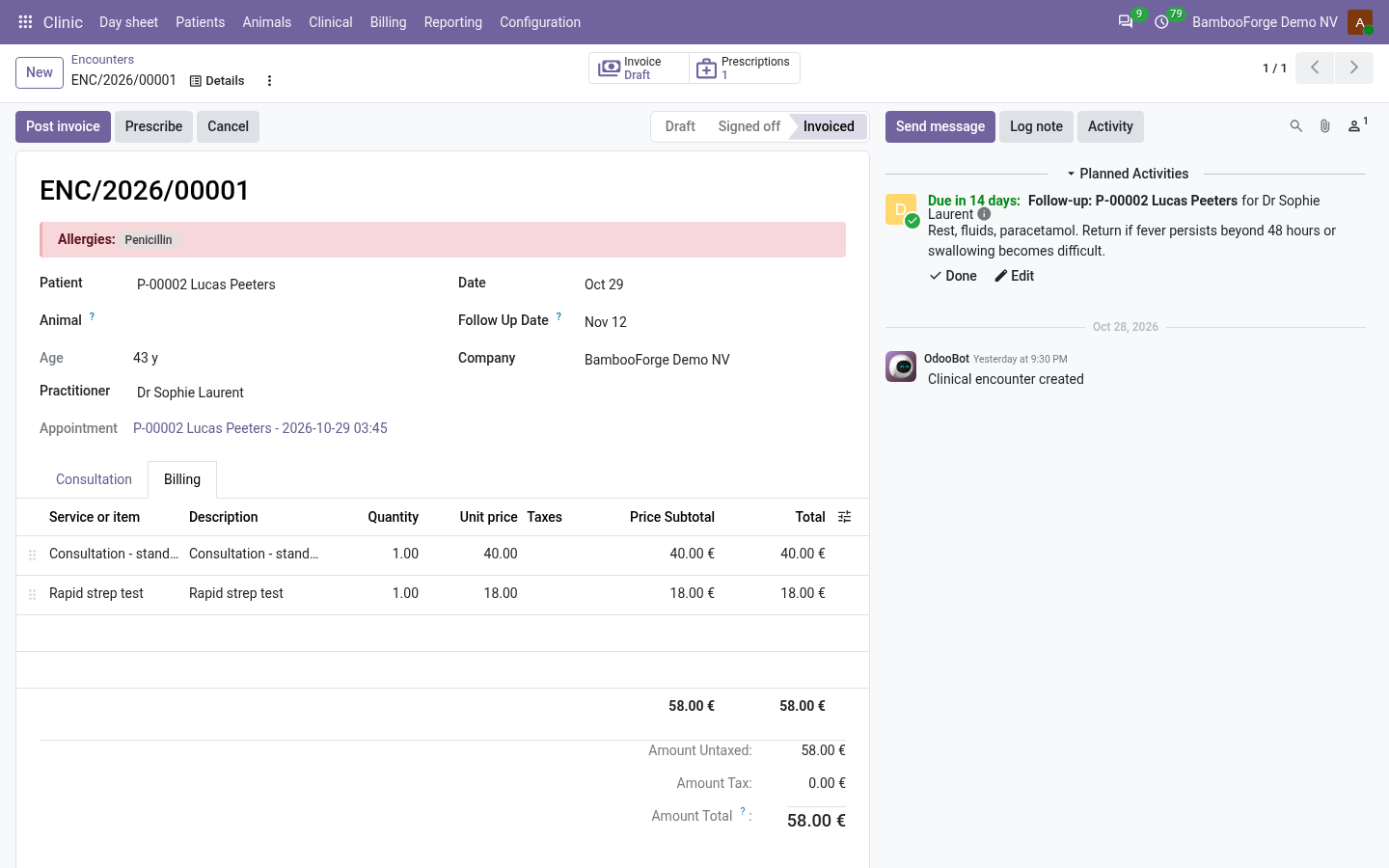
- Billable lines are added on the Billing tab while the consultation is a draft: product, quantity, price, and the product's taxes mapped by the patient's fiscal position.
- On a signed-off consultation, Create invoice makes one customer invoice to the patient's contact, dated the day of the visit.
- Post invoice posts it. The front desk reads the invoices raised from visits and no other entry of the books.
- Cancel the invoice or credit it in full and the visit is back on To invoice.
Price and where to buy
149 EUR, one payment per Odoo series, on the Odoo Apps Store. Pick your series:
Twelve months of support by the people who wrote the code; bug fixes and improvements within the series free for as long as it is published. Report a bug within two months of purchase and, if it is not resolved within fifteen days, you get a full refund. Full source under OPL-1, no licence key, no phone-home. The whole promise.