 BambooForge Labs

- Measured, not guessedA valuation carries the quantity done to date; this period is that less what was certified. It cannot pass the bill or fall below what was certified.
- Variations wait for a signatureAdded and omitted work counts for nothing until a commercial manager approves it. Approval raises the job's change order, so the contract moves in one place.
- One set of figuresThe agreed bill goes into the job's cost budget, and a certified valuation raises the job's own payment application: there is no second invoicing path.
bambooforge_construction_boq90 automated checks run before every release of this app, the same suite on every series it ships for. The complete list is in the source you receive; run it yourself with --test-enable.
For the people who decide
What your managers see
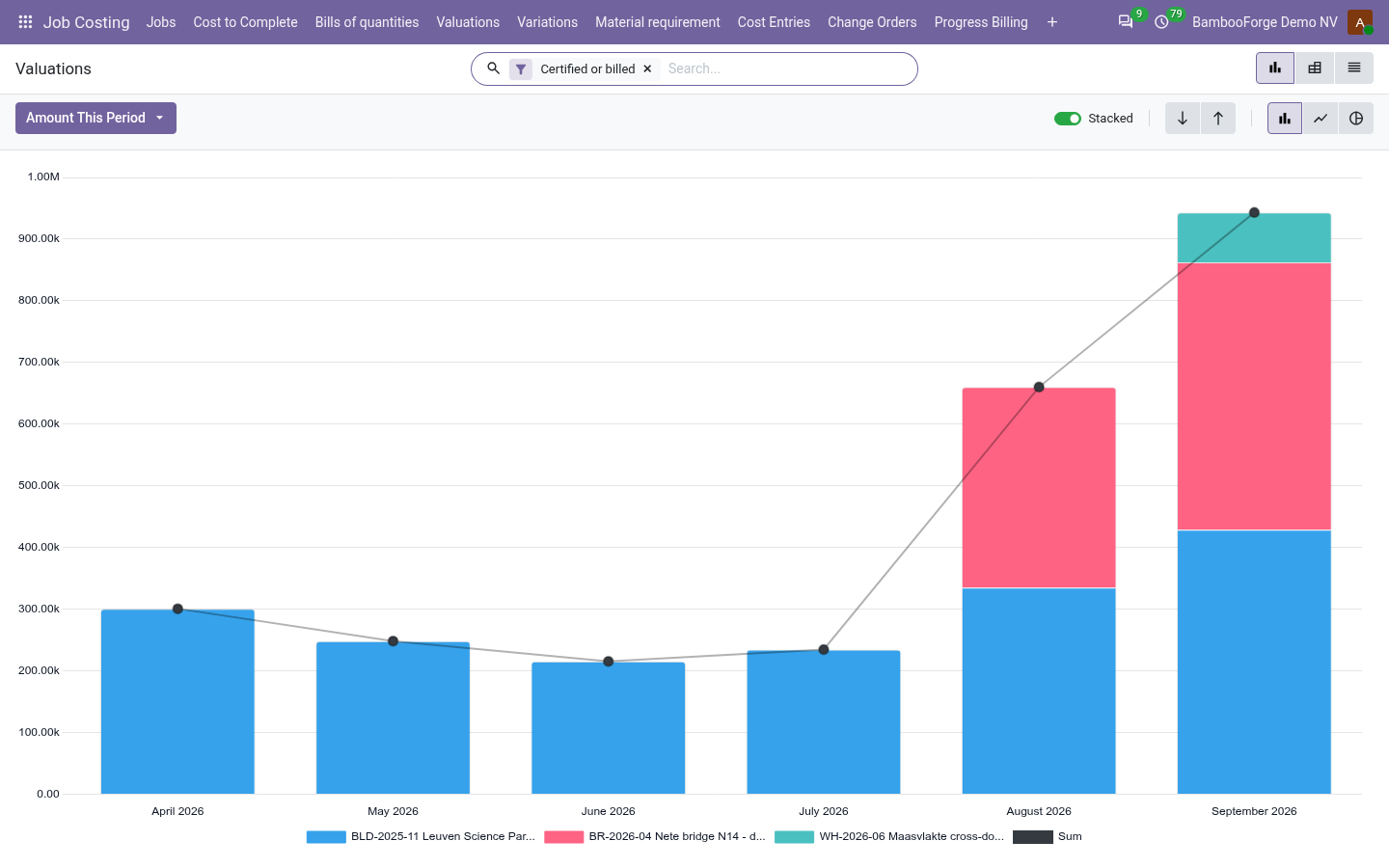
Job Costing > BOQ Reporting is the commercial manager's menu. Each analysis opens on a chart, with the pivot one click away, and the pivot downloads to Excel from its toolbar.
Valuations
the value certified each month, job by job, with what is certified but not yet billed, and by surveyor.
The director sees the cash the sites will bring in, and the certificates still to invoice.
Variations
by job, origin and status: what was added, what was omitted, and the net, with our own errors kept apart.
The commercial manager chases the approvals and sees what the contract became.
Bill Progress
each agreed bill: the original, the variations, the contract, what is measured so far and the gap to the contract.
The director sees which jobs are behind on measurement.
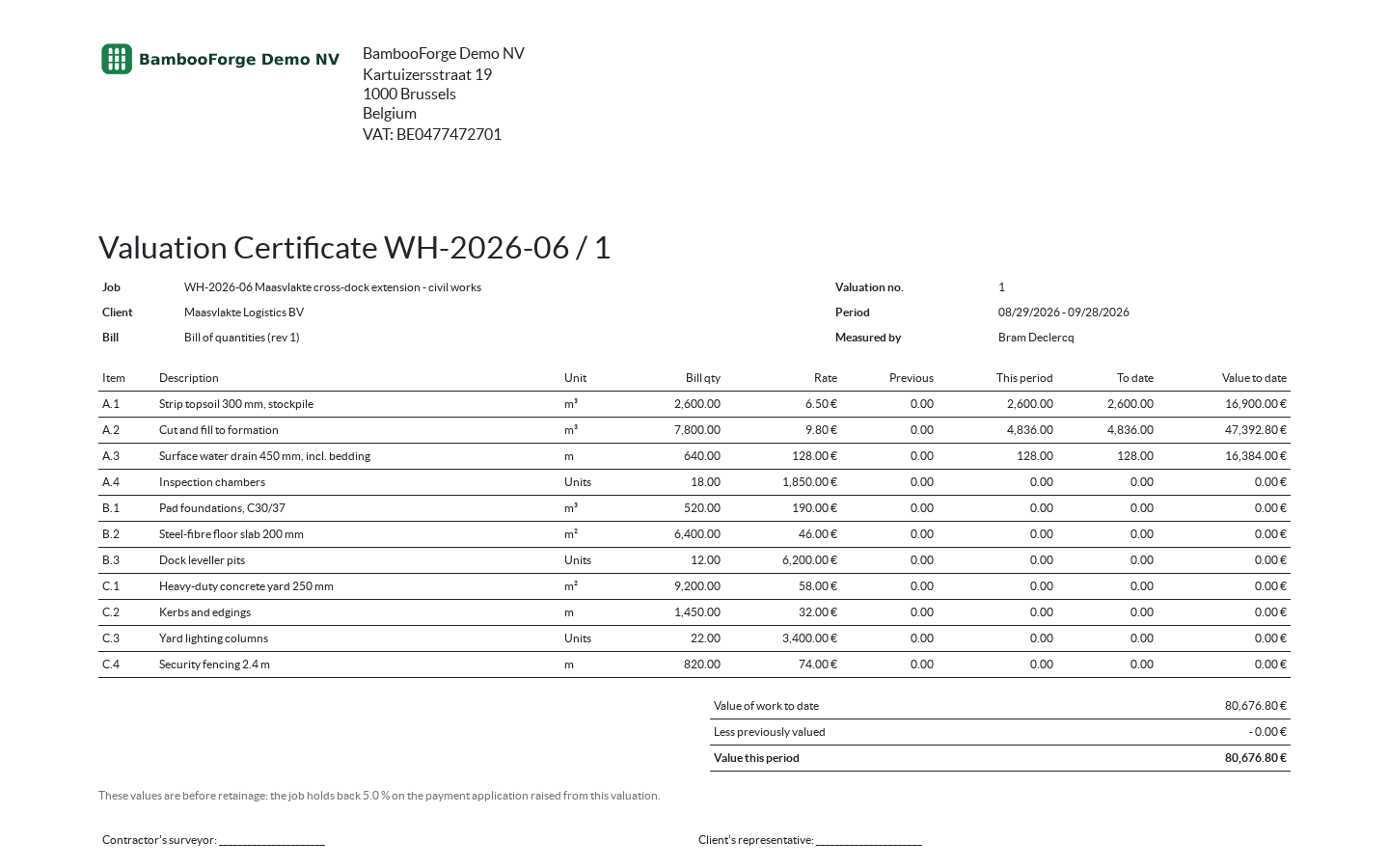
One document prints from the valuation, from Print in the gear menu of its form:
- Valuation Certificate: the job, the client, the valuation number, the period and the bill, then every line of the sheet with its unit, bill quantity, rate, previous quantity, this period, to date and value to date; the totals to date, previously and this period, before retainage; the job's retainage rate; and lines for both sides to sign.
How you use it
A contract by measurement
Price and agree the bill
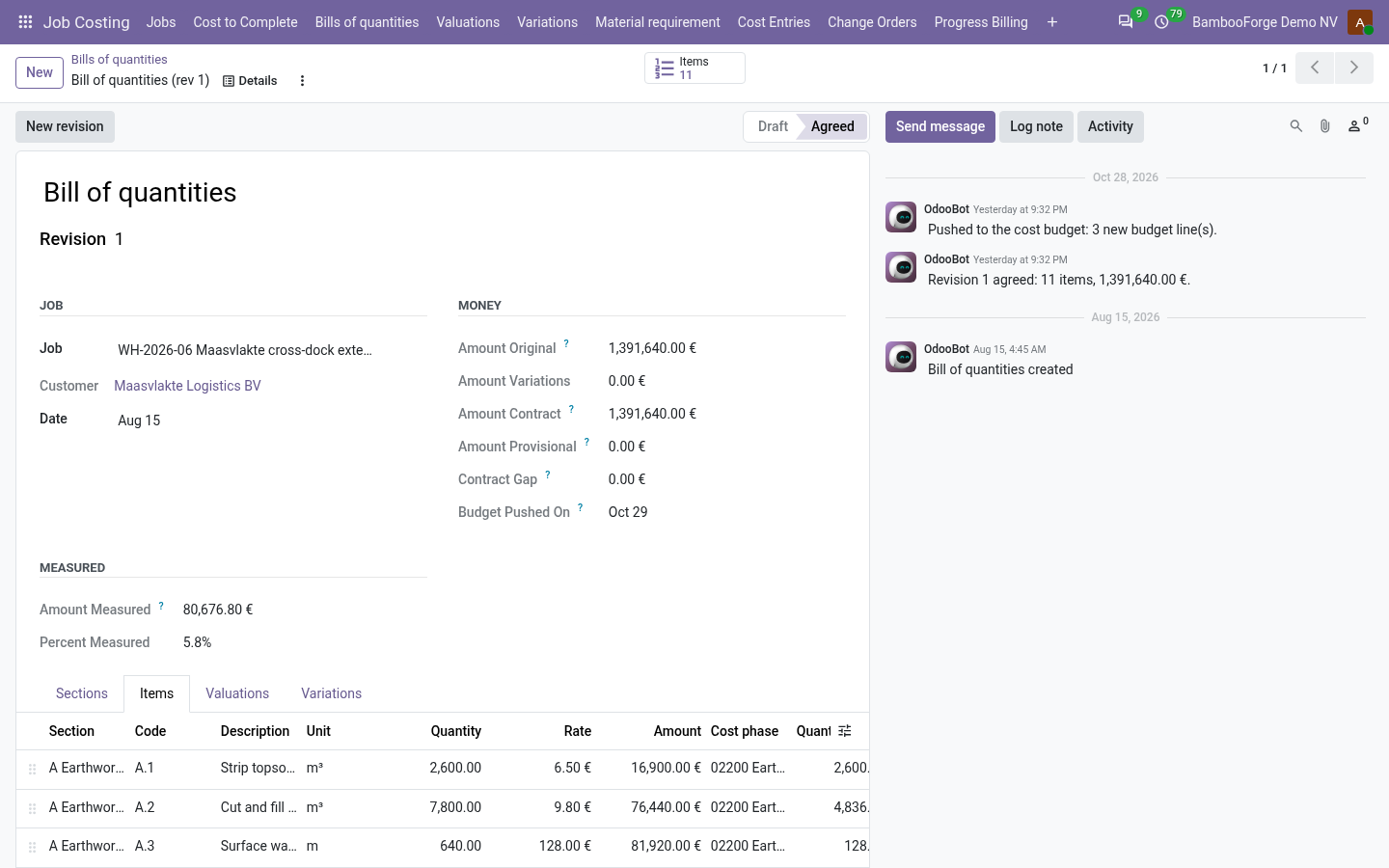
Job Costing > Bills of quantities.
- Sections with their cost phase, items with a unit, a quantity and a rate; the gap to the job's contract is a field.
- Build an item's rate up from labour, material, plant, subcontract and overhead lines, with their wastage.
- Agree the bill, as commercial manager: refused with an unpriced item or while a valuation is being measured.
- Push to the cost budget: the agreed bill goes into the job's budget by phase and cost type.
Measure the month
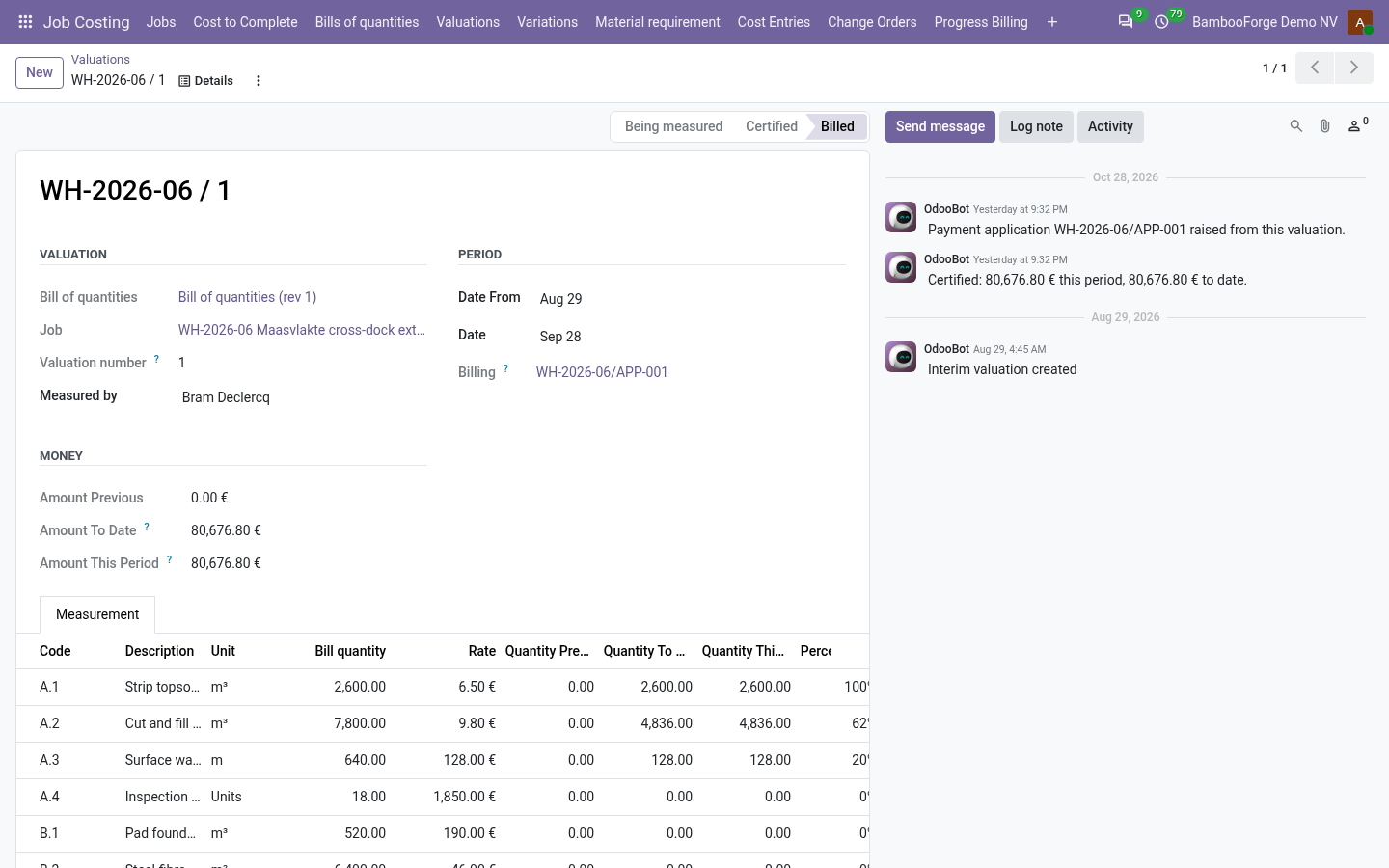
Job Costing > Valuations.
- New, then Build the sheet: every item that counts, with what was certified before.
- Type the quantity done to date. It cannot pass the bill or fall below what was certified.
- Certify: the whole sheet is checked again, then kept as it was signed.
- Print the valuation certificate for both sides to sign.
Turn it into money
On a certified valuation, for commercial managers.
- Raise the payment application: the job's own, by cost phase, with the job's retainage.
- It is refused while another application of the job is a draft, so the same work is not billed twice.
- Create Invoice on the application, as in Job Costing.
Vary the contract
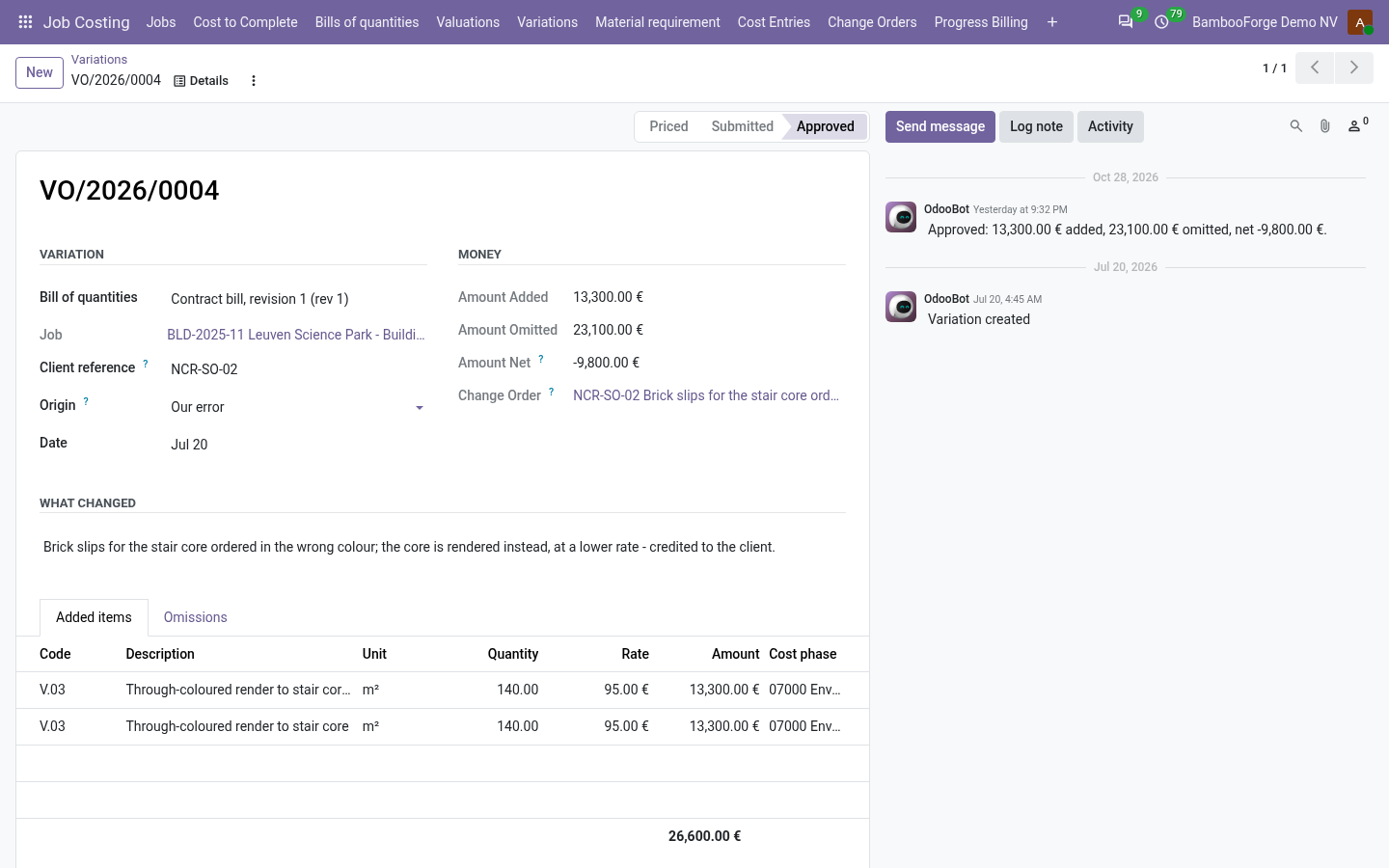
Job Costing > Variations.
- Added items priced like any item, omissions taken out of the bill's items, and the client's reference on a client instruction.
- Submit. Pending, it counts for nothing: not in the contract sum, not on a sheet, not in the budget.
- Approve, as commercial manager: the items go into the bill, and the job's change order is raised and approved.
- Work already certified, or on the sheet being measured, cannot be omitted.
Price and where to buy
278 EUR, one payment per Odoo series, on the Odoo Apps Store. Pick your series:
Twelve months of support by the people who wrote the code; bug fixes and improvements within the series free for as long as it is published. Report a bug within two months of purchase and, if it is not resolved within fifteen days, you get a full refund. Full source under OPL-1, no licence key, no phone-home. The whole promise.