 BambooForge Labs

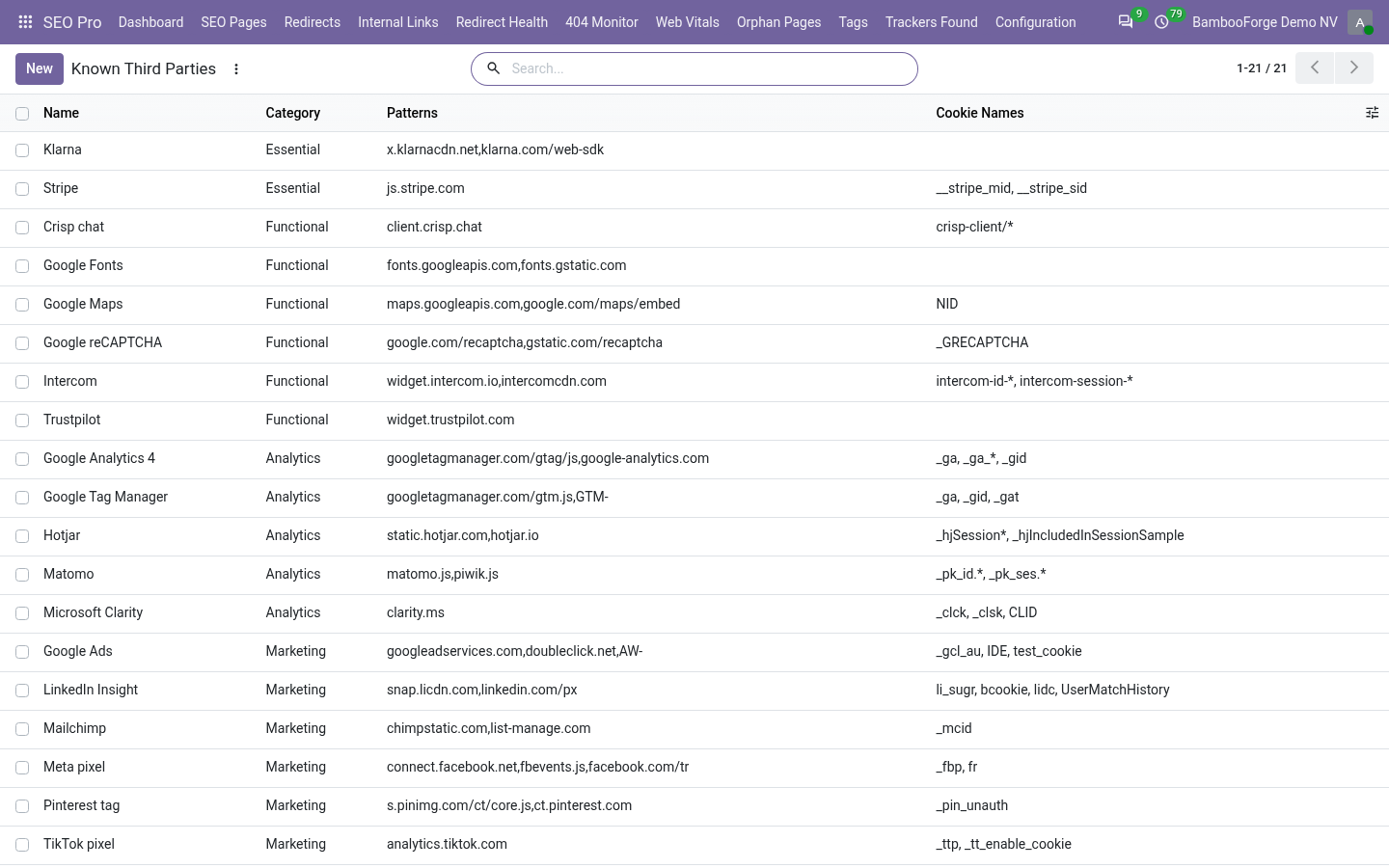
- What the pages contain, listedUp to 60 pages of your website, read as an anonymous visitor, against 16 known vendors you can add to.
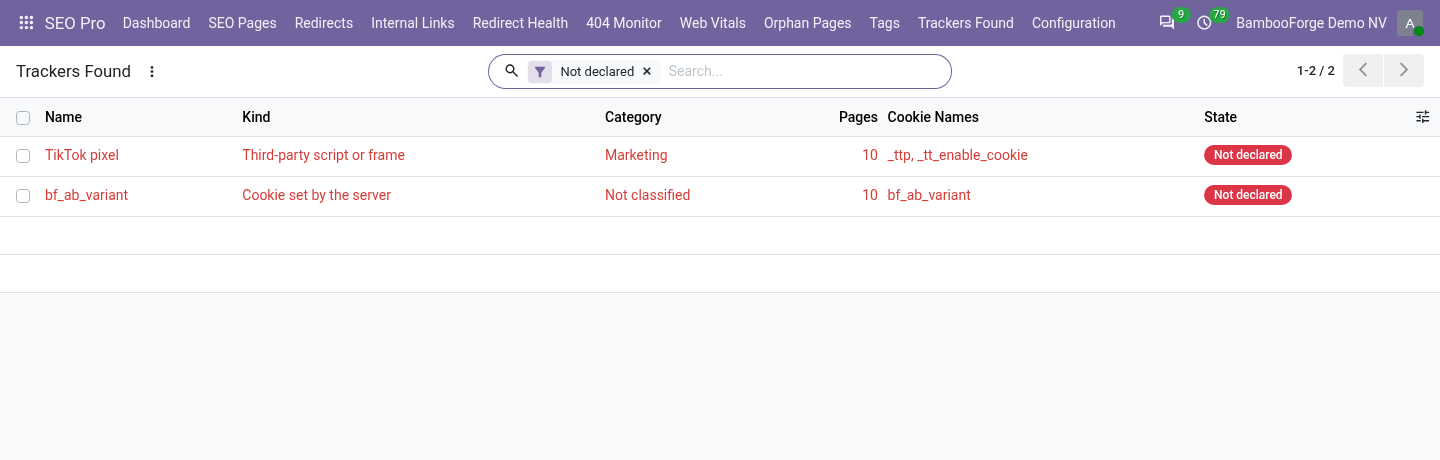
- The gap with your bannerEach finding is checked against Consent Pro's scripts. Trackers Found opens on the ones without a script.
- Again every monthEvery website with the switch on is scanned every 30 days, at night, without anyone asking.
Runs onOdoo 16 to 20Community or Enterprise, self-hosted or Odoo.sh
NeedsOdoo only; includes consent pro, seo prono Enterprise module
Price287 EURone-time, per series, on the Odoo Apps Store
Demodemo20.bambooforge.devlogin page already filled in
Supportsupport@bambooforge.devfirst reply within one business day
Version20.0.1.0.2
bambooforge_cookie_scanner30 automated checks run before every release of this app, the same suite on every series it ships for. The complete list is in the source you receive; run it yourself with --test-enable.
How you use it
Three things you do with it
Flow 01
Run a scan
For an SEO Pro manager.
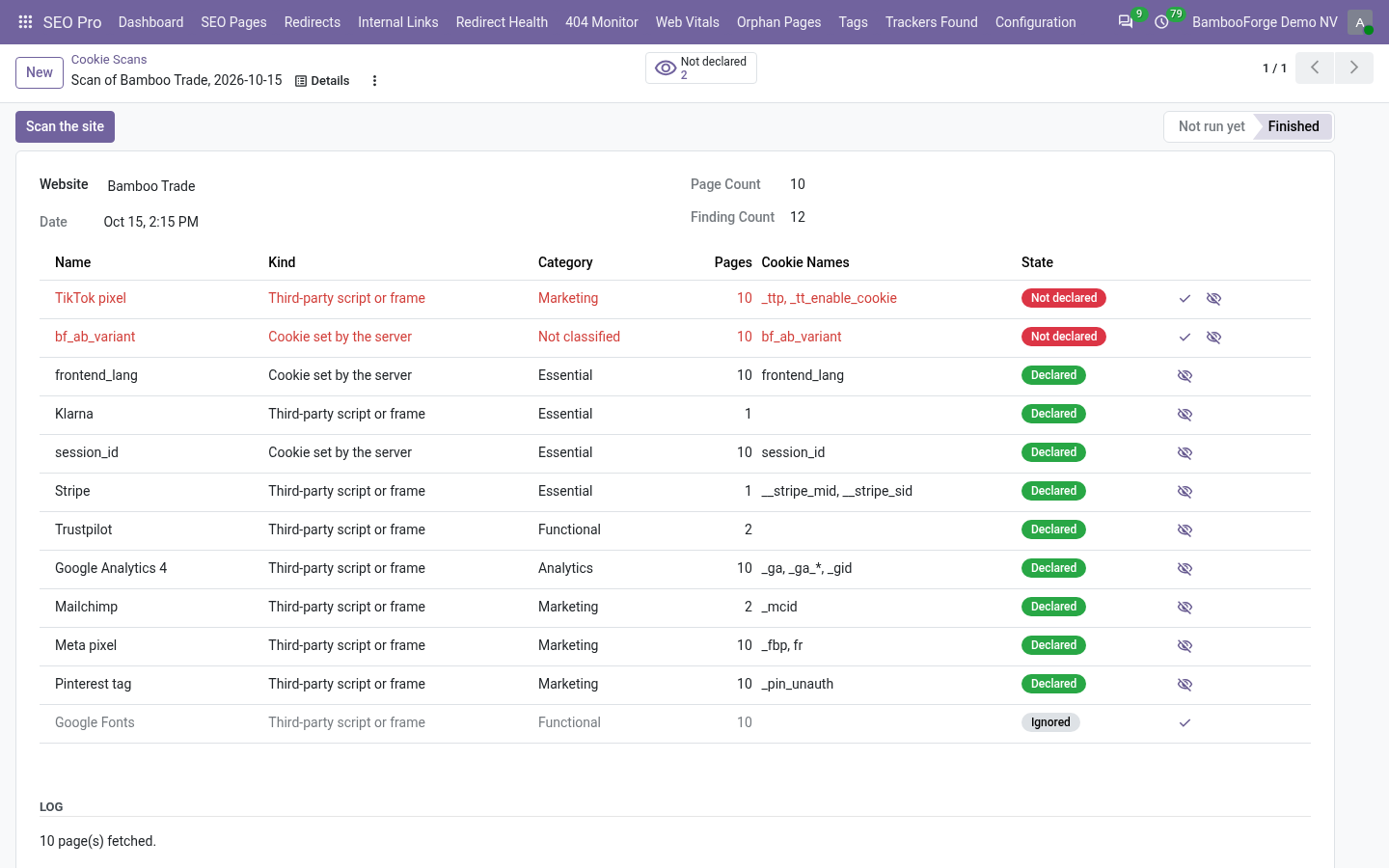
- Open SEO Pro > Configuration > Cookie Scans and press New.
- Choose the website and press Scan the site.
- Read the lines: what was found, on how many pages, and its status.
- The log lists the pages that failed and why.
Flow 02
Decide on what it found
In the work list.
- Open SEO Pro > Trackers Found: the findings not declared.
- To hold a tracker back, put its address or code into a Consent Pro script and remove the tag from the page.
- Declare in Consent Pro adds an empty script with the vendor's category and marks the finding declared.
- Ignore sets aside what you have decided to keep as it is.
Flow 03
Teach it a third party
The knowledge base is yours.
- Open SEO Pro > Configuration > Known Third Parties and add a line.
- Give a name, a category and comma-separated patterns found in the page source.
- List the cookies it is known to set: the next scan knows it.
Price and where to buy
287 EUR, one payment per Odoo series, on the Odoo Apps Store. Pick your series:
Twelve months of support by the people who wrote the code; bug fixes and improvements within the series free for as long as it is published. Report a bug within two months of purchase and, if it is not resolved within fifteen days, you get a full refund. Full source under OPL-1, no licence key, no phone-home. The whole promise.