 BambooForge Labs

- Rules on the serverCannot be combined with, needs, automatically adds: checked when the configuration goes on the quotation, whatever made it.
- Sizes in the unit you priceTyped in millimetres, priced per square metre in bands; a size above the last band is refused, not guessed.
- A price that staysA quantity typed or prices updated keep the configured price; the answers and the price of a quoted line are not rewritten.
bambooforge_cpq90 automated checks run before every release of this app, the same suite on every series it ships for. The complete list is in the source you receive; run it yourself with --test-enable.
For the people who decide
What your managers see
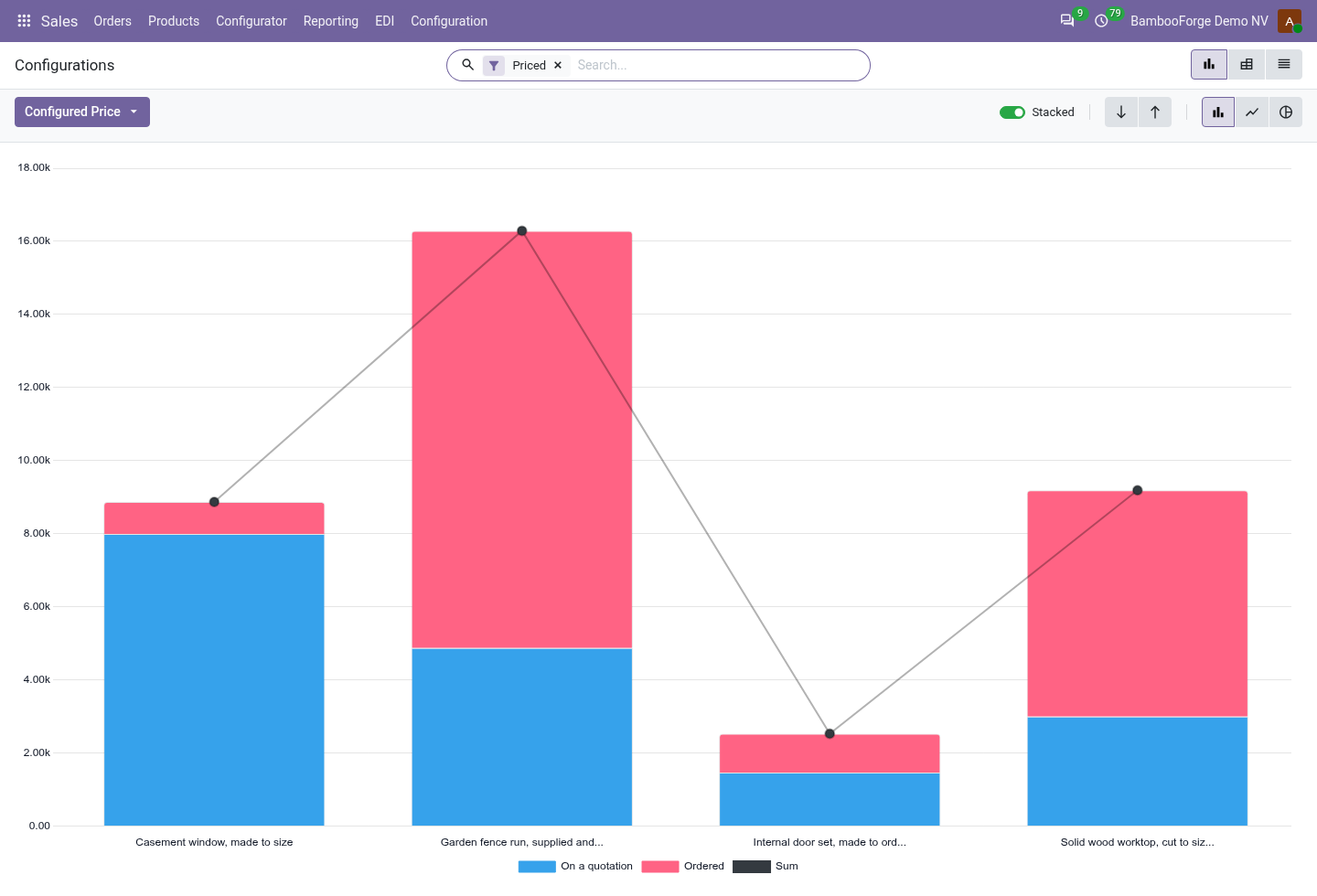
Sales > Configurator > Reporting > Configurations is the analysis, for product engineers. It opens on a chart of the priced configurations, with the pivot one click away, and the pivot downloads to Excel from its toolbar.
Configurations
configurations by product, status, customer and month: how many were priced, reached a quotation and an order, their configured price, their component cost, the margin and the margin rate, with a Margin under 20 % filter.
The sales and product managers see which products earn, and where the margin is thin.
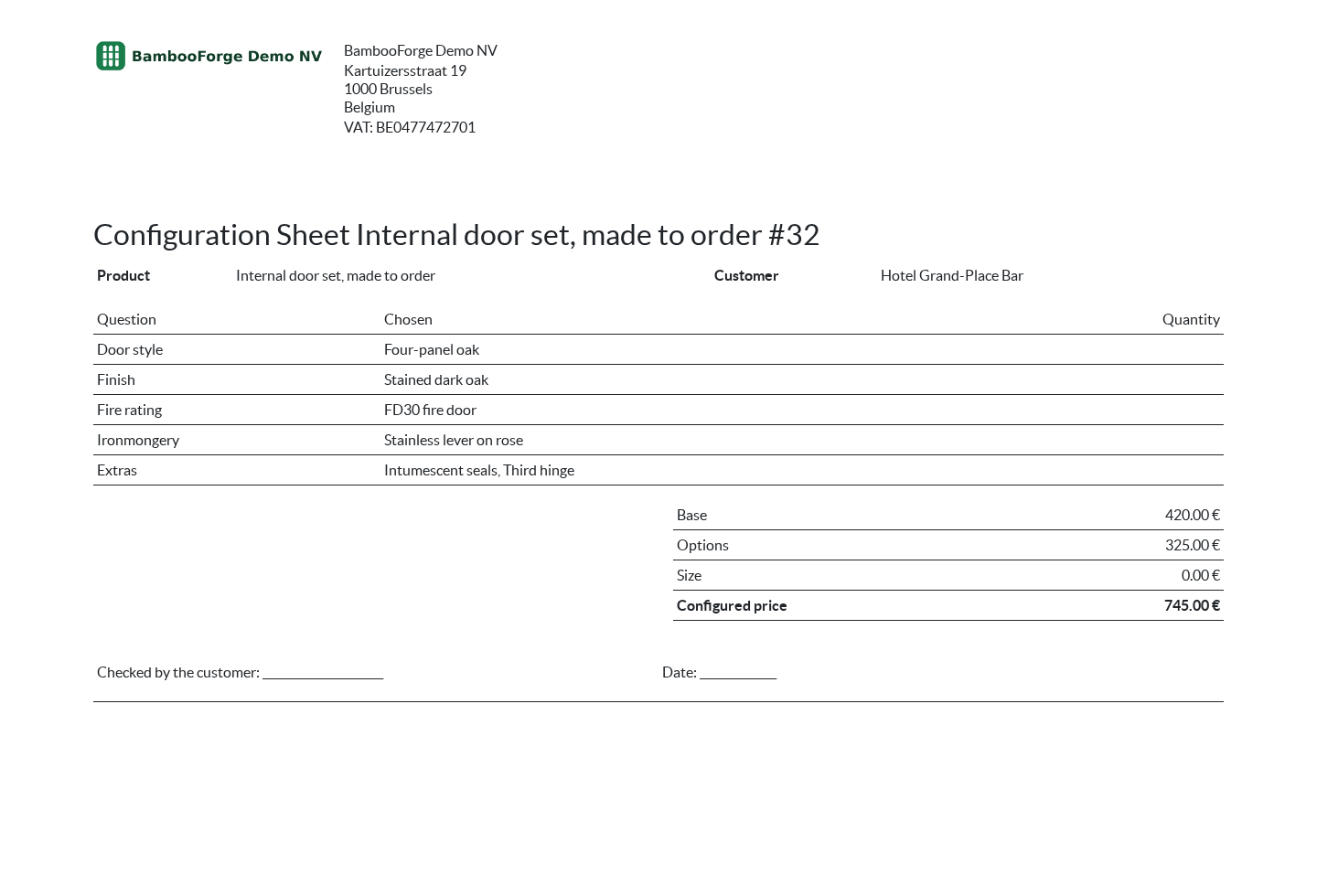
A configuration prints for the customer to check before the order.
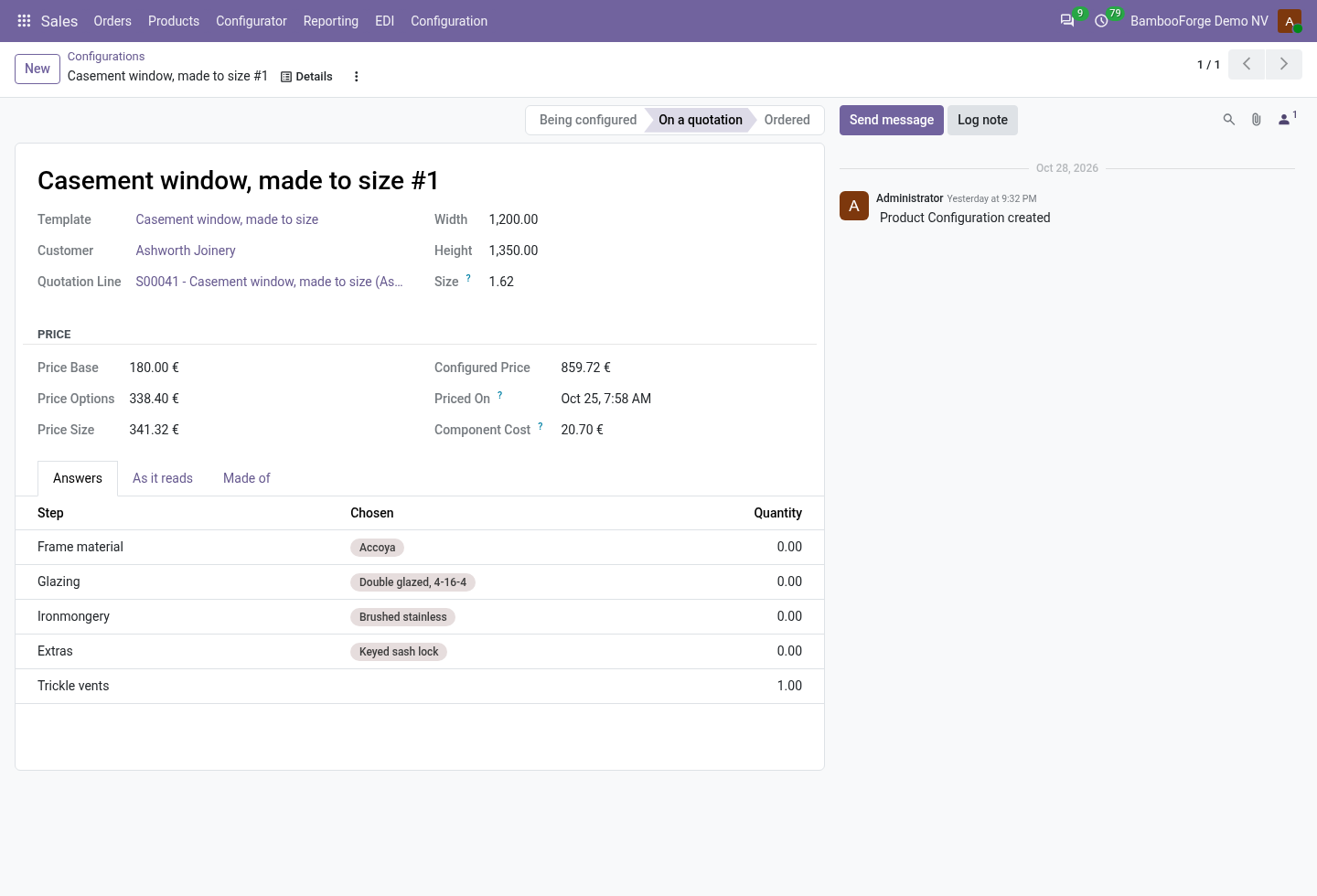
- Configuration Sheet: printed from the configuration: the product, the customer, the size, each question with its answer, and the price built up from the starting price, the answers and the size, with a line to sign. No cost on it.
How you use it
How it is used
Set up a configurable product
For a product engineer.
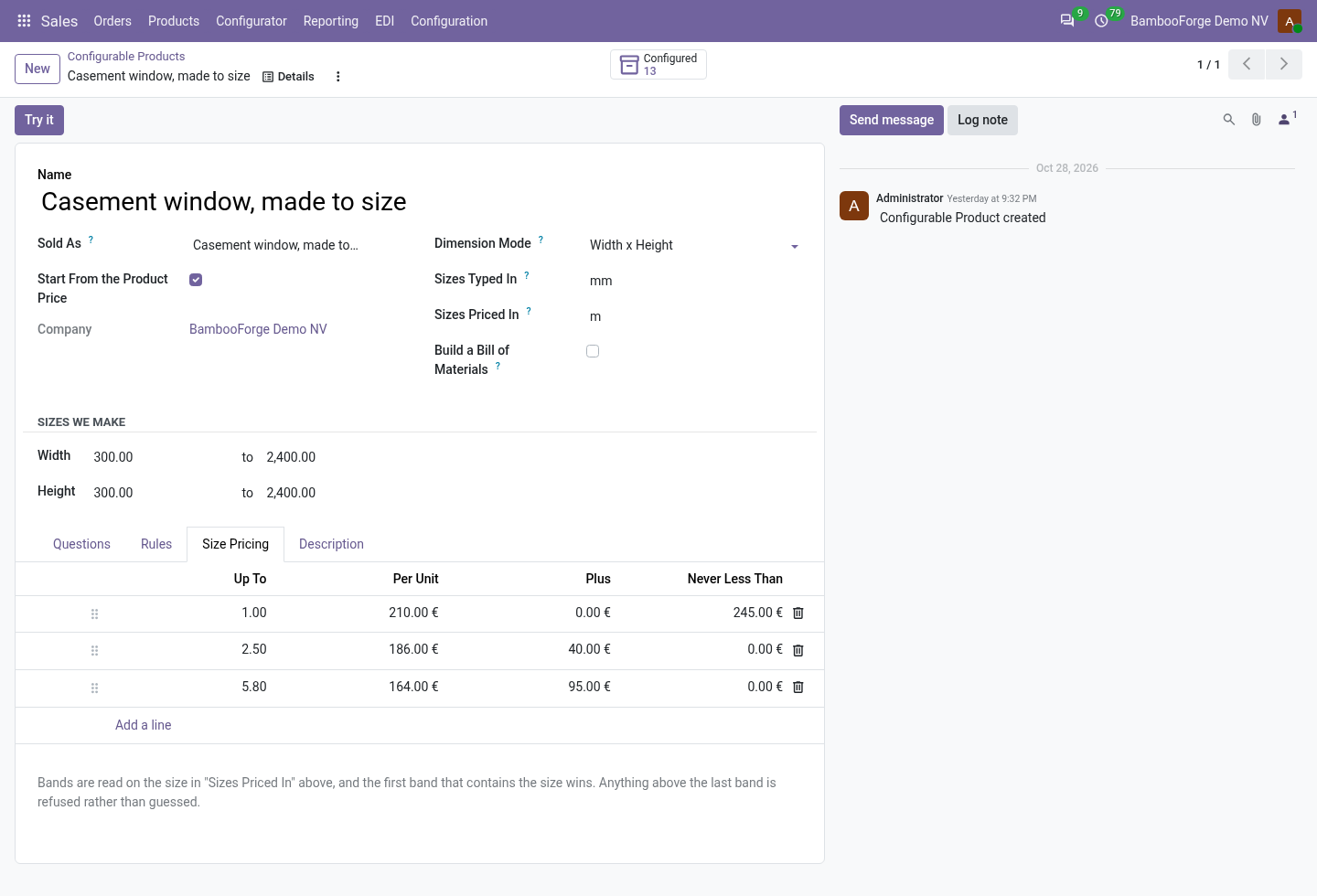
- Choose the product sold and where the starting price comes from.
- Set the dimensions, the unit they are typed in and the unit they are priced in.
- Add the questions and their answers, the rules and the size bands.
- Press Try it.
Configure a line on a quotation
For a salesperson.
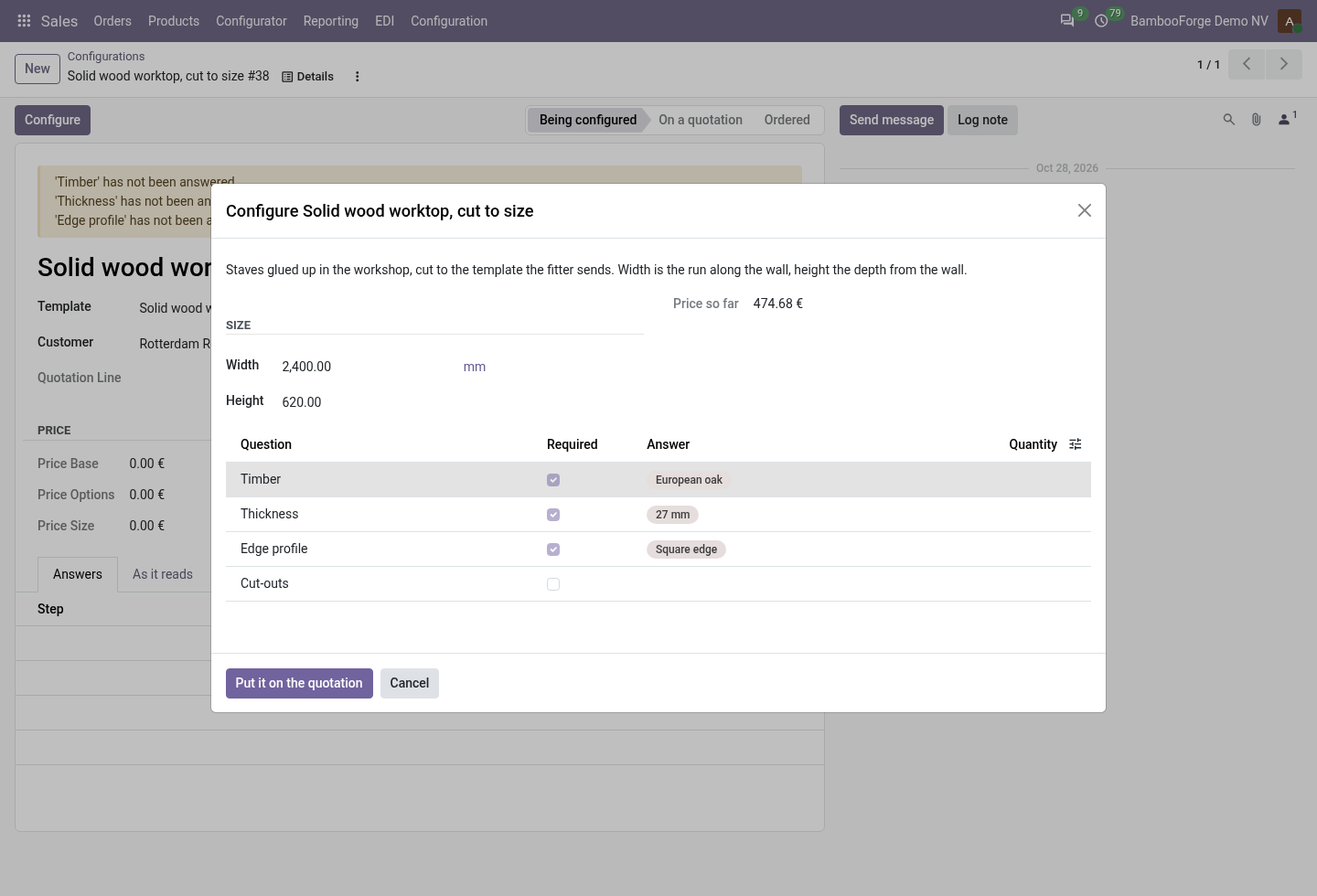
- Add a configurable product and press the line's Configure button.
- Type the size and answer the questions; the price so far follows.
- Press Put it on the quotation: every rule is checked again on the server.
- Type the quantity: the configured price stays.
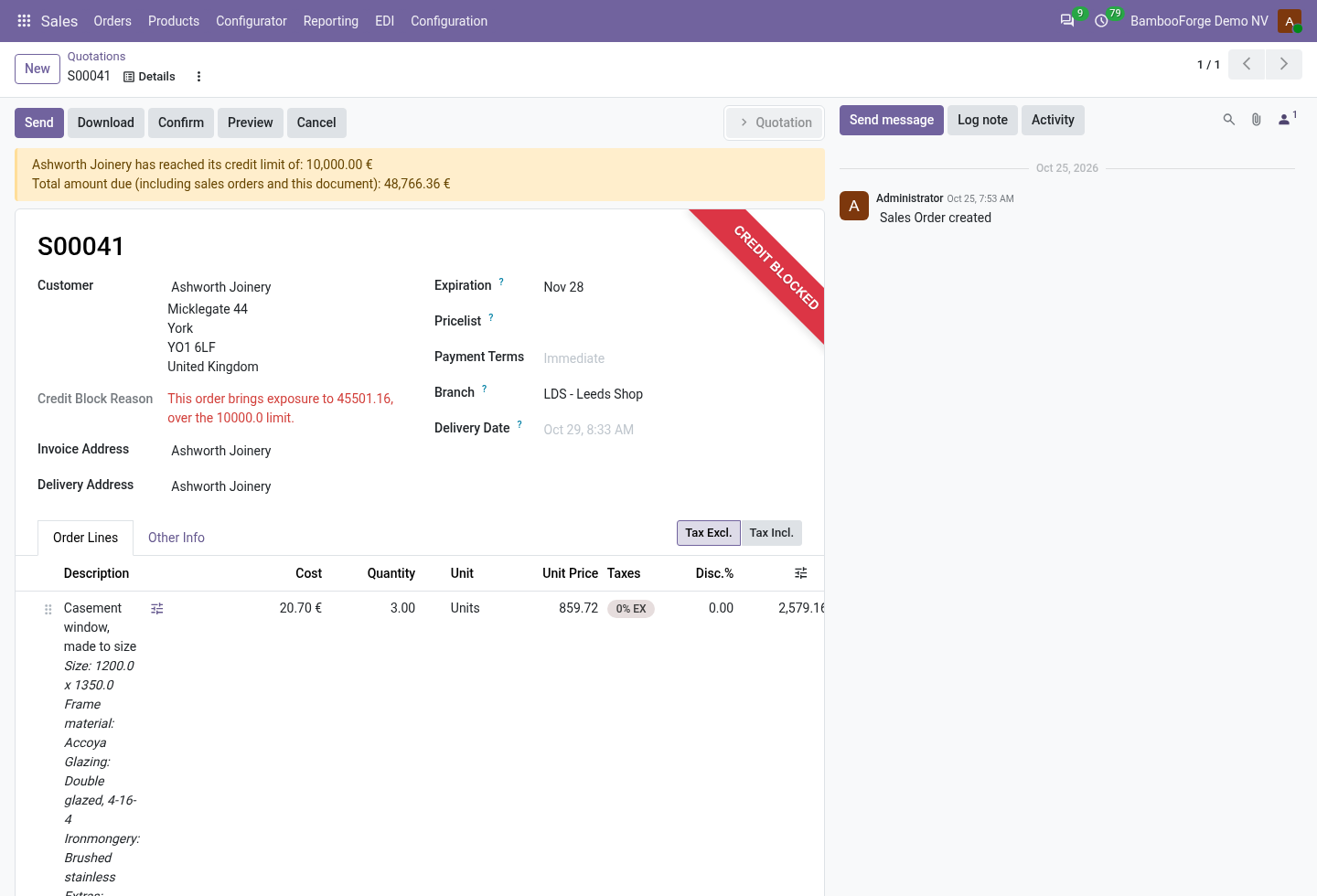
Change what a line is made of
On the configuration.
- The answers' components are listed the first time it is priced.
- Swap a part or change a quantity for this line only.
- The component cost and the line's Cost follow; the customer's price does not.
Price and where to buy
149 EUR, one payment per Odoo series, on the Odoo Apps Store. Pick your series:
Twelve months of support by the people who wrote the code; bug fixes and improvements within the series free for as long as it is published. Report a bug within two months of purchase and, if it is not resolved within fifteen days, you get a full refund. Full source under OPL-1, no licence key, no phone-home. The whole promise.