 BambooForge Labs

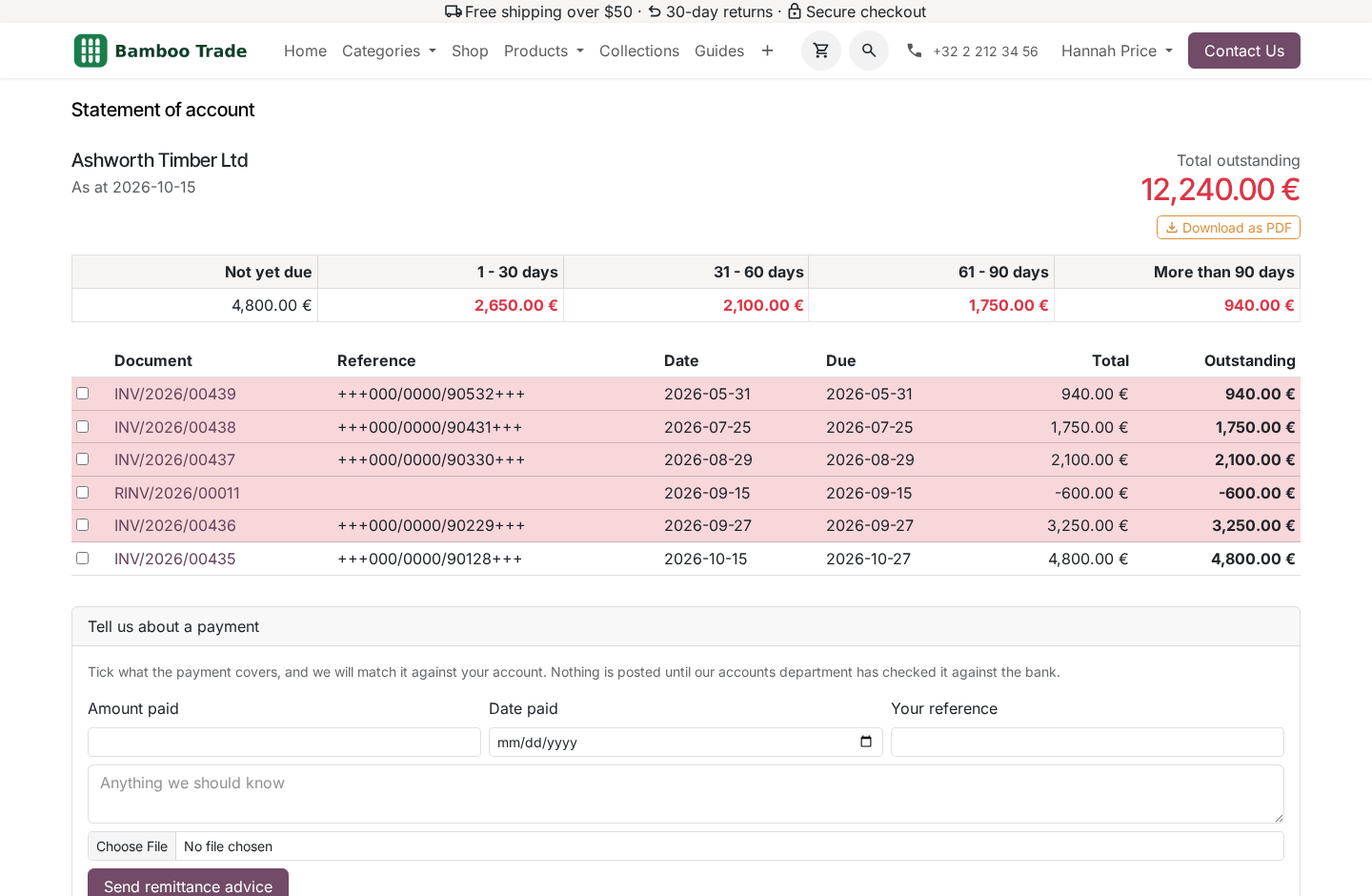
- What they owe, on a page they openEvery posted invoice and credit note not paid yet, with what is left on it and the total at the top. No spreadsheet by email.
- Aged from the due dateNot yet due, 1 to 30, 31 to 60, 61 to 90, more than 90 days: a document on long terms is not called overdue too early.
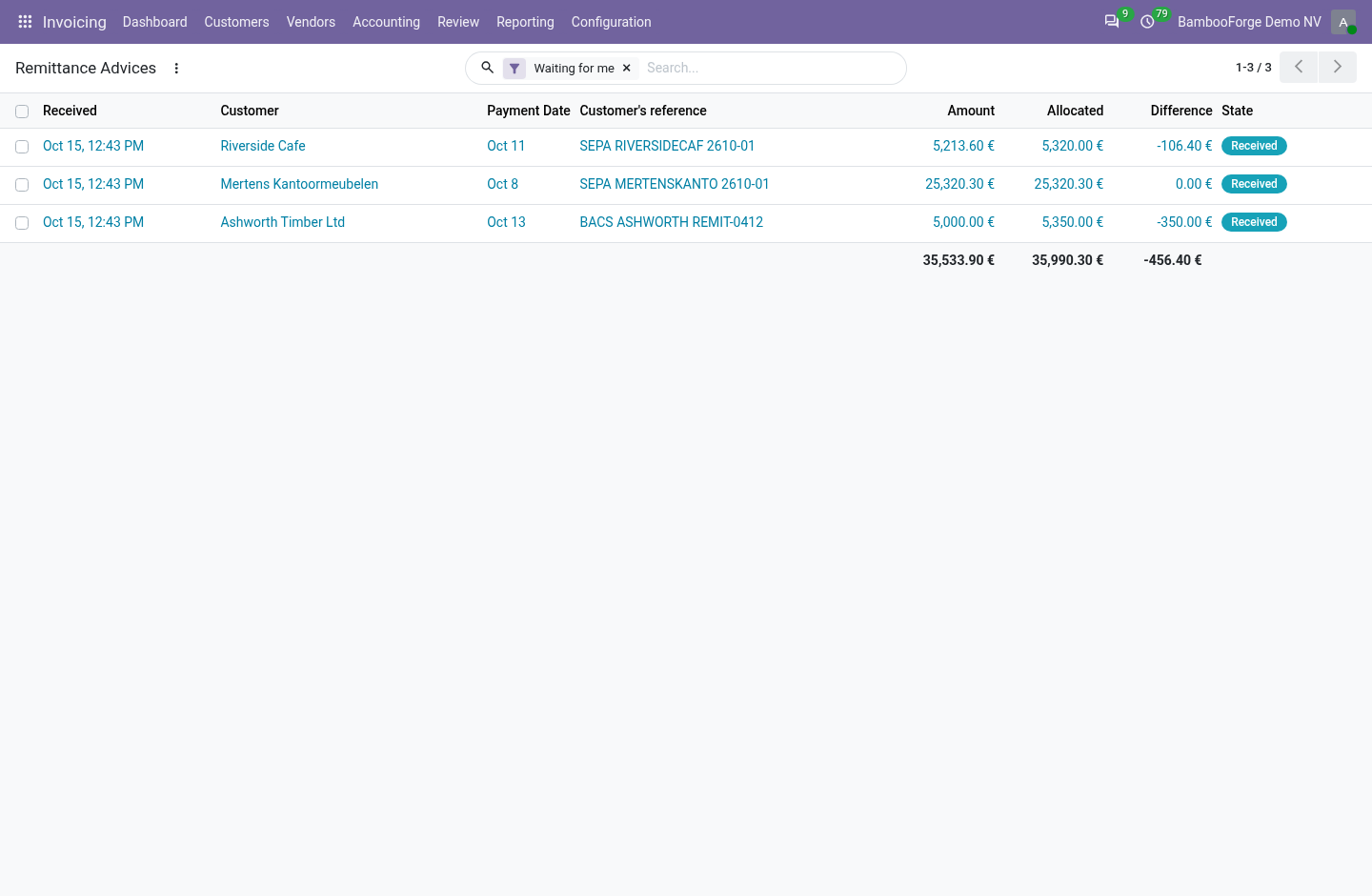
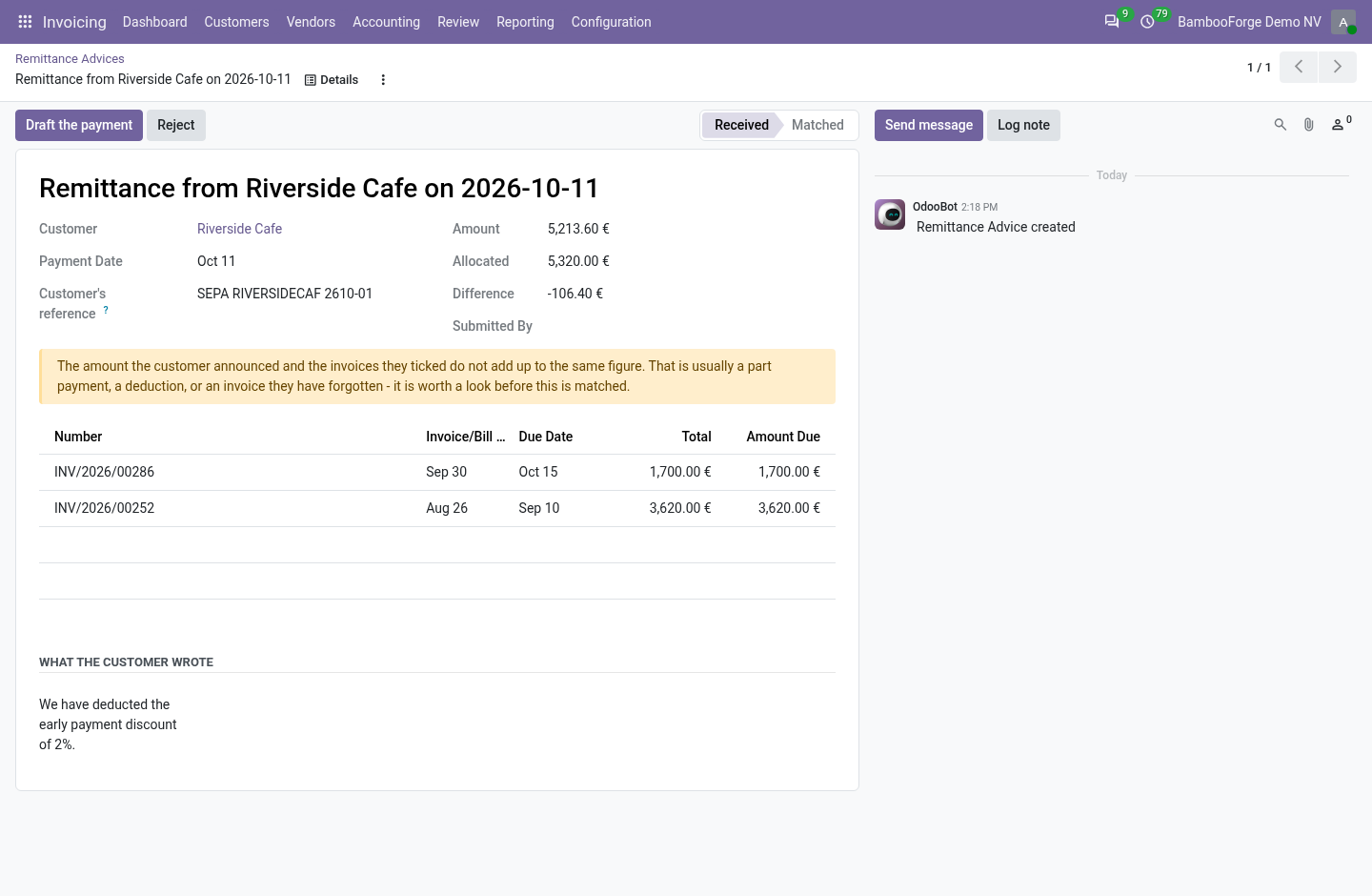
- Beside the ledger, not in itWhat a customer announces waits for an accountant, who drafts the payment with one button and checks it against the bank.
Runs onOdoo 16 to 20Community or Enterprise, self-hosted or Odoo.sh
NeedsInvoicingno Enterprise module
Price119 EURone-time, per series, on the Odoo Apps Store
Demodemo20.bambooforge.devlogin page already filled in
Supportsupport@bambooforge.devfirst reply within one business day
Version20.0.1.0.2
bambooforge_customer_portal31 automated checks run before every release of this app, the same suite on every series it ships for. The complete list is in the source you receive; run it yourself with --test-enable.
How you use it
How it is used
Flow 01
The customer reads what they owe
Signed in to the portal.
- Open the Statement of account card on the portal home.
- Read the total outstanding and the five age bands.
- Read each document: its reference, dates, total and what is left; overdue lines are red.
- Press Download as PDF for a copy.
Flow 02
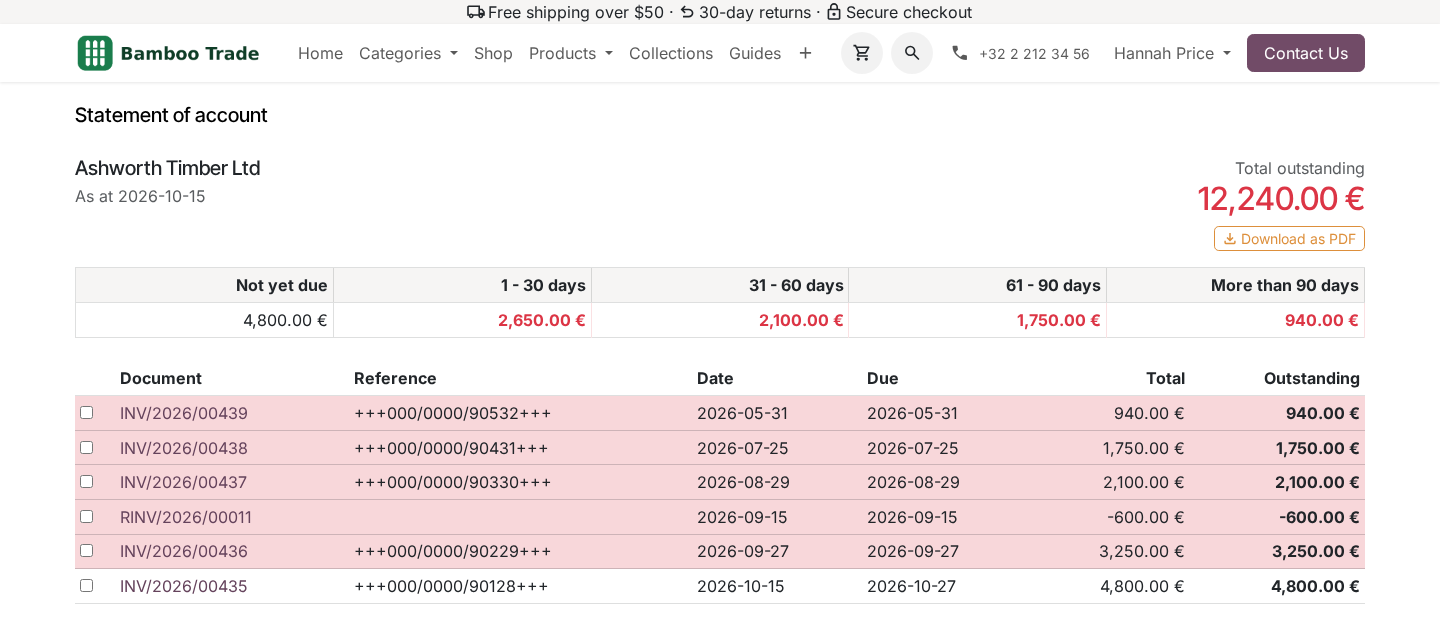
The customer says what they paid
On the same page.
- Tick the documents the payment covers.
- Type the amount, the date paid and the reference the bank shows.
- Attach the remittance document, a PDF or a photograph up to 10 MB.
- Press Send remittance advice.
Flow 03
The accountant handles it
Under Invoicing > Customers > Remittance Advices.
- Open an advice waiting: the amount, Allocated, the difference, the message and the file.
- Press Draft the payment: a draft customer payment with the customer's reference.
- Check it against the bank, post it and reconcile it; or press Reject.
Price and where to buy
119 EUR, one payment per Odoo series, on the Odoo Apps Store. Pick your series:
Twelve months of support by the people who wrote the code; bug fixes and improvements within the series free for as long as it is published. Report a bug within two months of purchase and, if it is not resolved within fifteen days, you get a full refund. Full source under OPL-1, no licence key, no phone-home. The whole promise.