 BambooForge Labs

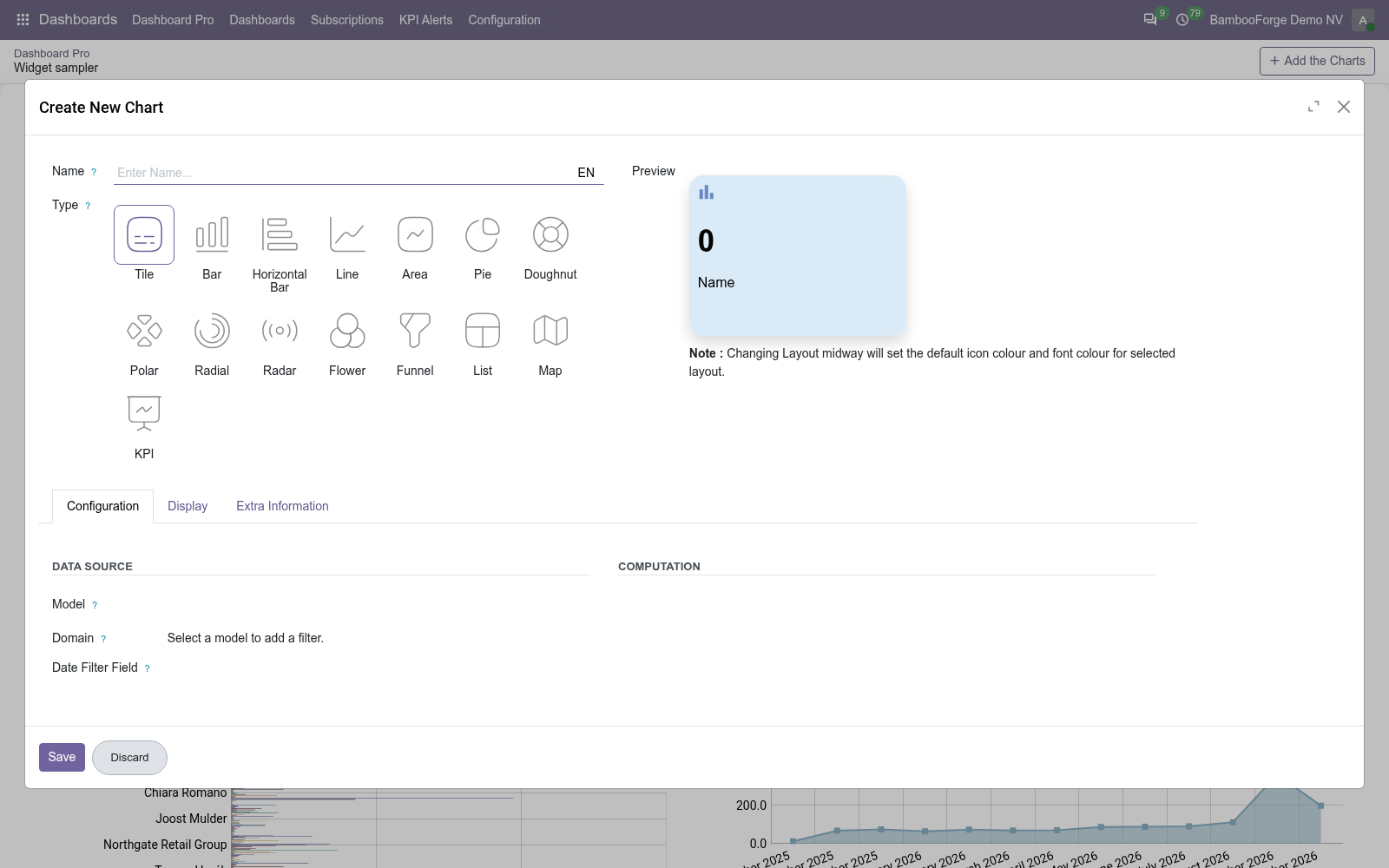
- Built on a form, not in codePick a model, a measure and a group-by. Fifteen item types, from a tile to a funnel, and a preview that follows what you set.
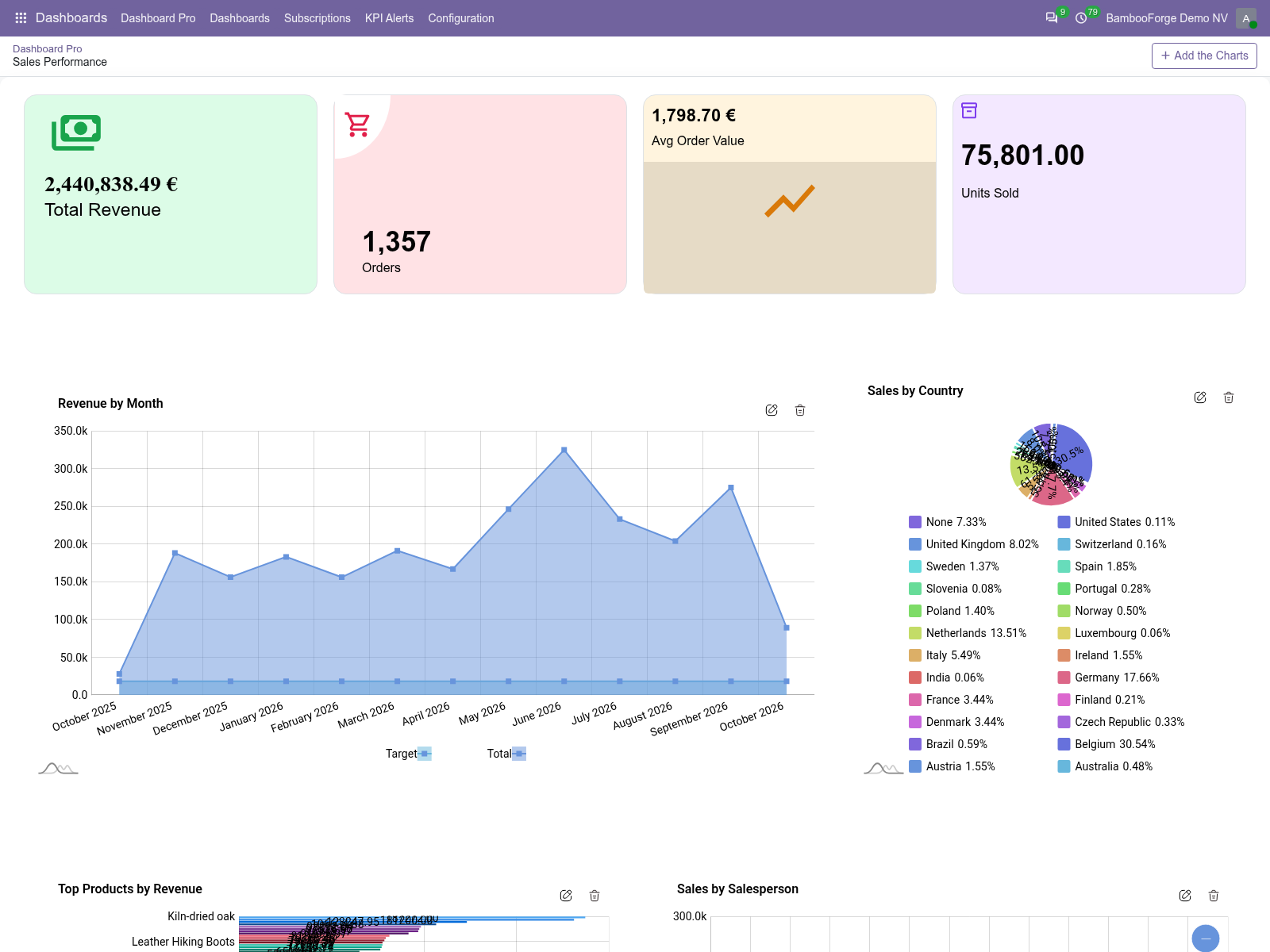
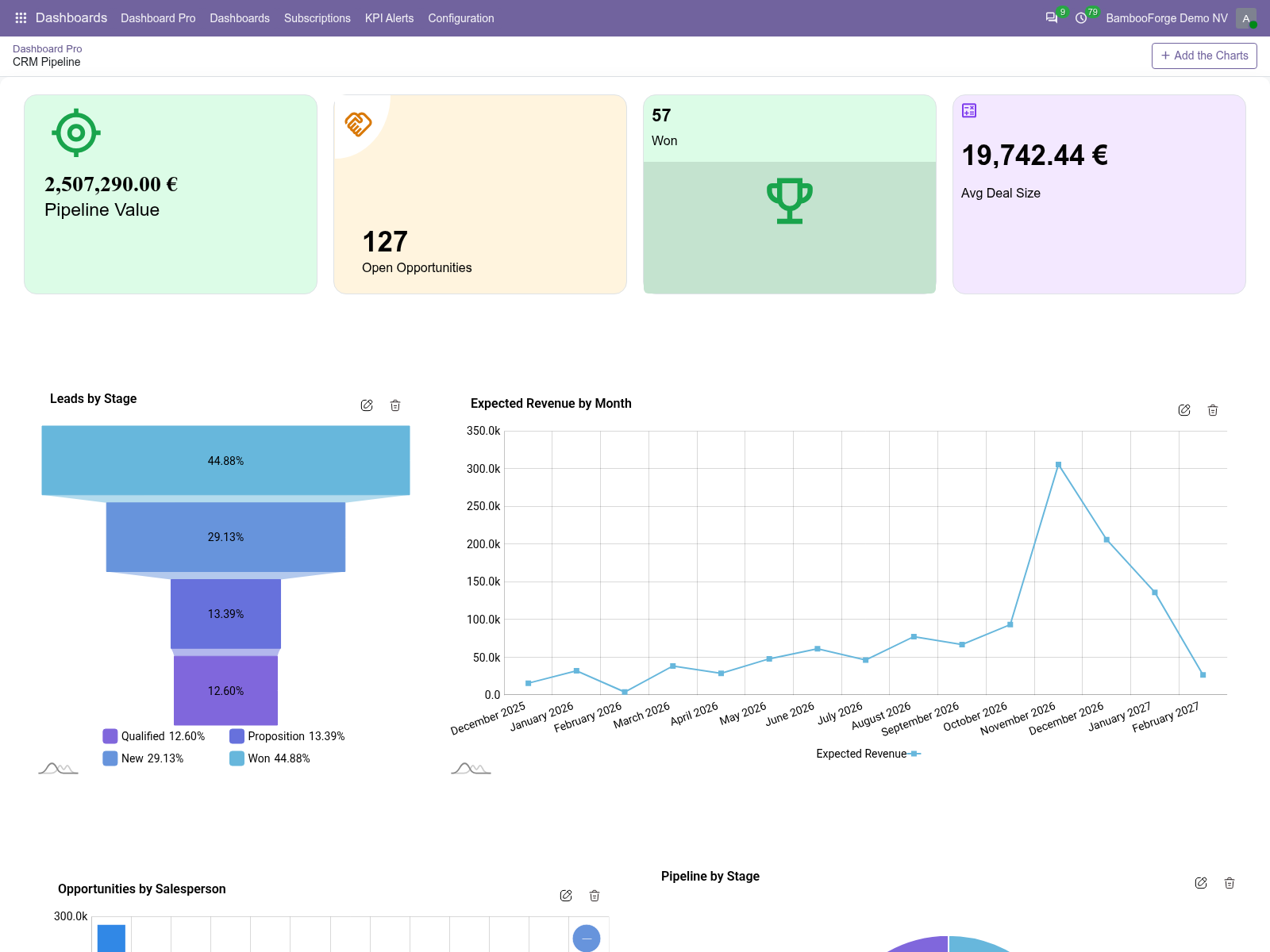
- Boards on day oneSales Performance and CRM Pipeline come with the app, and the install adds a board per role for the apps the database runs: executive, finance, purchasing, warehouse, service desk, quality, access.
- Figures that leave the screenA subscription e-mails a board's figures as a table every day, week or month. An alert e-mails when a tile or a KPI falls below or rises above its threshold.
bambooforge_dashboard67 automated checks run before every release of this app, the same suite on every series it ships for. The complete list is in the source you receive; run it yourself with --test-enable.
How you use it
From an empty board to a number that warns you
Create a board and add an item
A name, a type, a model.
- Dashboards > Dashboard Pro > New: name the board, save it and press View.
- Add the Charts opens the item form: a name and one of fifteen types.
- Pick the model, an optional domain, and the date field the board's date filter applies to.
- Choose the data type (Count, Sum, Average or Python Code), then the measure and the group-by. Save, and the board is drawn again with the item.
Set KPIs and targets
A number against what it should be.
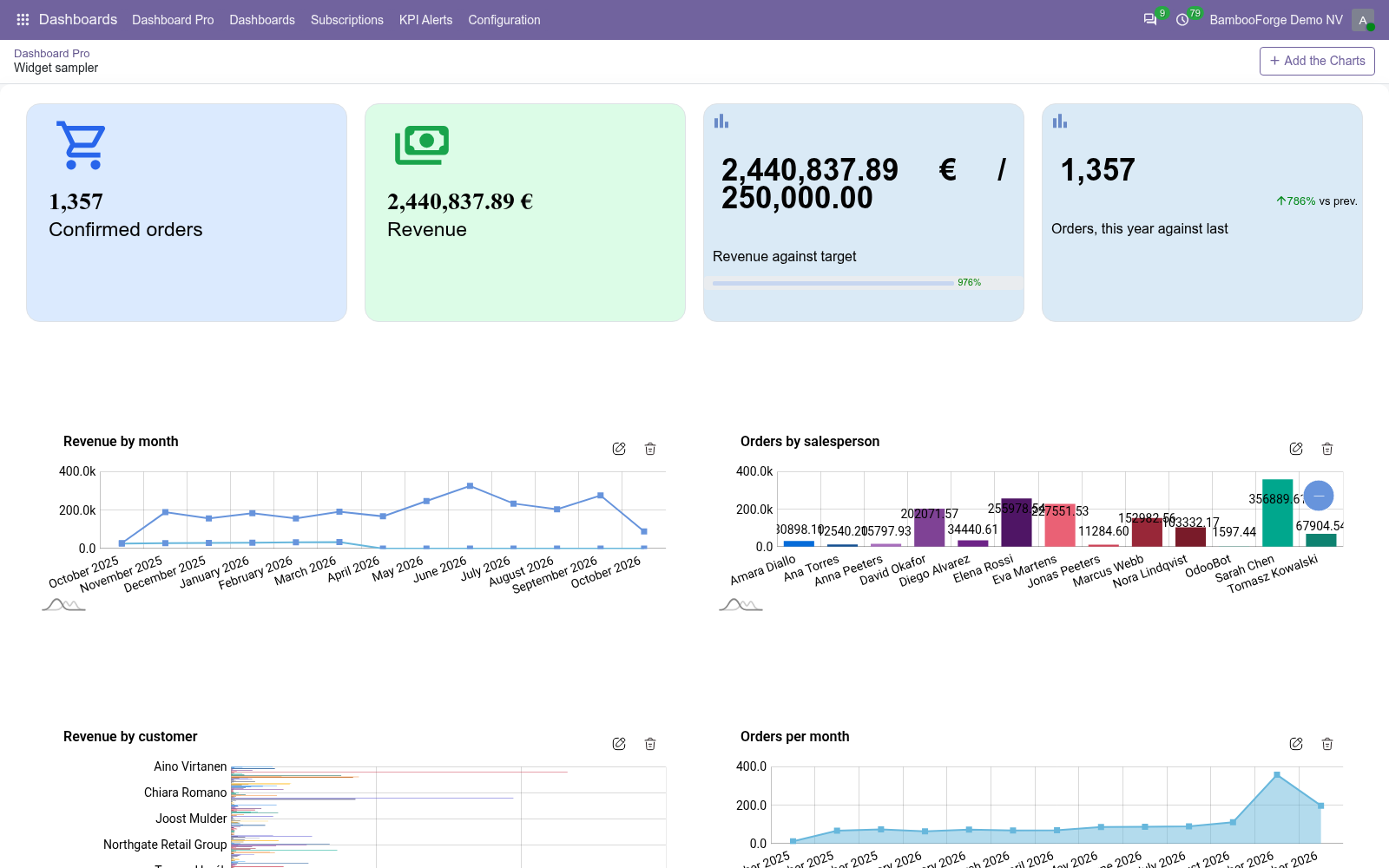
- On a KPI, Enable Target and a Standard Target show the value over the target, with a bar and the percentage reached.
- Compare With Previous Period shows by how many percent the value is above or below last week, month, quarter or year, when the board's Default Date Filter is Week, Month, Quarter or Year to Date.
- A bar, horizontal bar, line or area chart grouped by a date takes a Standard Target, as a series or as a line, or one target per period.
Arrange, filter and share the board
One layout for everyone, and a period each viewer can change.
- Edit Layout in the gear menu: drag an item to move it, drag its corner to resize it, then Save Layout.
- The date filter in the control panel reads every item again for the period you pick.
- Allowed Groups on the board keeps it, and its items, to the members of those groups. Empty, every internal user can open it.
- Print PDF saves a picture of the board to your computer; Send by Email attaches one to an e-mail.
Start from a role dashboard
Made at install, yours to change.
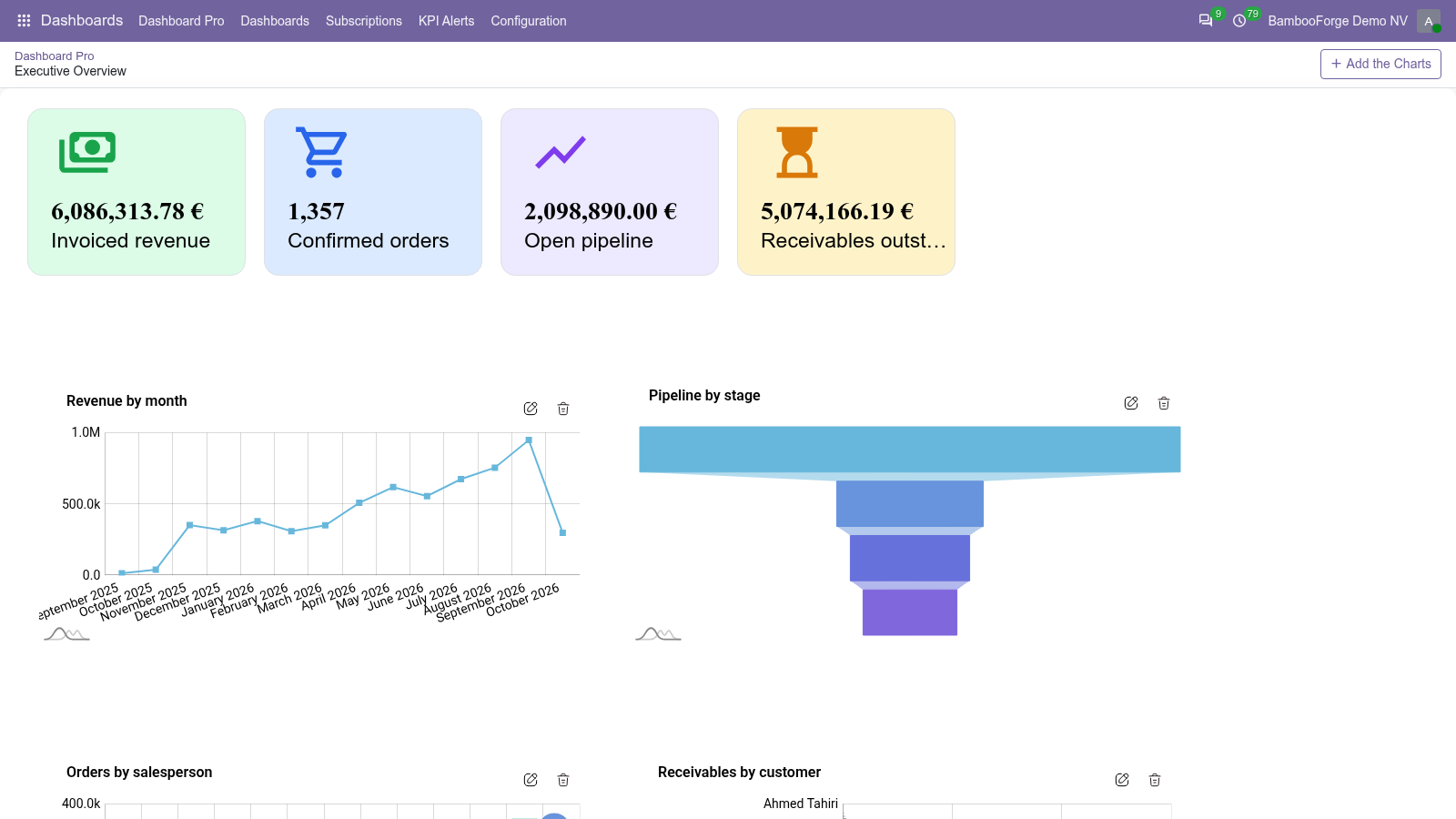
- The install makes Executive Overview and Finance, and a board for Purchase, Inventory, the BambooForge Helpdesk or Project, QMS and Access Manager when the database runs them.
- An app installed later: in the list of boards tick a board, then Actions > Load role dashboards. A board that is there is not made a second time.
- Every item on them can be changed, moved or removed like one you built yourself.
Be told when a number is past its line
An alert on a tile or a KPI.
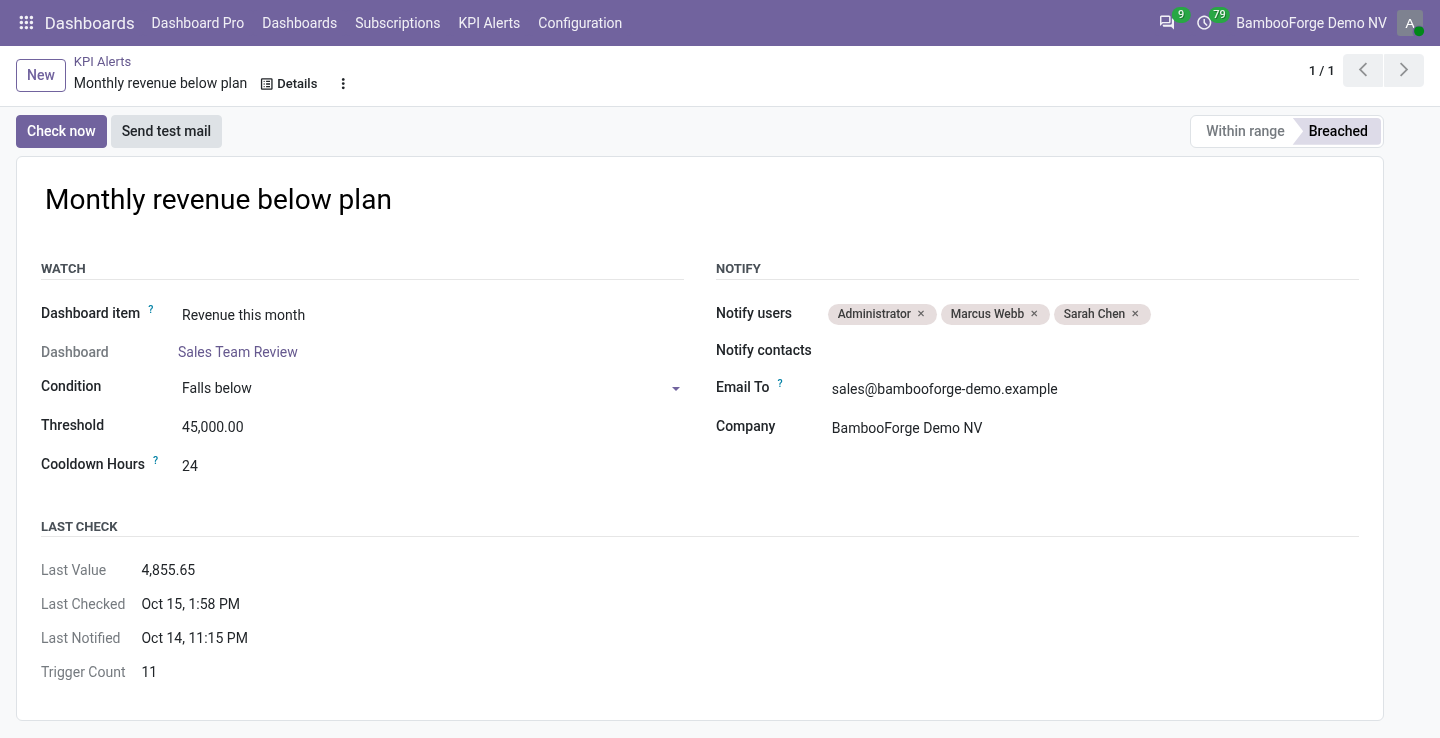
- Dashboards > KPI Alerts > New: pick the item, Falls below or Rises above, and the threshold.
- Cooldown Hours, 24 to begin with, is the shortest time between two e-mails of the alert.
- Notify users, contacts and plain addresses. The hourly check e-mails them; Check now and Send test mail are on the form.
Price and where to buy
129 EUR, one payment per Odoo series, on the Odoo Apps Store. Pick your series:
Twelve months of support by the people who wrote the code; bug fixes and improvements within the series free for as long as it is published. Report a bug within two months of purchase and, if it is not resolved within fifteen days, you get a full refund. Full source under OPL-1, no licence key, no phone-home. The whole promise.