 BambooForge Labs

- The statement's own numberThe KPI asks the report for its line, the way the report's Run form computes it: accounts by code, accounts by type, or a formula.
- The board's period is the report'sMonth to date, the last 90 days, a custom range. With no date filter the KPI reads the fiscal year to date, and a balance sheet line is read as at the end of the period.
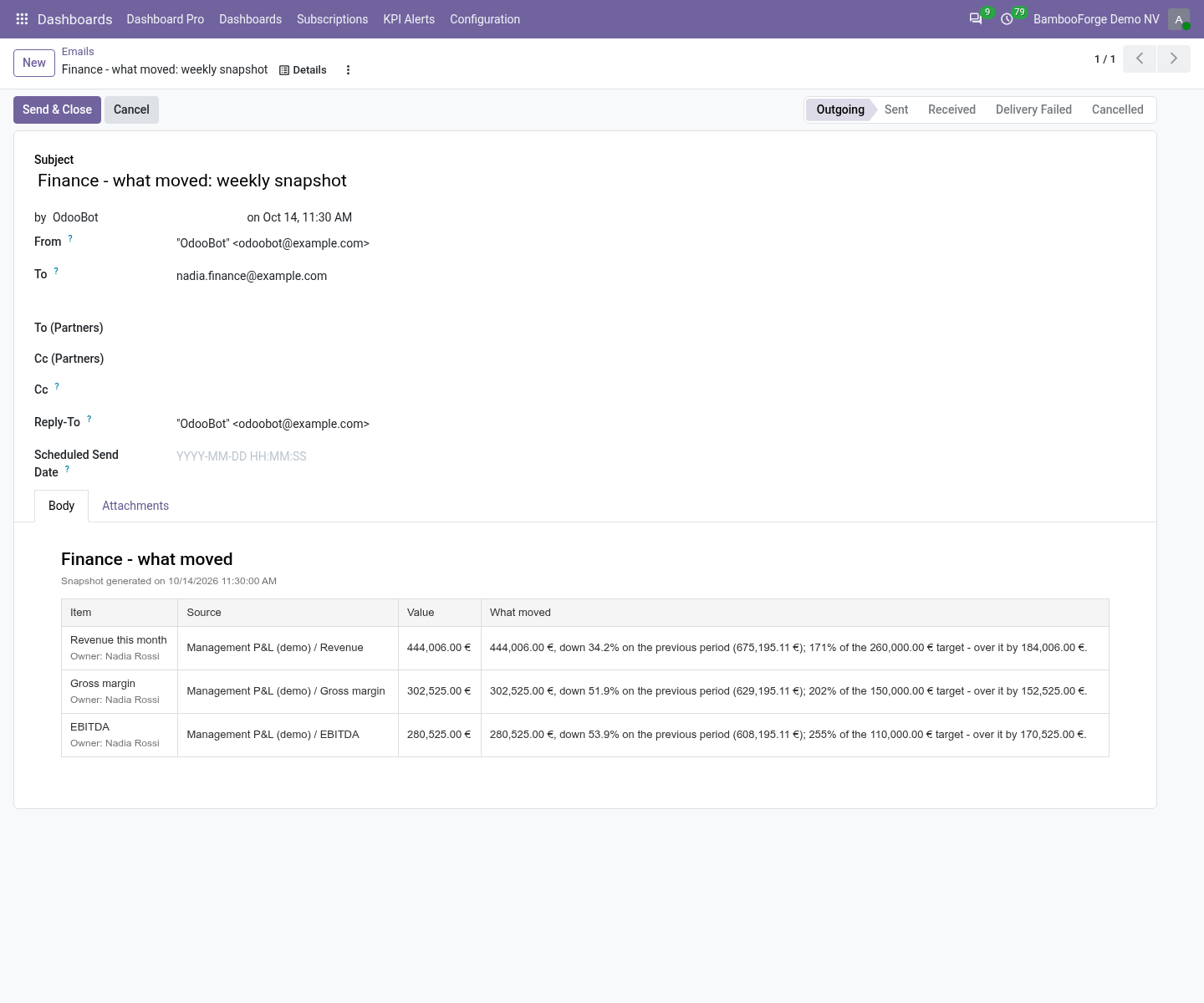
- What moved, in one sentenceOn the KPI's form, in the alert e-mail and in the scheduled snapshot: the amount, the change on the previous period and the distance to the target, with the owner named.
Runs onOdoo 17 to 20Community or Enterprise, self-hosted or Odoo.sh
NeedsOdoo only; includes dashboard, fin reportsno Enterprise module
Price297 EURone-time, per series, on the Odoo Apps Store
Demodemo20.bambooforge.devlogin page already filled in
Supportsupport@bambooforge.devfirst reply within one business day
Version20.0.1.0.2
bambooforge_dashboard_fin_reports21 automated checks run before every release of this app, the same suite on every series it ships for. The complete list is in the source you receive; run it yourself with --test-enable.
How you use it
From a statement line to the sentence in the e-mail
Flow 01
Put a statement line on a board
On a tile or a KPI.
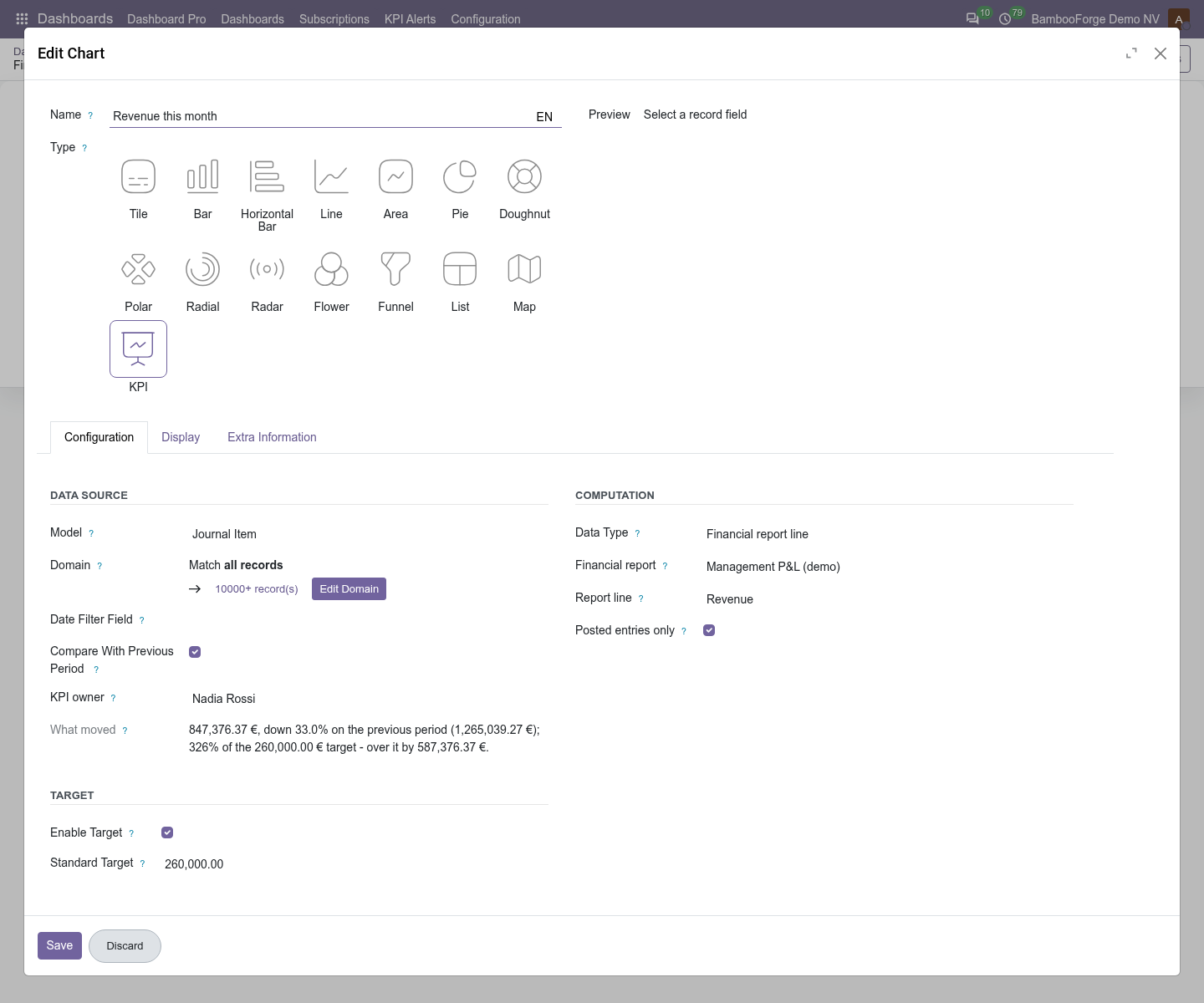
- Open the board, press Add the Charts and choose KPI or Tile. Pick any model: Data Type shows once a model is set.
- Set Data Type to Financial report line and pick the report and the line. The model changes to Journal Item by itself.
- Untick Posted entries only if the board should read draft entries too.
- On a KPI, tick Compare With Previous Period, set a target and name the KPI owner.
Flow 02
Read what moved
A sentence built from what is known and nothing else.
- The value, in the board's currency.
- With the comparison on: up or down and by how many percent, unchanged, or no previous-period figure to compare with.
- With a target: the percentage reached and, from 100% on, by how much the target is passed.
- On the KPI's form under What moved, in every alert e-mail on the item, and in the scheduled snapshot: a column of the table in the e-mail, and under the item's name in the PDF.
Price and where to buy
297 EUR, one payment per Odoo series, on the Odoo Apps Store. Pick your series:
Twelve months of support by the people who wrote the code; bug fixes and improvements within the series free for as long as it is published. Report a bug within two months of purchase and, if it is not resolved within fifteen days, you get a full refund. Full source under OPL-1, no licence key, no phone-home. The whole promise.