 BambooForge Labs

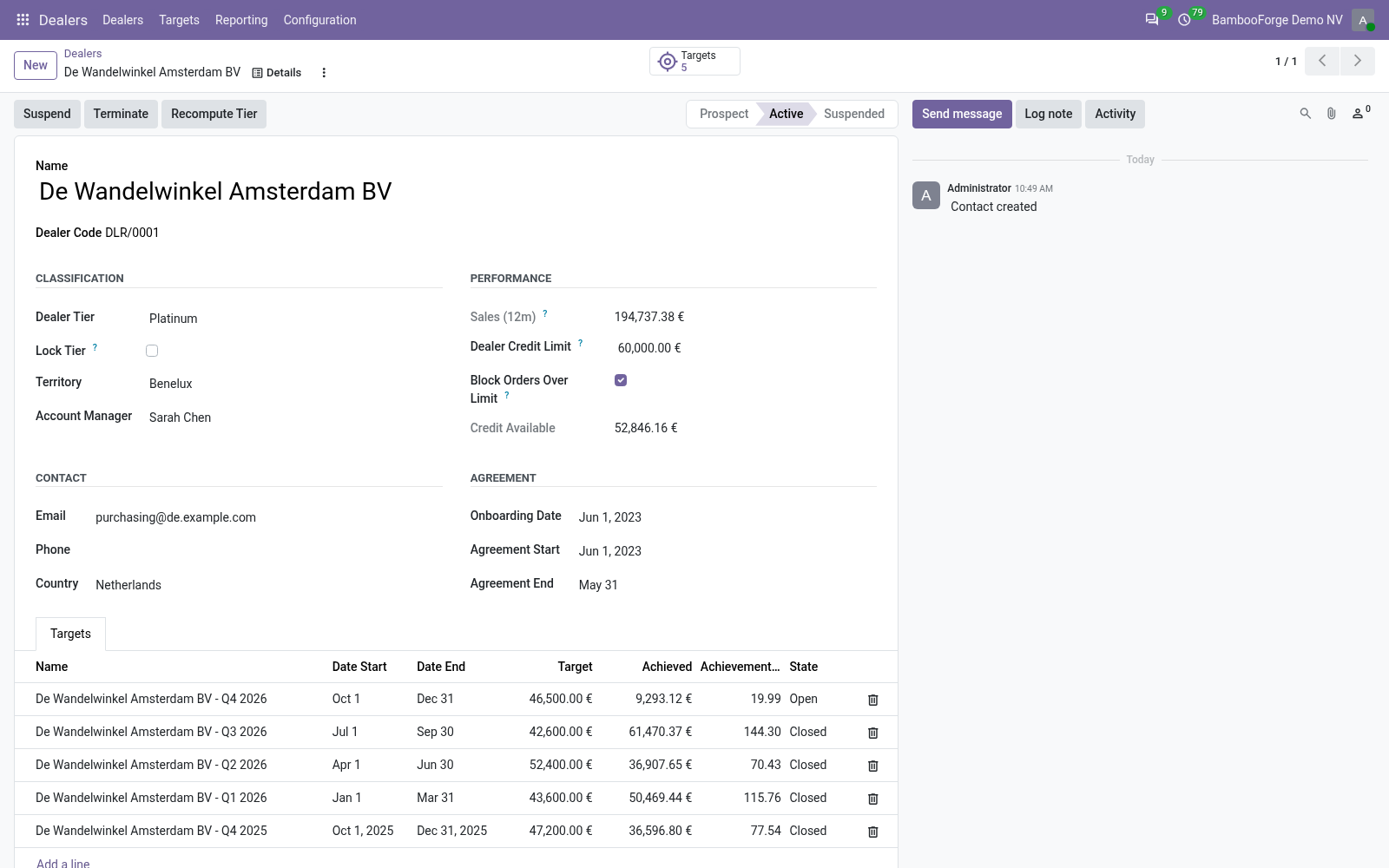
- Tiers that price the orderA tier's pricelist goes onto a dealer's new quotations; without one, its discount onto the new lines.
- A credit block at confirmationA salesperson cannot confirm an order that takes the dealer past its limit; a dealer manager can.
- Targets against real ordersEach target adds the dealer's confirmed orders of the period.
Runs onOdoo 16 to 20Community or Enterprise, self-hosted or Odoo.sh
NeedsSalesno Enterprise module
Price149 EURone-time, per series, on the Odoo Apps Store
Demodemo20.bambooforge.devlogin page already filled in
Supportsupport@bambooforge.devfirst reply within one business day
Version20.0.1.2.6
bambooforge_dealer_management30 automated checks run before every release of this app, the same suite on every series it ships for. The complete list is in the source you receive; run it yourself with --test-enable.
How you use it
What you do with it
Flow 01
Onboard a dealer
For the sales team.
- Dealers > Dealers > New, or tick Is a Dealer on a contact: a DLR/ code is given.
- Set the territory, the account manager, the agreement dates and the credit limit.
- Activate: a tier is picked from the last 365 days of confirmed sales when none is set.
Flow 02
Tiers and prices
For the sales manager.
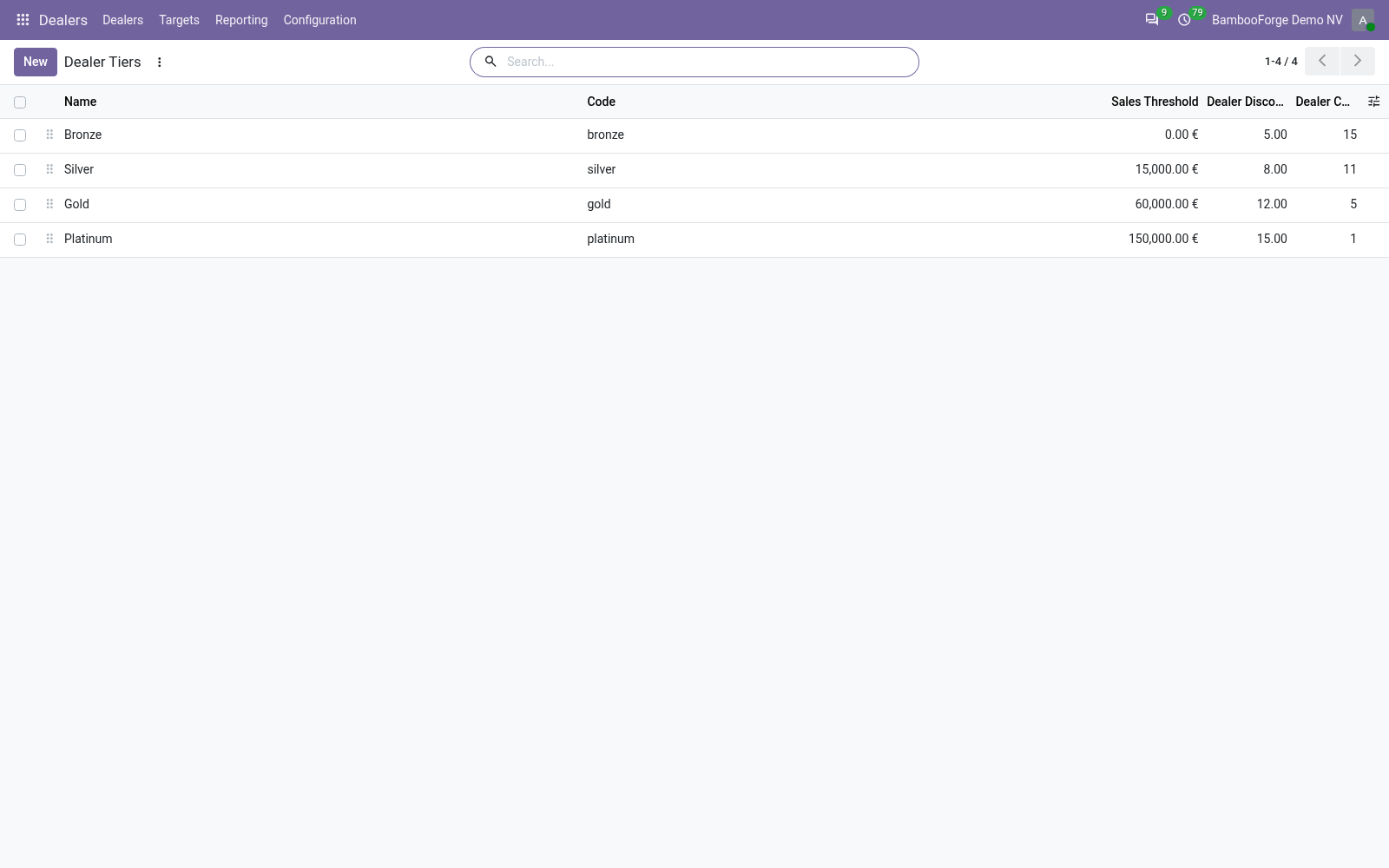
- Dealers > Configuration > Tiers: a threshold, and a pricelist or a discount.
- Recompute Tier picks the highest tier the dealer's sales reach; Lock Tier keeps yours.
- A weekly job recomputes active, unlocked dealers.
Flow 03
Sales targets
For the sales manager.
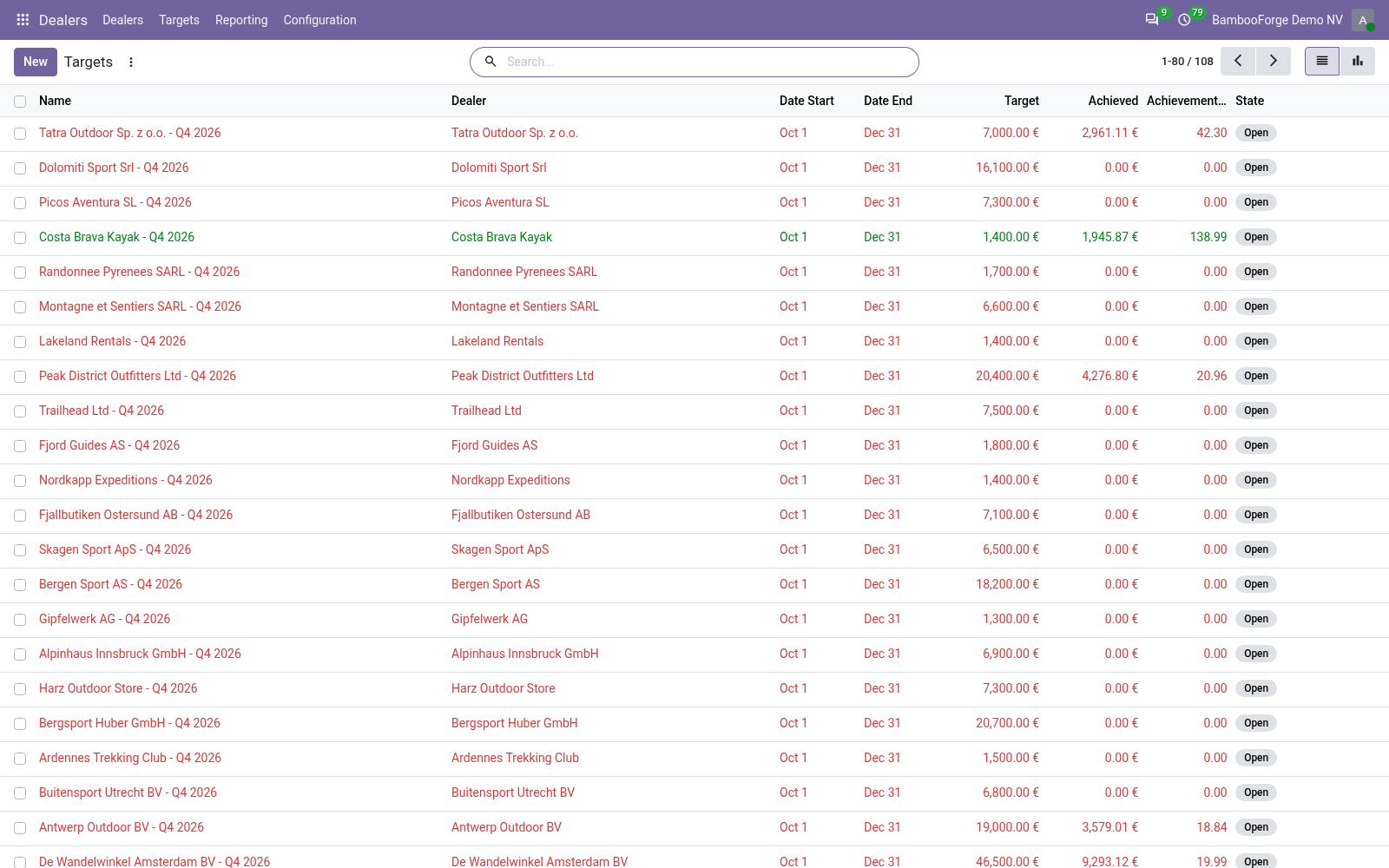
- Dealers > Targets > New: the dealer, the period and the amount.
- Achieved adds the dealer's confirmed orders of the period, taxes included.
- A daily job works open targets out again.
Flow 04
Territories
For the sales manager.
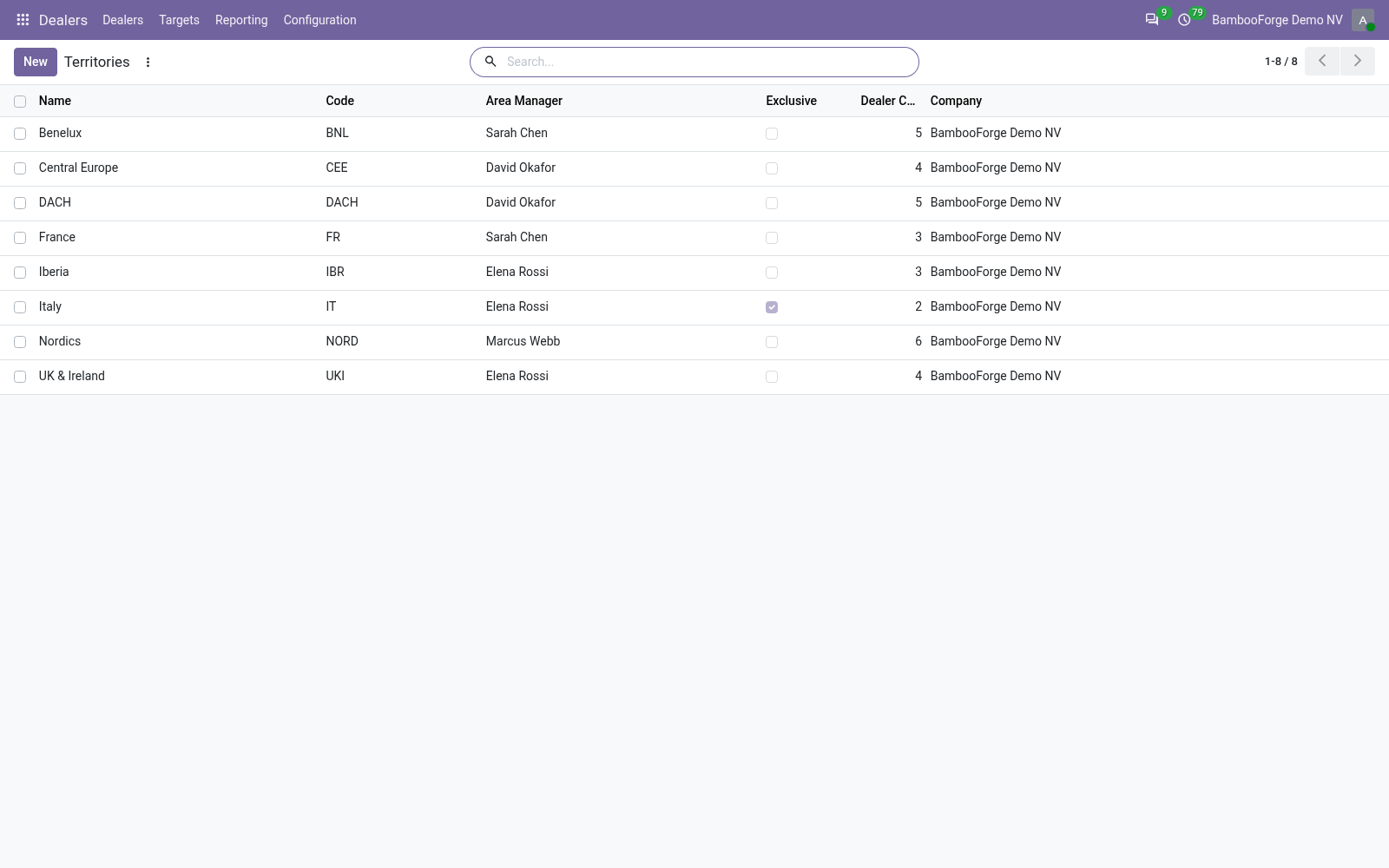
- Dealers > Configuration > Territories: the area, its manager, its countries and regions.
- Tick Exclusive: a second active dealer there is refused.
Price and where to buy
149 EUR, one payment per Odoo series, on the Odoo Apps Store. Pick your series:
Twelve months of support by the people who wrote the code; bug fixes and improvements within the series free for as long as it is published. Report a bug within two months of purchase and, if it is not resolved within fifteen days, you get a full refund. Full source under OPL-1, no licence key, no phone-home. The whole promise.