 BambooForge Labs

- Nothing between one sale and the nextNo print dialog, no preview screen, no printer to choose. The cashier takes the money and the receipt comes out.
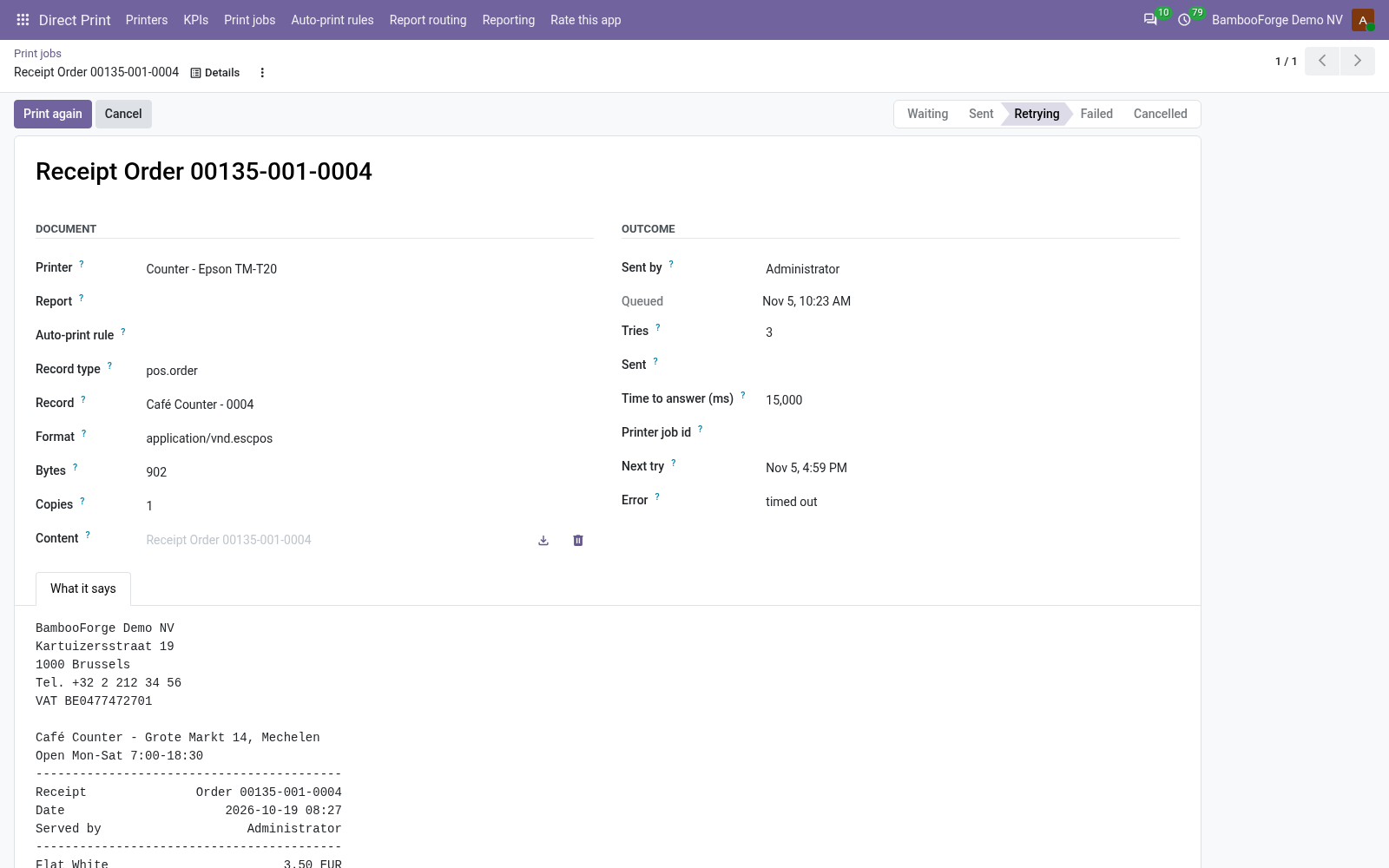
- A printer that is down does not stop the tillThe sale goes through. The receipt waits in the queue with the printer's answer and is tried again after 1, 5, 15 and 60 minutes.
- Any ESC/POS printerOn the network, on a CUPS server, or on the till's PC through QZ Tray. Only the commands every receipt printer honours are used.
bambooforge_direct_print_pos11 automated checks run before every release of this app, the same suite on every series it ships for. The complete list is in the source you receive; run it yourself with --test-enable.
How you use it
Set it up once per shop
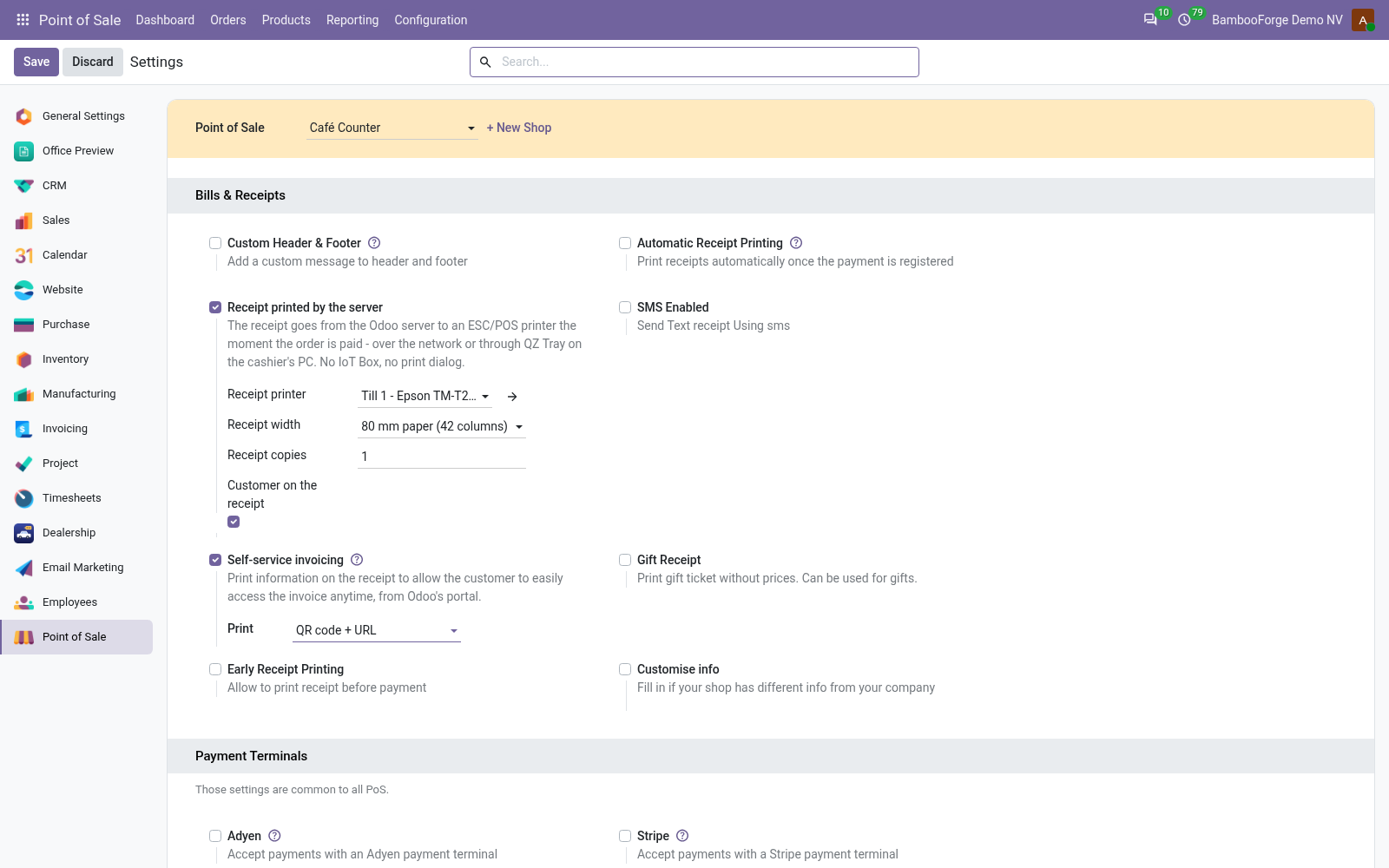
Name the printer and tick the setting
Each shop has its own printer, paper width and copies.
- In Direct Print, add the receipt printer: raw TCP for one on the network, IPP for a CUPS queue, QZ Tray for a USB printer on a PC. Print a test page.
- Point of Sale > Configuration > Settings, pick the shop, section Bills and Receipts, and tick Receipt printed by the server.
- Pick the printer, or leave it empty for the company default. Say the paper width: 58 mm or 80 mm. Say the copies, and whether the customer's name prints.
- Turn Odoo's own Automatic Receipt Printing off in the same section, or the browser prints a second copy.
What comes out
The same facts as the browser's receipt, in the printer's own language.
- The company name in double size, address, phone, VAT and website, then the Header text of the same settings page.
- Receipt number, date, cashier and customer; a line per product with quantity, unit price and discount when they matter.
- Subtotal, taxes and total, every payment and the change, then the Footer text, four blank lines and a partial cut.
- Letters the printer's character set lacks fold to plain letters, and a currency sign it lacks prints as the code: CP437 prints EUR, CP858 the sign.
In the back office
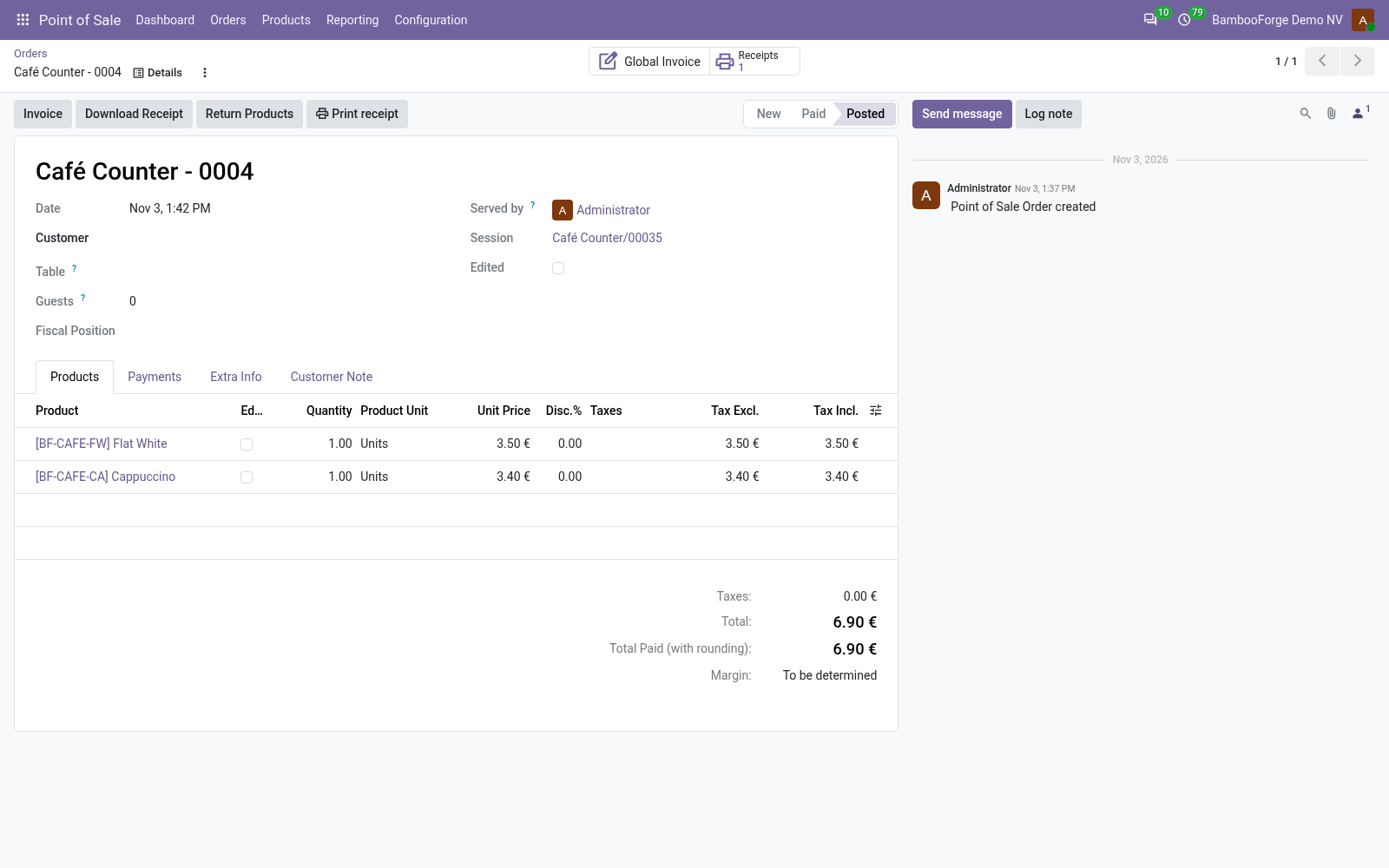
Every receipt is on record, on the order and in the queue.
- Point of Sale > Orders > Orders: a paid order shows Print receipt in its header and a Receipts counter that opens its print jobs.
- Print receipt renders the receipt again from the order, at any time.
- Print again on the job sends the same bytes, for as long as the job keeps them: 30 days by default.
Price and where to buy
178 EUR, one payment per Odoo series, on the Odoo Apps Store. Pick your series:
Twelve months of support by the people who wrote the code; bug fixes and improvements within the series free for as long as it is published. Report a bug within two months of purchase and, if it is not resolved within fifteen days, you get a full refund. Full source under OPL-1, no licence key, no phone-home. The whole promise.