 BambooForge Labs

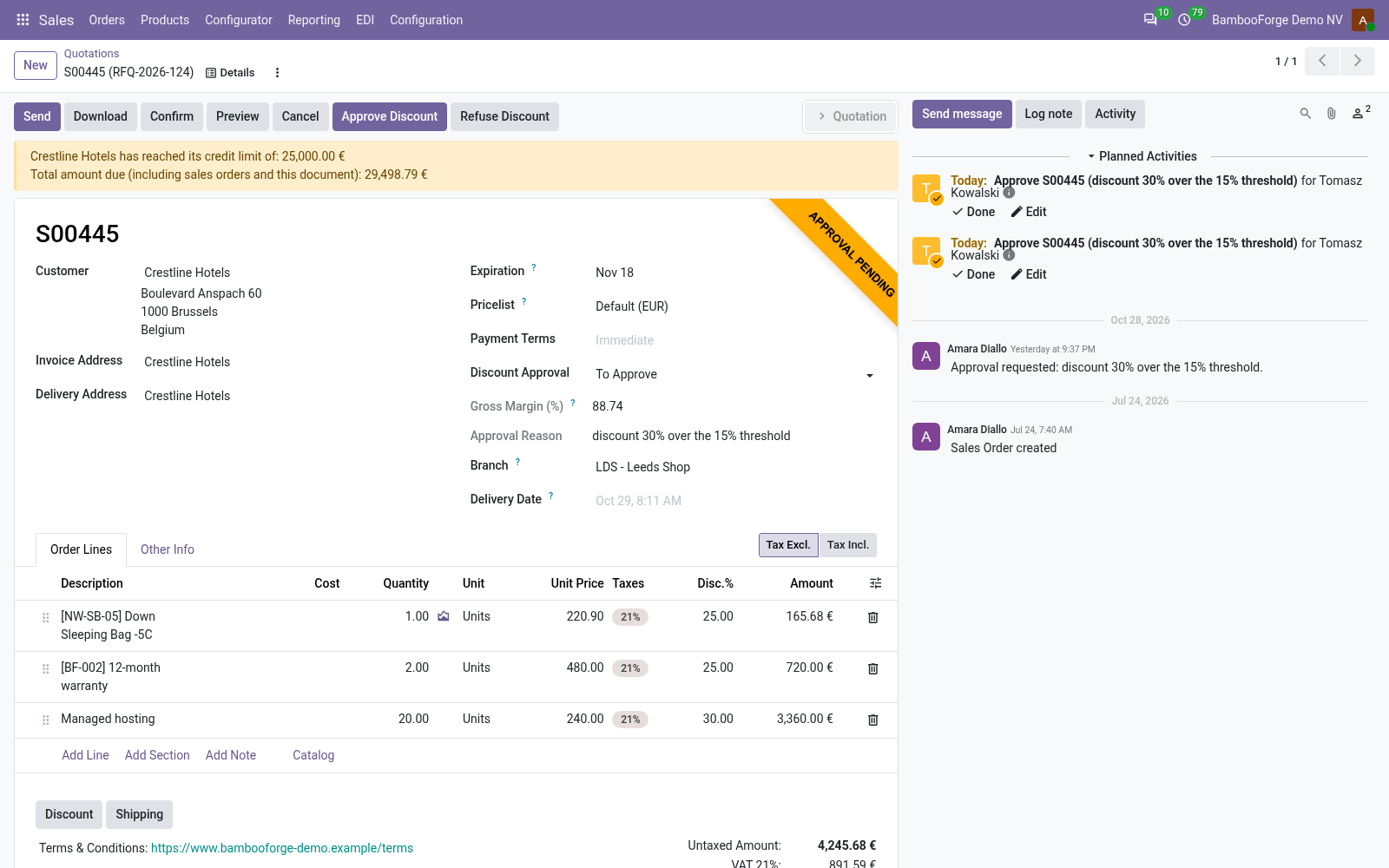
- Three limits per companyThe deepest line discount, the gross margin, below-cost lines.
- It says whyTo Approve on save, with the limit crossed in words and a to-do for the team's leader.
- Every road waitsThe button, the customer's signature or payment, the website shop, the Point of Sale.
bambooforge_discount_approval33 automated checks run before every release of this app, the same suite on every series it ships for. The complete list is in the source you receive; run it yourself with --test-enable.
For the people who decide
What your managers see
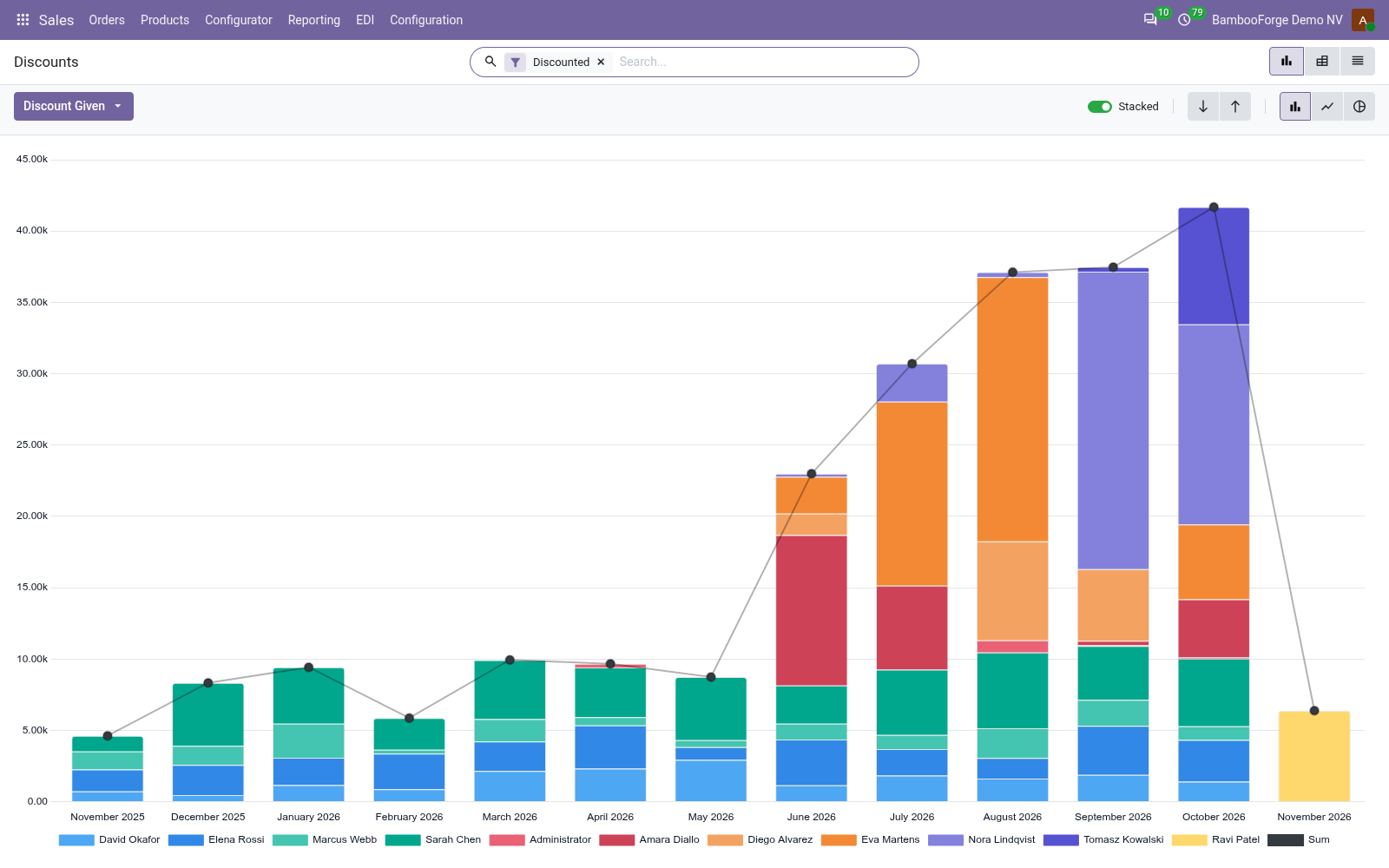
Sales > Reporting is the sales manager's menu, and the app adds three analyses to it. Each opens on a chart or a pivot, and the pivot downloads to Excel from its toolbar.
Discounts
the discounted orders by salesperson and month: what the discounts gave away, the deepest discount on average and the margin left, with filters on the orders that needed approval or carry a below-cost line.
The sales director sees who discounts most, for whom, and what it costs in margin.
Discount Approvals
the requests answered, by the manager who decided them: approved or refused, what they were worth and the hours the salesperson waited. Shows whether approval is a control or a queue. Requests answered before 1.3.0 carry no time and are left out.
Discounts by Product
the products sold with a line discount: the discount given on each, the sales left after it and the average discount.
The product manager sees which prices the market will not pay.
How you use it
What people do with it
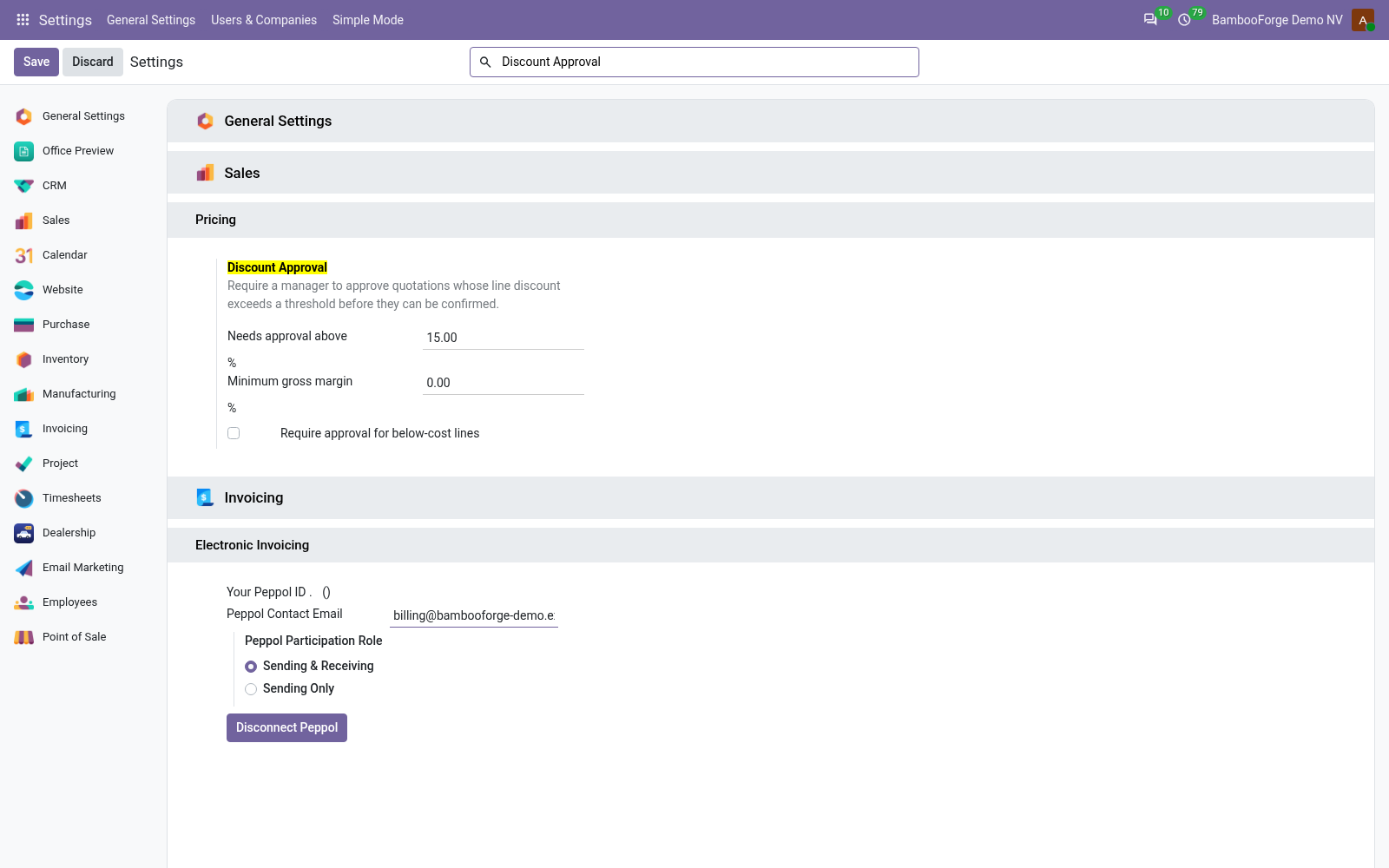
Set the limits
For the sales manager, once per company.
- Sales > Configuration > Settings > Pricing > Discount Approval.
- Needs approval above: 15% when installed.
- A minimum gross margin, and below-cost lines if you want them held.
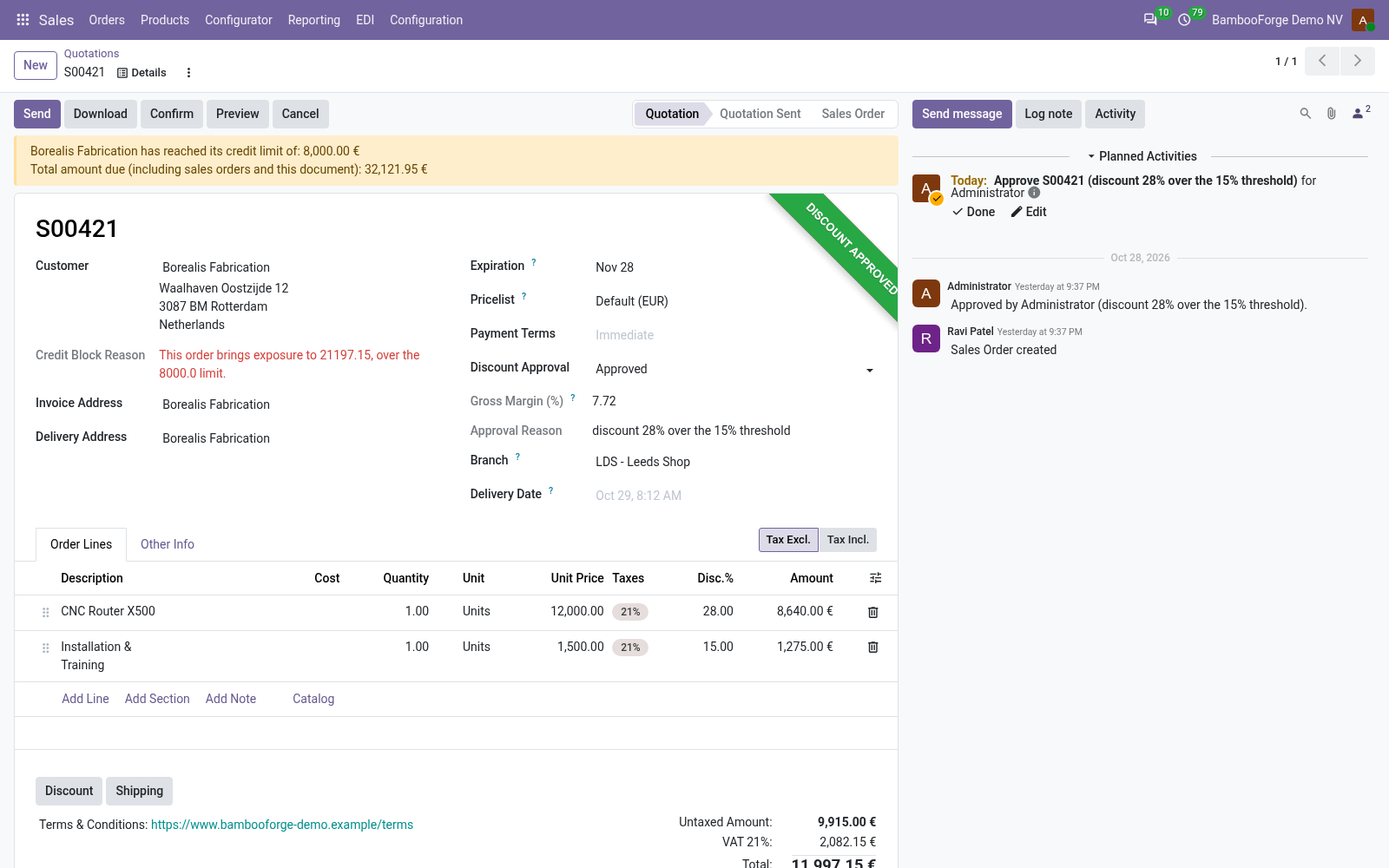
Approve and confirm
For the salesperson and the sales manager.
- Save a quotation that crosses a limit: To Approve, with the reason.
- A sales manager presses Approve Discount, or Refuse Discount.
- Confirm goes through once approved.
Price and where to buy
89 EUR, one payment per Odoo series, on the Odoo Apps Store. Pick your series:
Twelve months of support by the people who wrote the code; bug fixes and improvements within the series free for as long as it is published. Report a bug within two months of purchase and, if it is not resolved within fifteen days, you get a full refund. Full source under OPL-1, no licence key, no phone-home. The whole promise.