 BambooForge Labs

- Every version keptEach upload, revert or edit brought back from the cloud is a version with its author, date, size and checksum. Revert puts an old one back on top; the history is never rewritten.
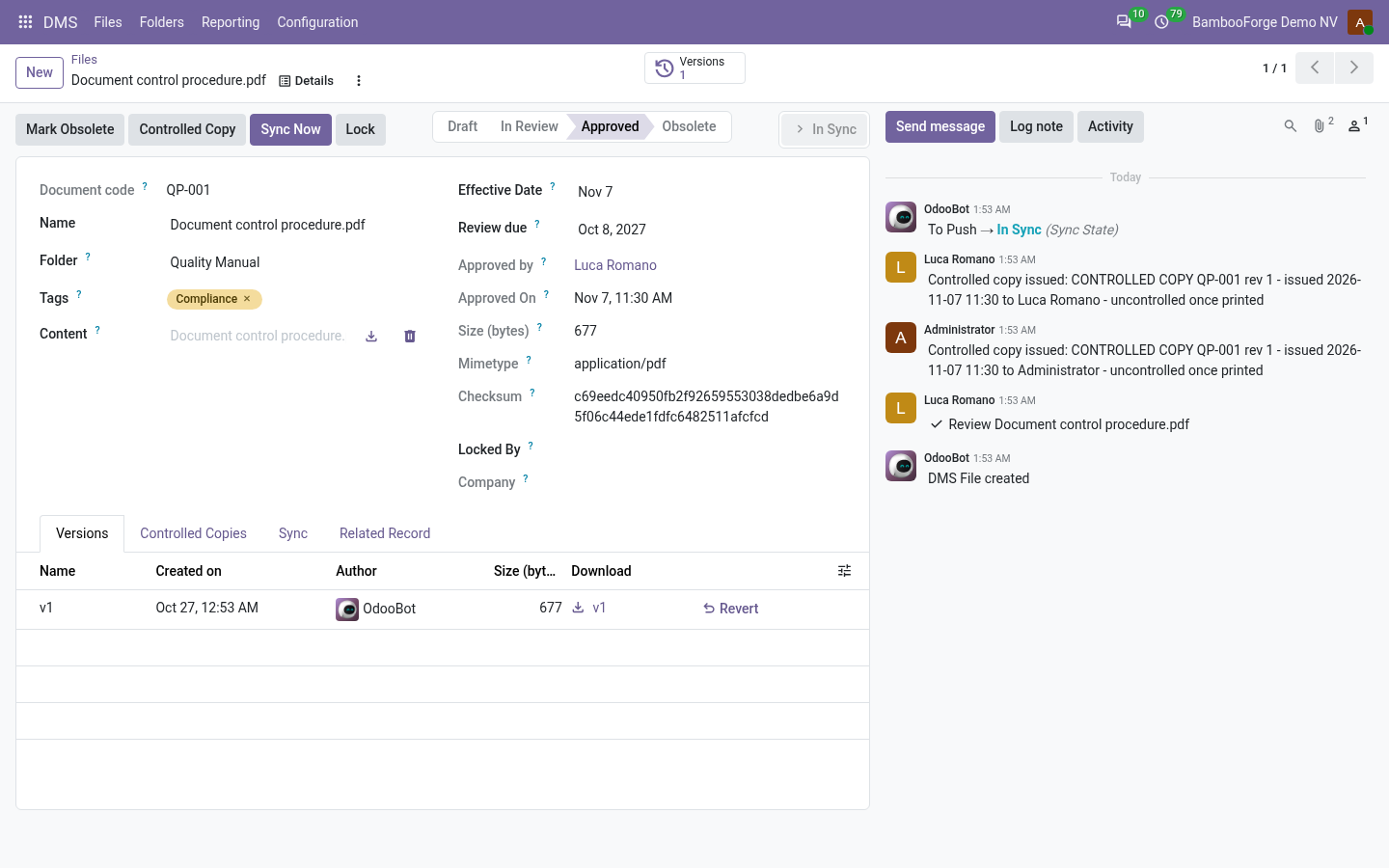
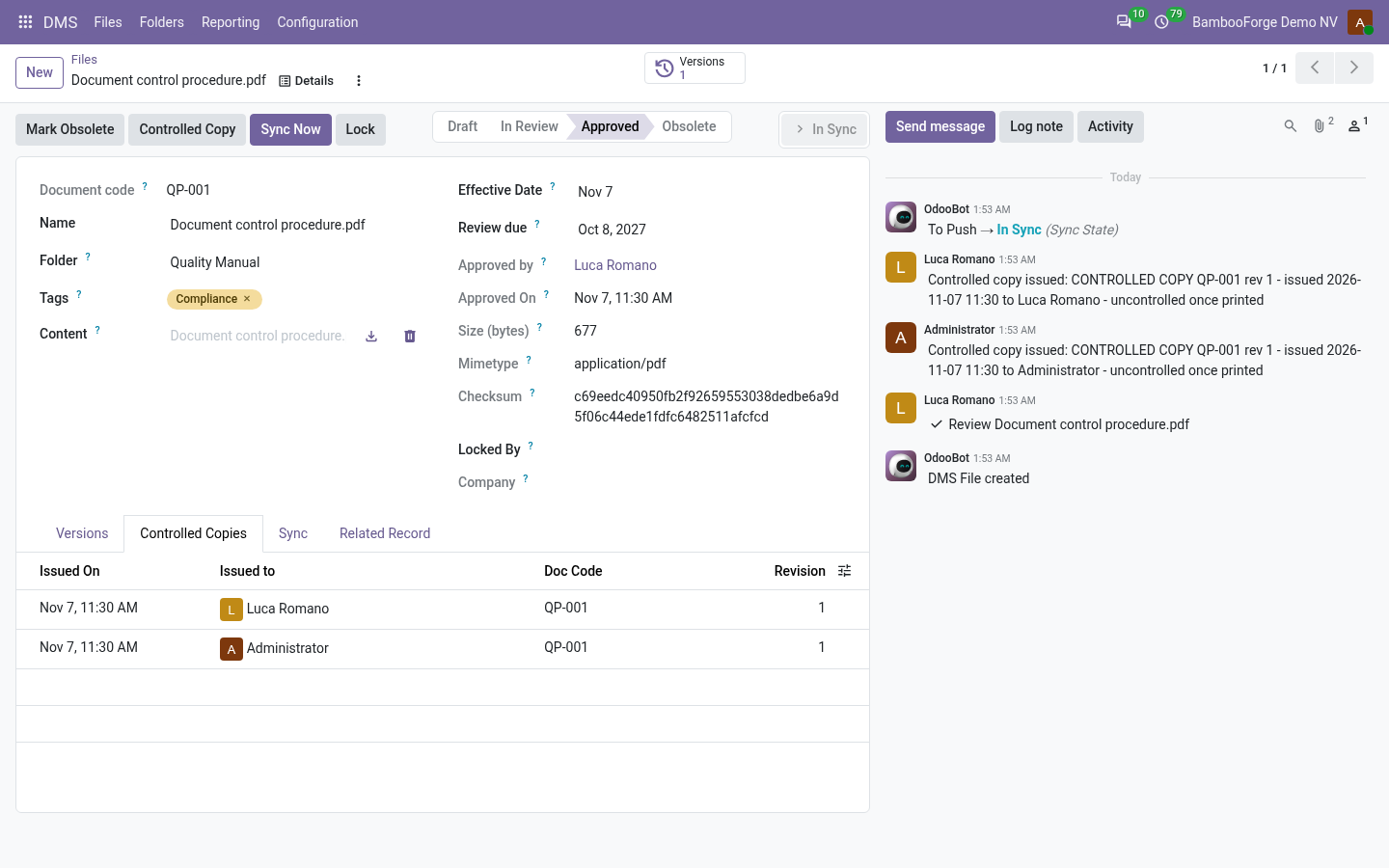
- Approved means approvedA controlled folder takes its files through Draft, In Review, Approved and Obsolete. A controlled copy is stamped on the PDF and written in a register: who took which revision, and when.
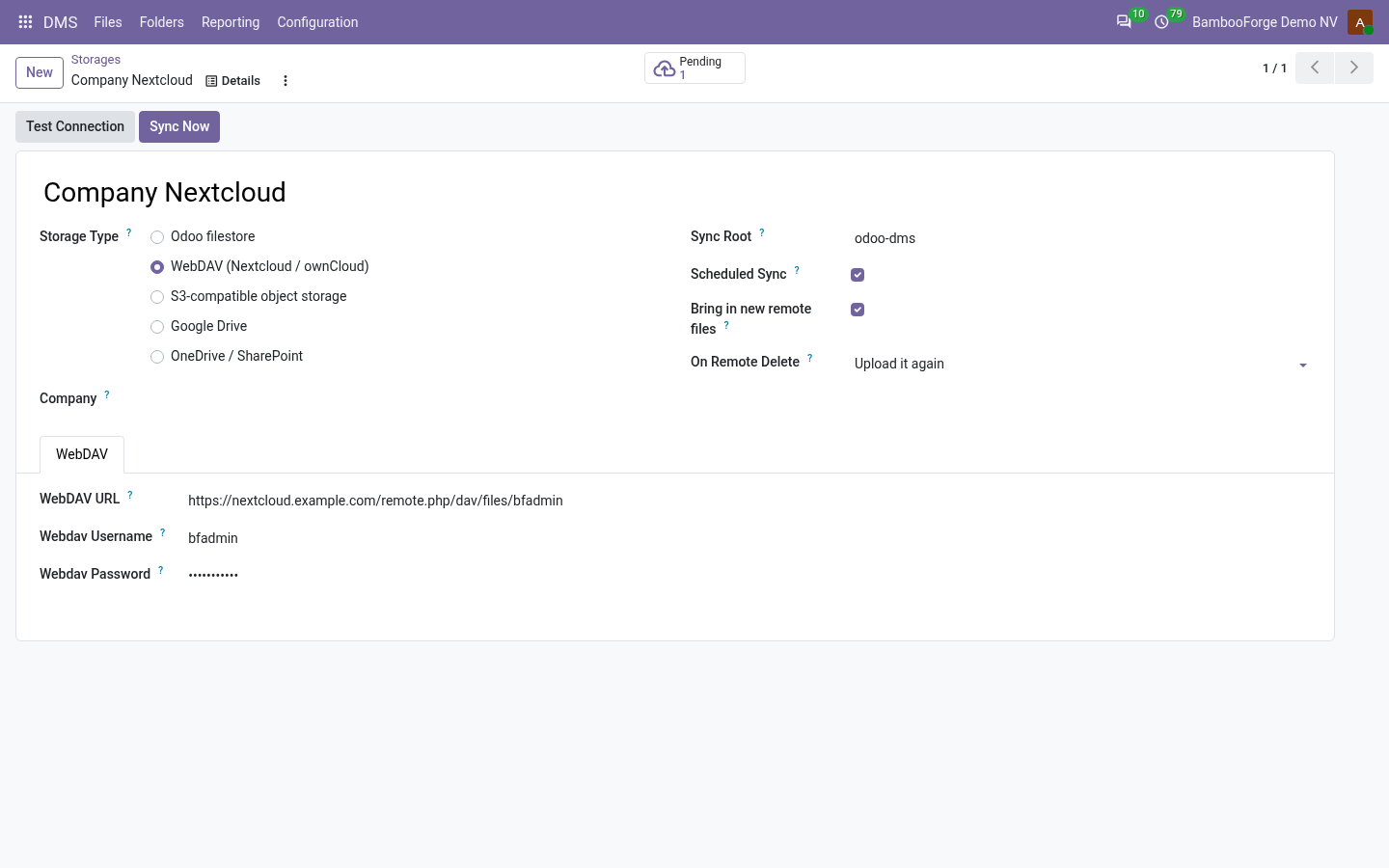
- Your cloud, both waysWebDAV (Nextcloud, ownCloud), S3, Google Drive or OneDrive / SharePoint hold a copy of each file. Edits made there come back as new versions, and a conflict waits for a person.
bambooforge_dms131 automated checks run before every release of this app, the same suite on every series it ships for. The complete list is in the source you receive; run it yourself with --test-enable.
For the people who decide
What your managers see
DMS > Reporting is the DMS manager's menu. The KPI board is one page of figures; each analysis opens on a chart, with the pivot one click away, and the pivot downloads to Excel from its toolbar.
KPIs
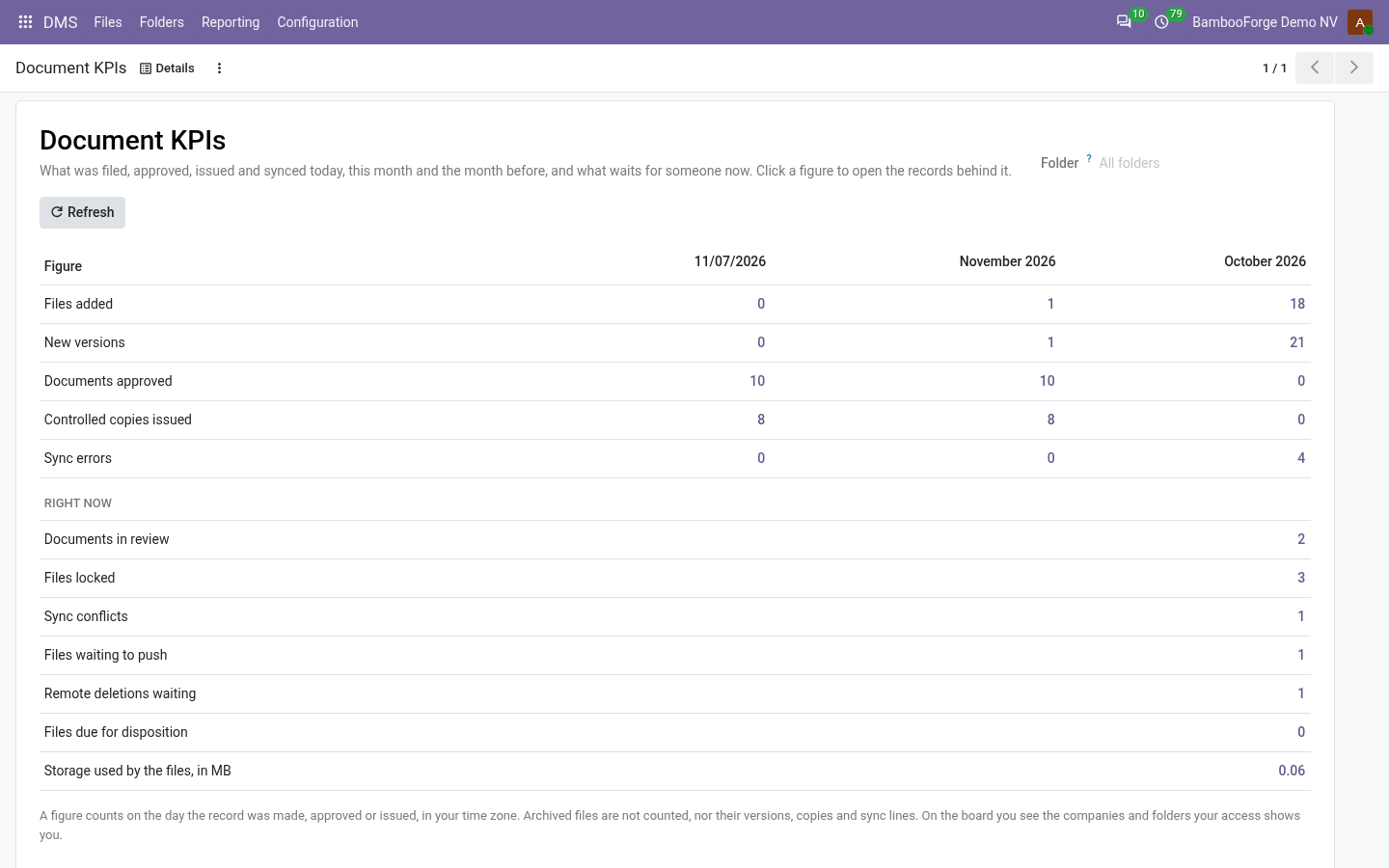
what was filed, versioned, approved, issued and failed to sync today, this month and the month before, and what waits for someone right now, each figure opening the records behind it.
The document controller sees what is waiting on whom before an audit finds it.
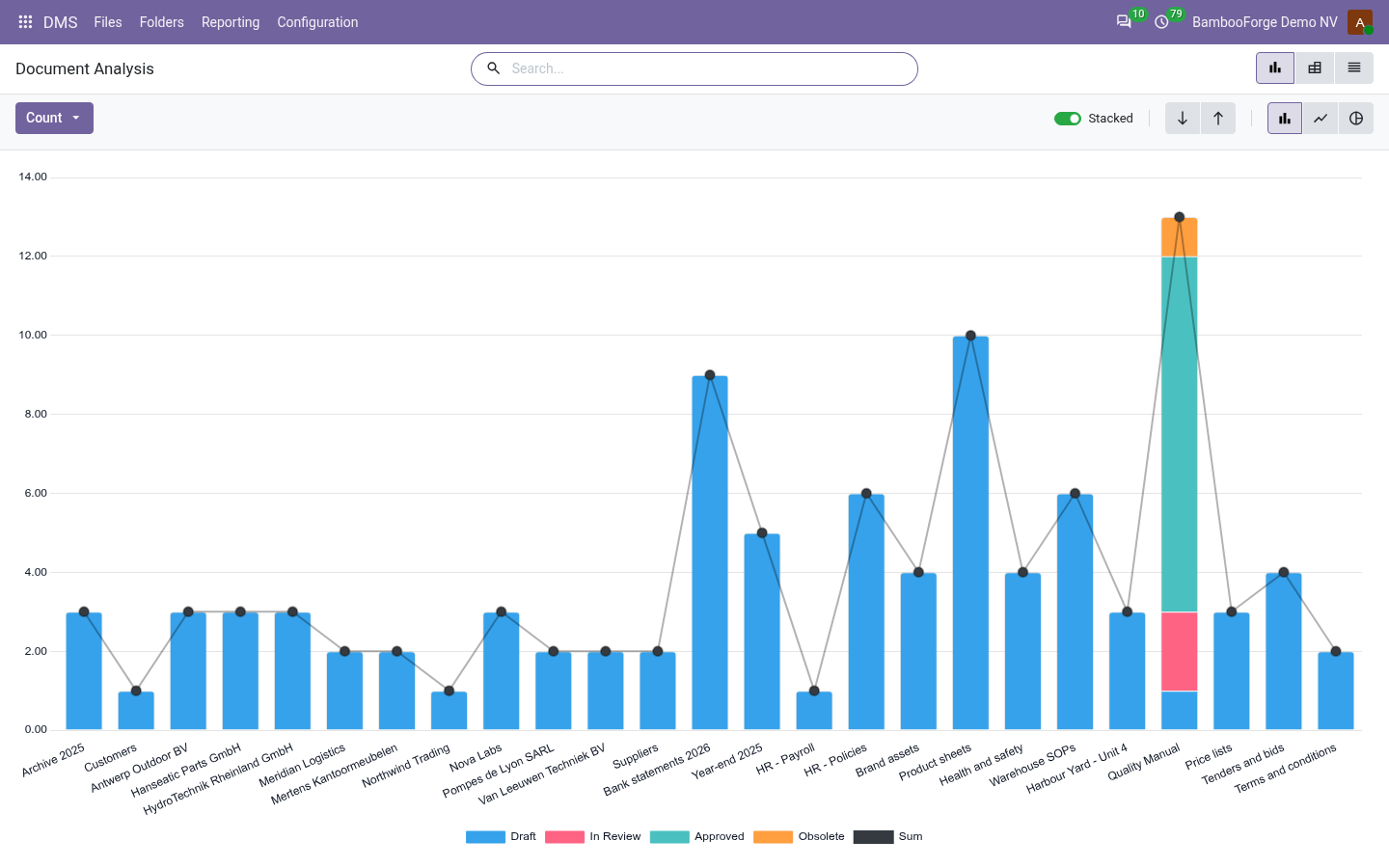
Documents
documents by folder and review state, with the ones in review, overdue for review, past their retention or failing to sync one filter away, and their size in megabytes.
The quality manager sees which folders still hold drafts and overdue reviews.
Storage Growth
megabytes filed per month, added up, by storage.
The IT manager sees when the disk or the cloud bucket needs more room.
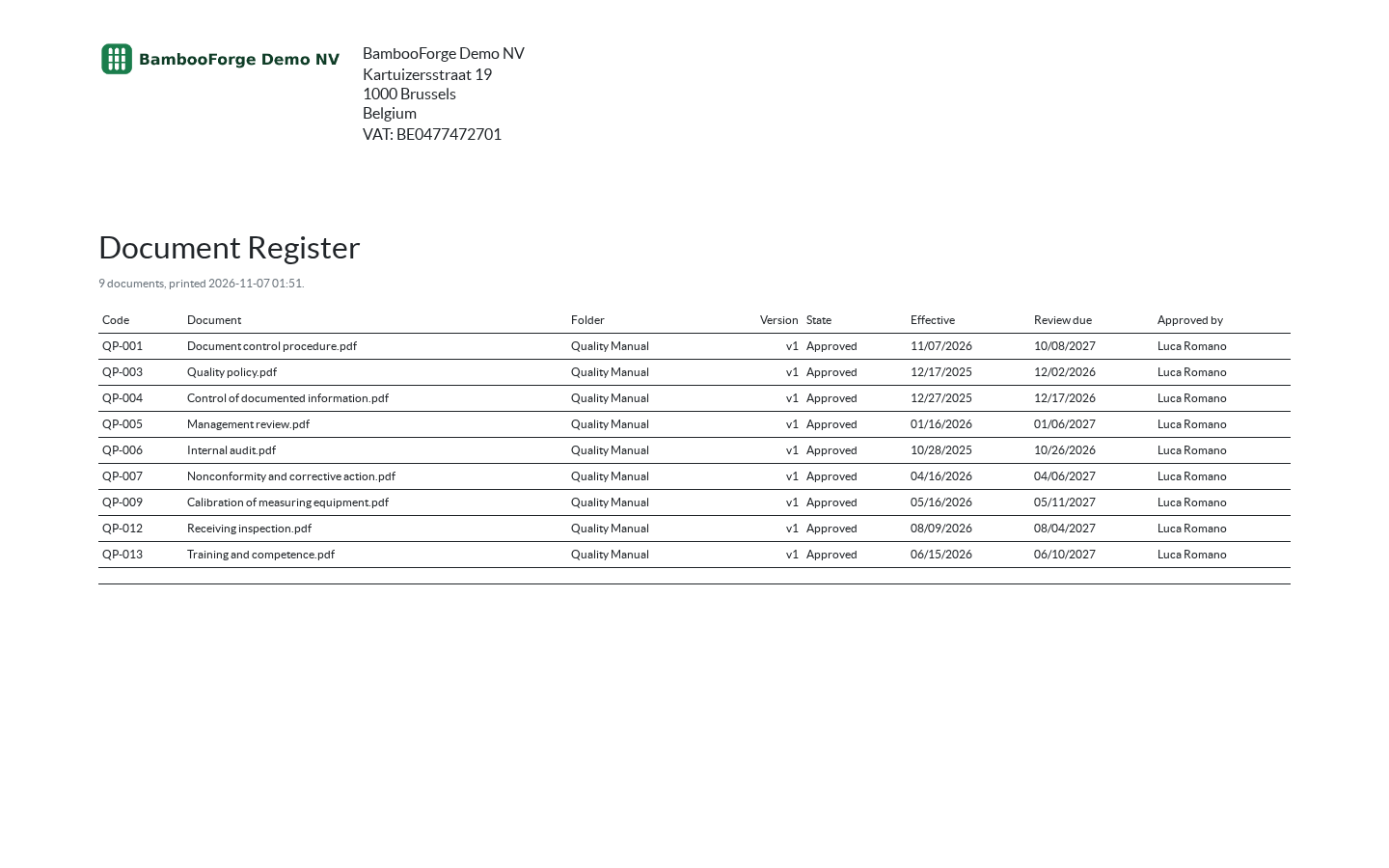
One document prints from the files list:
- Document Register: the selected documents as one table: code, title, folder, version, state, effective date, review due date and who approved it. The master list ISO 9001 clause 7.5 auditors ask for; select a folder's documents and print.
How you use it
From a file in a folder to a copy in your cloud
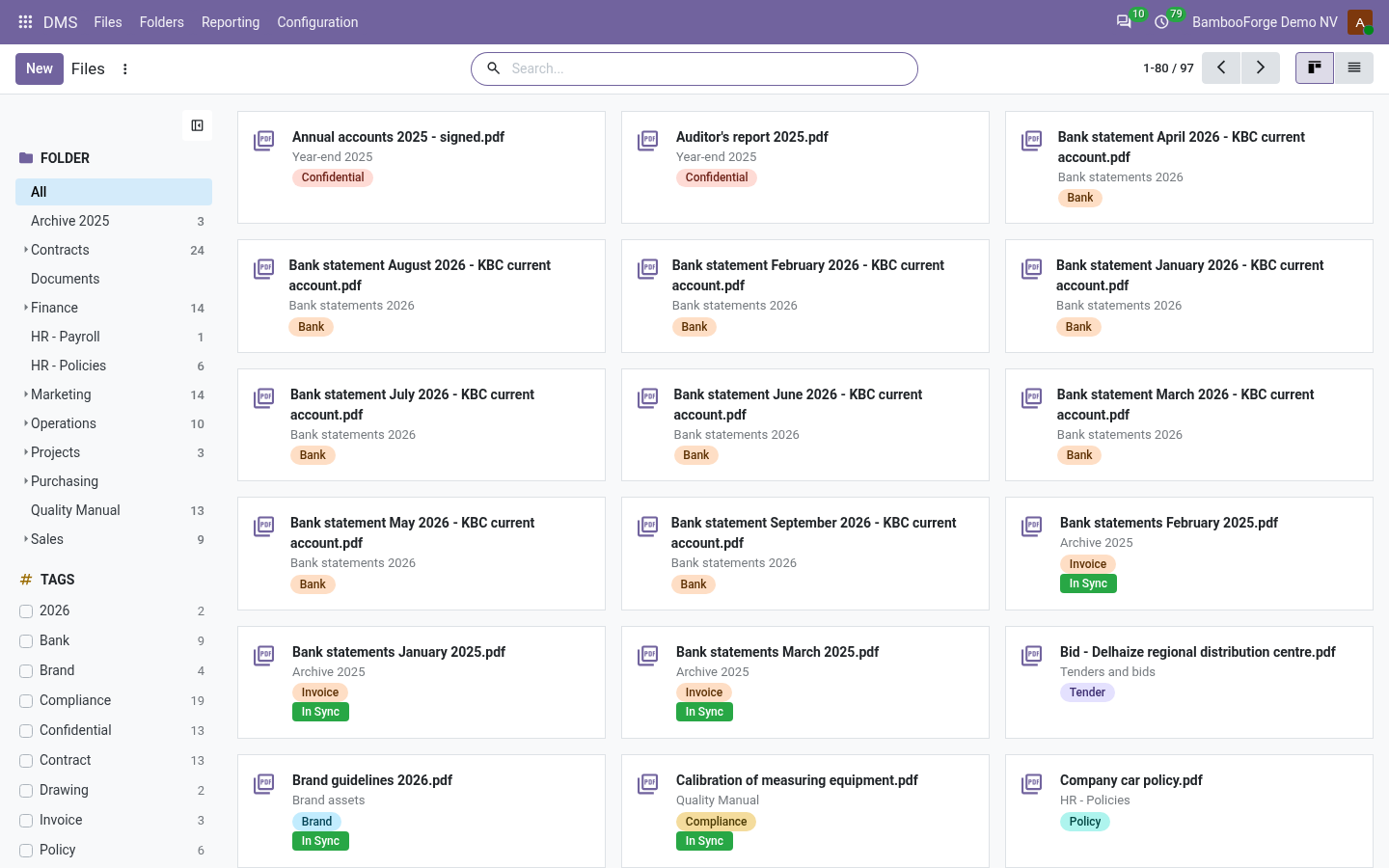
File and find a document
Folders, tags and the text inside.
- DMS > Files > New: pick the folder and upload the file. Tags cut across folders.
- Search by name, tag or folder, or by the text inside plain-text files, and inside PDFs with a text layer when pdfminer.six is on the server.
- Lock the file while you work on it, upload new content as the next version, or revert to an old one.
Review, approve, issue a controlled copy
For a folder with Controlled documents ticked.
- Submit for Review sends the request to the folder's approvers, or to a DMS manager when it names none.
- Approve, or Reject: back to Draft. New content sends an approved document back to Draft.
- Controlled Copy stamps the approved PDF and writes the copy in the register, with the revision and the person who took it.
Keep a copy in your cloud
A storage per server, bound to folders.
- DMS > Configuration > Storages > New: WebDAV, S3, Google Drive or OneDrive / SharePoint, with the sync root under which the folders go.
- For Google Drive and OneDrive, Connect signs in with the OAuth app you registered; Test Connection says who the storage is signed in as.
- Bind folders to the storage. Every 30 minutes, or on Sync Now, the sync uploads what changed in Odoo, brings back what changed there, and logs every move.
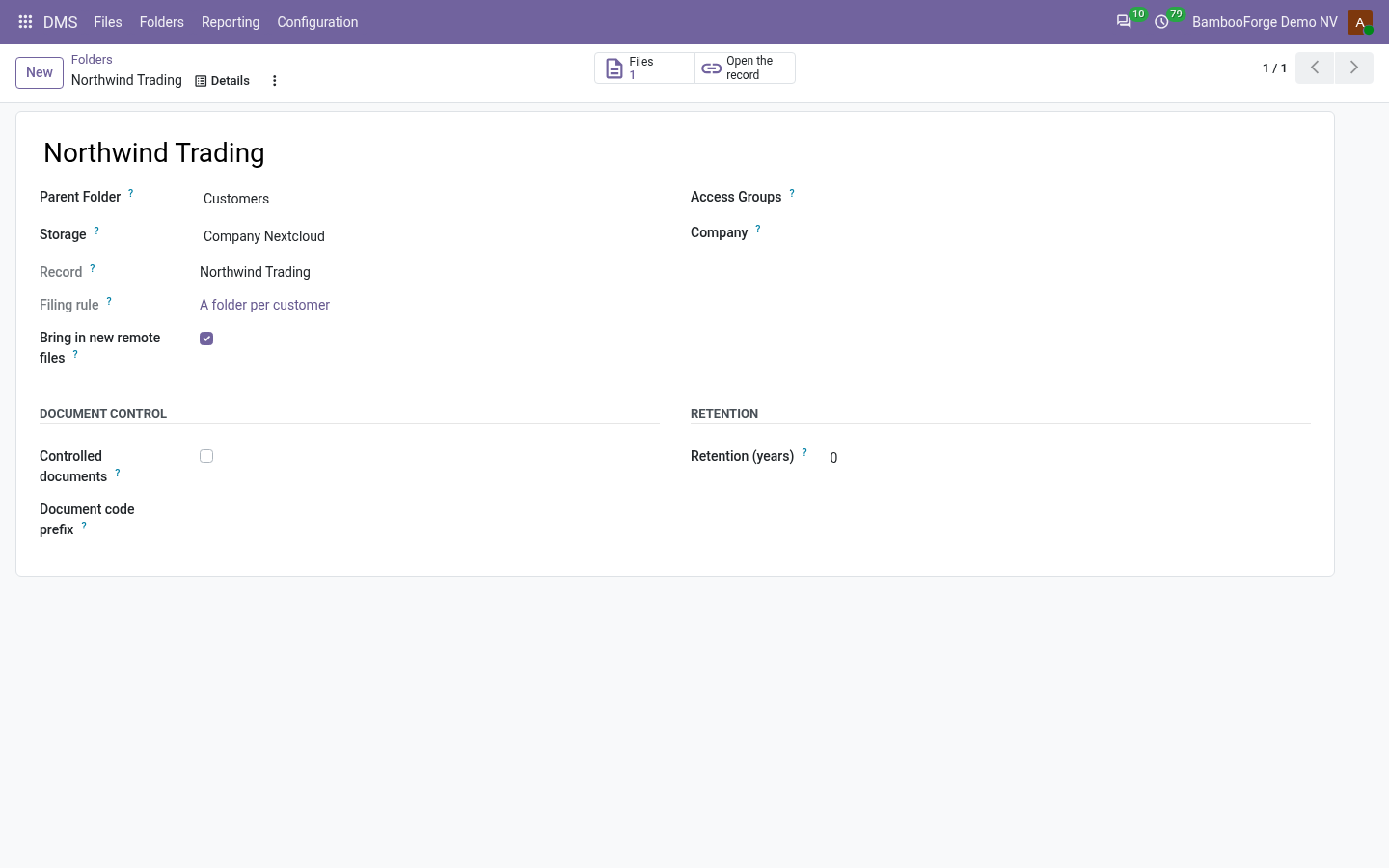
A folder per record
Contracts per customer, drawings per project.
- A folder-per-record rule names a model and a parent folder, and builds each record's folder name from a pattern.
- With Mirror attachments ticked, a file attached to the record is filed in its folder too.
- The record's folder follows its name, unless the rule freezes folder names.
What the document controller reads
One page, every figure opening its records.
- DMS > Reporting > KPIs: files added, new versions, approvals, controlled copies and sync errors, for today, this month and the month before.
- Right now: documents in review, files locked, sync conflicts, files waiting to push, remote deletions waiting, files due for disposition, and the storage used.
- A folder filter counts a folder and its subfolders. The Documents and Storage Growth analyses download to Excel, and the Document Register prints what a folder holds.
Price and where to buy
169 EUR, one payment per Odoo series, on the Odoo Apps Store. Pick your series:
Twelve months of support by the people who wrote the code; bug fixes and improvements within the series free for as long as it is published. Report a bug within two months of purchase and, if it is not resolved within fifteen days, you get a full refund. Full source under OPL-1, no licence key, no phone-home. The whole promise.