 BambooForge Labs

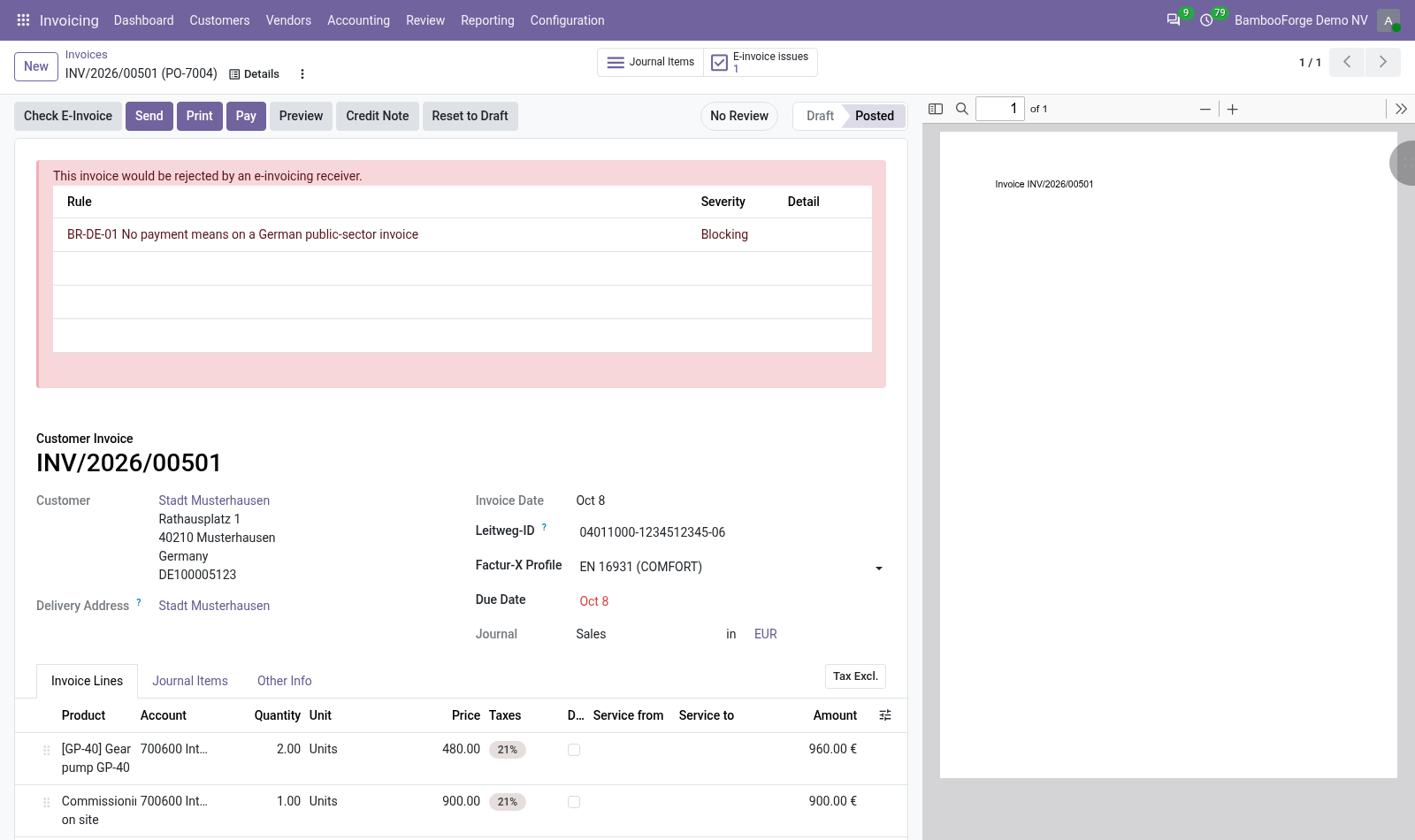
- What is missing, named on the invoiceYour company's and the customer's address, a VAT or registration number, a due date or payment terms, a name and a tax on every line. A red block lists each finding with the field at fault.
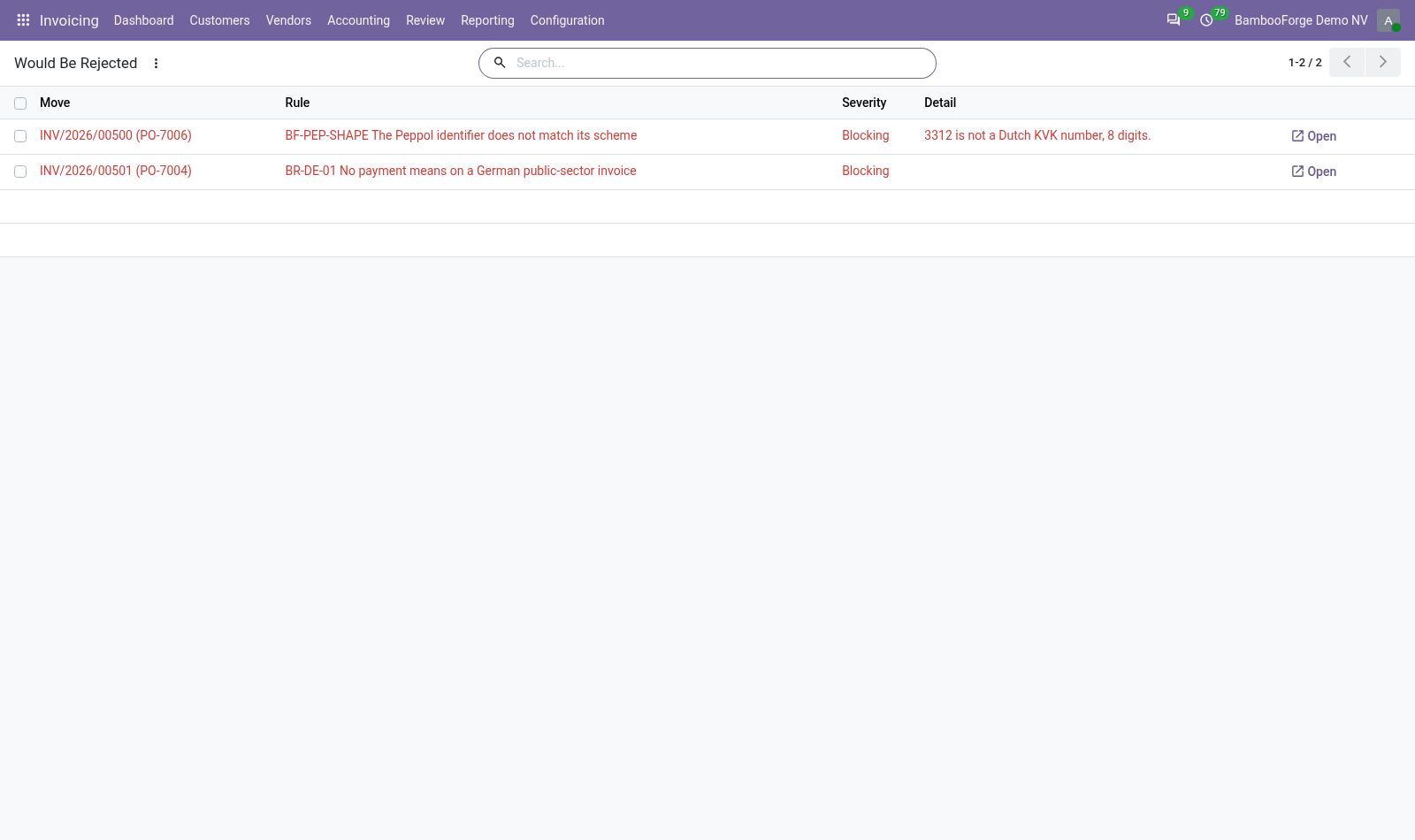
- One list of what would be rejectedInvoicing > Reporting > E-Invoice Pre-Flight lists the blocking findings of every checked invoice. A daily job checks the posted invoices nobody has checked.
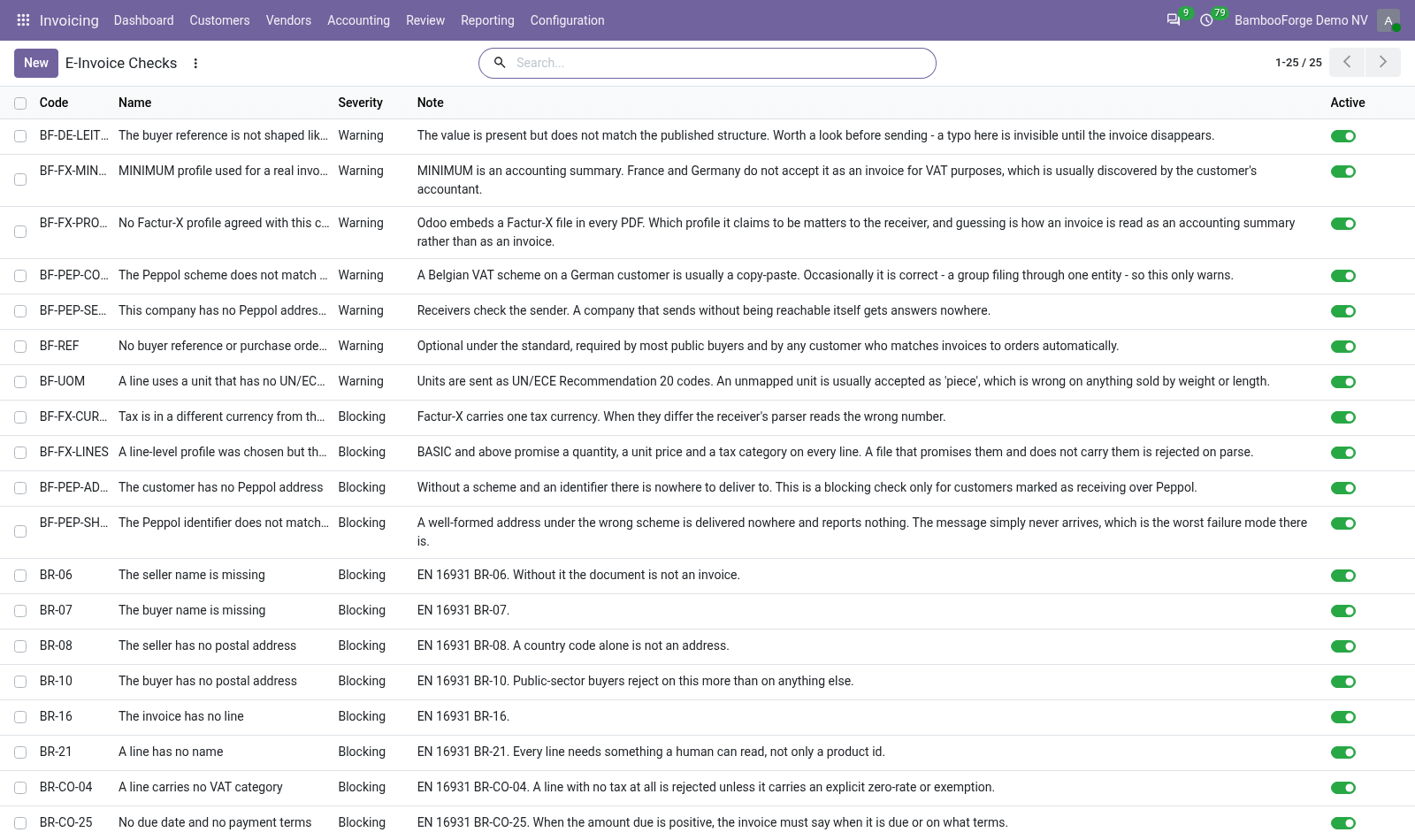
- Checks you decide onEach check is a line in a list: switch off what your customers do not enforce, or make a warning blocking. Nine are blocking and two are warnings as installed.
Runs onOdoo 16 to 20Community or Enterprise, self-hosted or Odoo.sh
NeedsInvoicingno Enterprise module
Price249 EURone-time, per series, on the Odoo Apps Store
Demodemo20.bambooforge.devlogin page already filled in
Supportsupport@bambooforge.devfirst reply within one business day
Version20.0.1.0.4
bambooforge_einvoice32 automated checks run before every release of this app, the same suite on every series it ships for. The complete list is in the source you receive; run it yourself with --test-enable.
How you use it
Three things you do with it
Flow 01
Check an invoice
For one customer invoice or credit note, draft or posted.
- Open the invoice and press Check E-Invoice in its header.
- With a blocking finding, a red block at the top lists every finding: the check, its severity, and the field or line at fault where the check can say.
- E-invoice issues opens all the findings, warnings included. Its number counts the blocking ones.
- Fill in what is missing and press Check E-Invoice again: the finding is gone.
Flow 02
See what would be rejected
Every blocking finding of every checked invoice.
- Open Invoicing > Reporting > E-Invoice Pre-Flight: one line per blocking finding, with the invoice, the check, the severity and the detail.
- Search an invoice or a check, filter on posted or draft invoices, or group by check or by invoice.
- Press Open on a line to open its invoice.
- Select invoices in their list and run Check for e-invoicing to check many at once.
Flow 03
Choose the checks
For an Invoicing administrator.
- Open Invoicing > Configuration > E-Invoice Checks: each line has a code, a name, a severity, a note and an Active switch.
- Untick Active to switch a check off: from the next check of an invoice it raises nothing. The filter Switched off shows it again.
- Change a severity: the findings it raised, and the status of their invoices, follow at once.
Price and where to buy
249 EUR, one payment per Odoo series, on the Odoo Apps Store. Pick your series:
Twelve months of support by the people who wrote the code; bug fixes and improvements within the series free for as long as it is published. Report a bug within two months of purchase and, if it is not resolved within fifteen days, you get a full refund. Full source under OPL-1, no licence key, no phone-home. The whole promise.