 BambooForge Labs

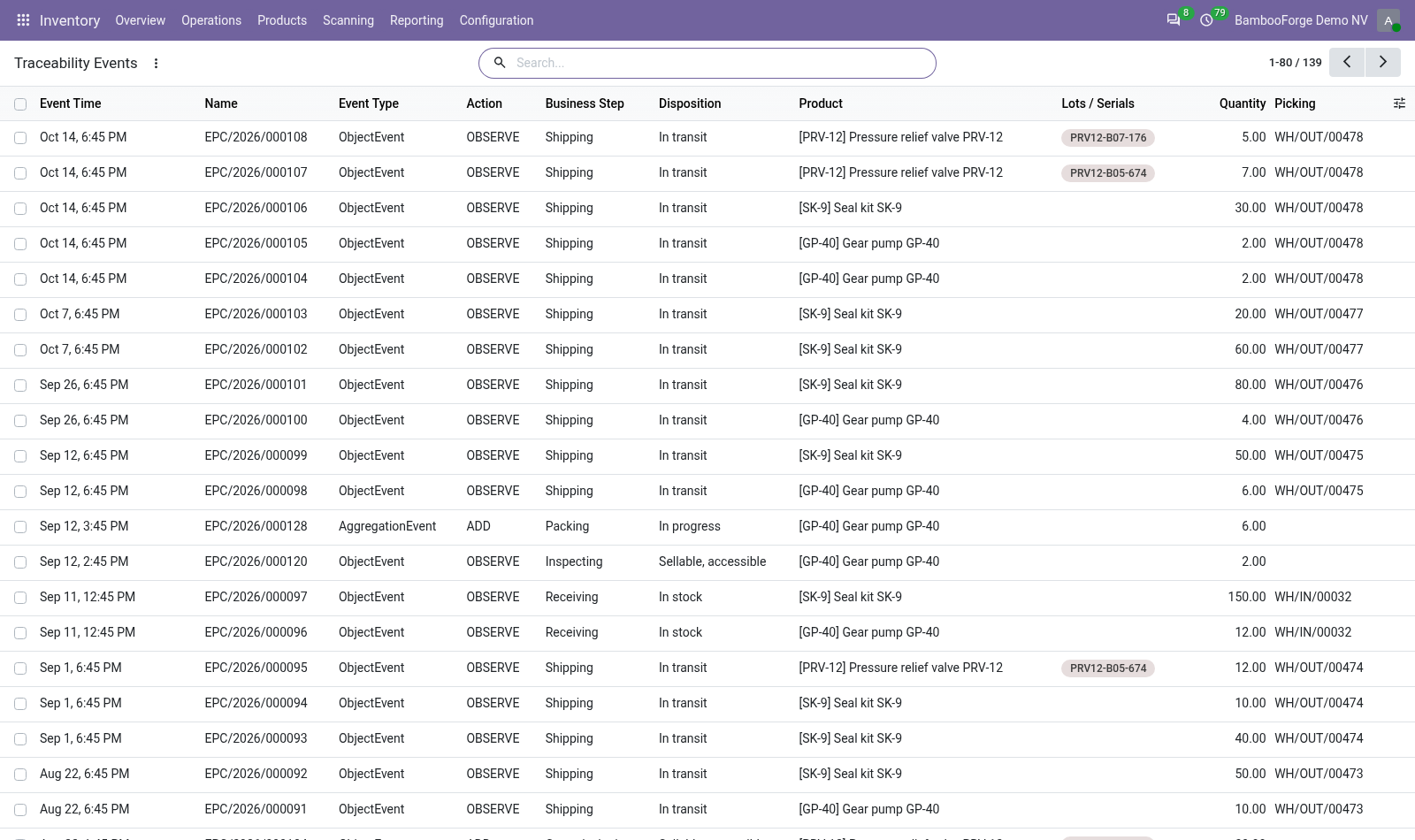
- Recorded without slowing the warehouseAn hourly job captures validated transfers, one event per line: receiving, shipping or storing, with the product, quantity, unit and lot. Validation does not wait for it.
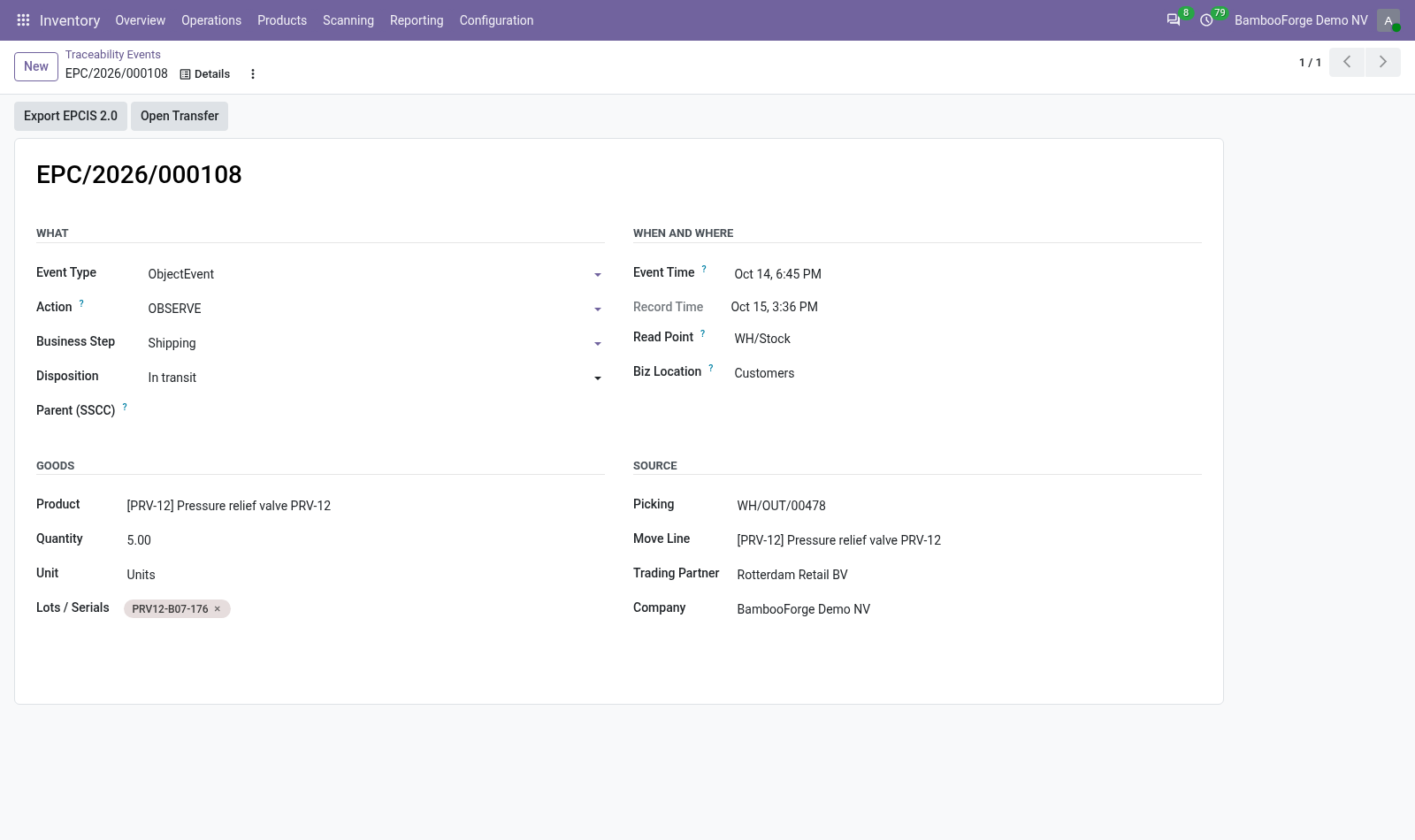
- A lot's trail in one clickThe Trace button on a lot lists every event that names it, oldest first, and a captured event opens the transfer it came from.
- Events in the EPCIS shapeEPCIS event types and actions, business steps and dispositions named after GS1's Core Business Vocabulary, and the selected events exported as one EPCIS 2.0 JSON document.
Runs onOdoo 16 to 20Community or Enterprise, self-hosted or Odoo.sh
NeedsInventoryno Enterprise module
Price249 EURone-time, per series, on the Odoo Apps Store
Demodemo20.bambooforge.devlogin page already filled in
Supportsupport@bambooforge.devfirst reply within one business day
Version20.0.1.0.2
bambooforge_epcis18 automated checks run before every release of this app, the same suite on every series it ships for. The complete list is in the source you receive; run it yourself with --test-enable.
How you use it
Three things you do with it
Flow 01
Capture a transfer
On a schedule, or at once.
- Validate a receipt or a delivery as usual.
- The hourly scheduled action records it; an Inventory Administrator can press Capture EPCIS to record it at once.
- Each line becomes an event: Shipping and In transit for a delivery, Receiving and In stock for a receipt.
- The EPCIS button on the transfer lists its events.
Flow 02
Trace a lot
The query a recall starts with.
- Open the lot in Inventory > Products > Lots / Serial Numbers.
- Press Trace: every event that names the lot, oldest first.
- Open an event and press Open Transfer to see where it came from.
Flow 03
Export to a partner
One file for a selection.
- Filter the events: by product, lot or transfer, Shipping or Receiving.
- Select them and choose Export EPCIS 2.0 among the actions.
- The browser downloads epcis_events.json, one EPCIS 2.0 document.
Price and where to buy
249 EUR, one payment per Odoo series, on the Odoo Apps Store. Pick your series:
Twelve months of support by the people who wrote the code; bug fixes and improvements within the series free for as long as it is published. Report a bug within two months of purchase and, if it is not resolved within fifteen days, you get a full refund. Full source under OPL-1, no licence key, no phone-home. The whole promise.