 BambooForge Labs

- Read-only on EspoCRMThe app only reads, with the key of an EspoCRM API user: nothing is written back.
- Companies and people where Odoo keeps themAccounts become companies, contacts become people under their company, leads and opportunities become CRM leads with EspoCRM's status kept.
- Dry-run firstA new instance reads EspoCRM and keeps what it would have written, without writing, until you untick Dry Run Mode.
bambooforge_espocrm_connector110 automated checks run before every release of this app, the same suite on every series it ships for. The complete list is in the source you receive; run it yourself with --test-enable.
How you use it
Three flows, in the order you will meet them
Connect: one instance per EspoCRM server, dry-run first
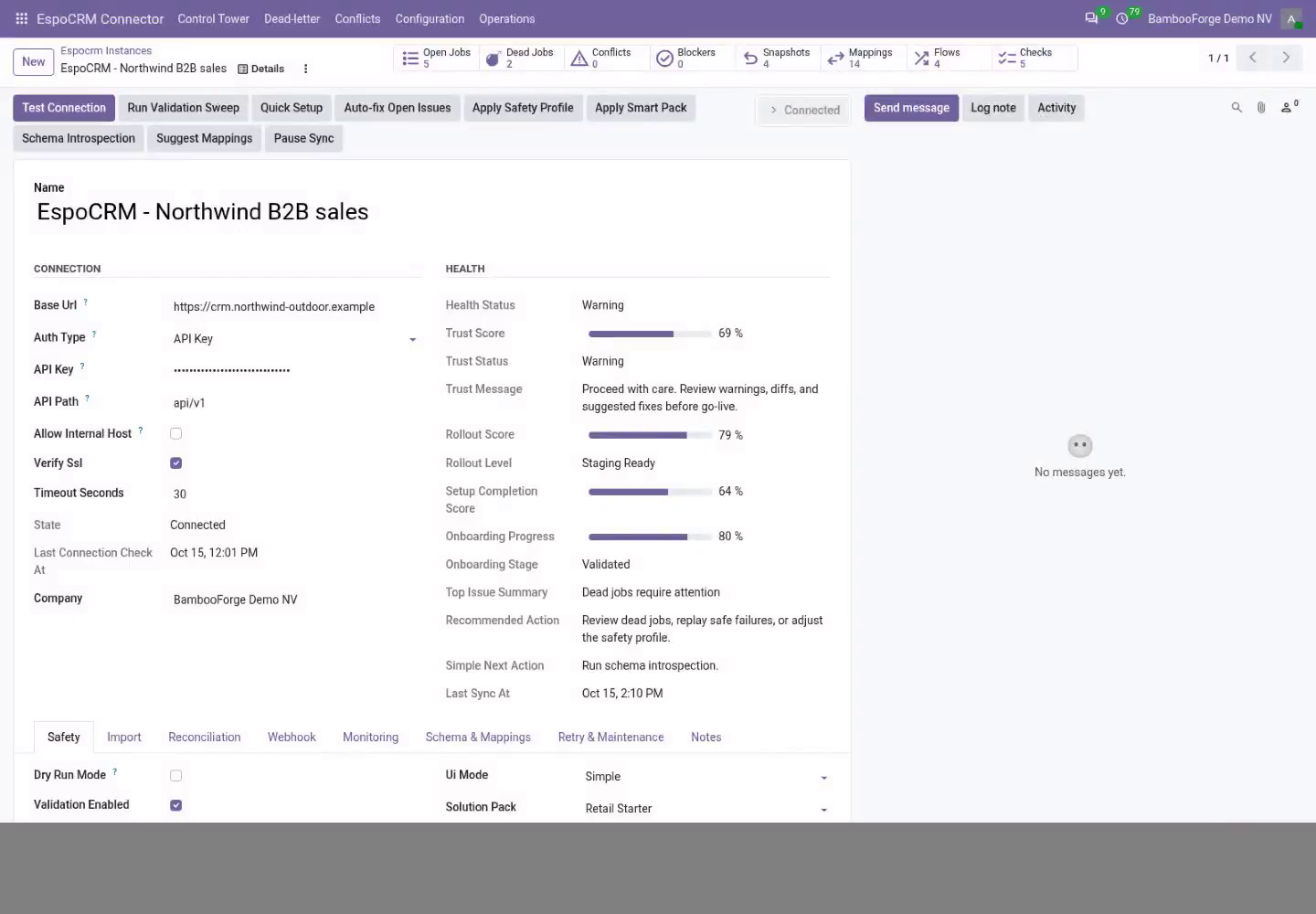
Test Connection proves the address and the key, and the first import writes nothing.
- In Odoo: EspoCRM Connector > Configuration > Instances > New. Enter the server's address and the API user's key.
- Press Test Connection. The state turns Connected and Status Mappings gets twelve rows.
- On the Import tab, set each import limit above the number of records of that type, then press Queue Account Import and Queue Contact Import.
- Read Operations > Logs and Validation Results, untick Dry Run Mode and import again.
Accounts, contacts, leads and opportunities come in
Each record type lands where Odoo keeps it.
- Accounts become company contacts with their type and industry.
- Contacts become people, under their company when the account came first.
- Leads and opportunities become CRM leads with EspoCRM's status or stage kept as text; tick CRM's Leads setting to see the leads.
A failed job lands in a list, not in silence
Every job is retried, set aside after its last try, and shown with its error.
- Open the Control Tower: one card per instance with its backlog, dead letters and conflicts.
- Open Dead-letter, fix the cause the error names, and requeue the jobs.
Price and where to buy
89 EUR, one payment per Odoo series, on the Odoo Apps Store. Pick your series:
Twelve months of support by the people who wrote the code; bug fixes and improvements within the series free for as long as it is published. Report a bug within two months of purchase and, if it is not resolved within fifteen days, you get a full refund. Full source under OPL-1, no licence key, no phone-home. The whole promise.