 BambooForge Labs

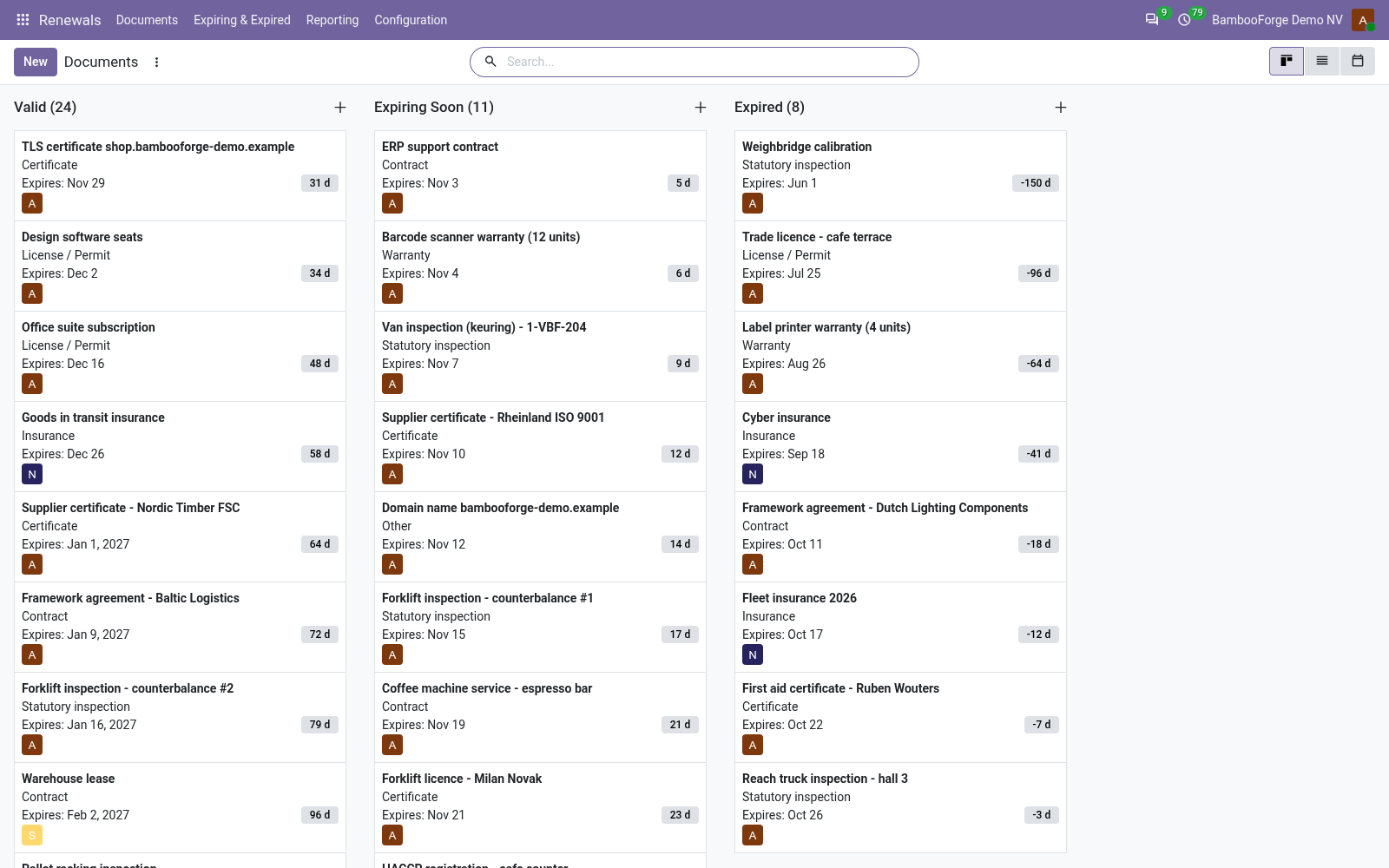
- Reminded until renewedA to-do and an email the day a document turns Expiring Soon, and again every 7 days by default until it is renewed.
- A manager brought inAfter 3 unanswered reminders by default, the type's Escalate To user gets a to-do as well.
- Renewed in one clickRenew makes the next document for the type's term and archives the old one, linked.
bambooforge_expiry_reminder29 automated checks run before every release of this app, the same suite on every series it ships for. The complete list is in the source you receive; run it yourself with --test-enable.
For the people who decide
What your managers see
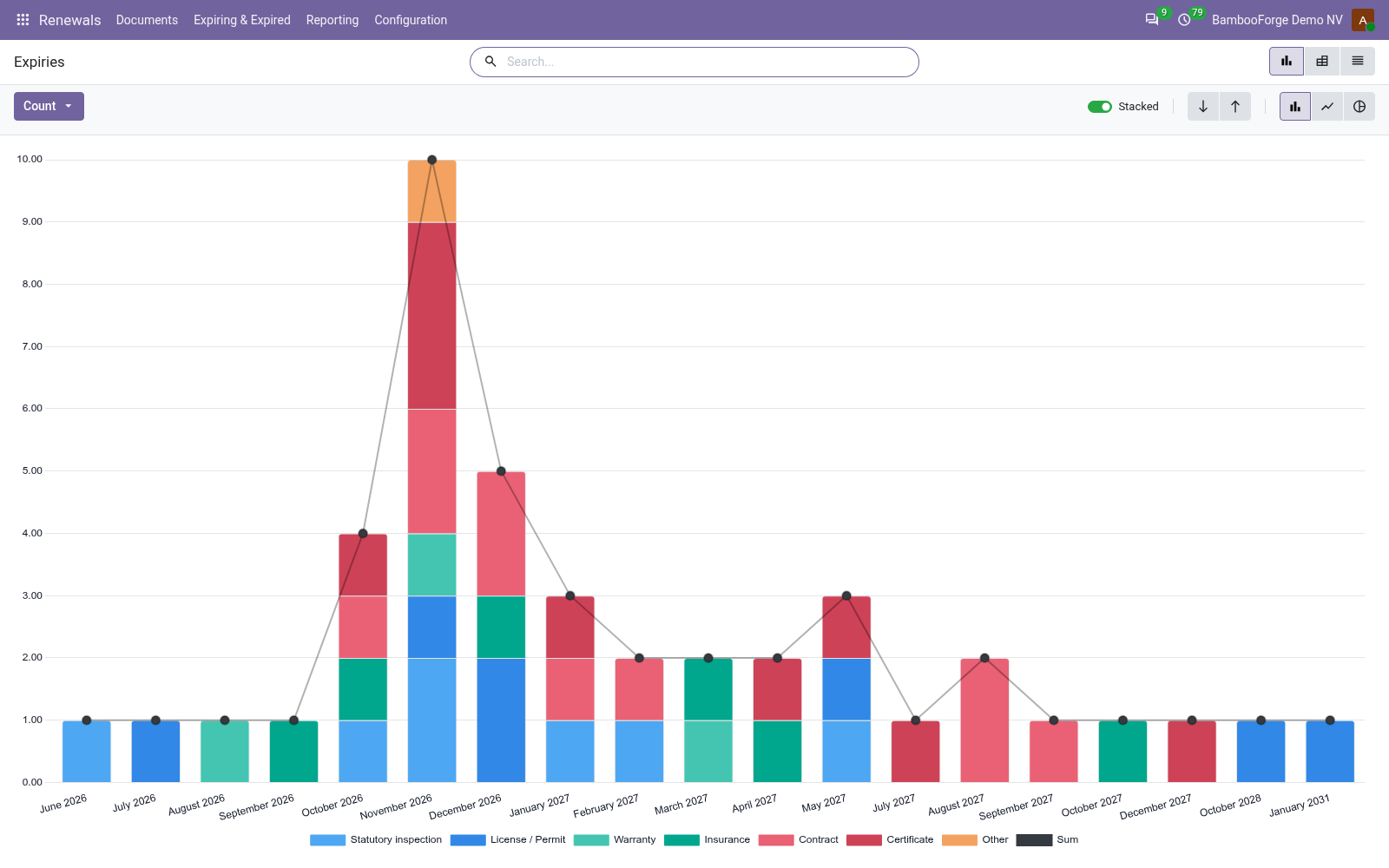
Renewals > Reporting is the renewals manager's menu. The analysis opens on a chart, with the pivot one click away, and the pivot downloads to a spreadsheet.
Expiries
what expires month by month, stacked by type, with the reminders sent; filters for what expires in the next 90 days and what expired without a renewal; grouped by type, responsible, party, status or month.
The manager sees the renewals coming, who carries them, and which lapsed unnoticed.
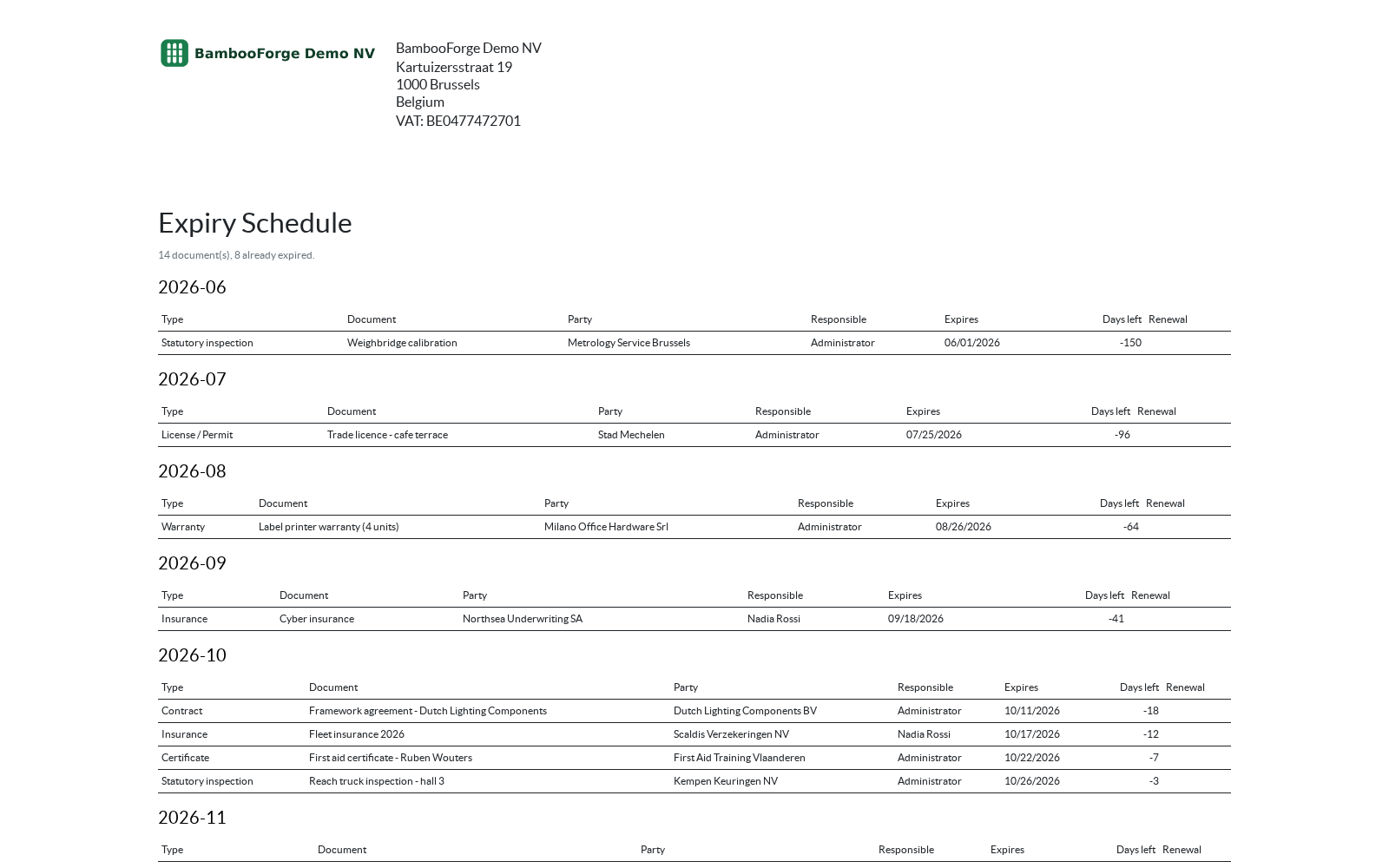
One document prints from the documents, from Print after selecting them:
- Expiry Schedule: the selected documents month by month in the order they run out: the type, the document, the party, the responsible user, the date, the days left and any renewal recorded. For the management meeting.
How you use it
From the date to the renewal
Register a document
For anybody with the User role.
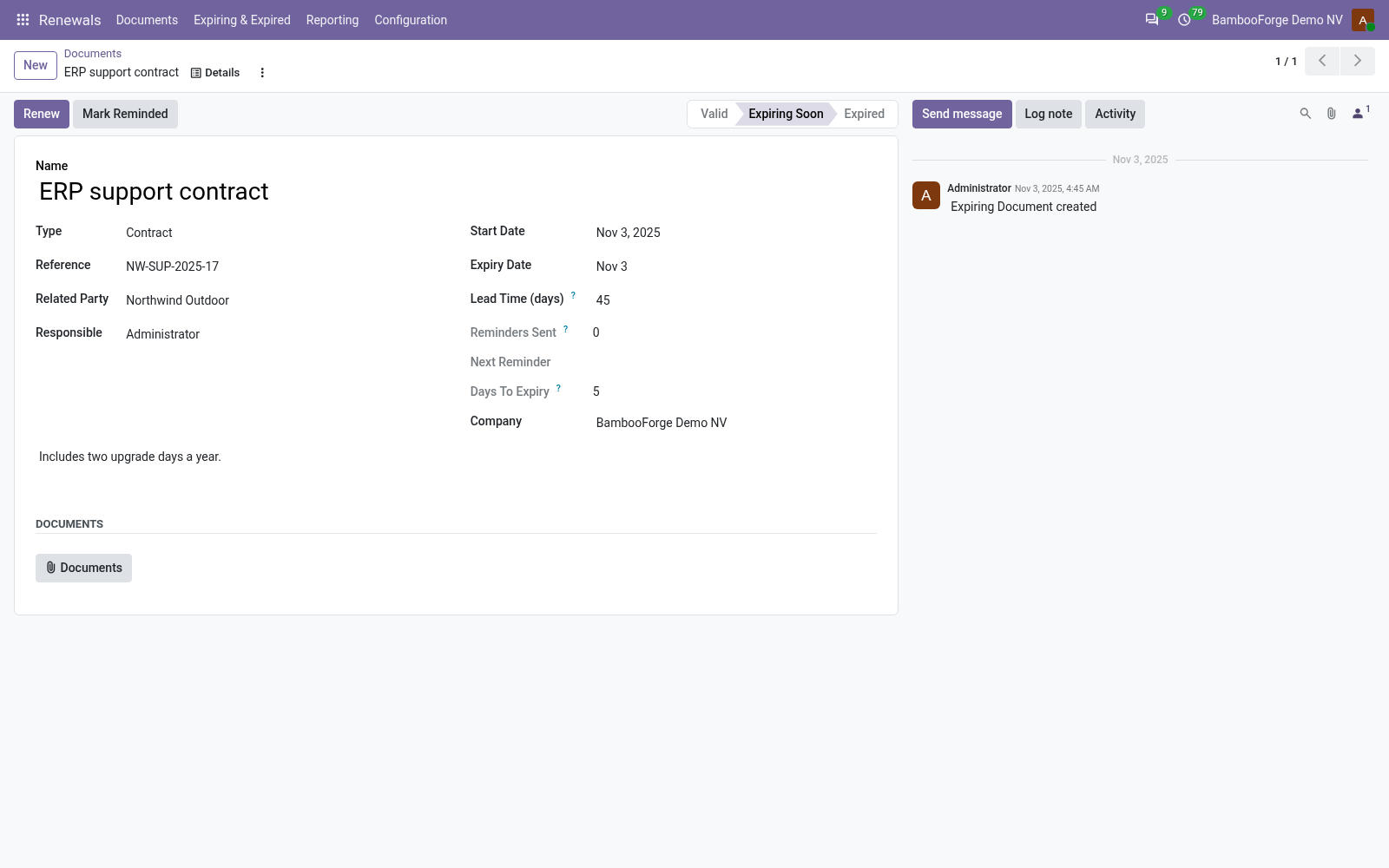
- Renewals > Documents, New: a name, a type, the expiry date.
- The type sets the lead time; set the responsible user.
- Attach the file. The status and the days left appear at once.
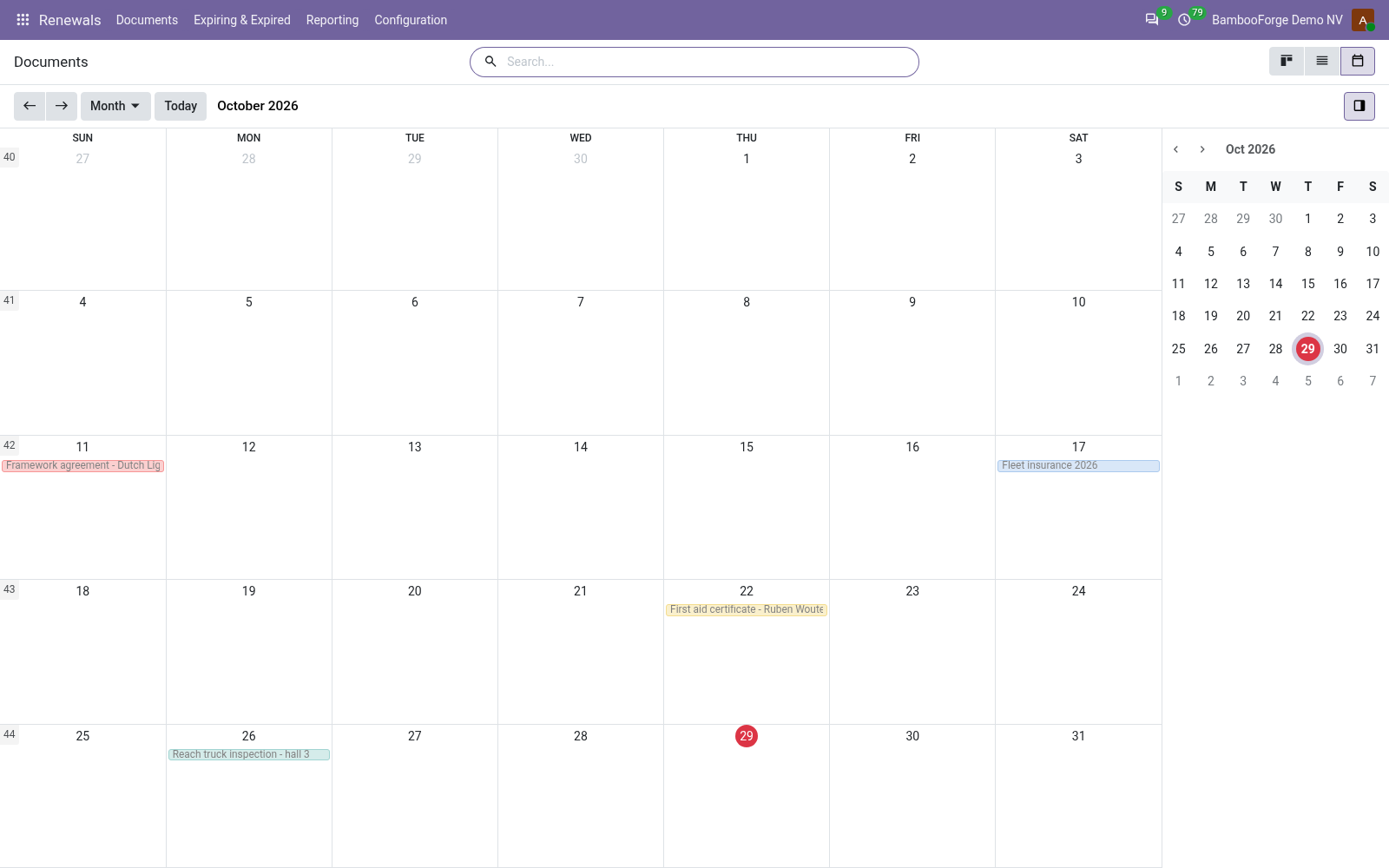
Read the board and the calendar
Every day.
- Cards grouped by status, with the days left.
- The list in red and orange; the calendar by month, coloured by type.
- Expiring & Expired: the documents that need a decision.
Set up the document types
For the manager.
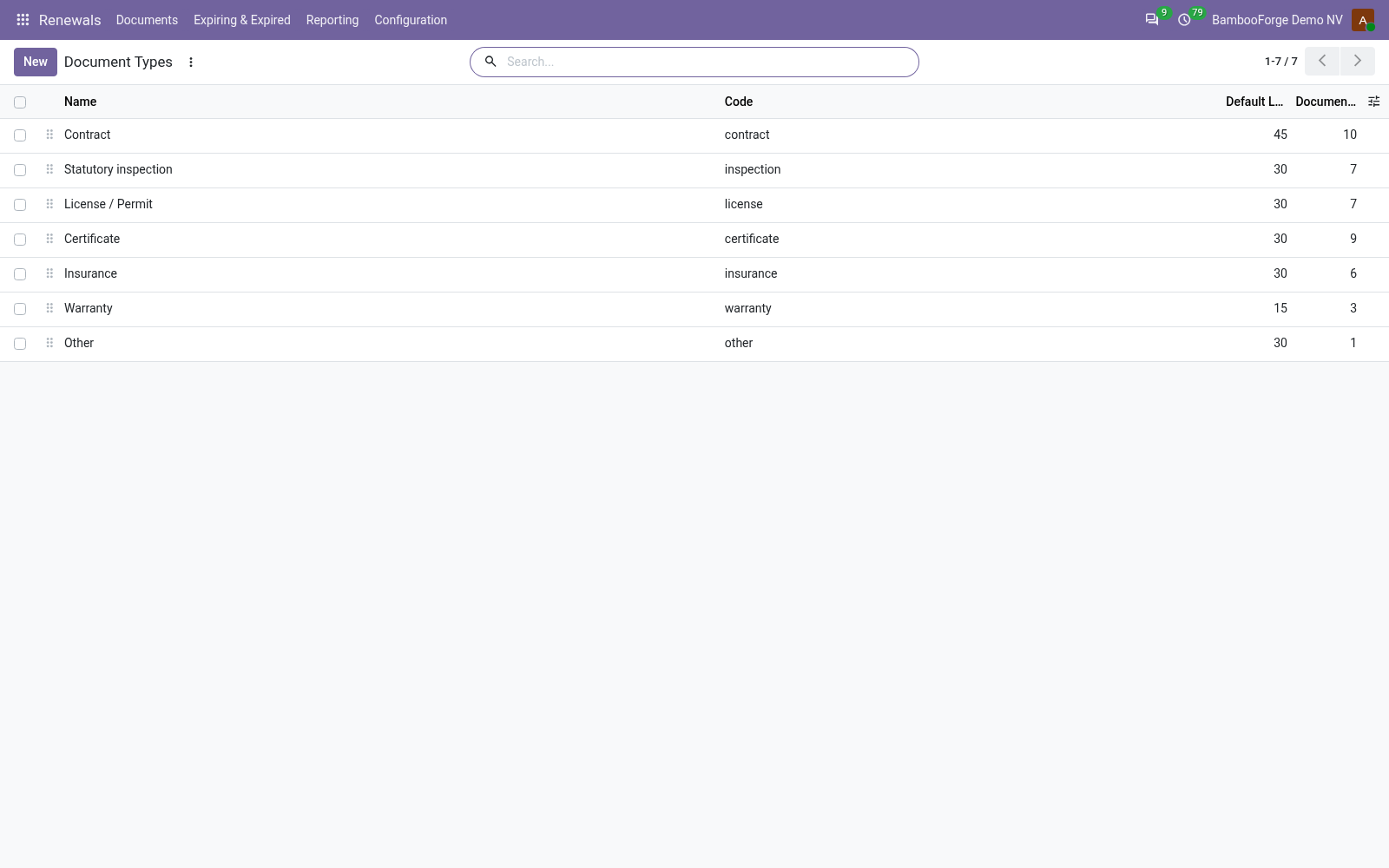
- Renewals > Configuration > Document Types.
- Per type: lead time, Remind Again After, Escalate After, Escalate To, Renewal Term.
- Six types to start with; add your own.
Read the figures
For the manager.
- Renewals > Reporting > Expiries: what expires month by month, by type.
- Filter on the next 90 days, or on what expired without a renewal.
- Print the Expiry Schedule from the selected documents.
Price and where to buy
79 EUR, one payment per Odoo series, on the Odoo Apps Store. Pick your series:
Twelve months of support by the people who wrote the code; bug fixes and improvements within the series free for as long as it is published. Report a bug within two months of purchase and, if it is not resolved within fifteen days, you get a full refund. Full source under OPL-1, no licence key, no phone-home. The whole promise.