 BambooForge Labs

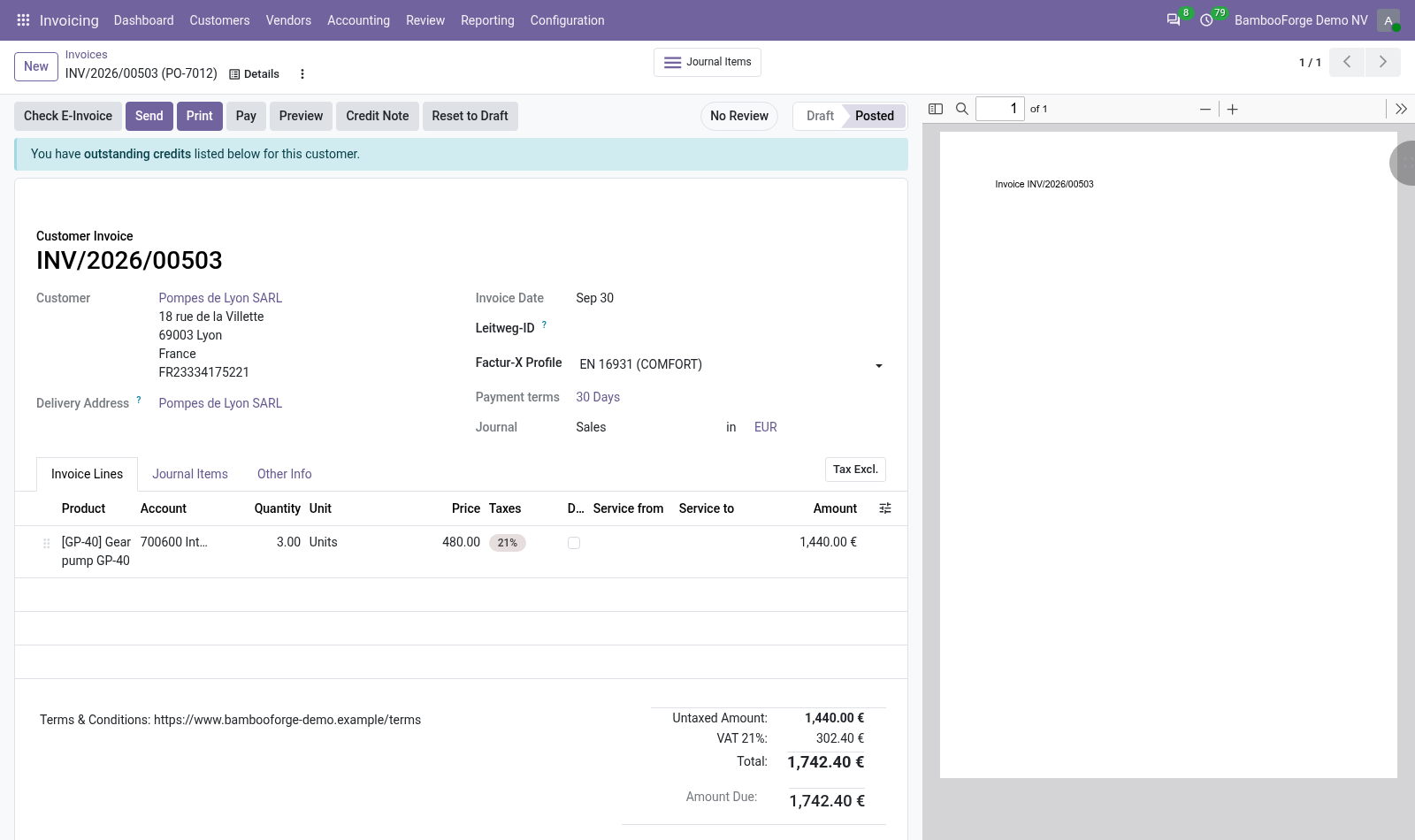
- The profile agreed, on the customerMINIMUM, BASIC WL, BASIC, EN 16931 or EXTENDED, chosen once on the customer. Their new invoices take it, and one invoice can take another.
- Lines held to the profileWith BASIC, EN 16931 or EXTENDED recorded, a line without a quantity, a unit price or a tax is a blocking finding that names the line and what it lacks.
- In the pre-flight listThe four checks run with E-Invoice Pre-Flight Checks, on the invoice, on a selection and daily, and their blocking findings land in the same list.
Runs onOdoo 16 to 20Community or Enterprise, self-hosted or Odoo.sh
NeedsOdoo only; includes einvoiceno Enterprise module
Price318 EURone-time, per series, on the Odoo Apps Store
Demodemo20.bambooforge.devlogin page already filled in
Supportsupport@bambooforge.devfirst reply within one business day
Version20.0.1.0.2
bambooforge_facturx12 automated checks run before every release of this app, the same suite on every series it ships for. The complete list is in the source you receive; run it yourself with --test-enable.
How you use it
Two things you do with it
Flow 01
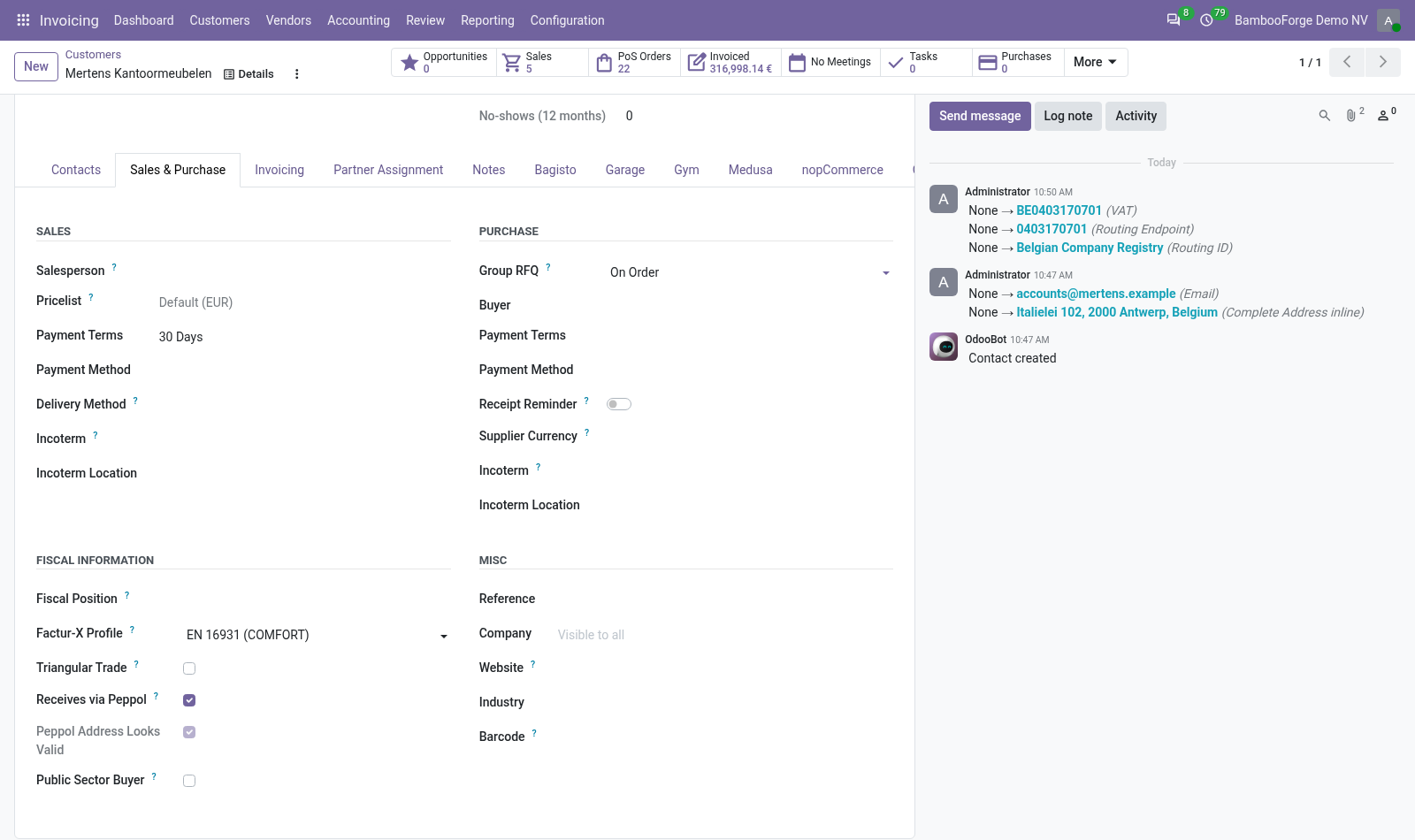
Agree a profile with a customer
On the company behind the customer.
- Open the customer and go to the Sales & Purchase tab.
- Under Fiscal Information, choose the Factur-X Profile you agreed with them, and save.
- Invoices created for this customer from now on take that profile. Invoices that exist keep theirs.
Flow 02
Check an invoice against its profile
With the pre-flight checks.
- Open the customer invoice or credit note and press Check E-Invoice.
- BF-FX-PROFILE warns that no profile is agreed with the customer; BF-FX-MINIMUM that MINIMUM is recorded on an invoice with an amount.
- BF-FX-LINES blocks a line without quantity, unit price or tax when BASIC, EN 16931 or EXTENDED is recorded.
- Agree a profile, or complete the lines, and check again.
Price and where to buy
318 EUR, one payment per Odoo series, on the Odoo Apps Store. Pick your series:
Twelve months of support by the people who wrote the code; bug fixes and improvements within the series free for as long as it is published. Report a bug within two months of purchase and, if it is not resolved within fifteen days, you get a full refund. Full source under OPL-1, no licence key, no phone-home. The whole promise.