 BambooForge Labs

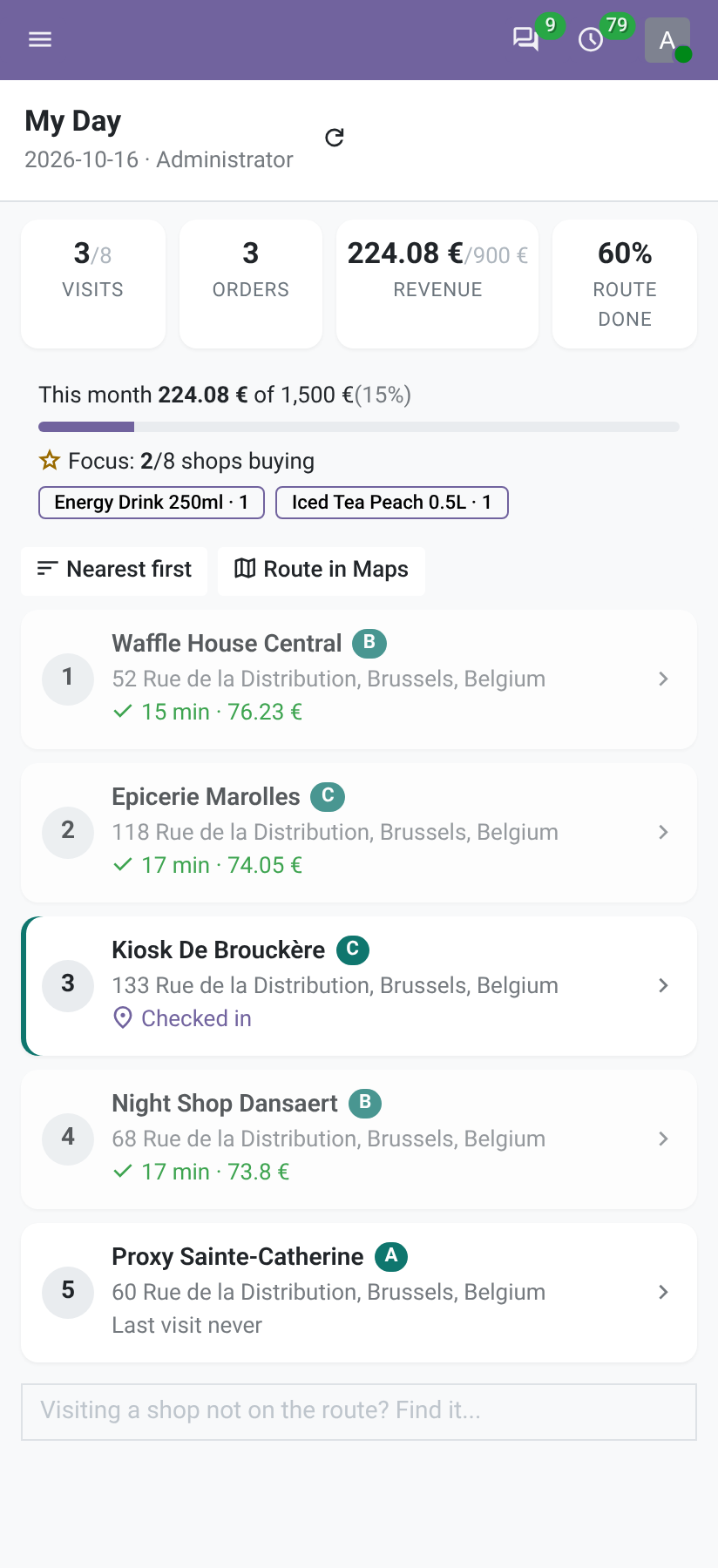
- A day on the phone, signal or noneThe visits in route order and nine steps at each shop. What is done without a signal is kept on the phone and sent with the time it happened.
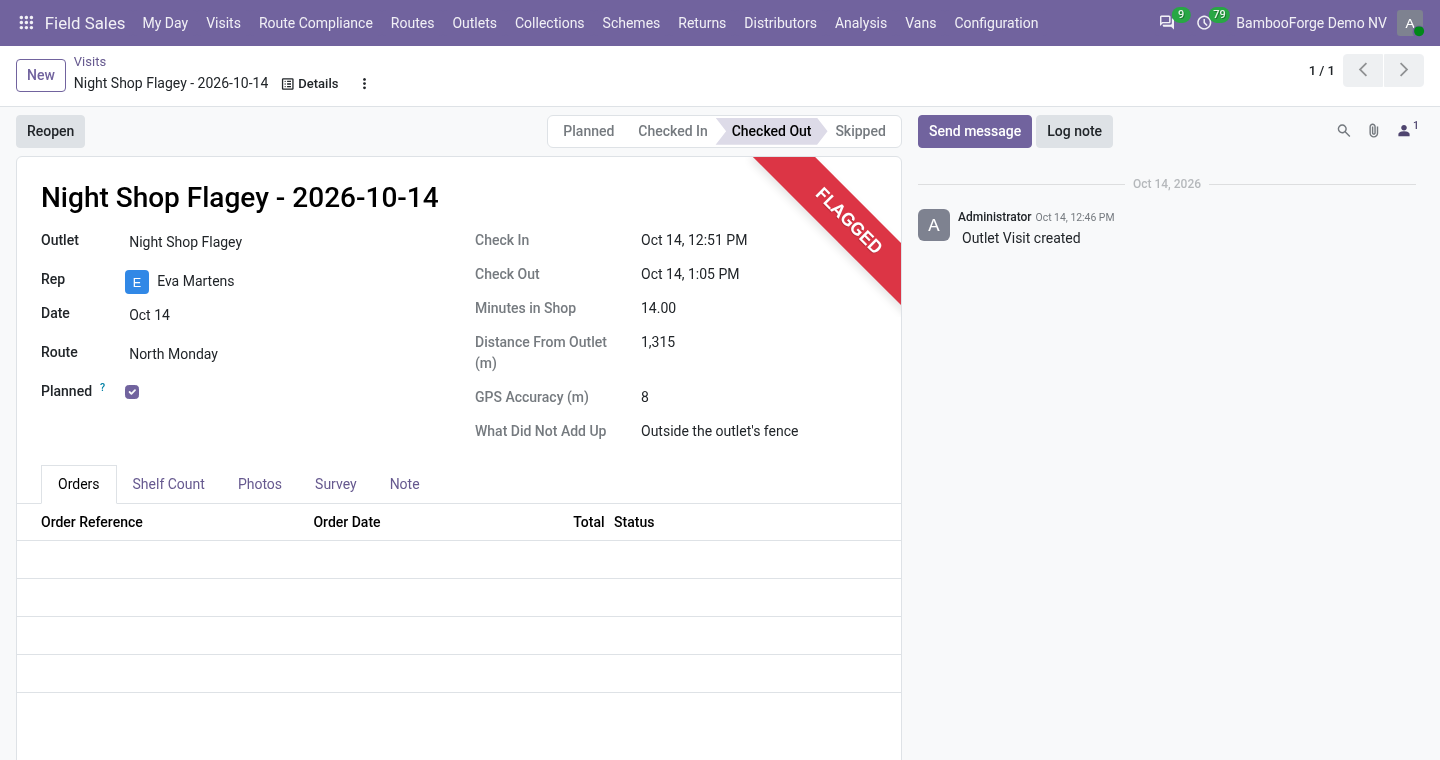
- Flags, not wallsA check-in outside the fence, poor GPS, a different phone, two minutes in the shop, a visit nobody planned: written on the visit for the supervisor, never a wall for the rep.
- Odoo's own documentsOrders are quotations on the outlet's price list, money becomes Odoo's payments, goods taken back a draft credit note. No second customer file.
Runs onOdoo 16 to 20Community or Enterprise, self-hosted or Odoo.sh
NeedsSalesno Enterprise module
Price349 EURone-time, per series, on the Odoo Apps Store
Demodemo20.bambooforge.devlogin page already filled in
Supportsupport@bambooforge.devfirst reply within one business day
Version20.0.1.2.4
bambooforge_field_sales51 automated checks run before every release of this app, the same suite on every series it ships for. The complete list is in the source you receive; run it yourself with --test-enable.
How you use it
What a day looks like
Flow 01
Plan the round
For the supervisor, once.
- Field Sales > Outlets: a position, a fence, a credit limit and an assortment for each shop.
- Field Sales > Routes: the rep, the weekday, every week, two or four, and the stops in order.
- Press Plan Today, or let the daily job plan tomorrow.
Flow 02
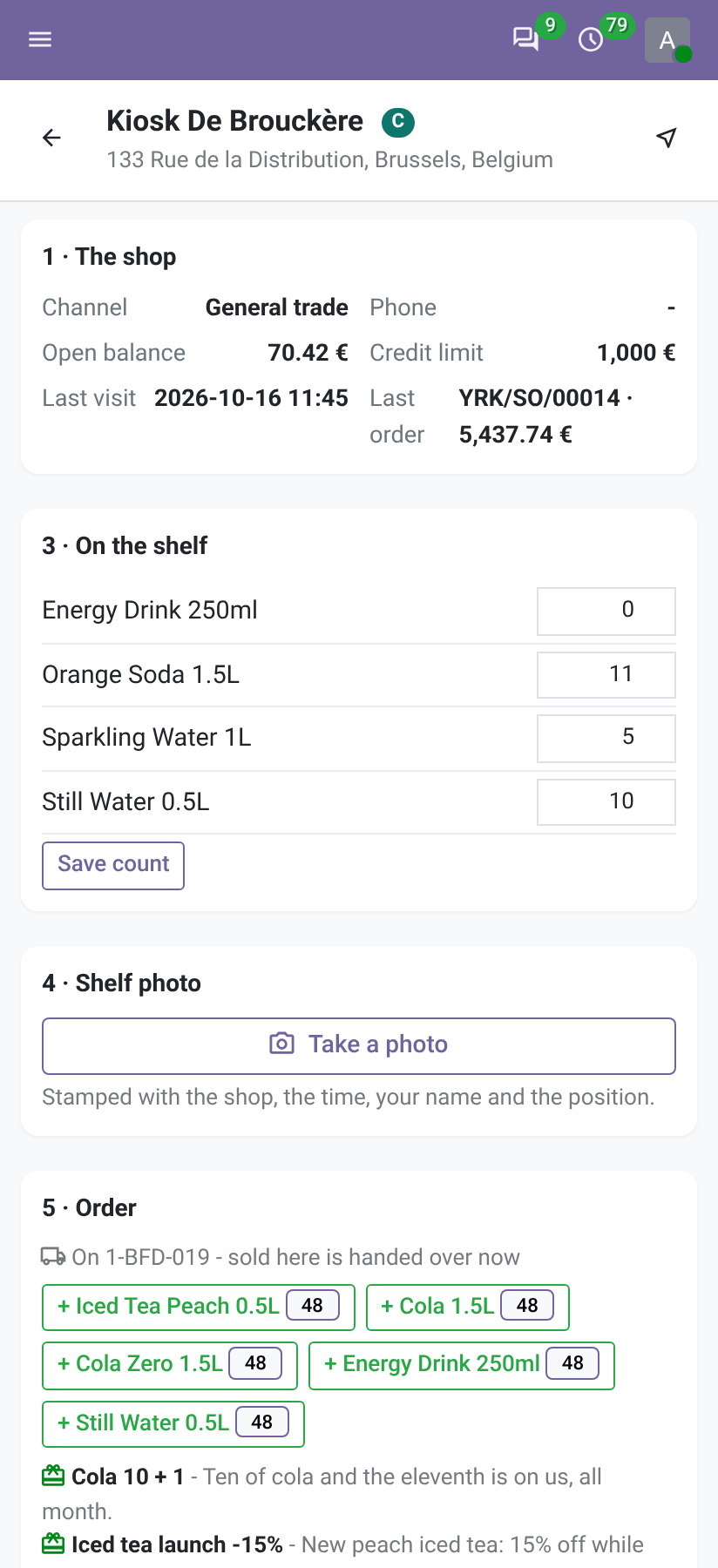
Work a shop
For the rep, on the phone.
- Open the visit: the shop's channel, balance, credit limit, last visit and last order.
- Press I am at the shop: the position is measured against the shop's and flagged if far.
- Count the shelf, take the photo, stamped with the shop, the moment, the rep and the position.
- Place the order, by case or unit, or Same as last time. It is a quotation on the shop's price list.
- Press Done here with a note for next time.
Flow 03
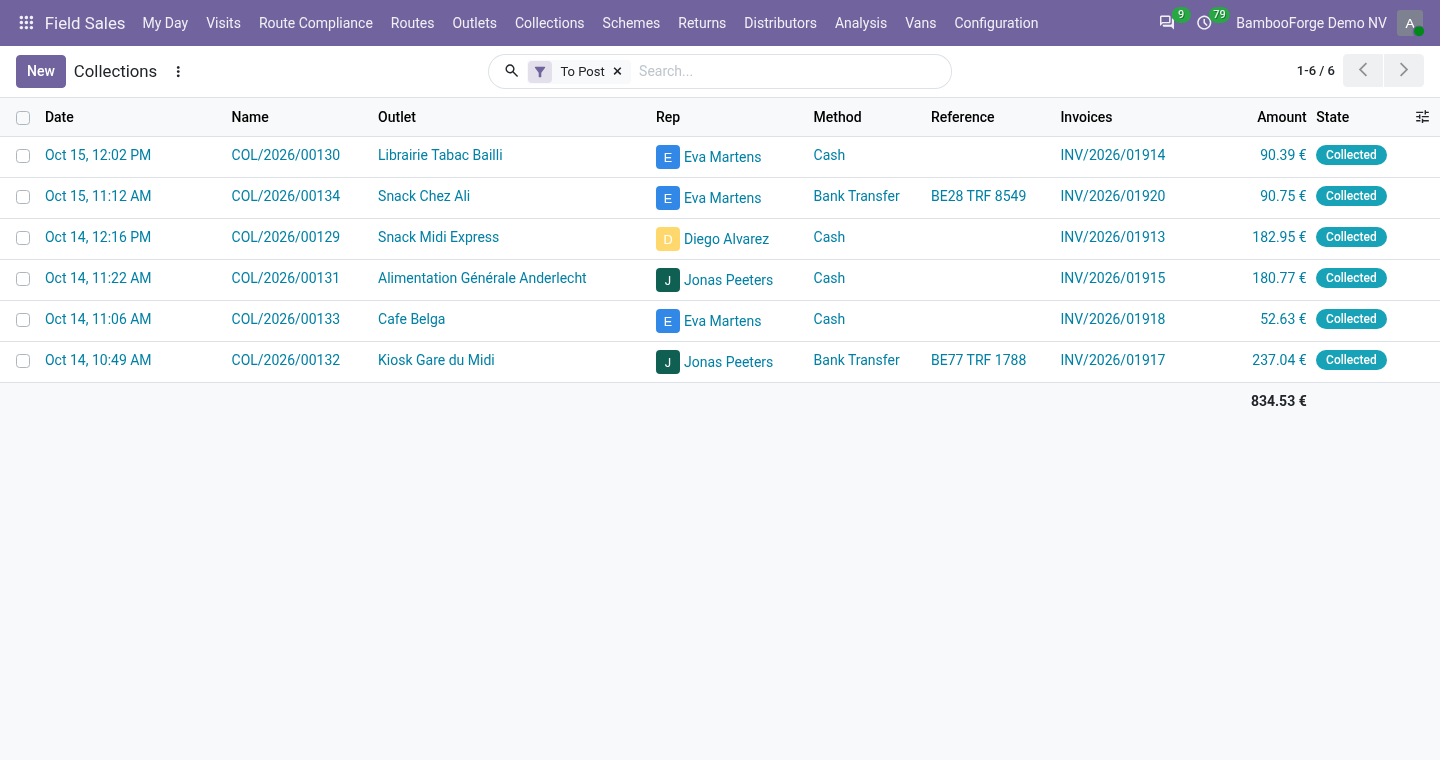
Money and goods at the counter
For the rep, with the office behind.
- Tick the invoices being paid, or type any amount, and press Money received.
- Print the 80 mm receipt.
- Take back damaged, expired or unsold goods with a reason: a draft credit note.
- The office presses Post the Payment, or the company posts at once.
Flow 04
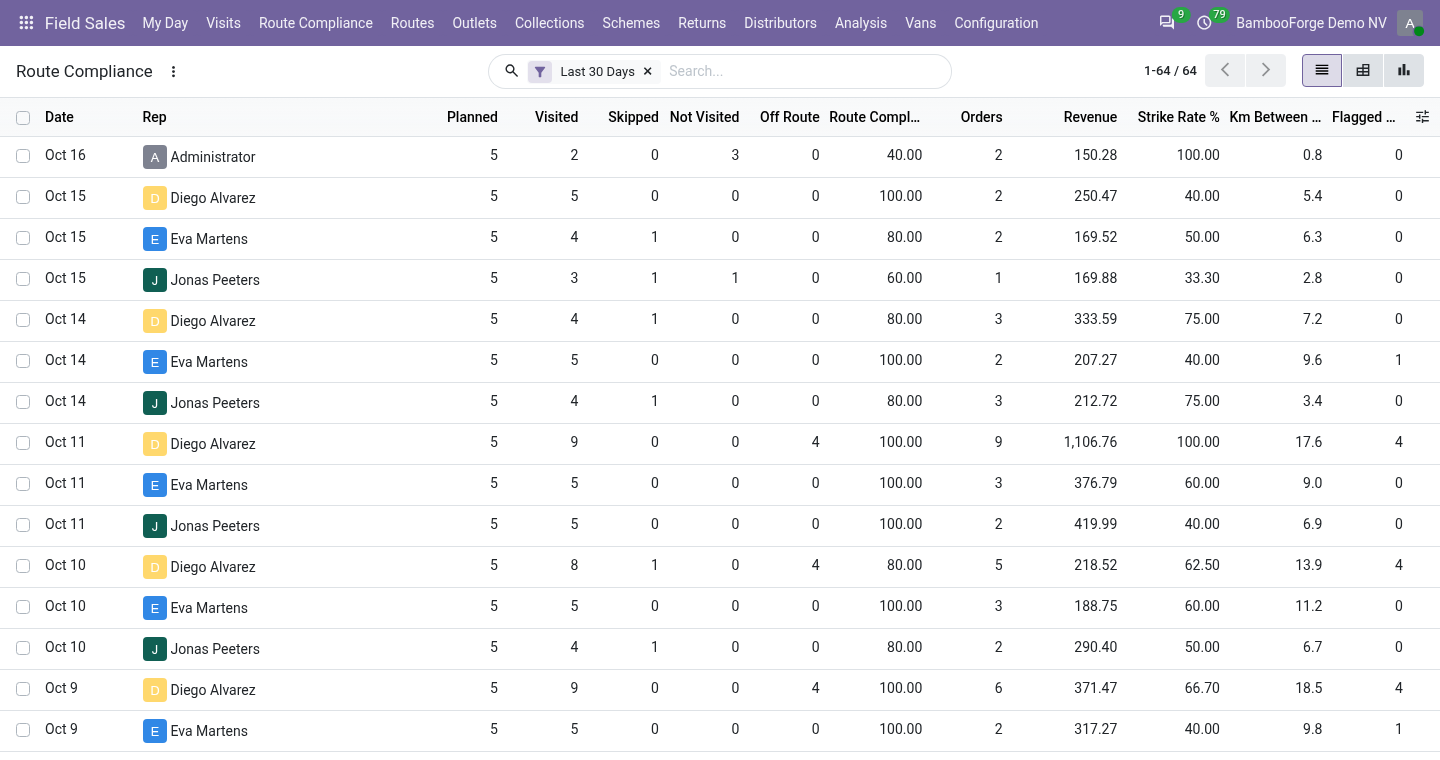
Read what did not add up
For the supervisor.
- Visits: filter Flagged, Off Route or With an Order.
- Open a visit: check-in, minutes, distance from the outlet and what did not add up.
- Route Compliance: filter Compliance Under 80%.
Price and where to buy
349 EUR, one payment per Odoo series, on the Odoo Apps Store. Pick your series:
Twelve months of support by the people who wrote the code; bug fixes and improvements within the series free for as long as it is published. Report a bug within two months of purchase and, if it is not resolved within fifteen days, you get a full refund. Full source under OPL-1, no licence key, no phone-home. The whole promise.