 BambooForge Labs

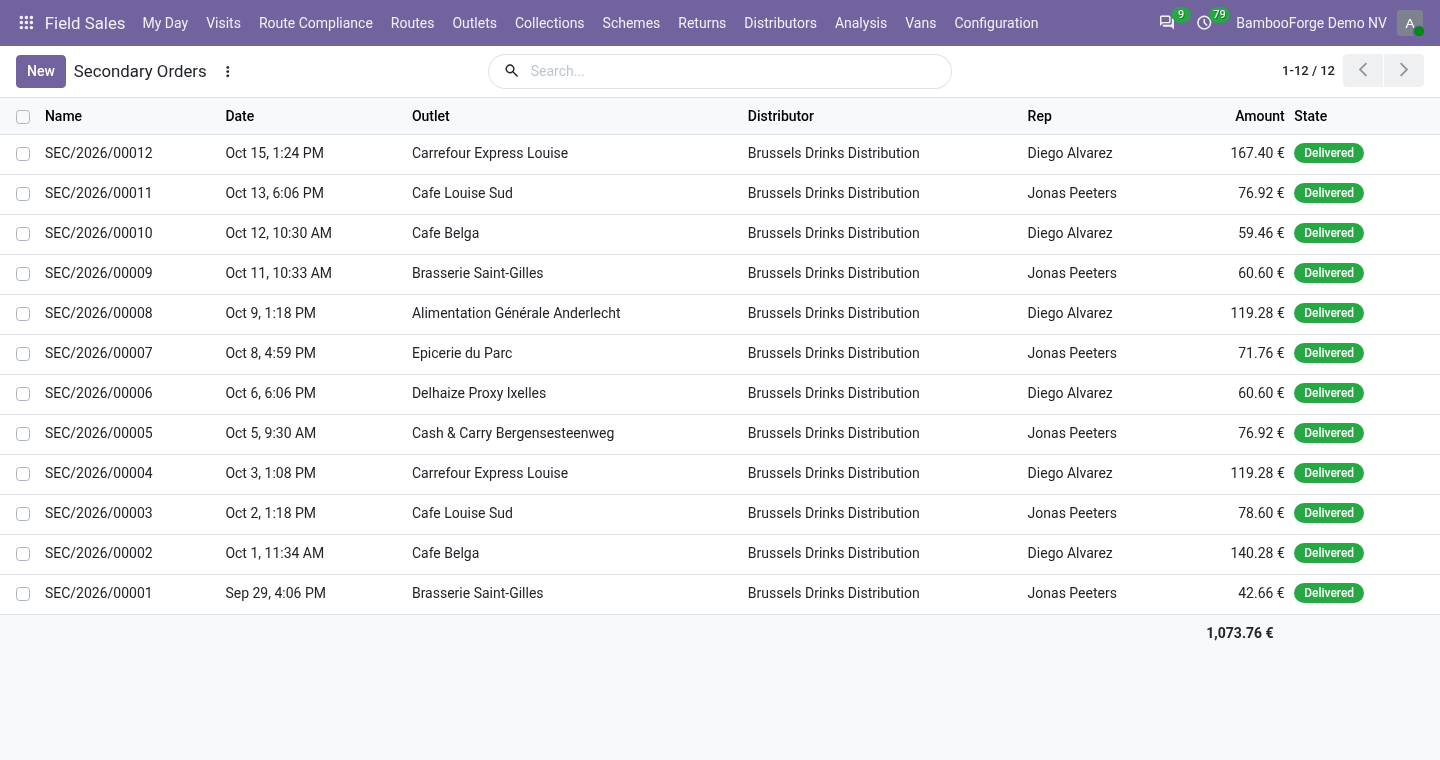
- Orders for the distributor to fillAt an outlet served by a distributor the rep's order goes to it, at its own price list, and counts in the rep's day.
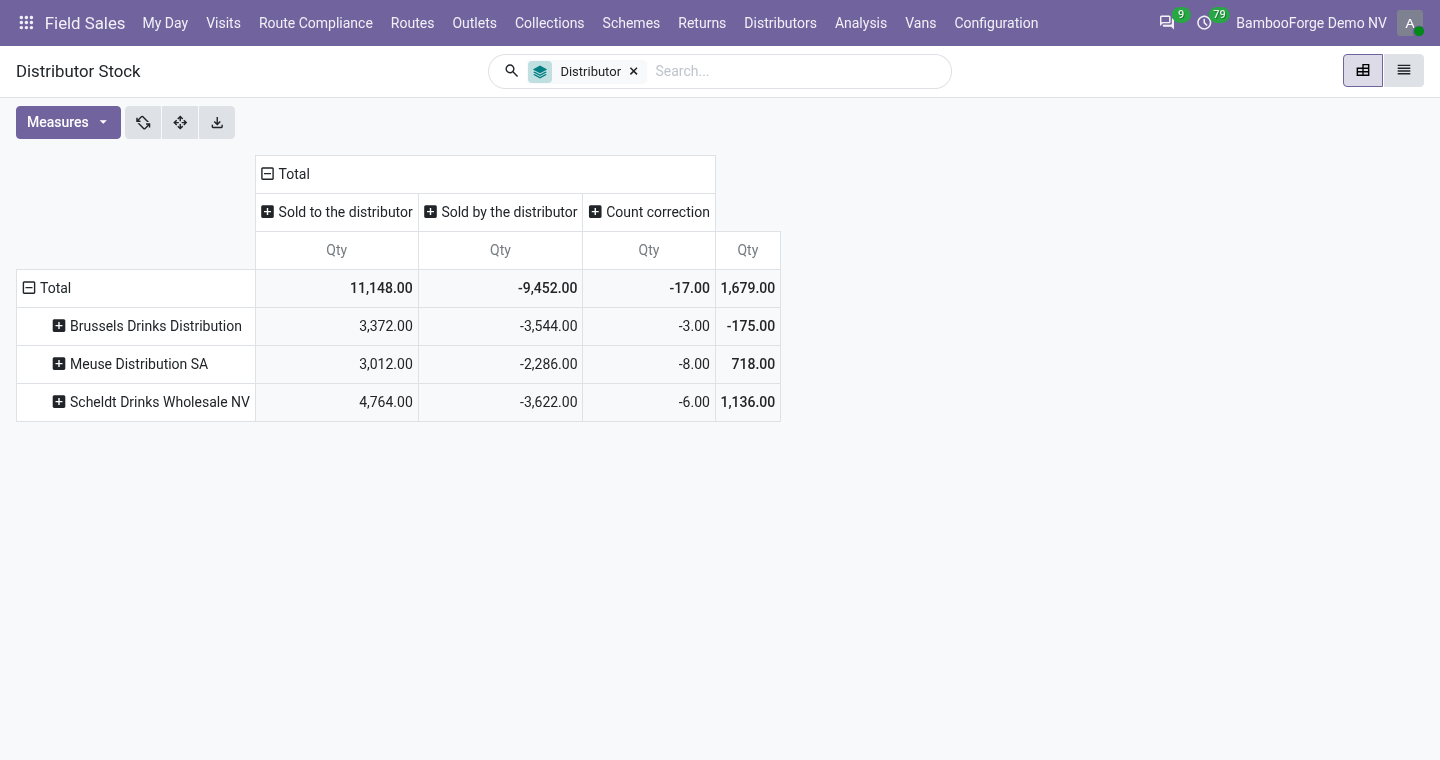
- Its stock, product by productSell-in, sell-out and count corrections in one ledger, with days of cover.
- A portal for its staffOrders to Fill, with two buttons: We will deliver it, and Delivered.
Runs onOdoo 16 to 20Community or Enterprise, self-hosted or Odoo.sh
NeedsOdoo only; includes field salesno Enterprise module
Price478 EURone-time, per series, on the Odoo Apps Store
Demodemo20.bambooforge.devlogin page already filled in
Supportsupport@bambooforge.devfirst reply within one business day
Version20.0.1.1.2
bambooforge_field_sales_distributor13 automated checks run before every release of this app, the same suite on every series it ships for. The complete list is in the source you receive; run it yourself with --test-enable.
How you use it
Three things you do with it
Flow 01
Take and fill an order
The rep and the distributor.
- At an outlet with Served By set, the rep places the order as always.
- The distributor confirms it on the portal, then marks it delivered.
- Delivery takes the units off its stock.
Flow 02
Keep the ledger
Sell-in, sell-out, counts.
- A delivery or a confirmed order to the distributor is sell-in.
- A secondary order delivered, or a line of its file, is sell-out.
- A rep's shelf count at its warehouse corrects the ledger.
Flow 03
Top it up
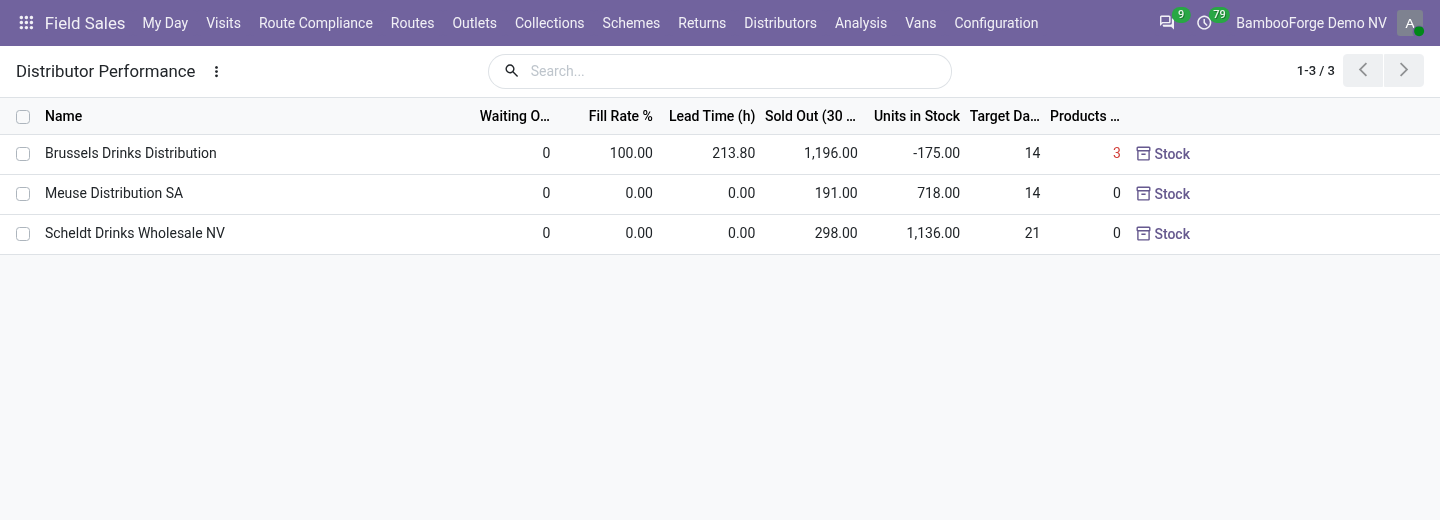
From its sell-out.
- Distributor Performance: fill rate, lead time, cover.
- Press Suggest a Replenishment Order: a draft sales order up to the target.
Price and where to buy
478 EUR, one payment per Odoo series, on the Odoo Apps Store. Pick your series:
Twelve months of support by the people who wrote the code; bug fixes and improvements within the series free for as long as it is published. Report a bug within two months of purchase and, if it is not resolved within fifteen days, you get a full refund. Full source under OPL-1, no licence key, no phone-home. The whole promise.