 BambooForge Labs

- Who gets whatBy territory, channel, class or a named list of outlets, once per outlet if you say so.
- A budget that says noA scheme whose cost would pass its budget is not applied, and the rep is told why.
- Written down to the centScheme Spend: every use with its cost, by scheme and month.
Runs onOdoo 16 to 20Community or Enterprise, self-hosted or Odoo.sh
NeedsOdoo only; includes field salesno Enterprise module
Price448 EURone-time, per series, on the Odoo Apps Store
Demodemo20.bambooforge.devlogin page already filled in
Supportsupport@bambooforge.devfirst reply within one business day
Version20.0.1.1.3
bambooforge_field_sales_schemes19 automated checks run before every release of this app, the same suite on every series it ships for. The complete list is in the source you receive; run it yourself with --test-enable.
How you use it
Two things you do with it
Flow 01
Set up a scheme
For a supervisor.
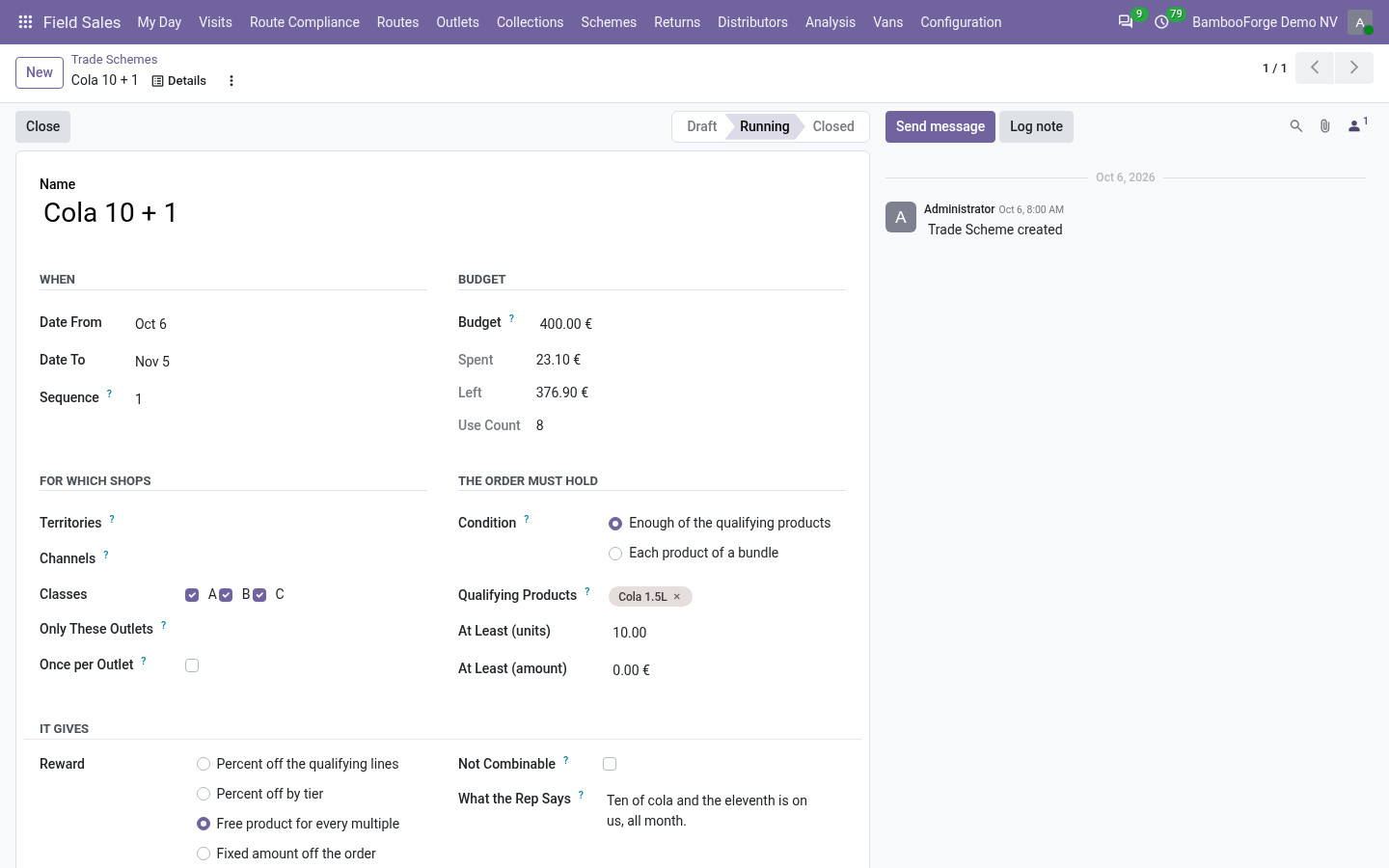
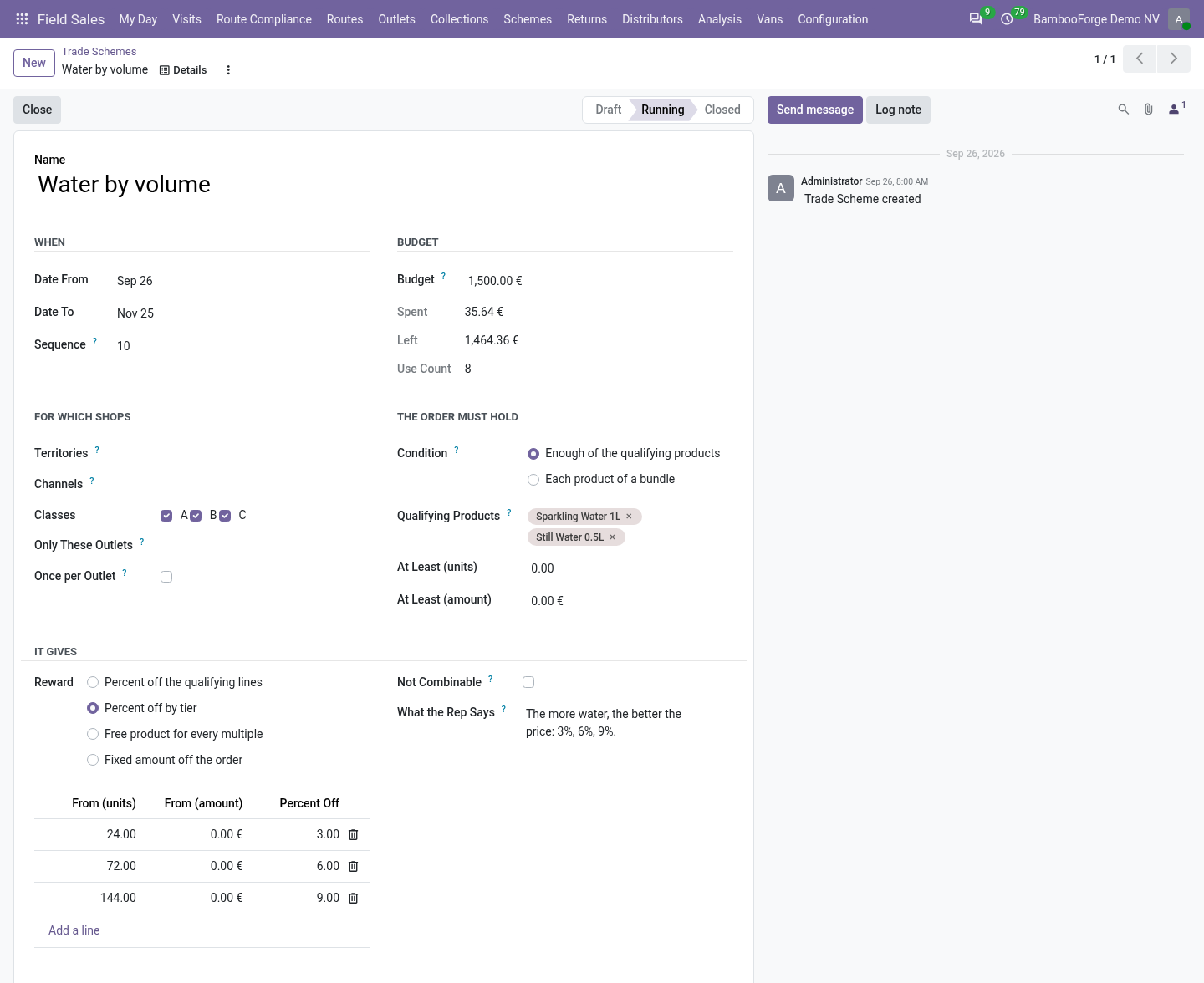
- Field Sales > Schemes > Trade Schemes: the dates, the shops, the condition, the reward, the budget.
- Choose percent off, percent by tier, free product for every multiple, or an amount off.
- Press Start.
Flow 02
On the order
On the phone or in the office.
- The schemes that fit the shop show above the order.
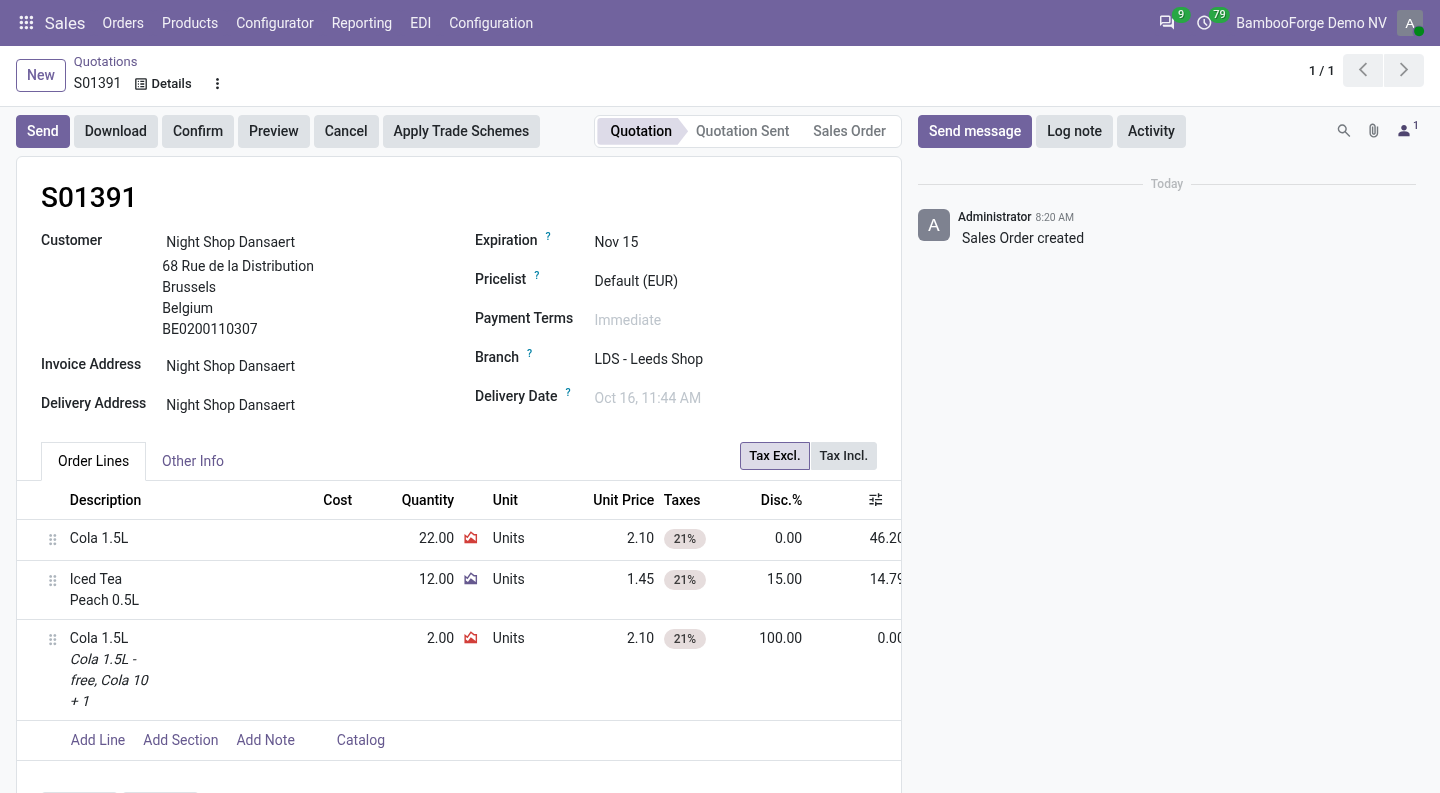
- Placed, each scheme that fits is applied; the rep sees which.
- In the office, Apply Trade Schemes does the same on a quotation.
Price and where to buy
448 EUR, one payment per Odoo series, on the Odoo Apps Store. Pick your series:
Twelve months of support by the people who wrote the code; bug fixes and improvements within the series free for as long as it is published. Report a bug within two months of purchase and, if it is not resolved within fifteen days, you get a full refund. Full source under OPL-1, no licence key, no phone-home. The whole promise.