 BambooForge Labs

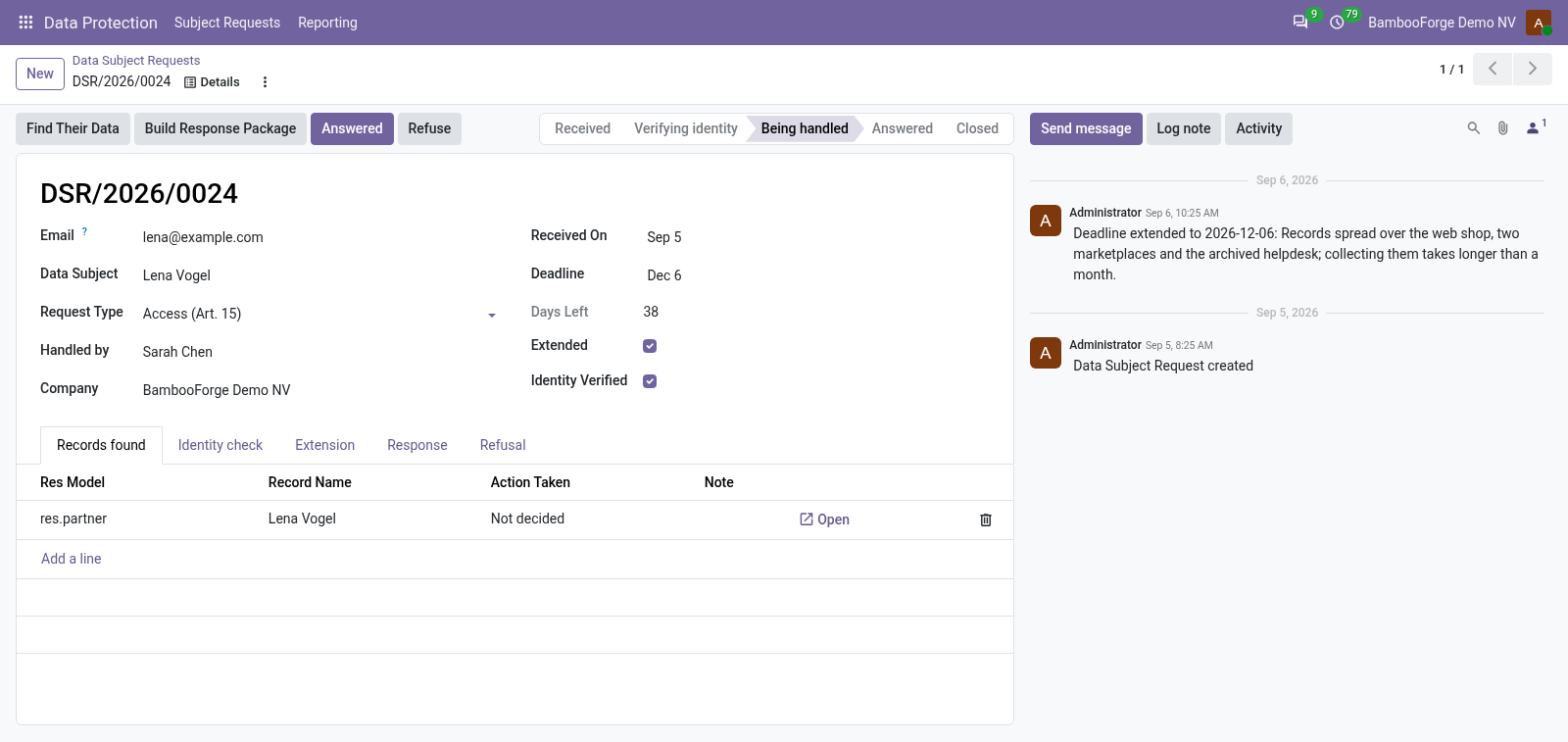
- The clock keptOne month from receipt, two more once with a reason; a to-do a week before, late requests flagged overnight.
- Every record decidedA request is not answered while one record found is still undecided.
- A copy they can openA zip with an index of what was found and one readable file per exported record.
bambooforge_gdpr40 automated checks run before every release of this app, the same suite on every series it ships for. The complete list is in the source you receive; run it yourself with --test-enable.
For the people who decide
What your managers see
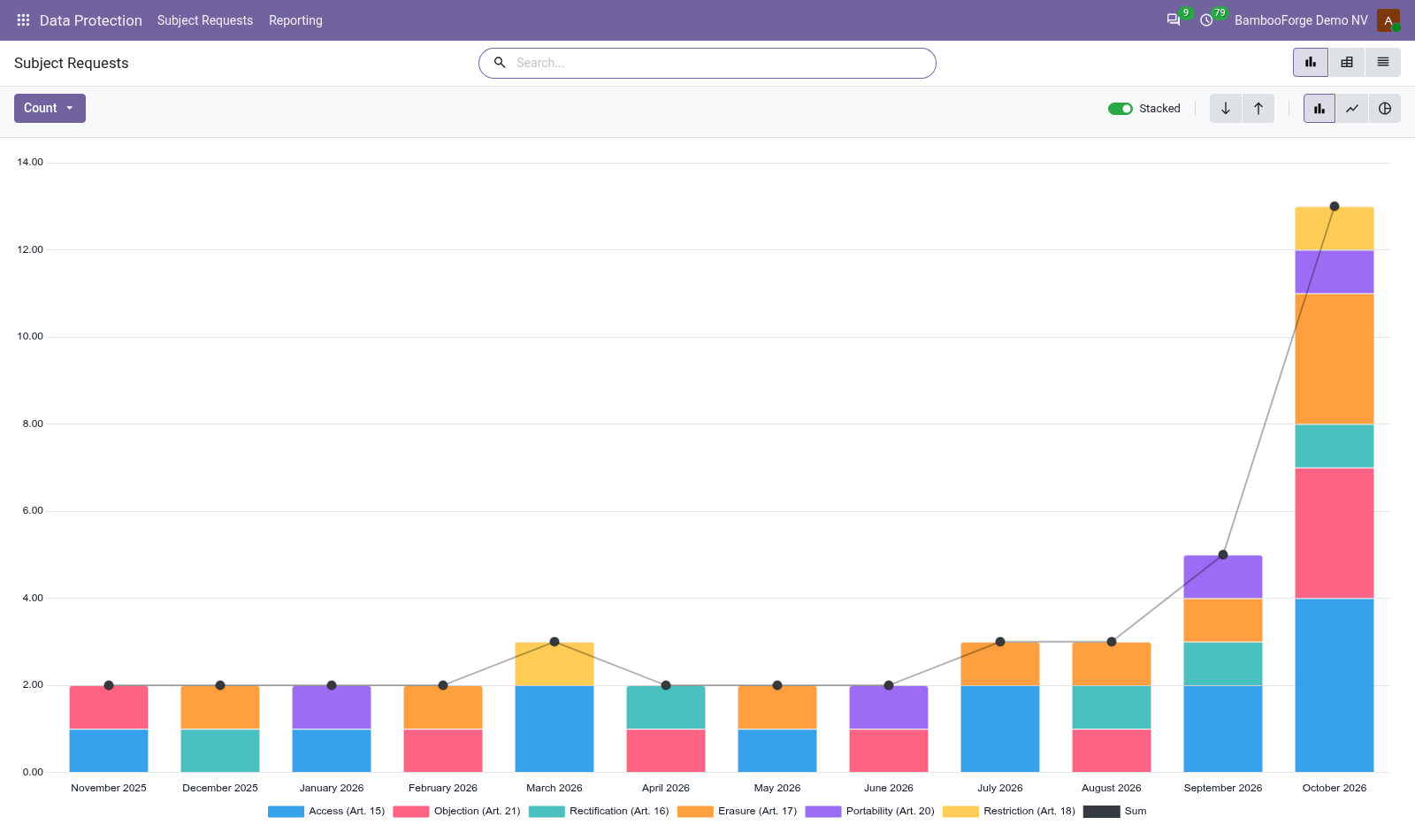
Data Protection > Reporting is the officer's menu. The analysis opens on a chart, with the pivot one click away, and the pivot downloads to Excel from its toolbar.
Subject Requests
requests by right, month, outcome and handler: how many, the average days to answer over the answered ones, the ones answered after the deadline and the ones late now.
The officer sees whether the one-month clock is kept, and shows the board or the authority.
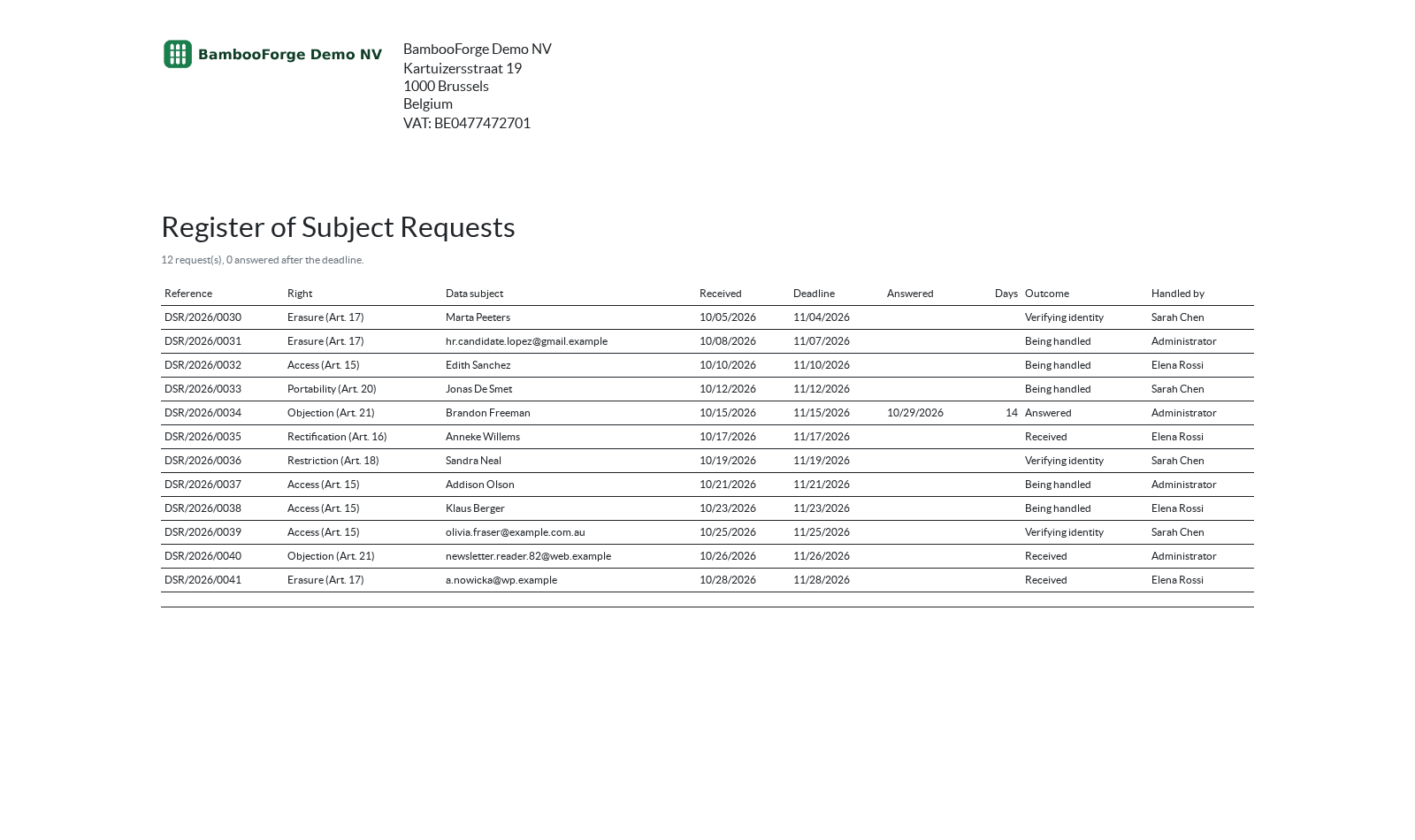
One document prints from the requests, from Print after selecting them:
- Register of Requests: the selected requests in the order they arrived: the reference, the right exercised, the data subject, received, deadline and extension, answered and in how many days, the outcome with the exemption relied on, and who handled it. What was found about the person is not on it.
How you use it
How it is used
Answer an access request
Under Data Protection > Subject Requests.
- Create the request with the address they wrote from and the day received.
- Verify Identity, write how, press Identity Confirmed.
- Find Their Data, decide each record, Build Response Package, Answered.
Keep the clock
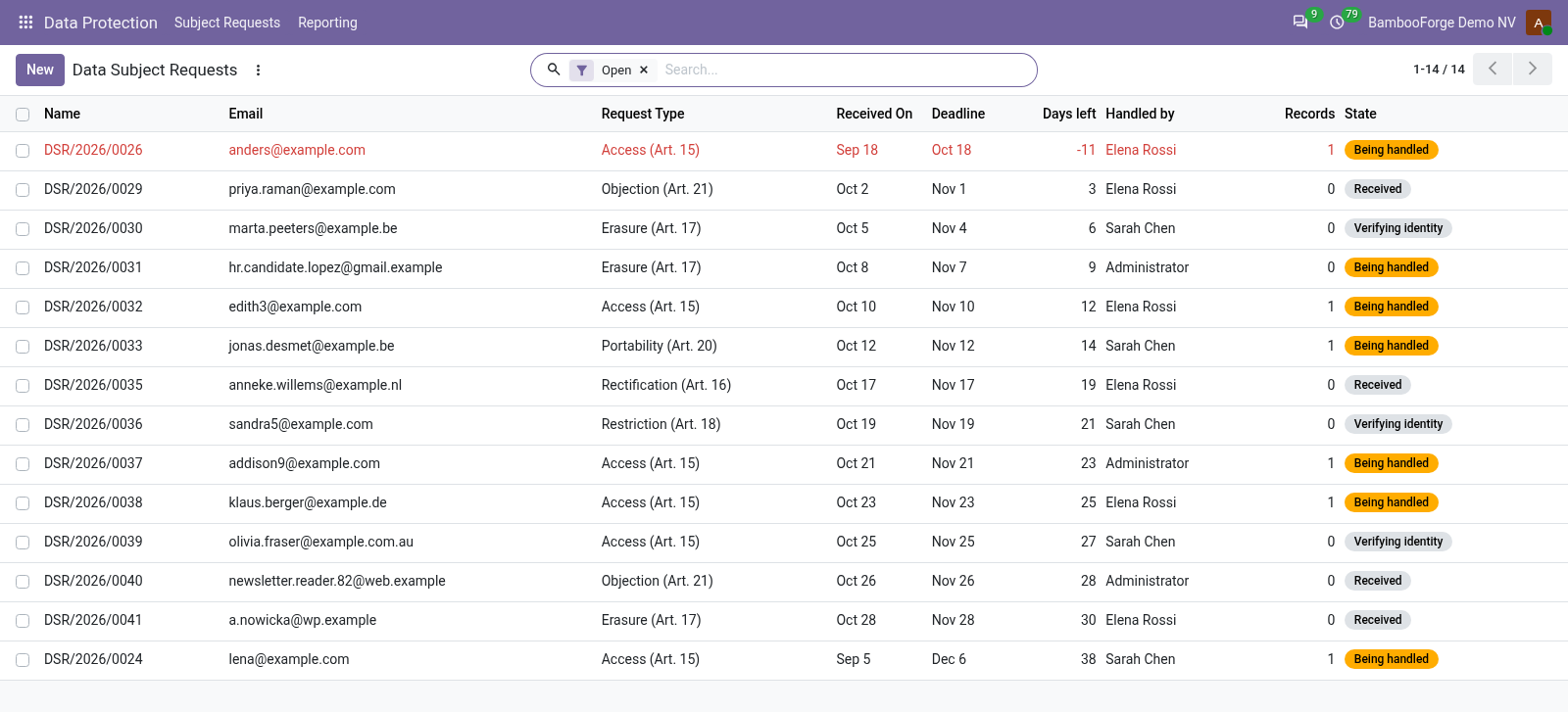
In the list of requests.
- Days left on every request; late ones in red.
- Extend Deadline once, with the reason the person must be told.
- Refuse only with the exemption written down.
Show the figures
Under Data Protection > Reporting.
- Requests by right, month, outcome and handler.
- Average days to answer, and the requests answered late.
- Print the Register of Requests.
Price and where to buy
199 EUR, one payment per Odoo series, on the Odoo Apps Store. Pick your series:
Twelve months of support by the people who wrote the code; bug fixes and improvements within the series free for as long as it is published. Report a bug within two months of purchase and, if it is not resolved within fifteen days, you get a full refund. Full source under OPL-1, no licence key, no phone-home. The whole promise.