 BambooForge Labs

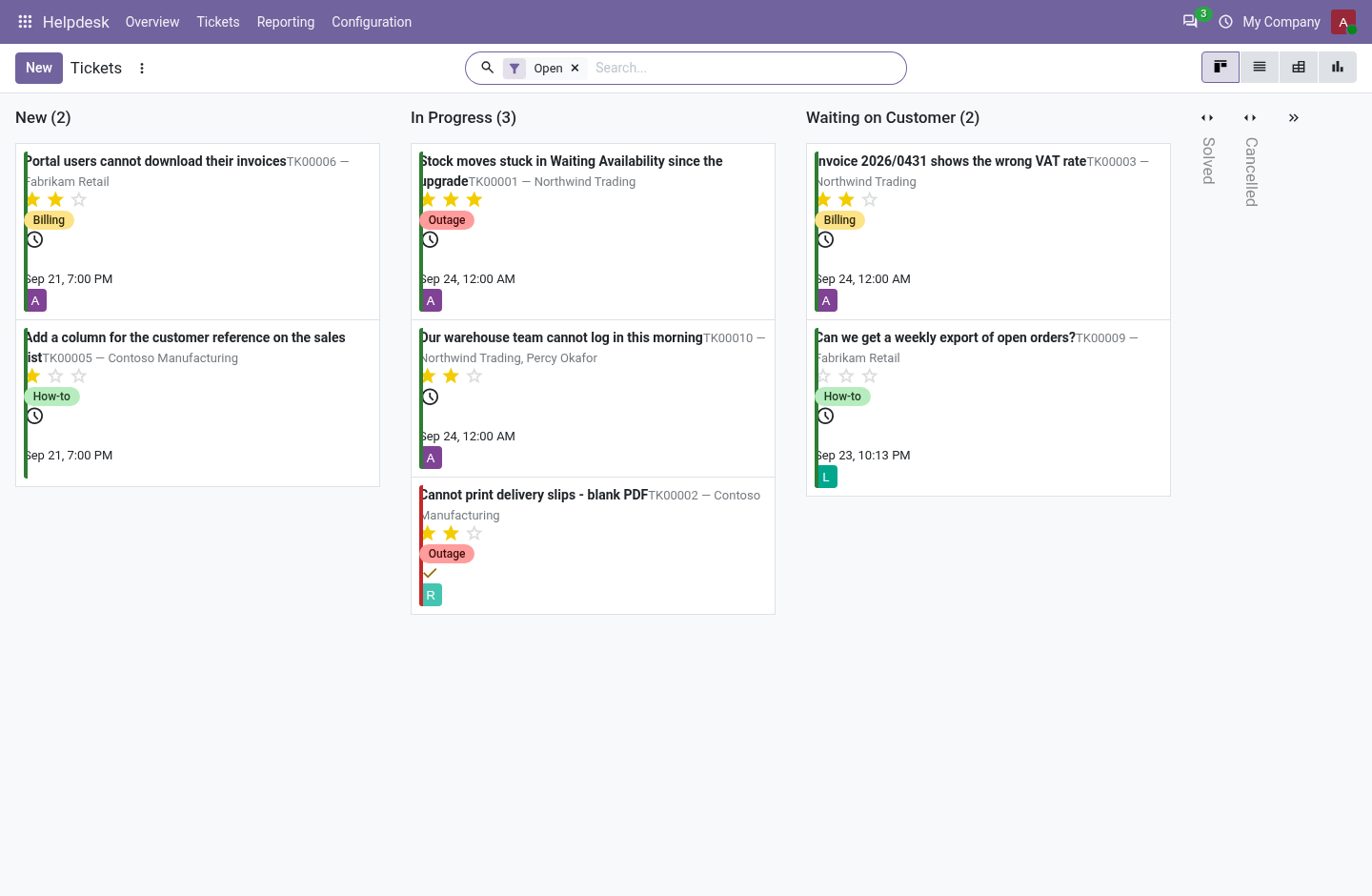
- Targets in working hoursA first reply and a close, each within working hours on the team's calendar. Waiting on the customer pauses the clock and gives the time back.
- A miss lands on a personEvery 15 minutes a target past its deadline is marked missed once, with an activity for the escalation user or the team leader.
- The customer sees the conversationOn the portal, without the internal notes; they answer, close their own ticket and open a new one, but never set the priority.
Runs onOdoo 16 to 20Community or Enterprise, self-hosted or Odoo.sh
NeedsOdoo onlyno Enterprise module
Price149 EURone-time, per series, on the Odoo Apps Store
Demodemo20.bambooforge.devlogin page already filled in
Supportsupport@bambooforge.devfirst reply within one business day
Version20.0.1.2.3
bambooforge_helpdesk110 automated checks run before every release of this app, the same suite on every series it ships for. The complete list is in the source you receive; run it yourself with --test-enable.
How you use it
How the desk works
Flow 01
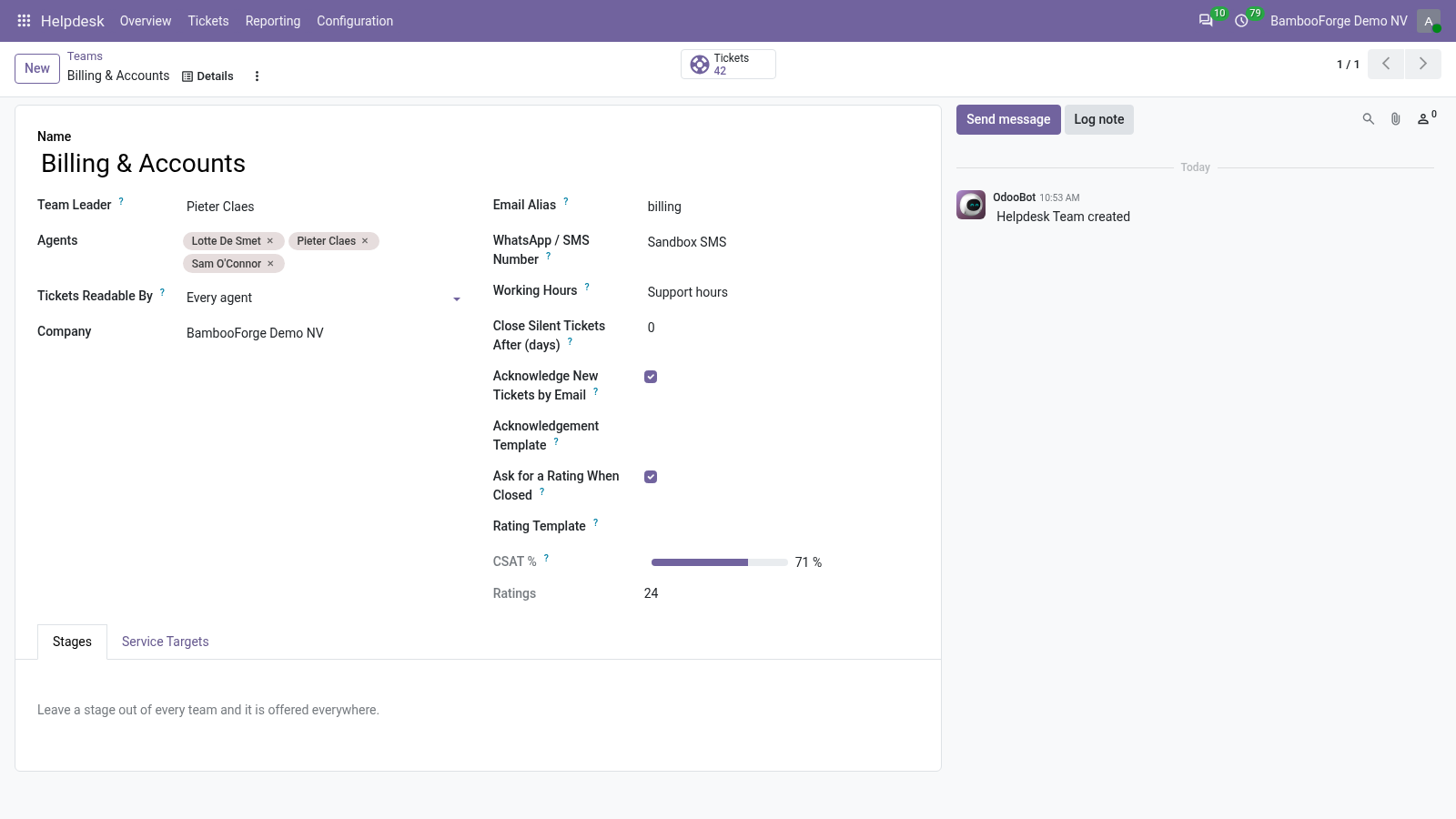
Set up a team
For the team leader, once.
- Helpdesk > Configuration > Teams: the leader, the agents, who may read the tickets.
- Type the mail alias and choose the working hours.
- Tick the receipt by mail and the rating request, or leave them off.
- On the Service Targets tab: what, within how many working hours, for which tickets.
Flow 02
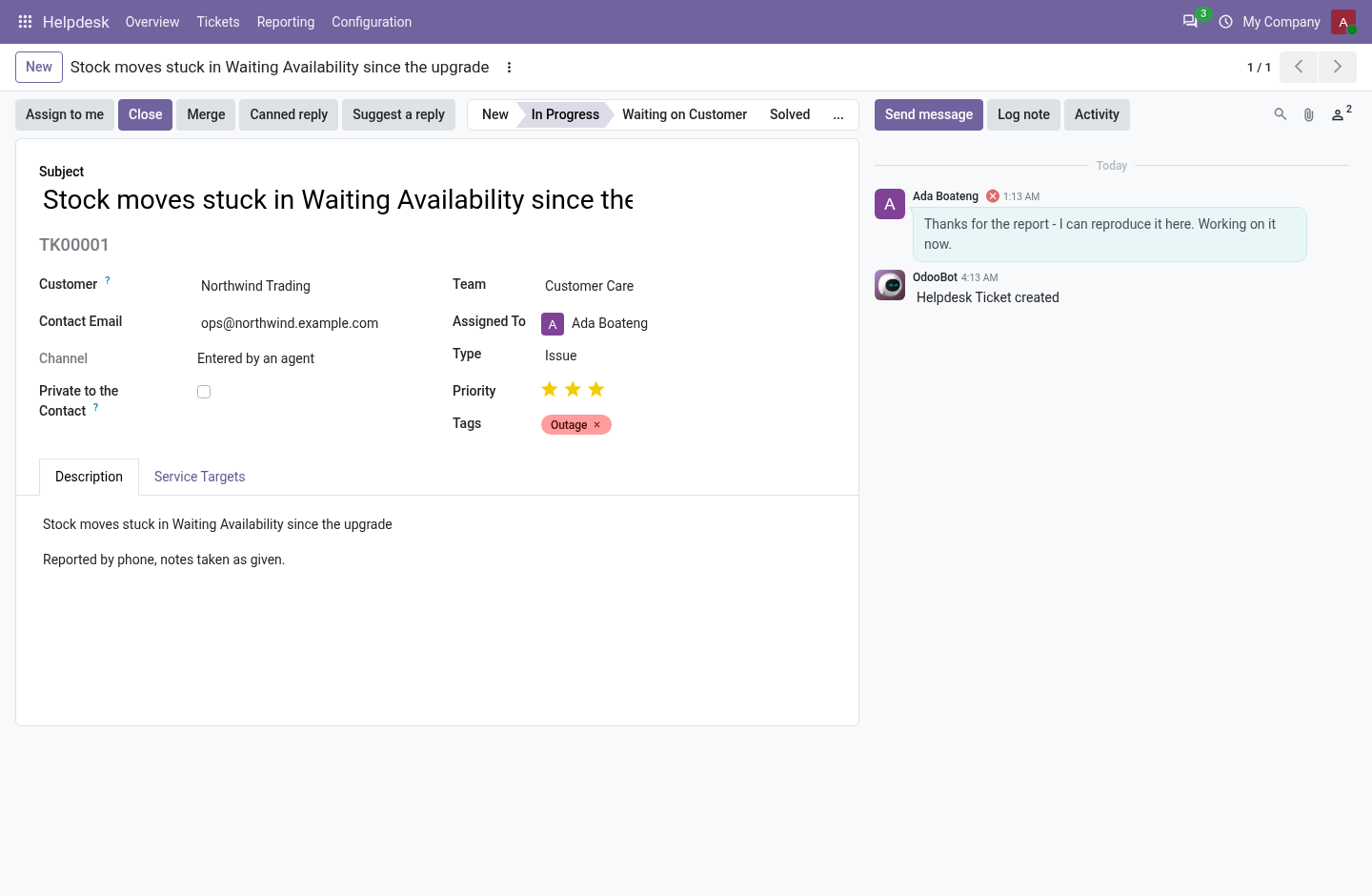
Work a ticket
For the agent.
- Helpdesk > Tickets opens on the open tickets, by stage.
- Assign to me, then answer in the chatter: a note is internal and is not an answer.
- Waiting for the customer? Move it to Waiting on Customer: the clock stops.
- Close, with a reason when the stage asks for one.
Flow 03
Keep the promise
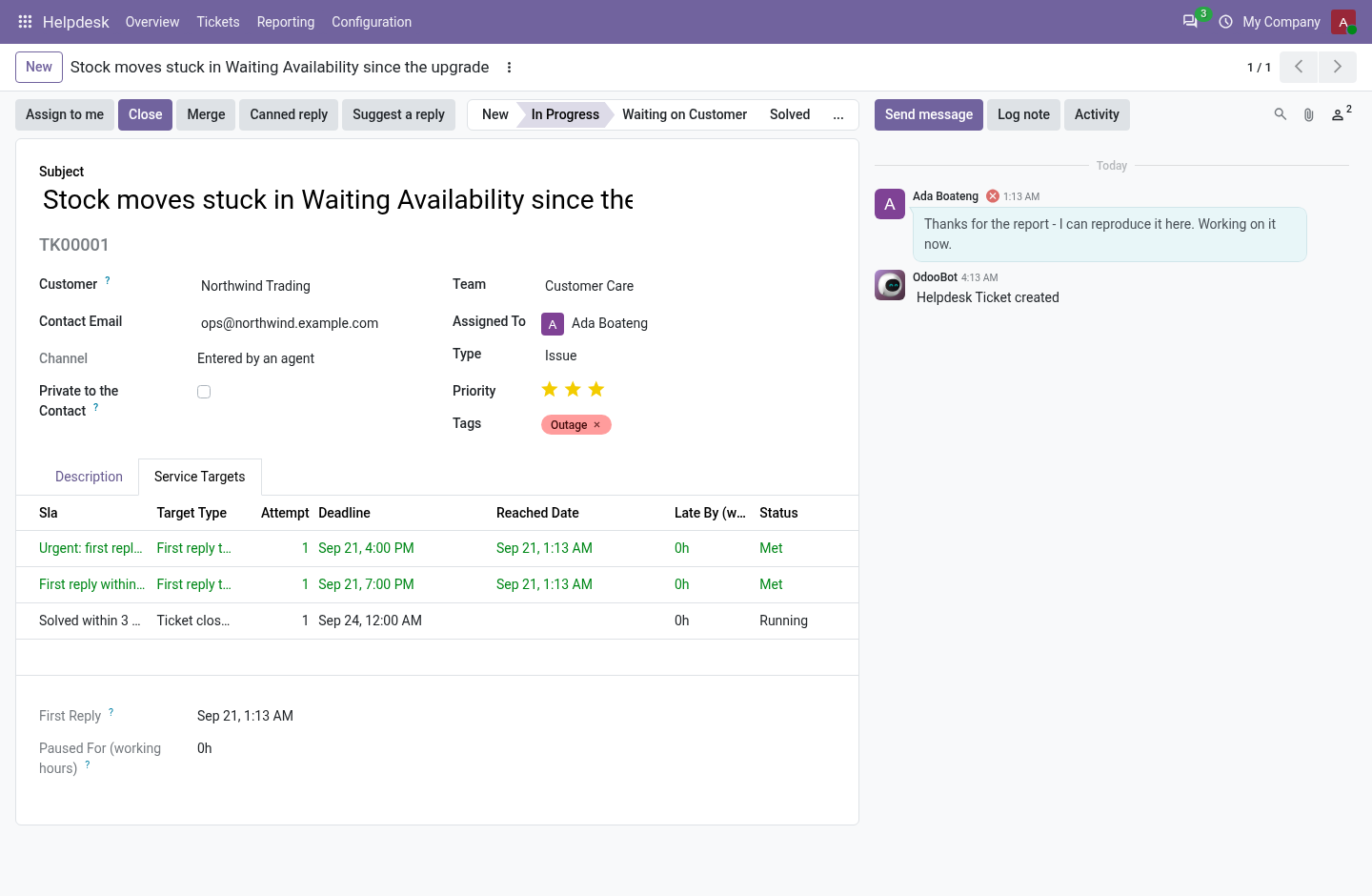
For the team leader.
- The Service Targets tab lists each target, its deadline, when it stopped and whether it was met.
- A missed target turns the ticket red and gives an activity to somebody by name.
- Helpdesk > Reporting > Tickets: by team and target, by week and stage.
Flow 04
Answer faster
For the agent.
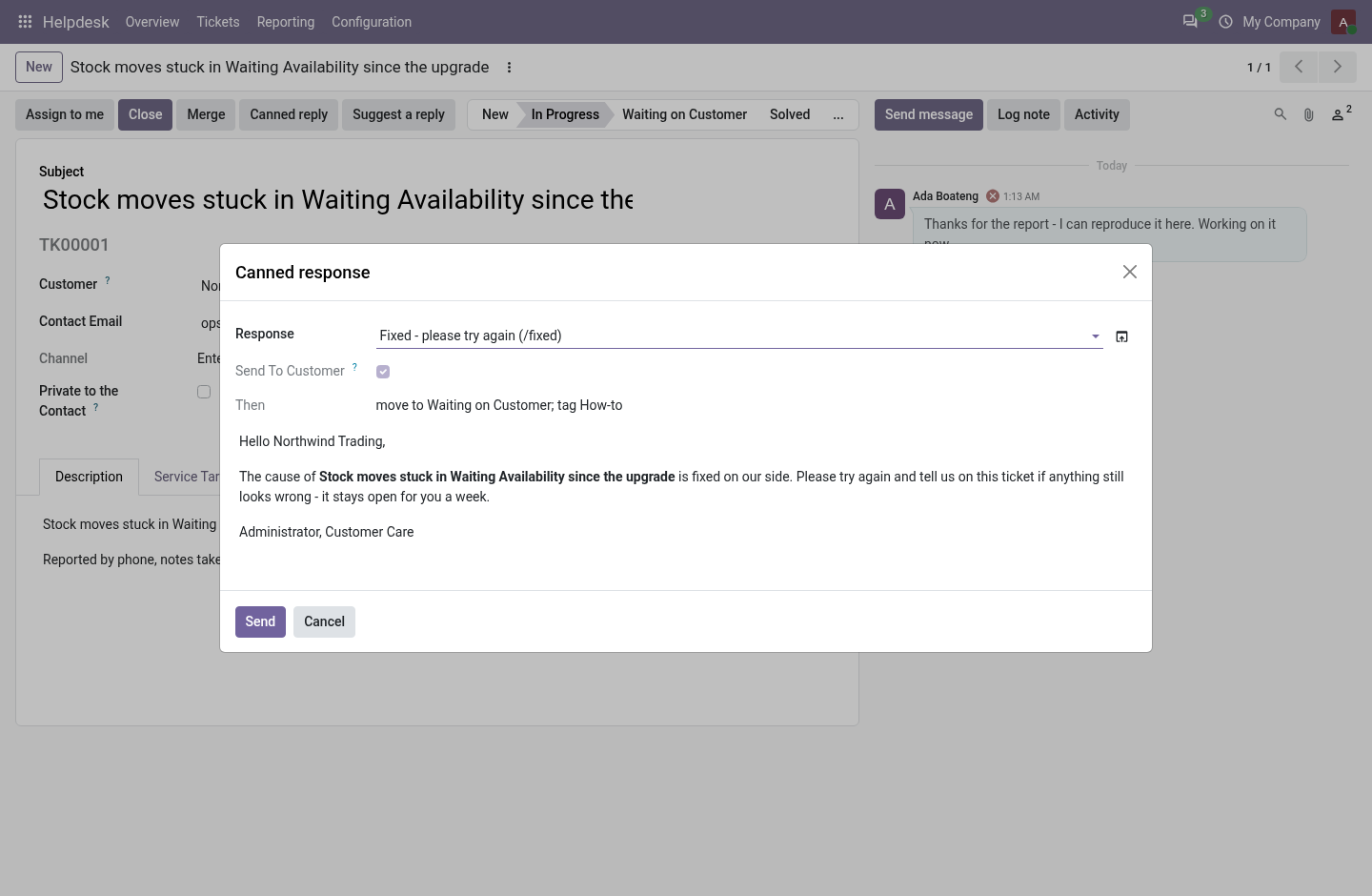
- Canned reply: an answer written once, filled in for this ticket, edited before it goes.
- Its macro moves, tags or closes the ticket after sending.
- Suggest a reply: the last answer given on a similar solved ticket, as a draft.
Flow 05
The customer's side
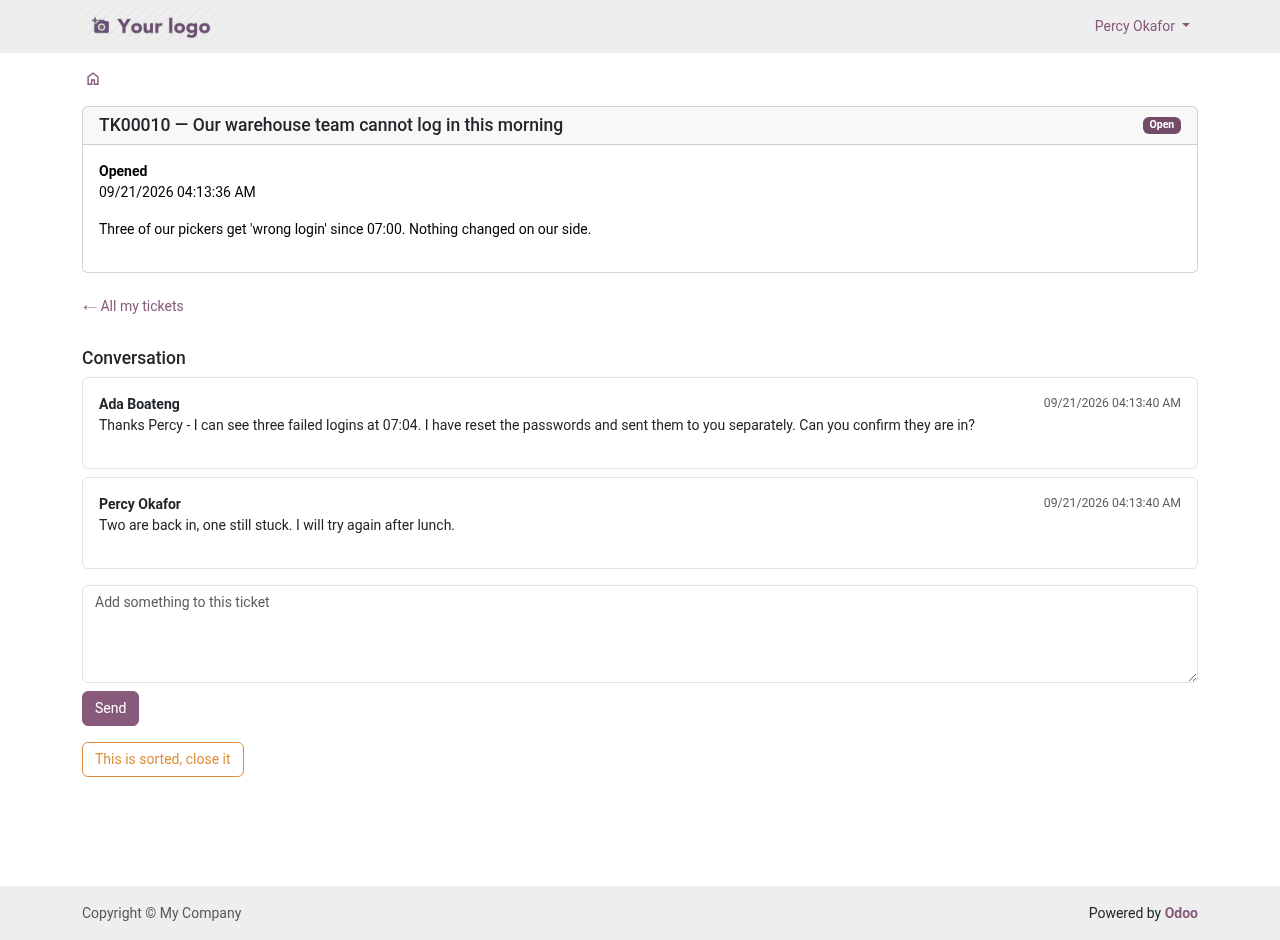
For the customer, on the portal.
- Support Tickets lists their tickets and, unless private, their company's.
- A ticket shows the conversation without internal notes, and a box to answer.
- The contact named on it can close it; New ticket opens another.
Price and where to buy
149 EUR, one payment per Odoo series, on the Odoo Apps Store. Pick your series:
Twelve months of support by the people who wrote the code; bug fixes and improvements within the series free for as long as it is published. Report a bug within two months of purchase and, if it is not resolved within fifteen days, you get a full refund. Full source under OPL-1, no licence key, no phone-home. The whole promise.