 BambooForge Labs

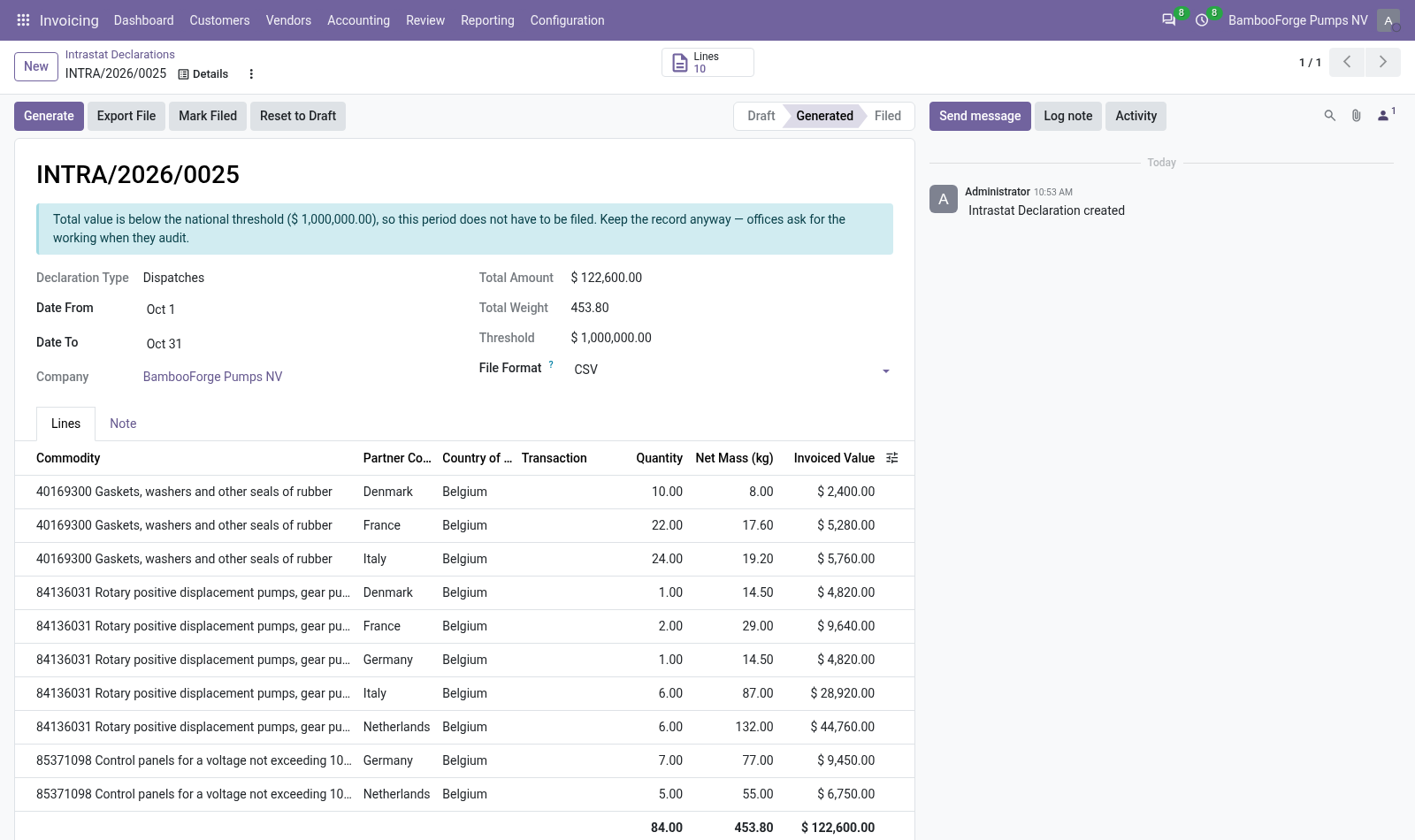
- Both directions, both filingsArrivals and dispatches as separate declarations, and the EC Sales List of what you invoiced to VAT numbers in other member states.
- What is missing, listedProducts without a commodity code are named on the declaration, and the file waits until they have one.
- Two rolesOne user prepares and exports; another, with the filing right, marks the period filed.
Runs onOdoo 16 to 20Community or Enterprise, self-hosted or Odoo.sh
NeedsInvoicingno Enterprise module
Price199 EURone-time, per series, on the Odoo Apps Store
Demodemo20.bambooforge.devlogin page already filled in
Supportsupport@bambooforge.devfirst reply within one business day
Version20.0.1.2.2
bambooforge_intrastat48 automated checks run before every release of this app, the same suite on every series it ships for. The complete list is in the source you receive; run it yourself with --test-enable.
How you use it
Three things you do with it
Flow 01
Set it up
Once per company.
- Invoicing > Configuration > Settings, Intrastat & EC Sales List: default nature, transport mode and thresholds.
- Add the commodity codes you trade under, and set one on each product with its country of origin and weight.
- Give the two rights: Prepare declarations, File declarations.
Flow 02
Prepare a month
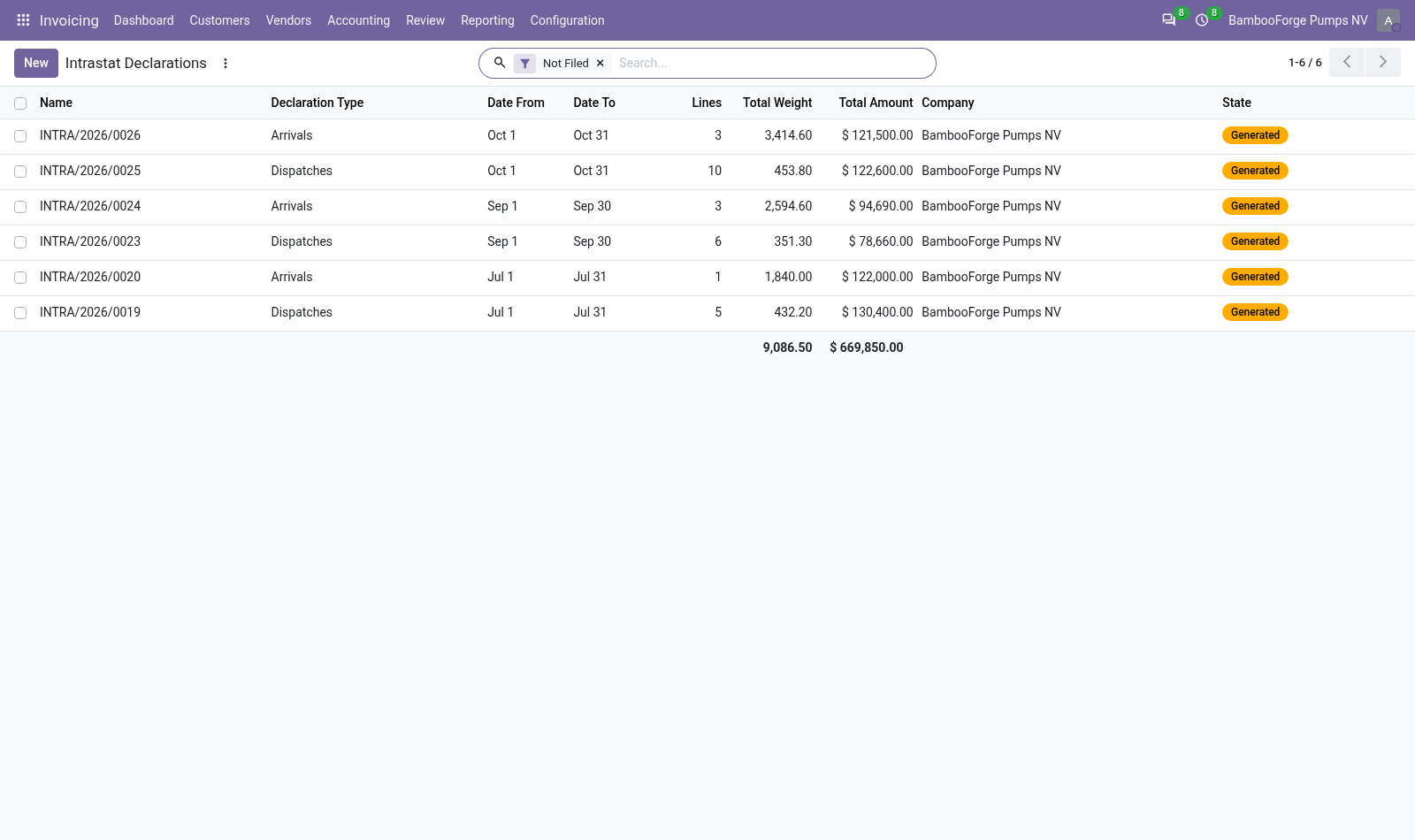
The scheduled action opens last month's two declarations.
- Invoicing > Reporting > EU Declarations > Intrastat: open the month, or create it.
- Press Generate, read the lines and the products listed without a code.
- Choose CSV or INSTAT XML and press Export File.
- Once filed, the filing role presses Mark Filed.
Flow 03
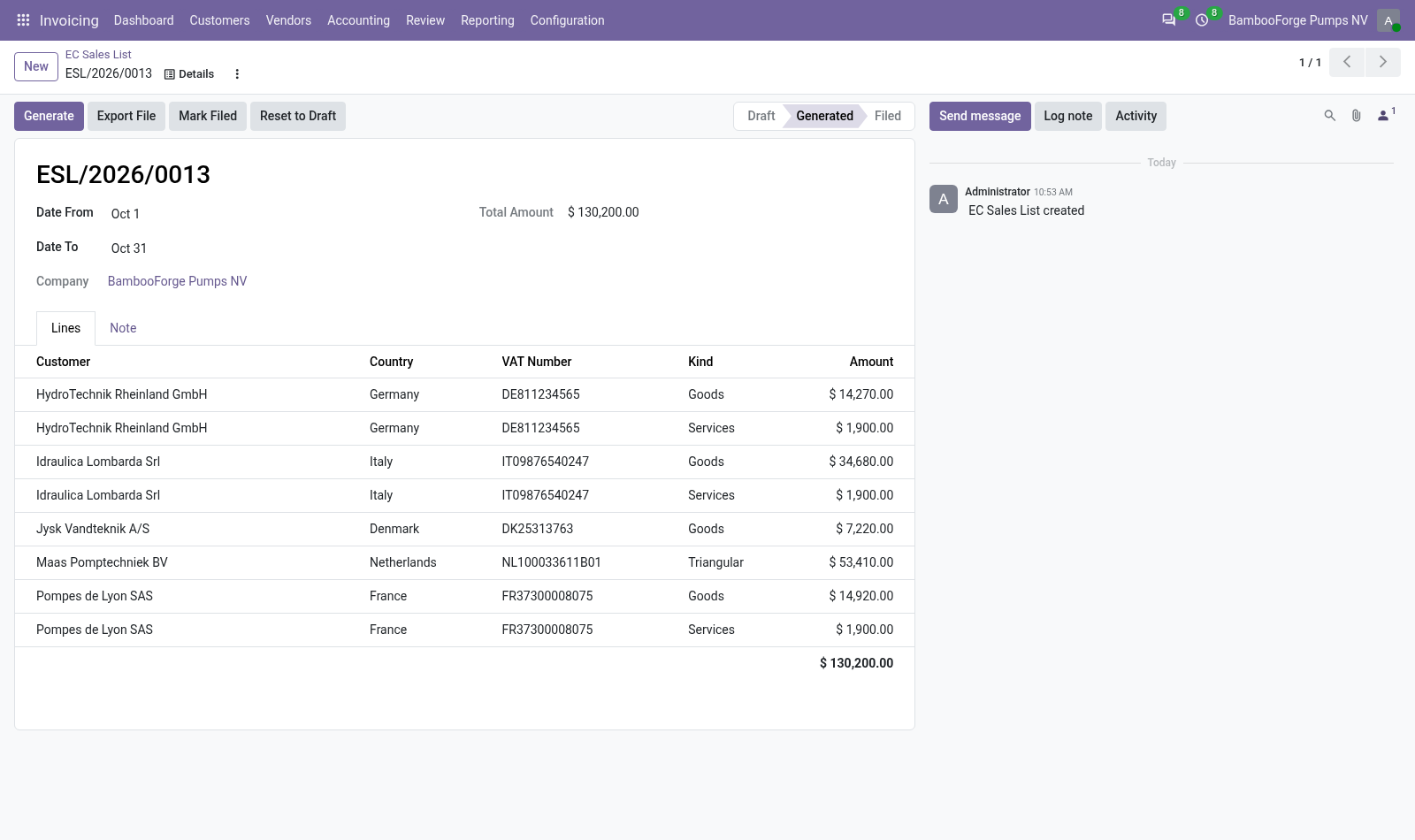
Prepare the EC Sales List
For the same or another period.
- Invoicing > Reporting > EU Declarations > EC Sales List > New: choose the first day.
- Press Generate: one line per customer and kind, goods, services or triangular.
- Read the box of customers without a VAT number, left off the list.
- Press Export File and download the CSV.
Price and where to buy
199 EUR, one payment per Odoo series, on the Odoo Apps Store. Pick your series:
Twelve months of support by the people who wrote the code; bug fixes and improvements within the series free for as long as it is published. Report a bug within two months of purchase and, if it is not resolved within fifteen days, you get a full refund. Full source under OPL-1, no licence key, no phone-home. The whole promise.