 BambooForge Labs

- Priced off the rate in forceA sale is confirmed only at the rate that is the rate; past its minutes it is repriced.
- Old gold tested firstAn old gold lot with no test stops the sale.
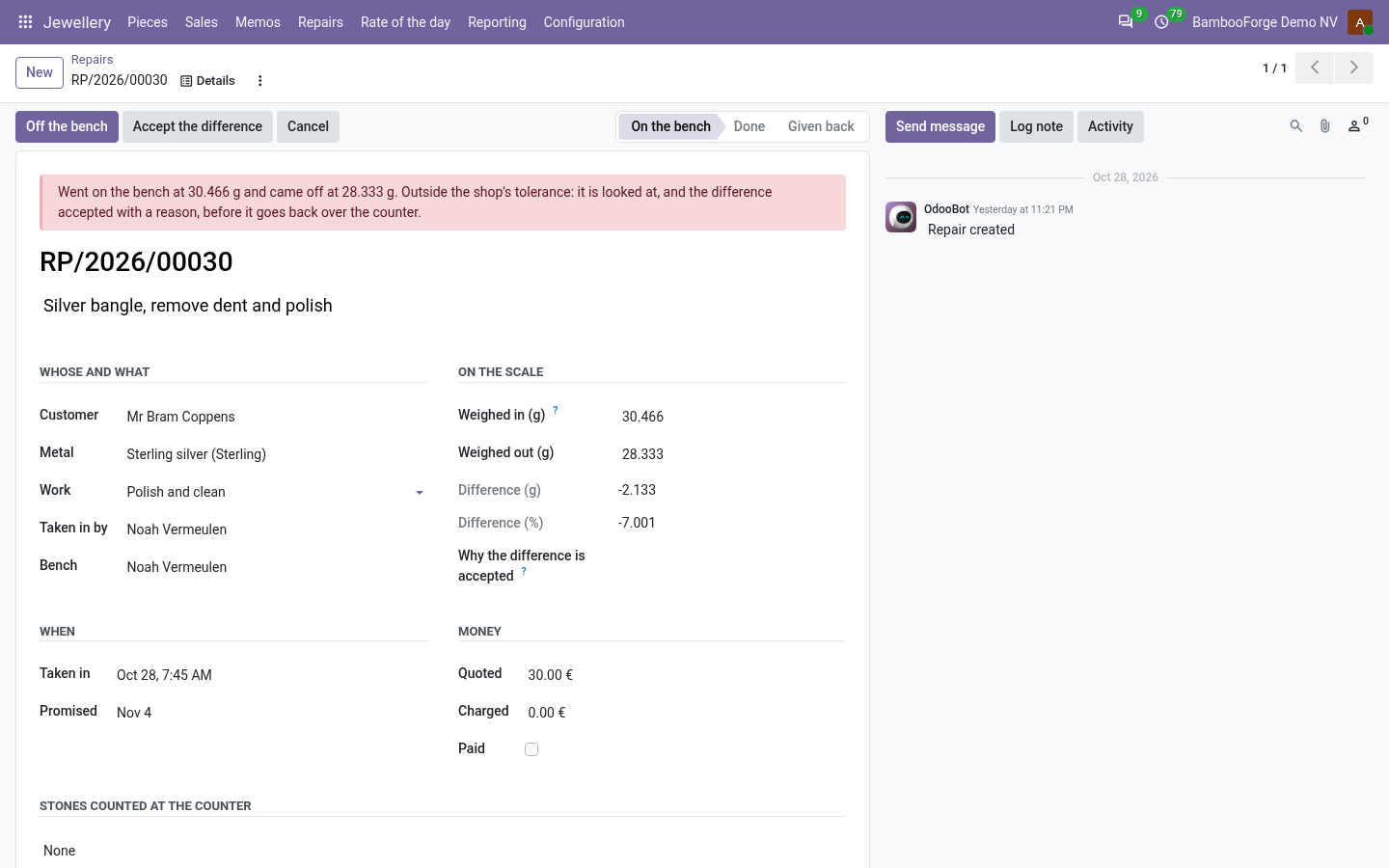
- Repairs weighed both waysOutside the shop's tolerance, the owner accepts the difference with a reason.
bambooforge_jewellery156 automated checks run before every release of this app, the same suite on every series it ships for. The complete list is in the source you receive; run it yourself with --test-enable.
For the people who decide
What your managers see
Jewellery > Reporting is the shop owner's menu. Each analysis opens on a chart, with the pivot one click away, and the pivot downloads to Excel from its toolbar.
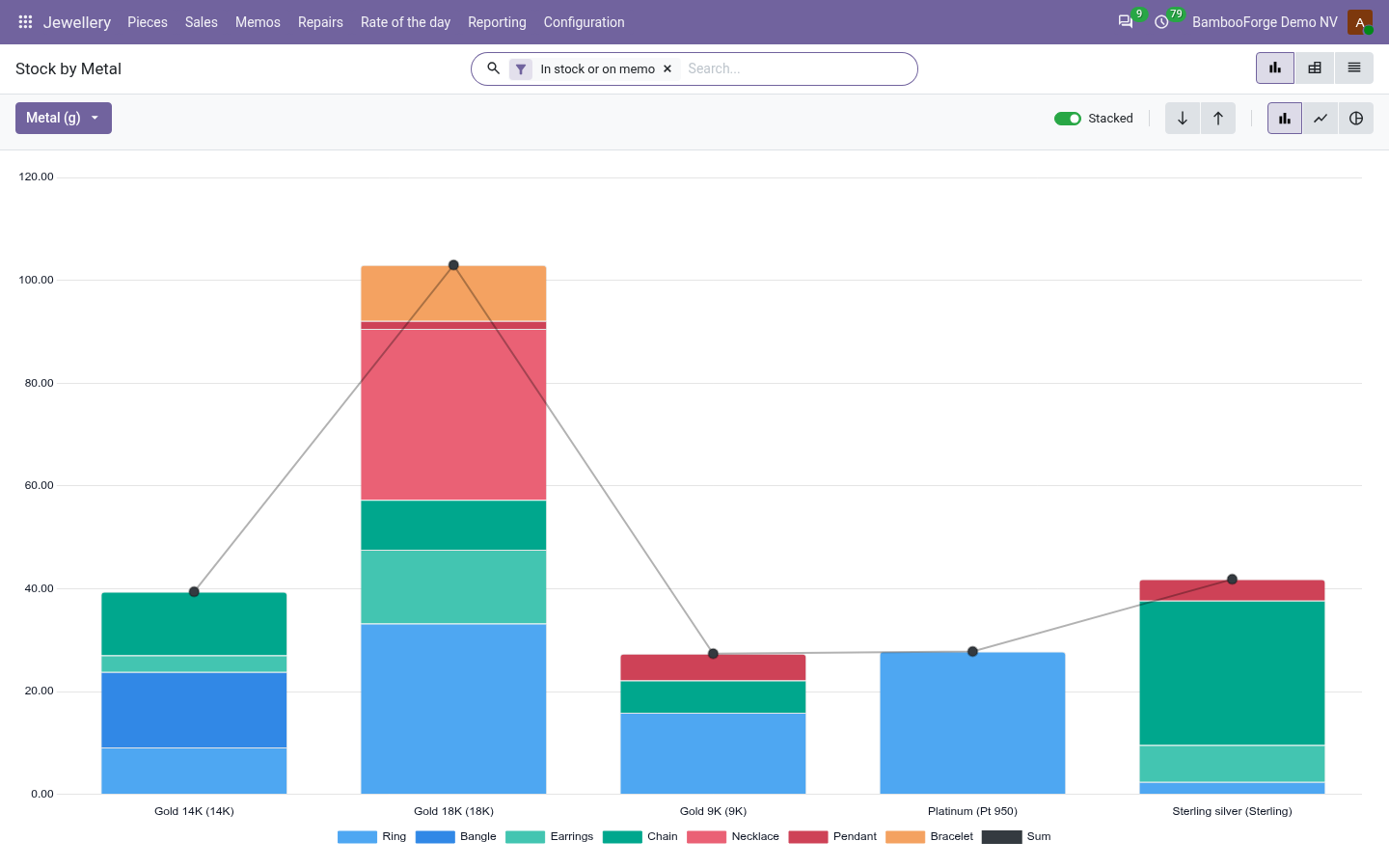
Stock by Metal
the pieces in the shop and out on memo by metal and category: gross, metal and pure weight in grams.
The owner sees how much metal sits in the window.
Sales by Metal
grams sold by metal, salesperson and month, and what the metal, the making and the stones brought in.
The owner sees what the making earns beside the metal.
Repairs
repairs by work, bench and month: quoted, charged and the weight lost on the bench.
The owner sees which bench loses weight.
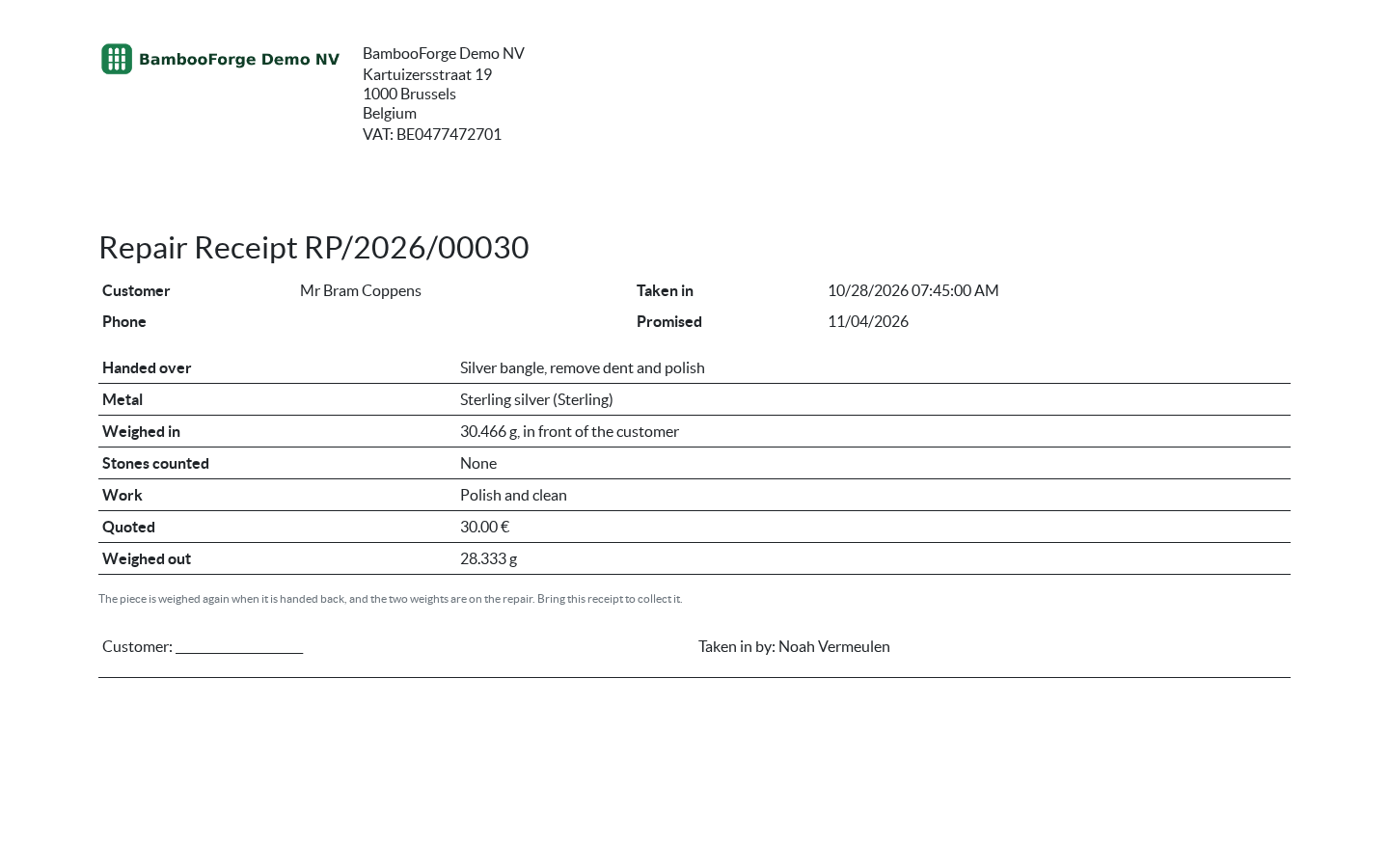
One document prints from the repair, from Print:
- Repair Receipt: the customer's receipt: what was handed over, the metal, the weight in, the stones counted, the work, the promised day and the quote, and the weight out once it is off the bench.
How you use it
At the counter and at the bench
Tag a piece
For the shop owner.
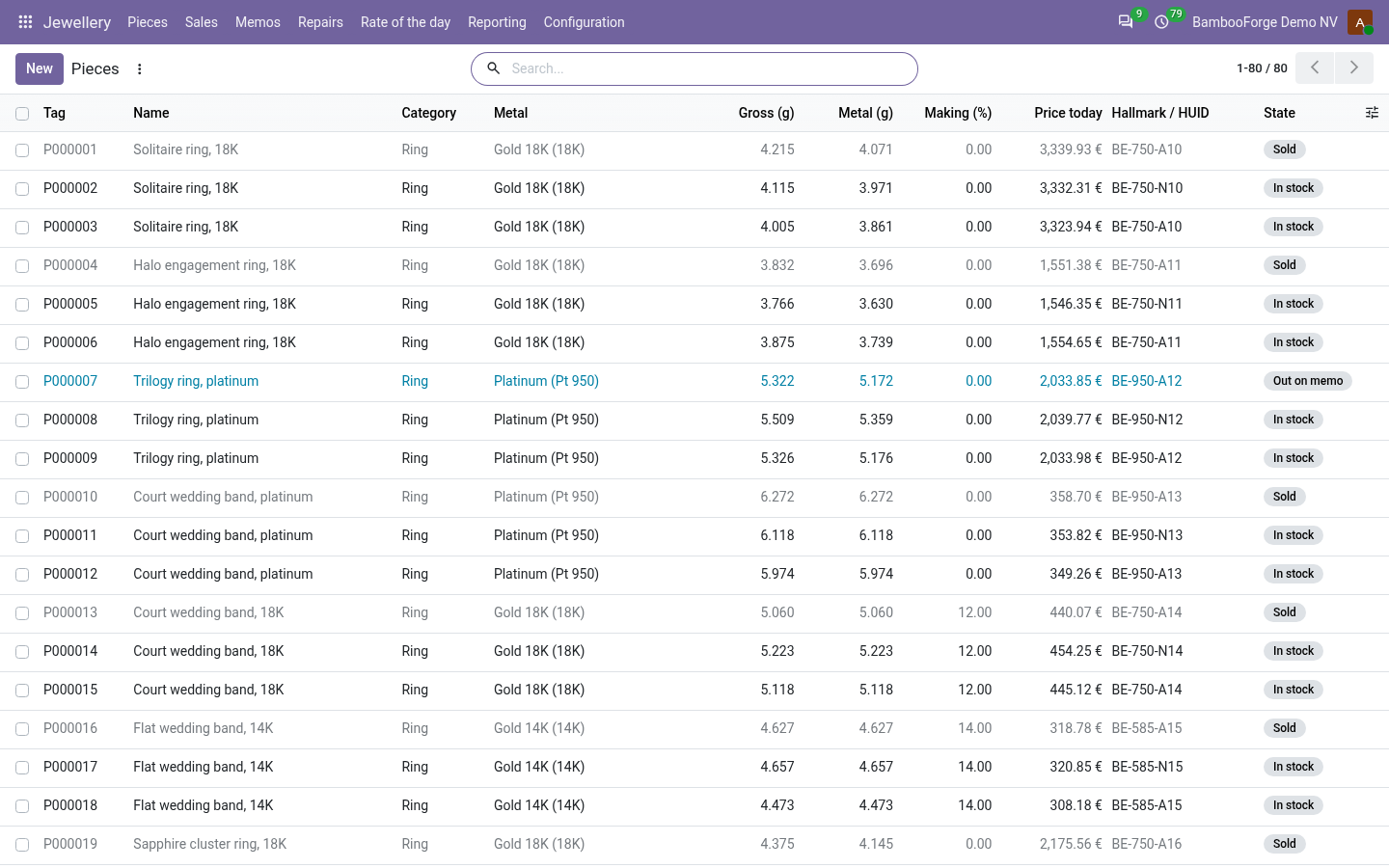
- Jewellery > Pieces > New: metal, gross weight, stones, hallmark, making and wastage.
- Metal weight is the gross less the stones; the price follows the rate in force.
- Into stock; Price it shows the price of the minute.
Sell it, with old gold taken in
For the counter.
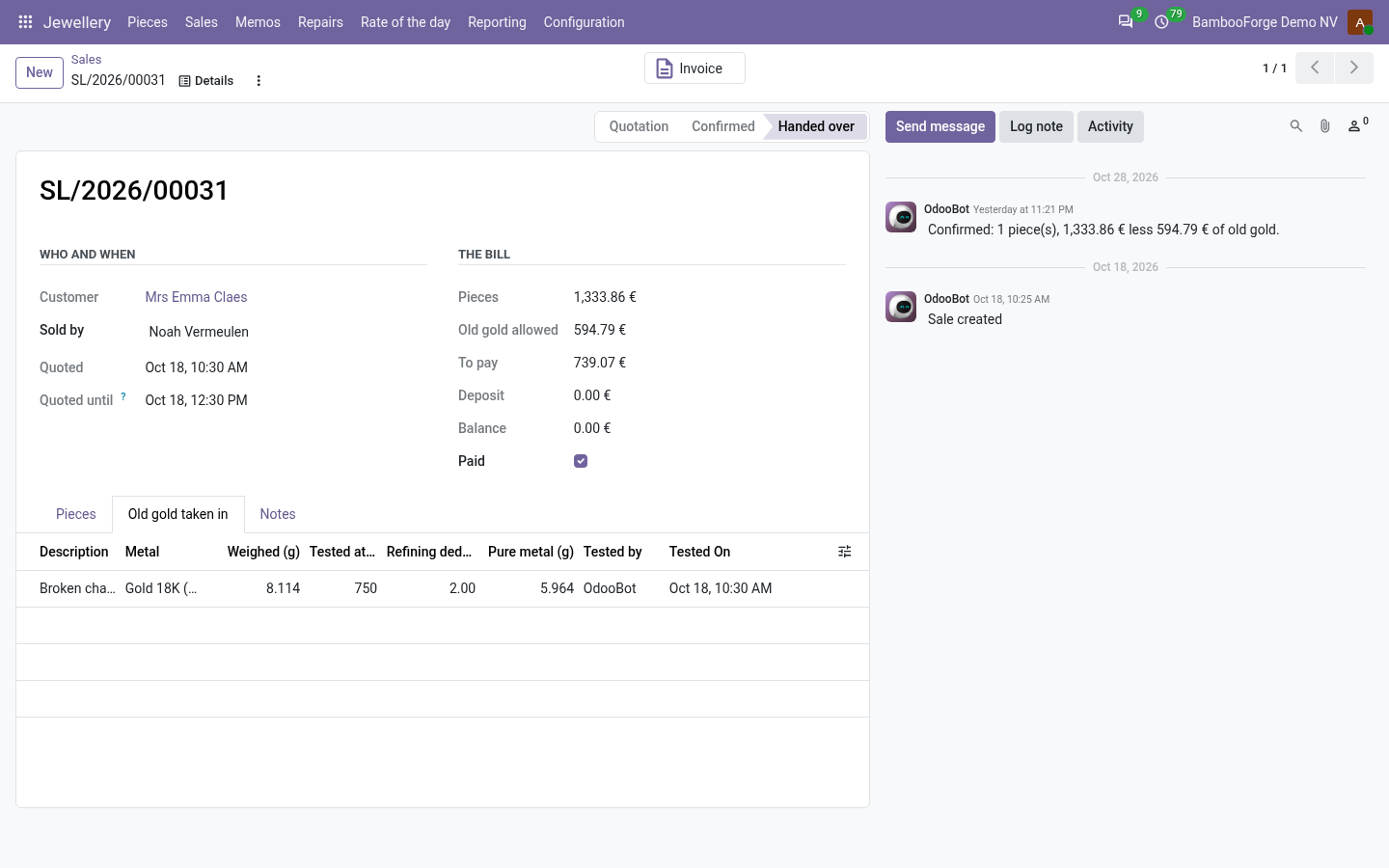
- Jewellery > Sales > New: the pieces, priced at the rate in force.
- Old gold: weigh it, press Tested once the fineness is measured.
- Confirm, then Paid and Hand it over; the owner raises the invoice.
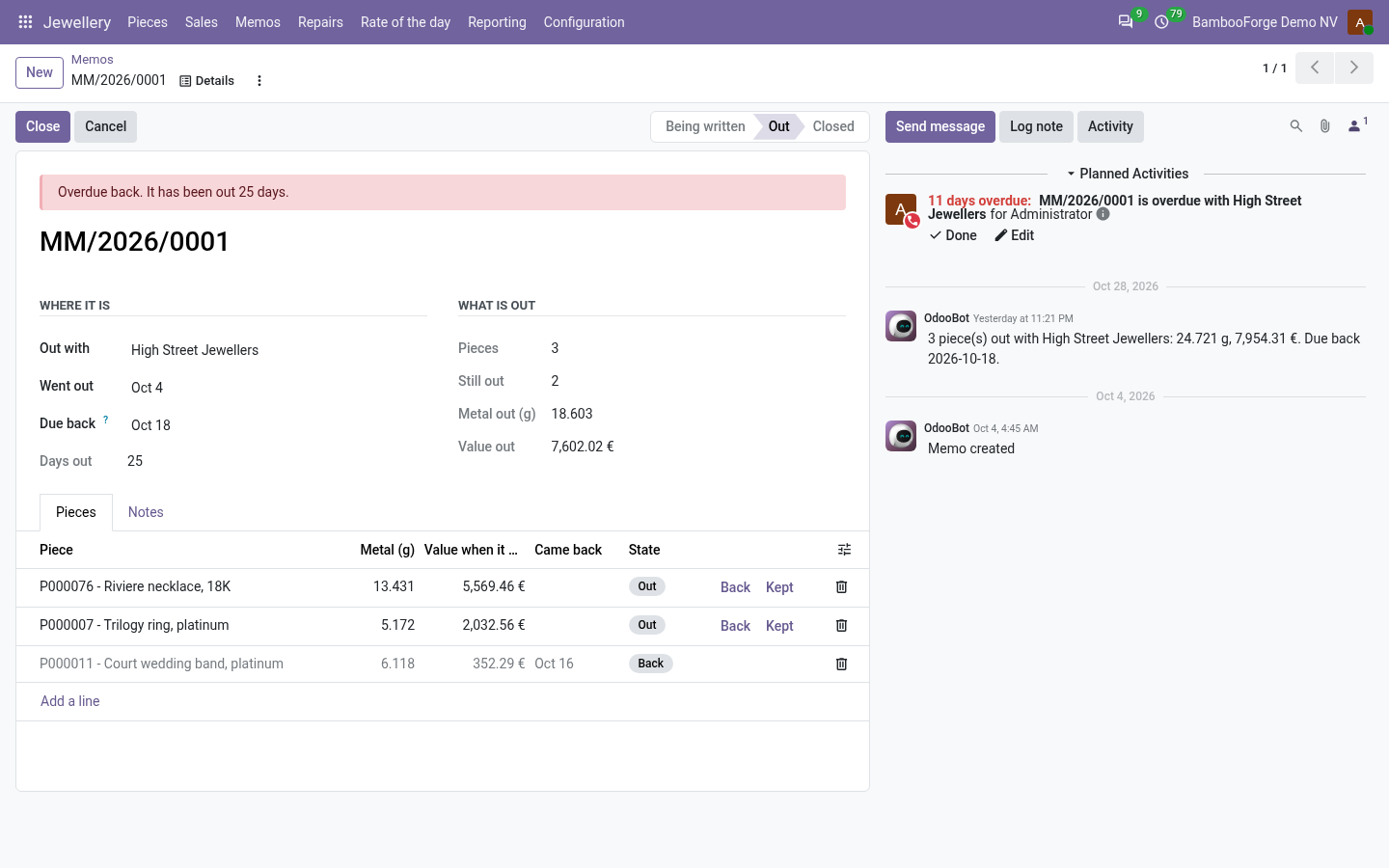
Send stock out on memo
For the shop owner.
- Jewellery > Memos > New: who the pieces go to.
- Send it out; per piece, Back or Kept.
- A daily job asks for overdue memos back.
Take a repair in
For the counter.
- Jewellery > Repairs > New: weight in and the stones counted in front of the customer.
- Off the bench with the weight out, compared with the tolerance.
- Given back once it is paid; print the Repair Receipt.
Price and where to buy
139 EUR, one payment per Odoo series, on the Odoo Apps Store. Pick your series:
Twelve months of support by the people who wrote the code; bug fixes and improvements within the series free for as long as it is published. Report a bug within two months of purchase and, if it is not resolved within fifteen days, you get a full refund. Full source under OPL-1, no licence key, no phone-home. The whole promise.