 BambooForge Labs

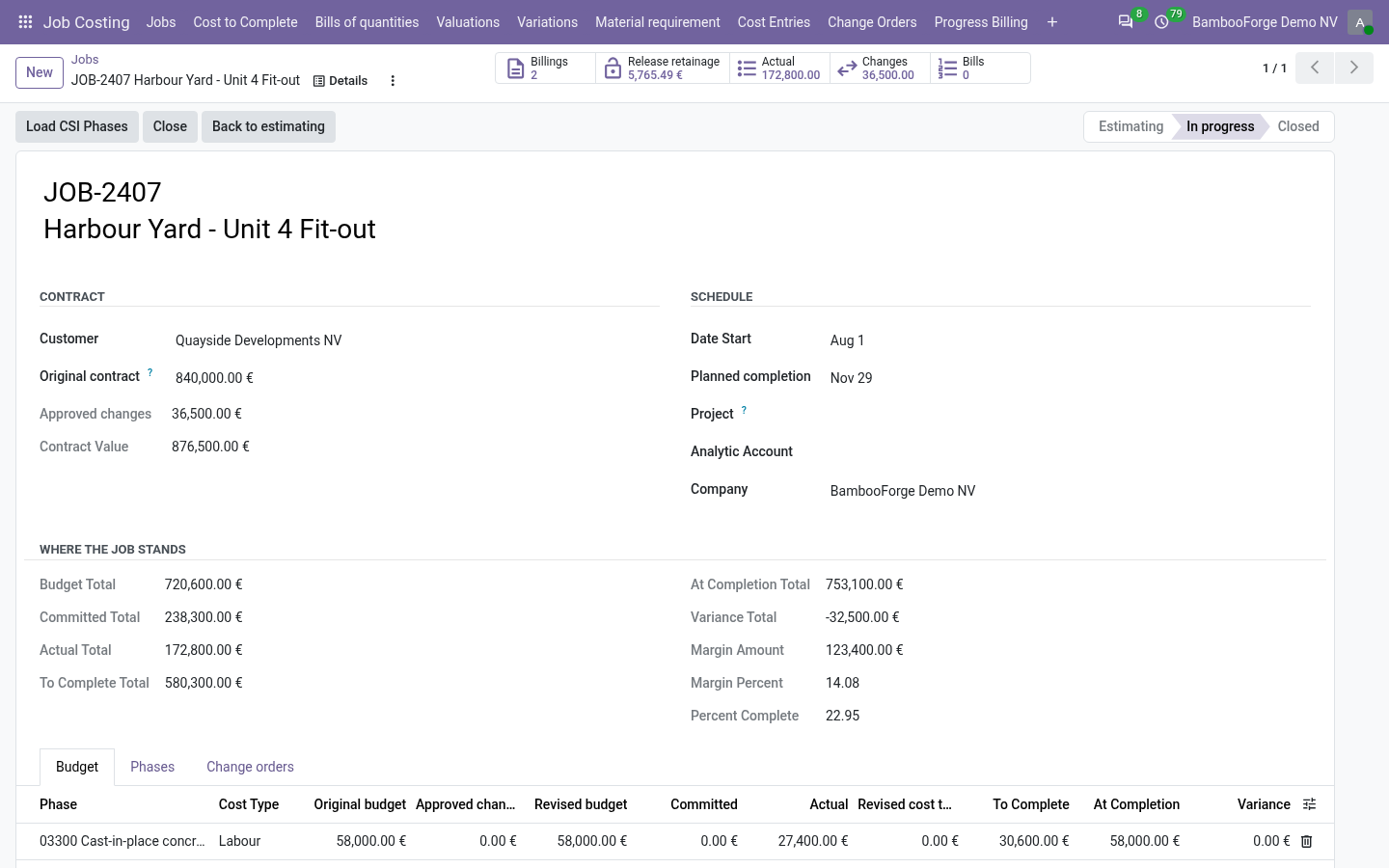
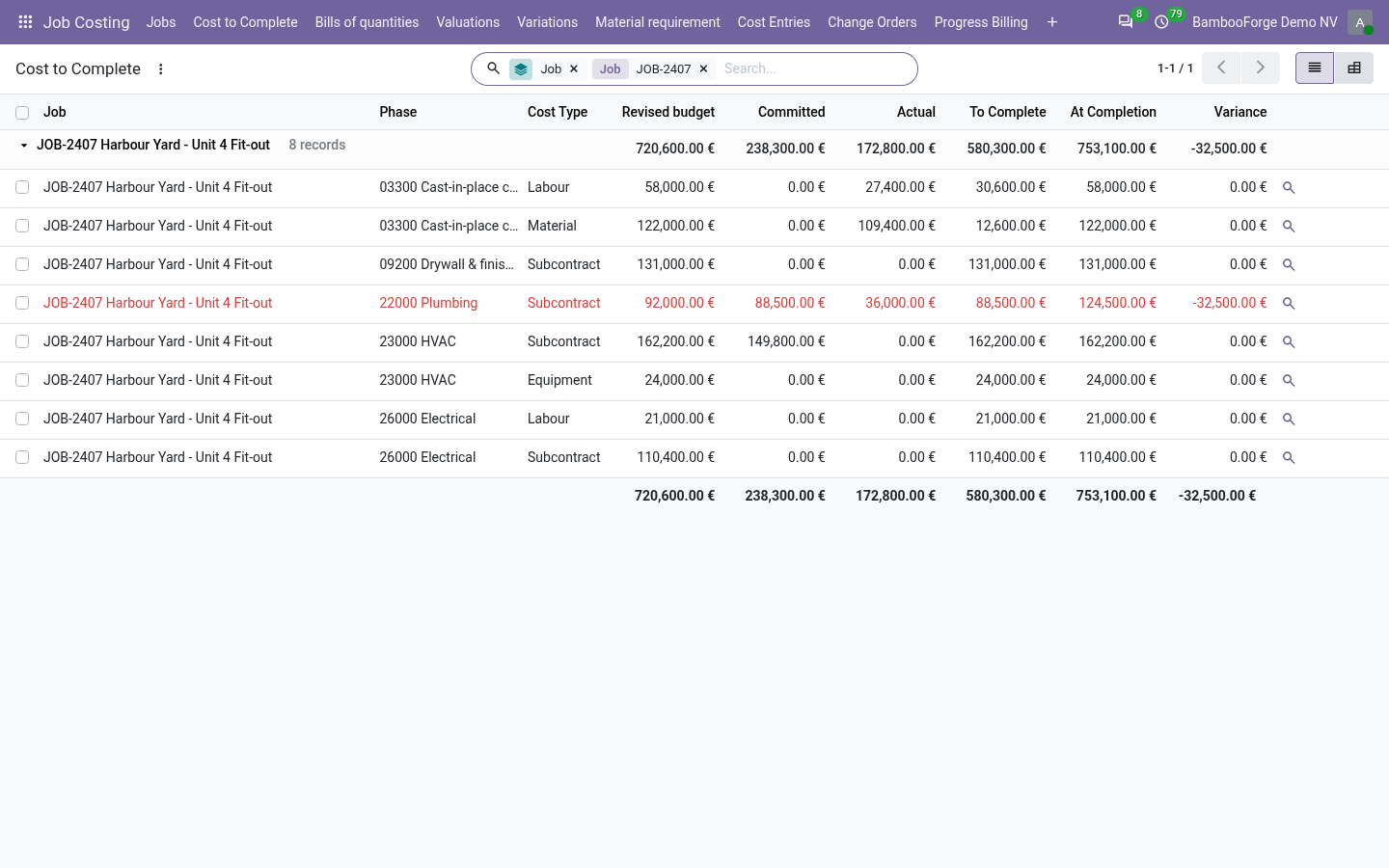
- Four numbers per phaseBudget, committed, actual and cost to complete on every budget line, and the job's margin at completion. Cost to complete never falls below what is committed.
- No cost typed twiceA confirmed order is a commitment, its posted bill an actual that releases it, a timesheet hour an actual at the employee's cost. Buyers and accountants need no job role.
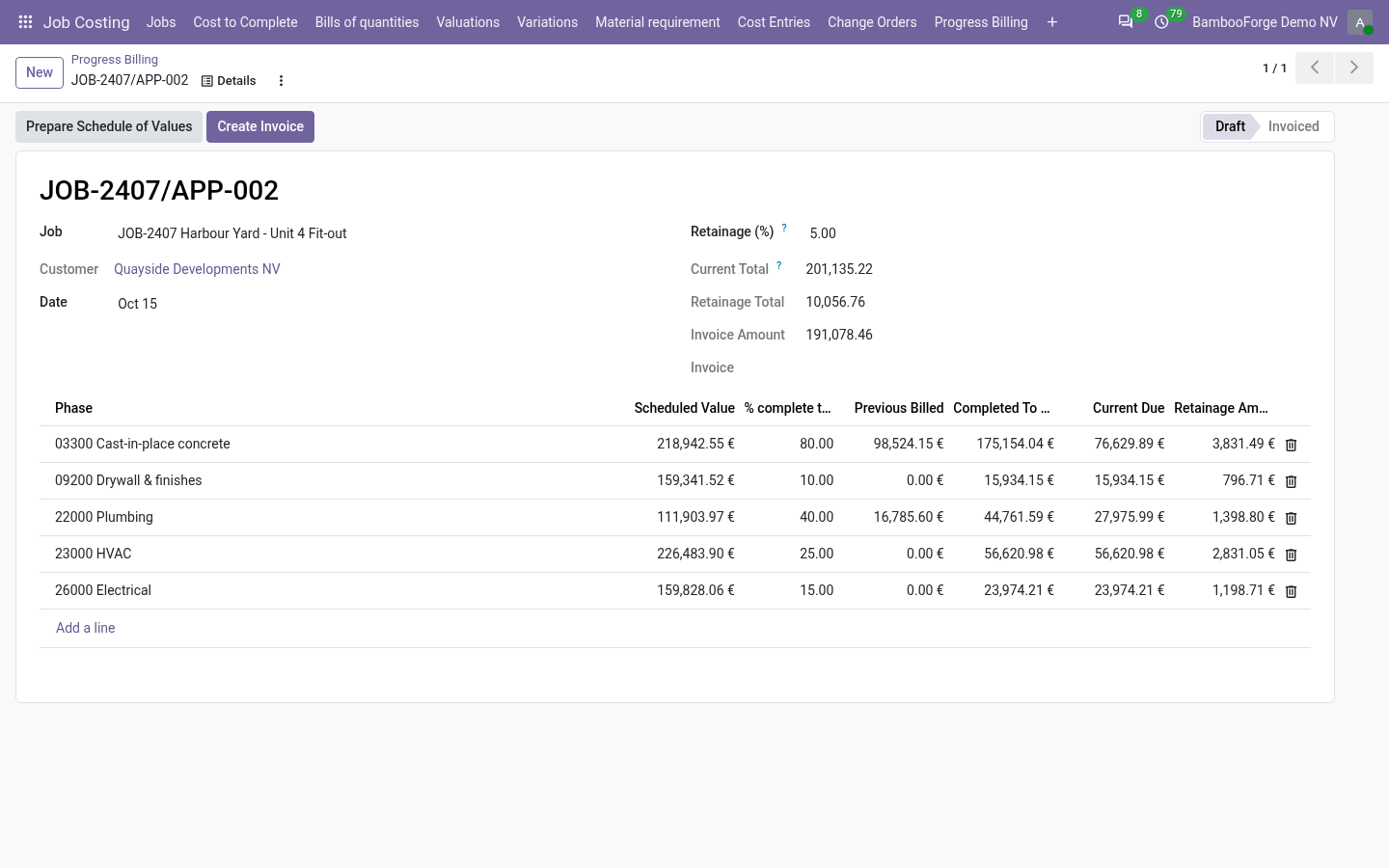
- Bill the work as it completesApplications with a schedule of values per phase, percent complete to date and retainage held back. One button raises the customer invoice, as a draft.
bambooforge_job_costing76 automated checks run before every release of this app, the same suite on every series it ships for. The complete list is in the source you receive; run it yourself with --test-enable.
How you use it
A job, from the budget to the invoice
Set a job up
Job Costing > Jobs > New.
- Type the job number and name, the customer, the original contract, the dates, and the project its timesheets come from.
- Tab Phases: your own cost codes, or Load CSI Phases for the 18 MasterFormat divisions.
- Tab Budget: one line per phase and cost type, with the estimate.
- Start job. A job without a budget line is refused.
Let the documents do the work
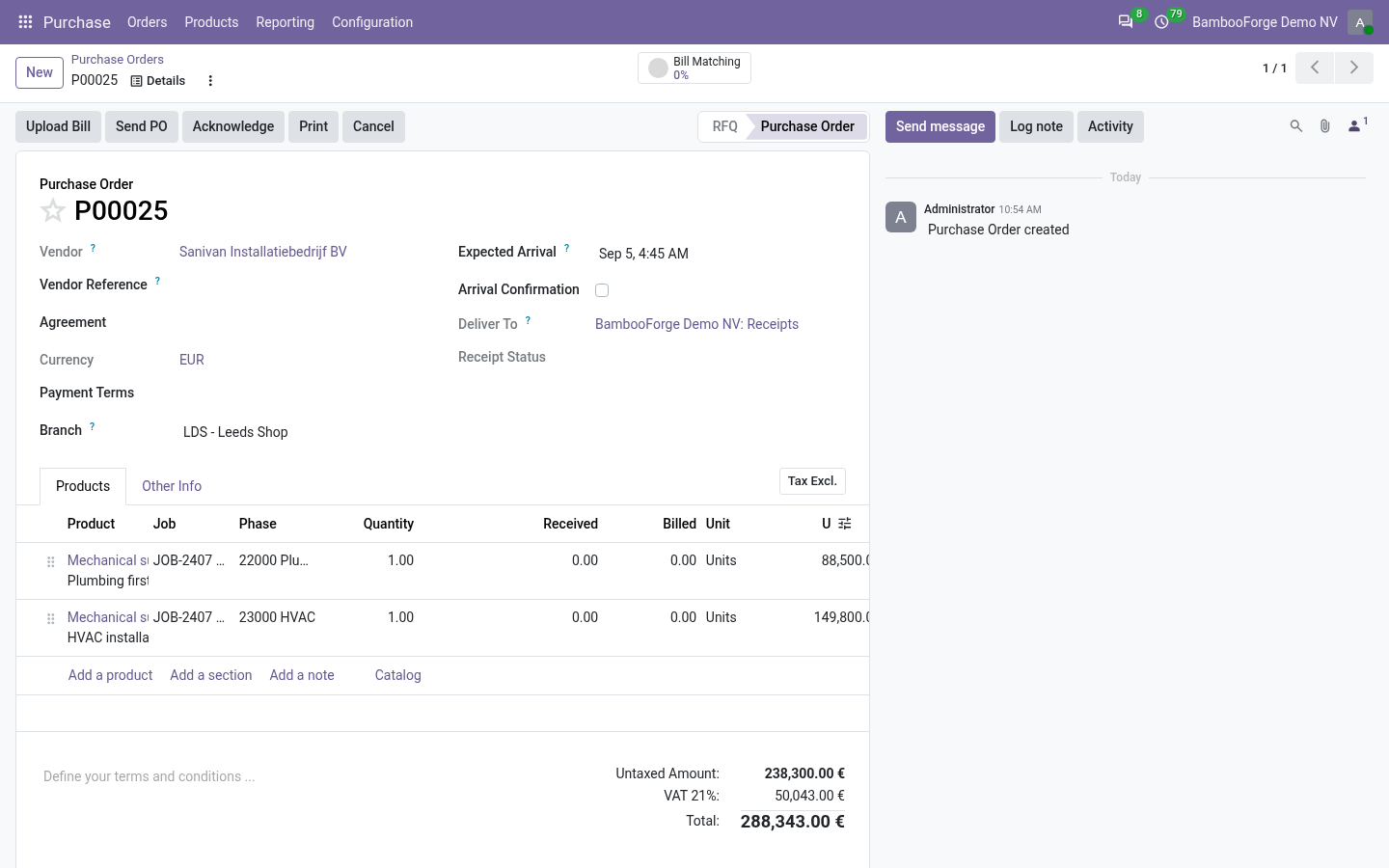
Orders, bills and timesheets carry Job, Phase and Cost type.
- Confirm a purchase order: each line with a job and a phase is a commitment of its untaxed amount.
- Post the bill made from the order: the commitment falls by what was billed, and the actual rises by it.
- Book an hour in Timesheets on the job's project, with a phase: an actual at the employee's hourly cost.
- Type anything else in Cost Entries by hand; cancel it without deleting it.
Approve a change order
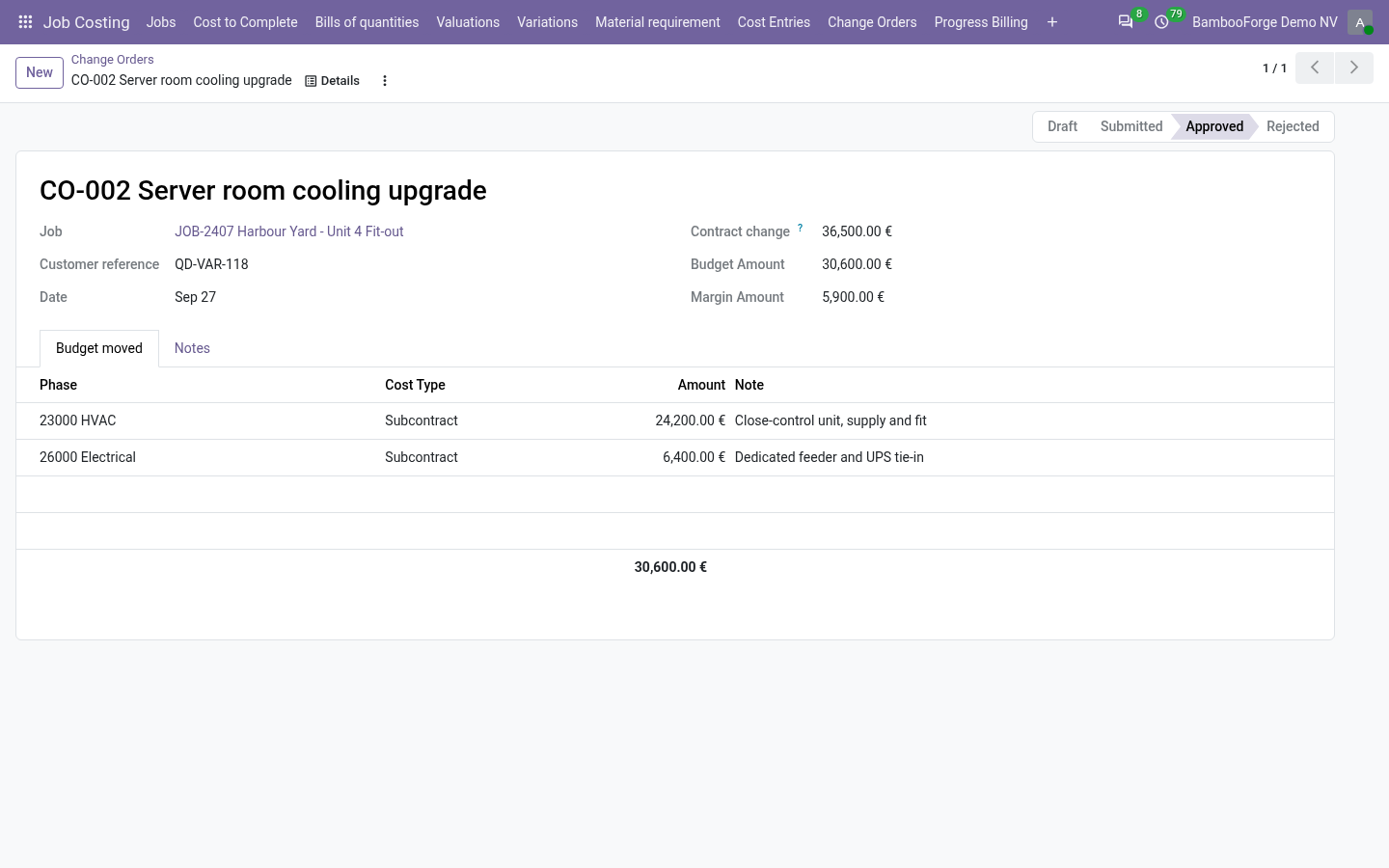
Job Costing > Change Orders.
- The contract change: what the customer pays for the change.
- Tab Budget moved: the cost by phase and cost type. The change order shows its own margin.
- Submit, then Approve: the contract value and the budget move. Draft, submitted and rejected change orders move nothing.
- An approved change order keeps its amounts and lines: correct it with a second one.
Bill the work as it completes
Job Costing > Progress Billing, for managers.
- New: the job, then Prepare Schedule of Values: one line per phase, the contract shared out as the budget is.
- Type the percent complete to date per phase: previous billed, what is due and the retainage follow.
- Create Invoice: a draft customer invoice with the amount due and the retainage held back.
- Release retainage, on the job, bills what is held as an application of its own.
Read where the job stands
Job Costing > Cost to Complete.
- Every budget line of every job: revised budget, committed, actual, to complete, cost at completion and variance.
- Lines heading over their budget are red, and the filter Over budget keeps them.
- The magnifier on a line opens the entries behind it; an entry opens its order or its bill.
Price and where to buy
179 EUR, one payment per Odoo series, on the Odoo Apps Store. Pick your series:
Twelve months of support by the people who wrote the code; bug fixes and improvements within the series free for as long as it is published. Report a bug within two months of purchase and, if it is not resolved within fifteen days, you get a full refund. Full source under OPL-1, no licence key, no phone-home. The whole promise.