 BambooForge Labs

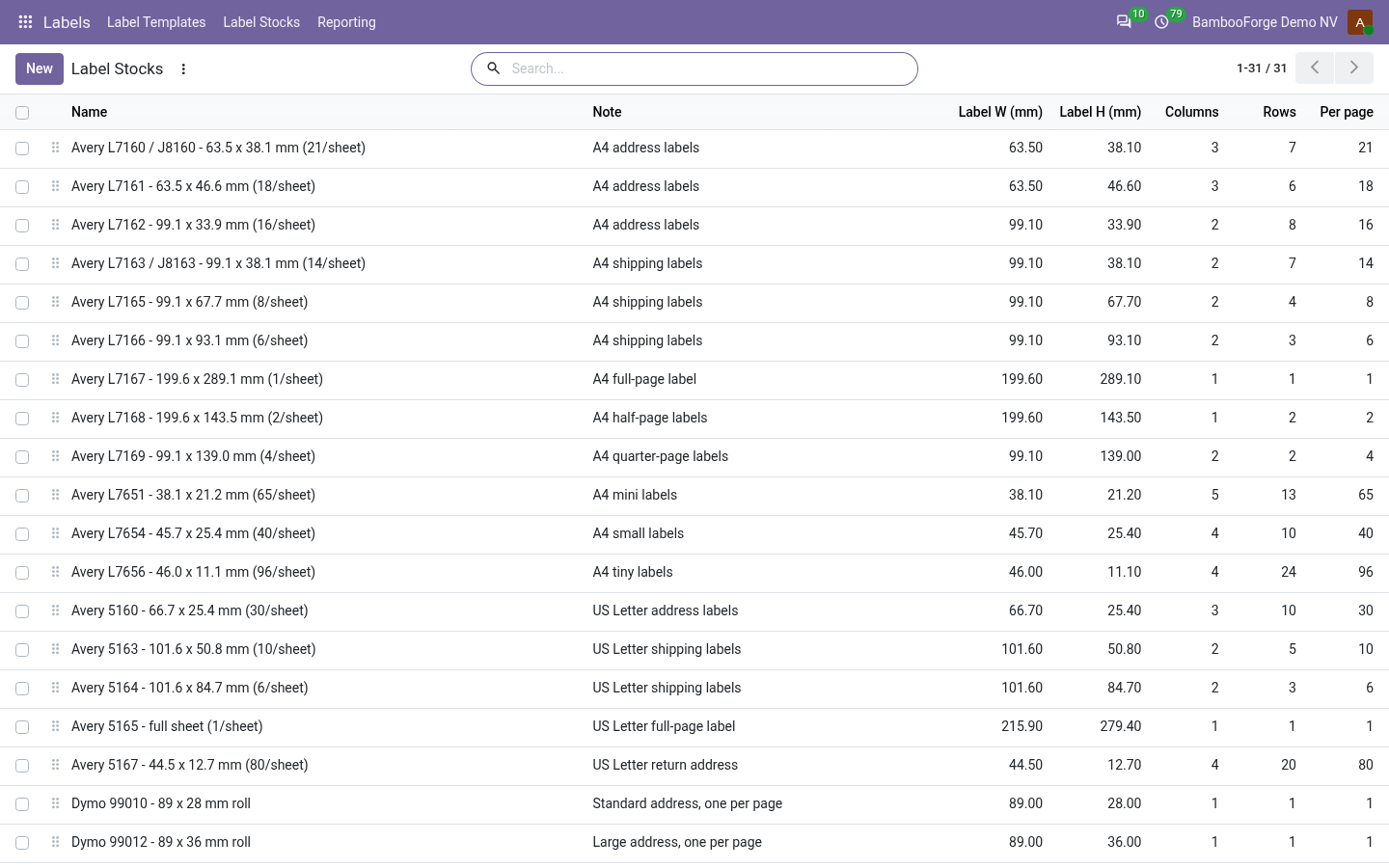
- 31 label stocks ready, yours in a minuteAvery A4 and US Letter, Dymo, Zebra and thermal rolls ship with the app. Page size, margins, columns, rows and the label's size are all you measure for your own.
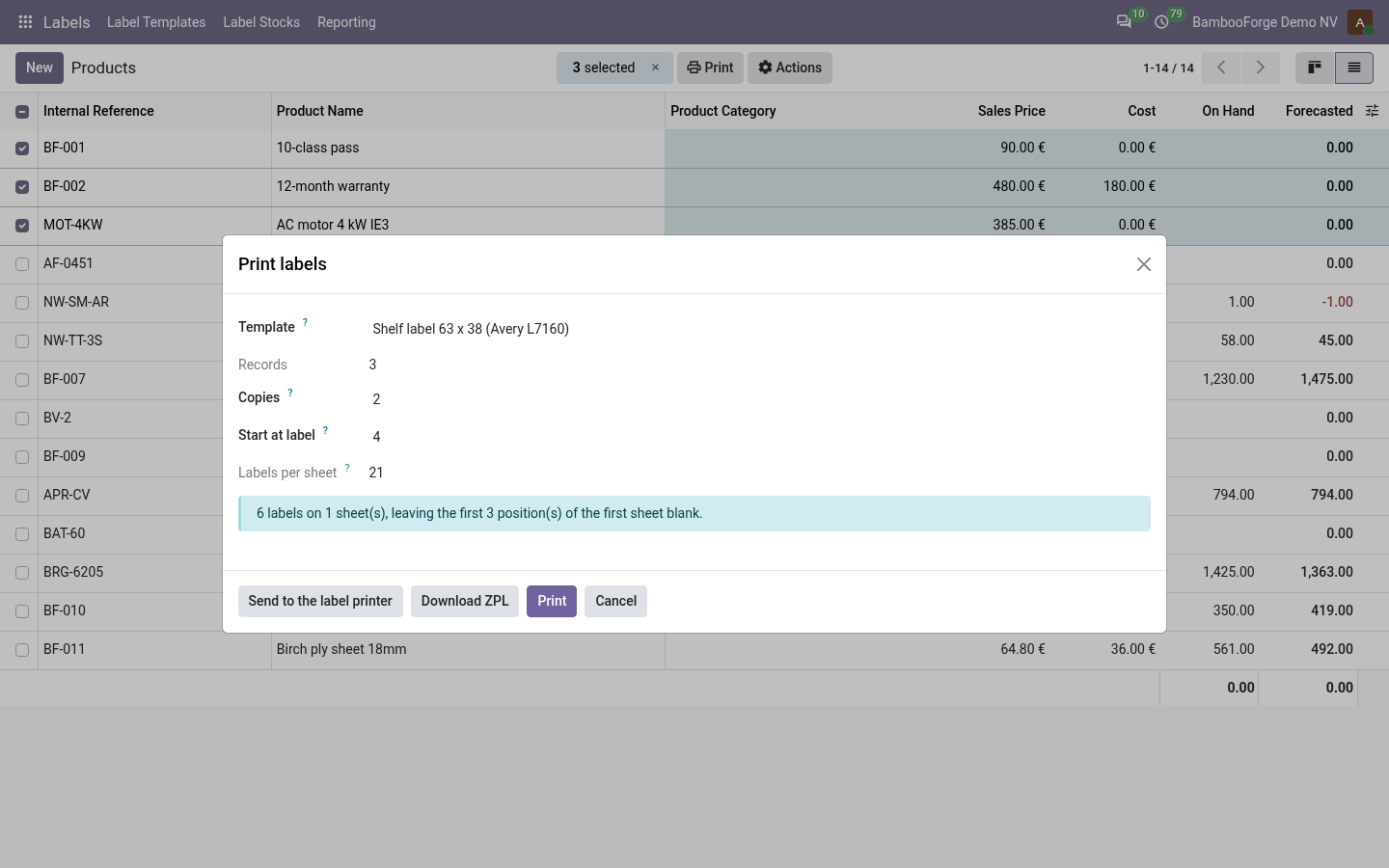
- A part-used sheet is not wastedPut it back in the tray and say you start at label 14. The first thirteen positions stay blank, and the dialog says how many sheets the run takes first.
- On paper or on a thermal printerA PDF that lands on the die-cut, a ZPL file for a Zebra, or, with Direct Print, the same ZPL straight to your label printer.
bambooforge_label_designer76 automated checks run before every release of this app, the same suite on every series it ships for. The complete list is in the source you receive; run it yourself with --test-enable.
For the people who decide
What your managers see
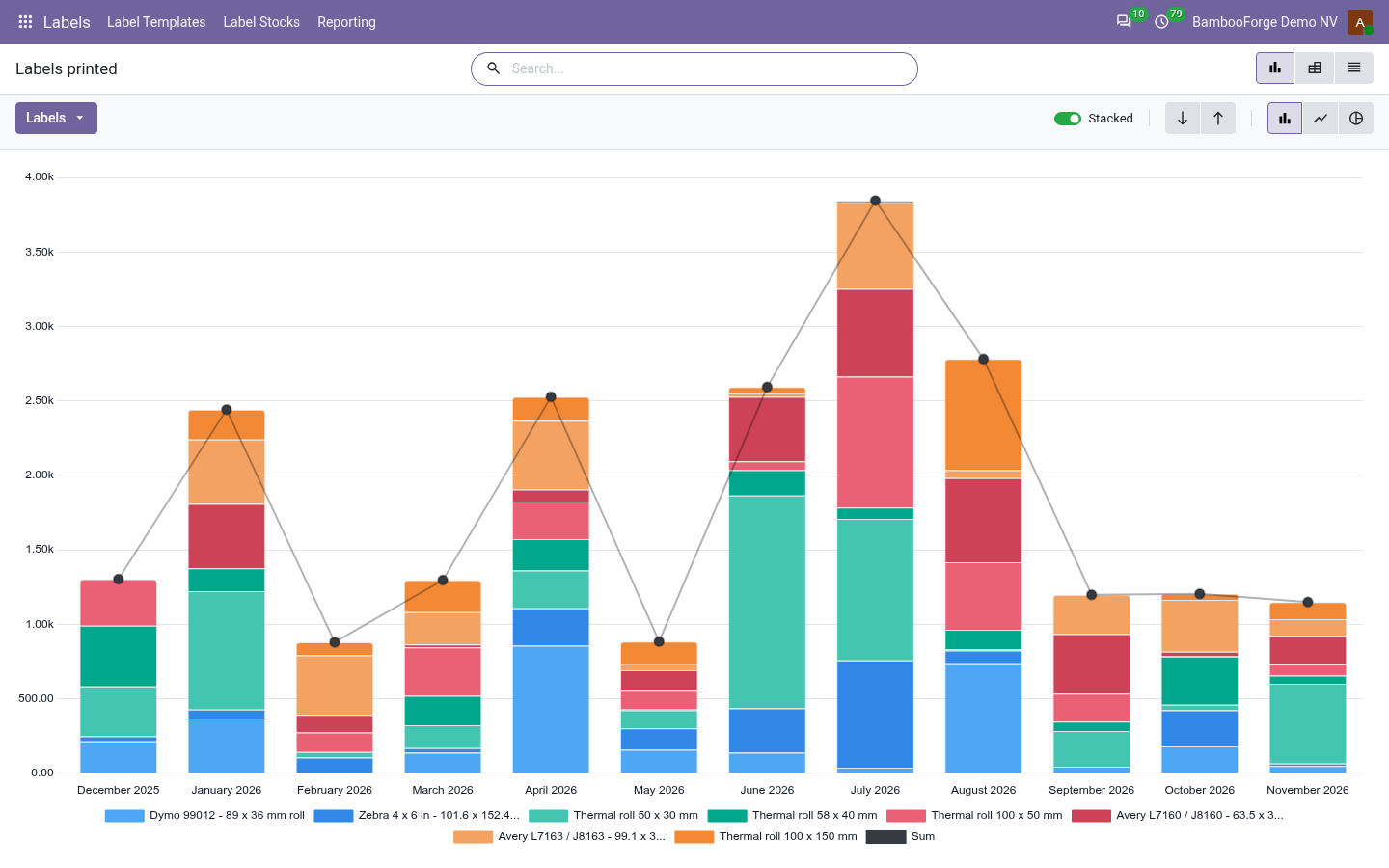
Labels > Reporting is for whoever buys the stock. It opens on a chart, with the pivot one click away, and the pivot downloads to Excel from its toolbar.
Labels printed
labels and sheets by stock, template, month and user: what went through the print dialog, as PDF, as a ZPL file or to the label printer. The one-click entry a published template adds to the Print menu has no dialog and is not counted.
Whoever buys the stock sees what is being used before it runs out.
The printout is the label itself:
- Your label: every published template is a normal Odoo PDF report, in the Print menu of the records it is for.
How you use it
From an empty template to a run of labels
Design the label
A template is one design for one kind of record on one stock.
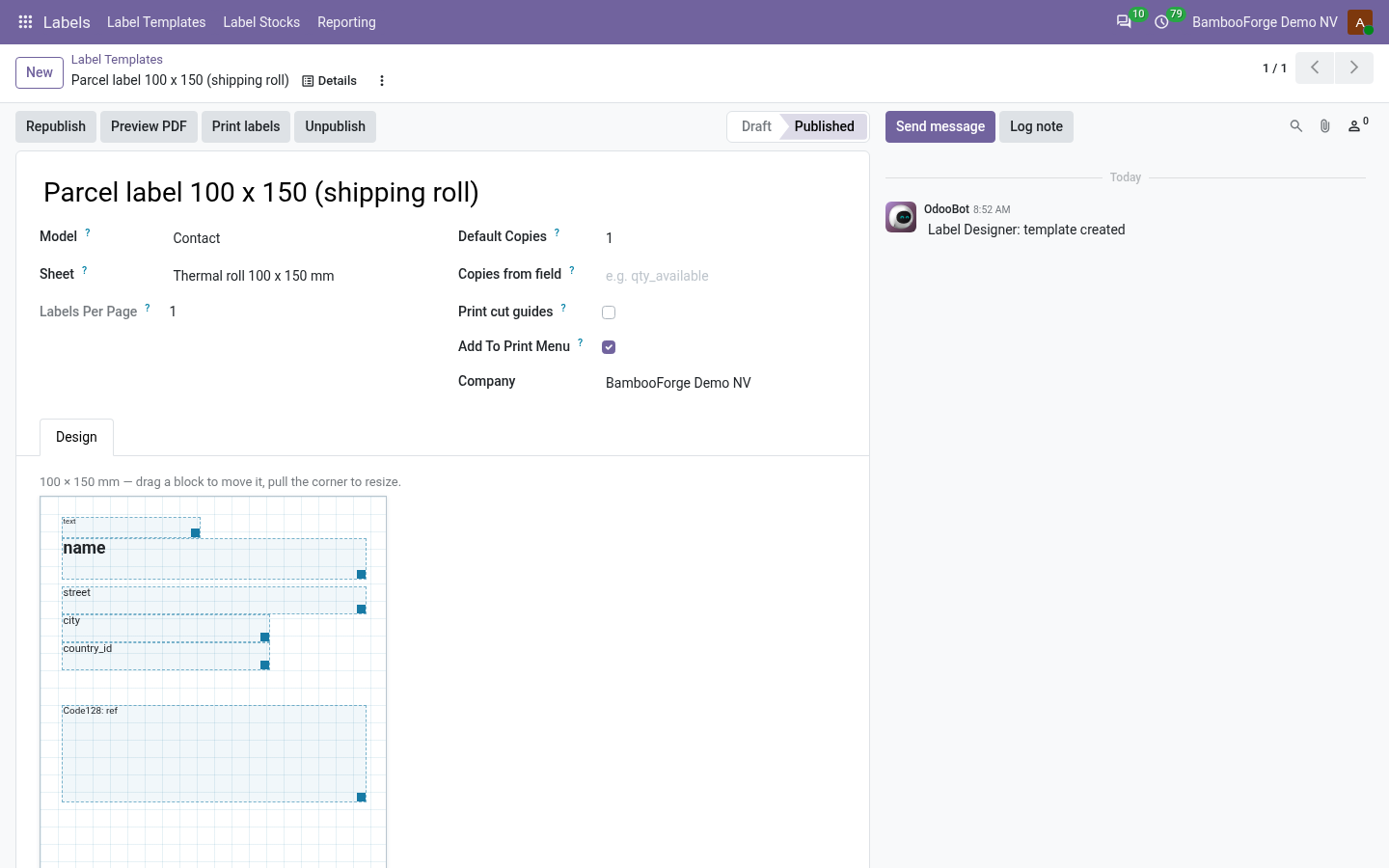
- Labels > Label Templates > New. Pick the record type, such as products, lots or transfers, and the stock you buy: the canvas takes the size of one label.
- Place the blocks: a field, free text, a price, a barcode, an image, a box or a line. Drag to move, pull the corner to resize; everything snaps to half a millimetre.
- Say how many labels a record gets, or name a field that holds the number, so one label per unit in stock is a setting.
- Press Publish. A block that points at a field the record does not have refuses to publish and says which one.
Print a run
From any list or form of that record.
- Select the records, or open one, and pick Print labels in the Actions menu.
- Say the copies, and which label of the sheet to start at. The dialog says how many labels and sheets that takes before you commit any stock.
- Print makes the PDF. Download ZPL makes the same labels as a file for a Zebra-class thermal printer.
- With Direct Print installed and a label printer named, Send to the label printer sends the ZPL straight to it, as a job in its queue.
It lands on the die-cut
Each stock gets its own paper format, with shrink-to-fit turned off, so page two of a long run lands exactly like page one.
- Tick Print cut guides and print a page on plain paper.
- Hold it against the real sheet. If the whole grid is off, adjust the stock's margin; if the spacing is off, adjust the gaps.
- Untick the guides and print the real run.

Add a stock that is not in the list
Measure it once and use it for every template.
- Labels > Label Stocks > New. Give the page size, the top and left margins, the columns and rows, the label's size and the gaps.
- The form shows how much of the page the layout uses, and refuses to save labels that cannot physically fit.
- A roll printer is a stock whose page is one label: one column, one row, no margins.
Know what to buy
Every run through the dialog is on record, for whoever buys the stock.
- Labels > Reporting > Labels printed: labels and sheets by stock, template, month and user.
- It opens on a chart, with the pivot one click away, and the pivot downloads to Excel.
Price and where to buy
129 EUR, one payment per Odoo series, on the Odoo Apps Store. Pick your series:
Twelve months of support by the people who wrote the code; bug fixes and improvements within the series free for as long as it is published. Report a bug within two months of purchase and, if it is not resolved within fifteen days, you get a full refund. Full source under OPL-1, no licence key, no phone-home. The whole promise.