 BambooForge Labs

- Split by what was paidEach receipt line weighs its purchase order line's unit price after discount times the quantity received, in the company's currency: EUR 100 and EUR 900 of goods carry a bill 1 to 9.
- Odoo's five untouchedOdoo computes first; only the lines that use By Purchase Value are rewritten, and every cent is placed.
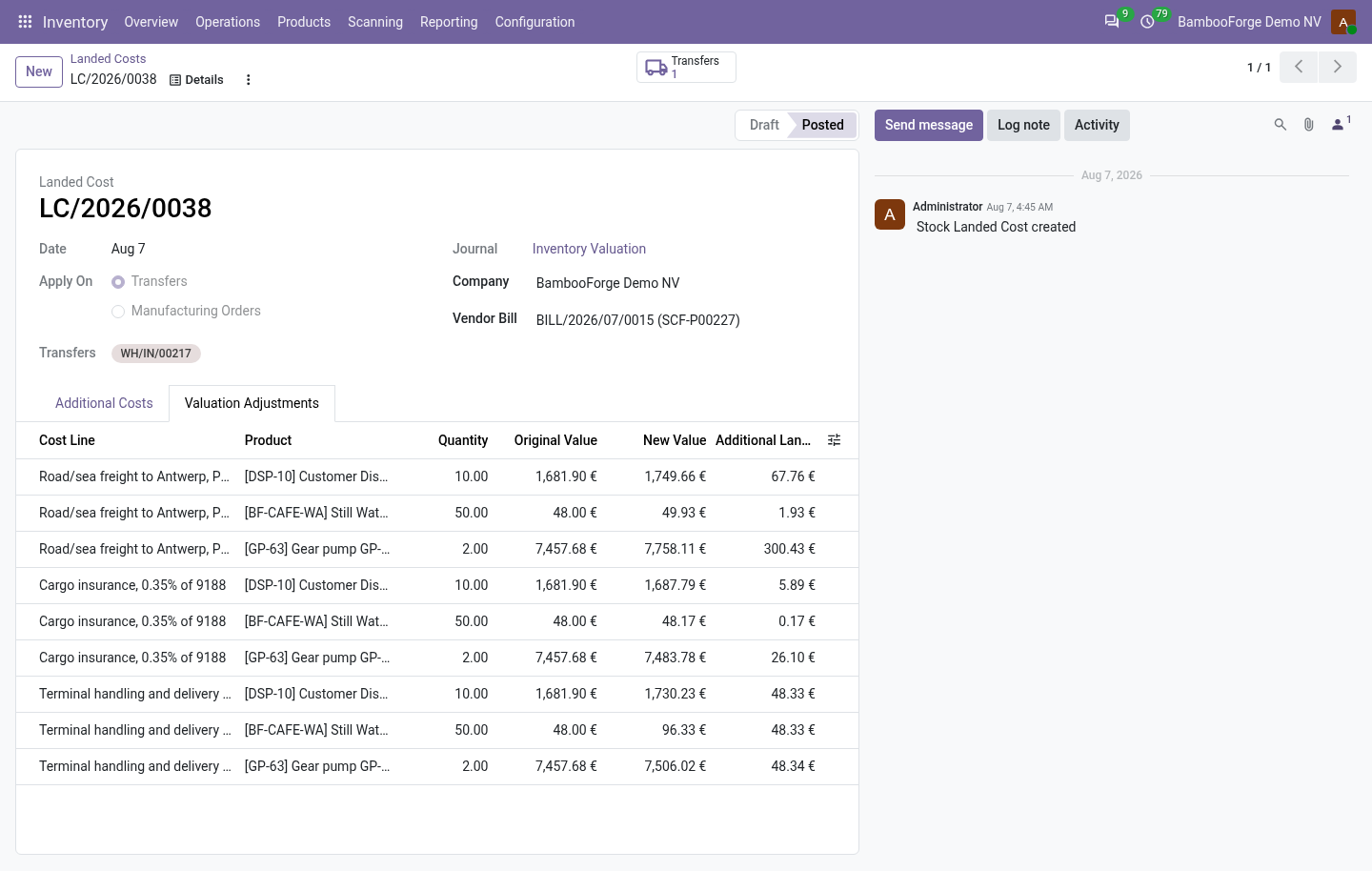
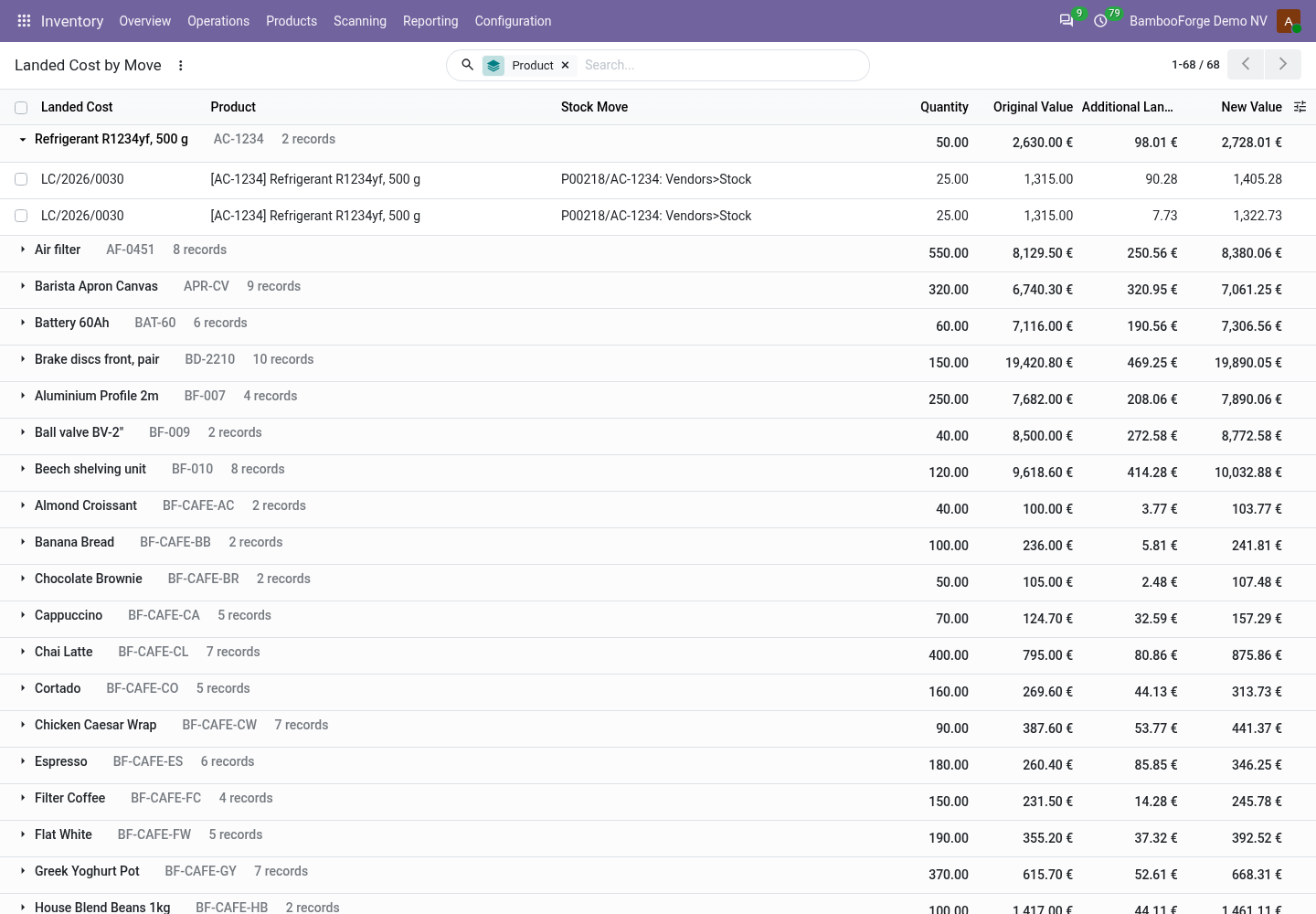
- Read it backEvery posted landed cost, line by line: the value before, the cost added, the value after.
bambooforge_landed_cost22 automated checks run before every release of this app, the same suite on every series it ships for. The complete list is in the source you receive; run it yourself with --test-enable.
For the people who decide
What your managers see
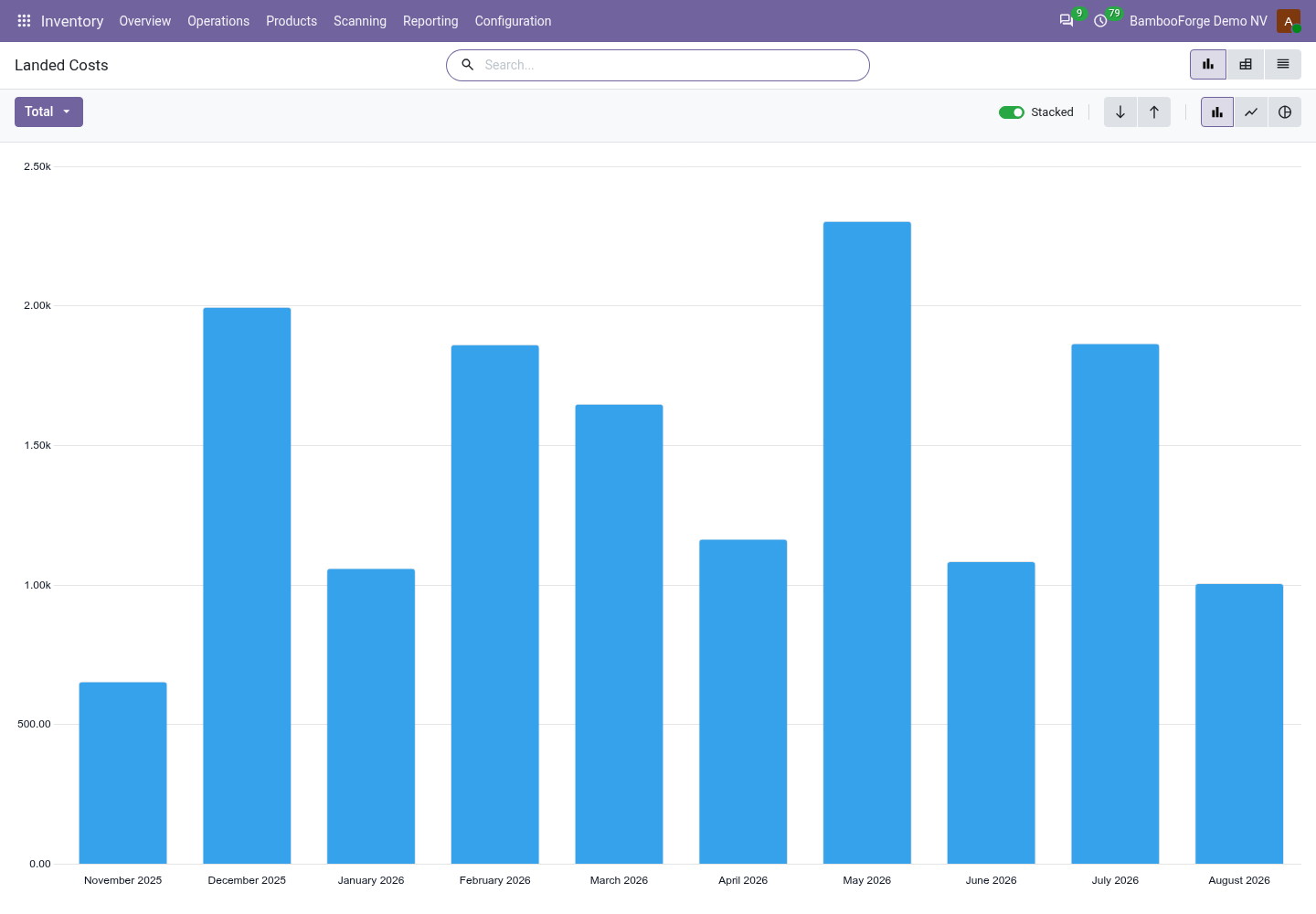
Two analyses join Inventory > Reporting, the inventory manager's menu. Each opens on a chart, with the pivot one click away, and the pivot downloads to a spreadsheet.
Landed Costs
the posted landed costs by month and by who billed them: what the goods were worth, what landing them added, and that as a share (the pivot shows the plain average of the costs' shares).
The buyer sees what importing adds to the price, shipment by shipment, and which forwarder costs most.
Landed Cost Types
what each kind of cost (freight, duty, insurance, handling) came to, month by month and quarter by quarter.
The finance lead sees which cost moves, and what to negotiate.
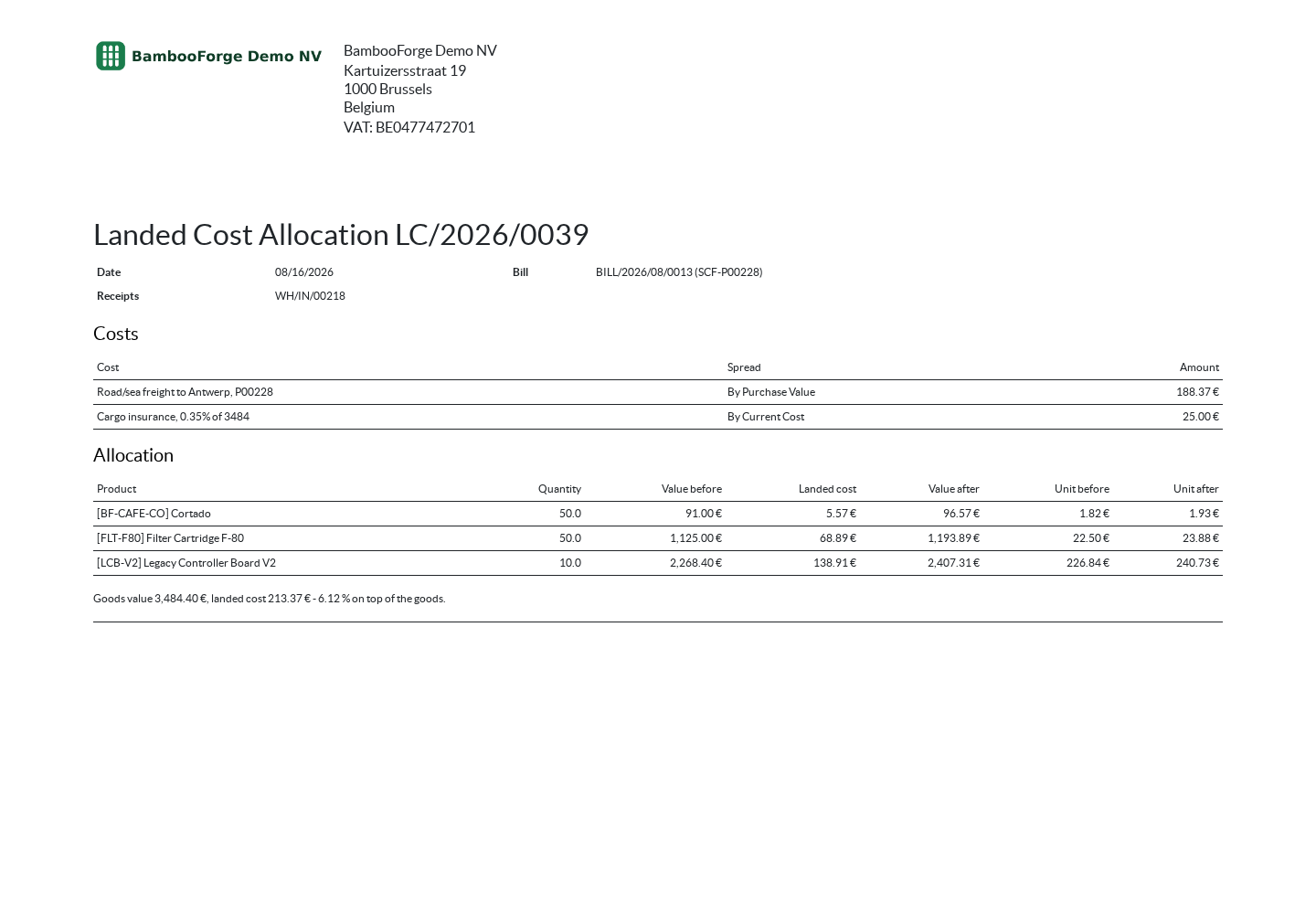
One document prints from a landed cost, from its print menu:
- Landed Cost Allocation: the receipts and the bill, each cost and how it was spread, then every product received with its quantity, its value before and after, and its unit cost before and after. The sheet an accountant files with the bill.
How you use it
From the bill to the cost of each receipt
Split a bill by purchase value
For the Inventory Administrator.
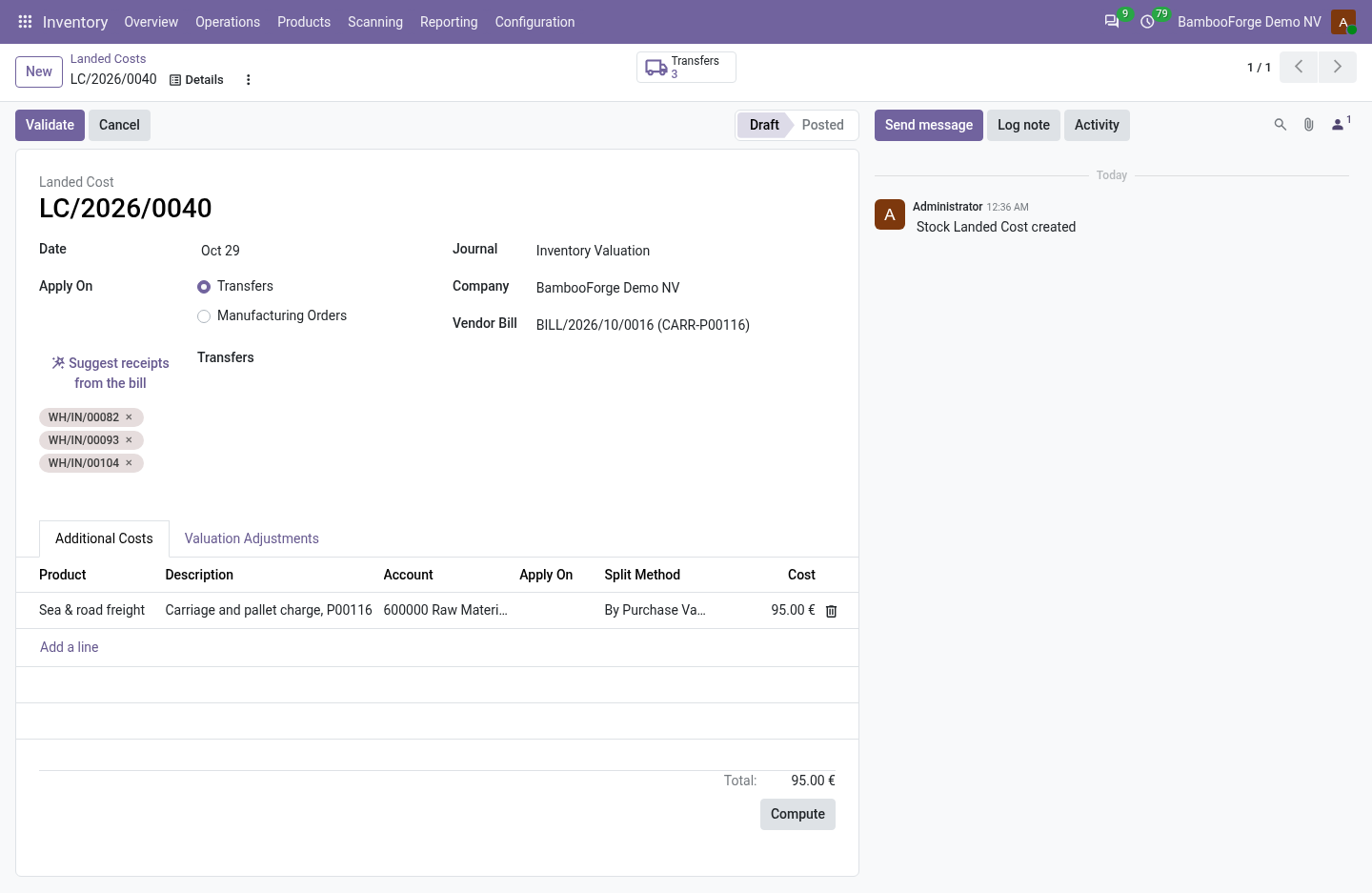
- Inventory > Operations > Landed Costs, New, or Create Landed Costs from the bill.
- Add the receipts; on each cost line choose By Purchase Value.
- Compute: each receipt line's share follows its purchase value.
- Validate: Odoo posts it as it posts any landed cost.
Suggest the receipts
When the bill comes from the goods' vendor.
- Set the vendor bill on a draft landed cost.
- Suggest receipts from the bill adds the done receipts from that vendor received within 45 days of the cost's date.
- Remove the wrong ones, then compute.
Read it back per receipt line
For the buyer and the accountant.
- Inventory > Operations > Landed Cost by Move.
- Every line of every posted landed cost, grouped by product.
- The value before, the cost added and the value after, with totals.
Read the figures
For the manager.
- Inventory > Reporting > Landed Costs: by month and by who billed them.
- Landed Cost Types: freight, duty and insurance by month and quarter.
- Print the Landed Cost Allocation from a landed cost.
Price and where to buy
129 EUR, one payment per Odoo series, on the Odoo Apps Store. Pick your series:
Twelve months of support by the people who wrote the code; bug fixes and improvements within the series free for as long as it is published. Report a bug within two months of purchase and, if it is not resolved within fifteen days, you get a full refund. Full source under OPL-1, no licence key, no phone-home. The whole promise.