 BambooForge Labs

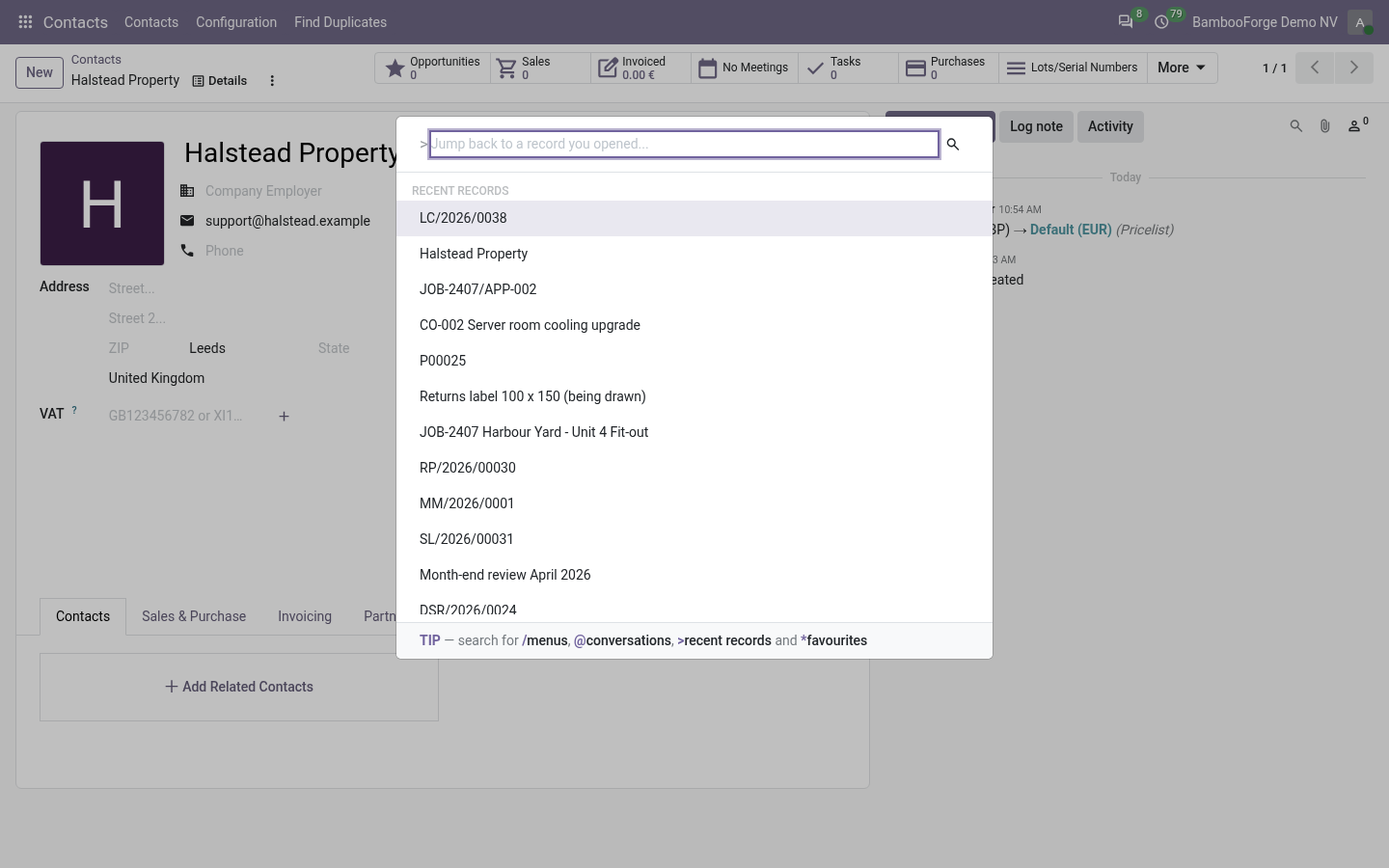
- Back to what you openedPress Ctrl+K and type > for your recent records, newest first.
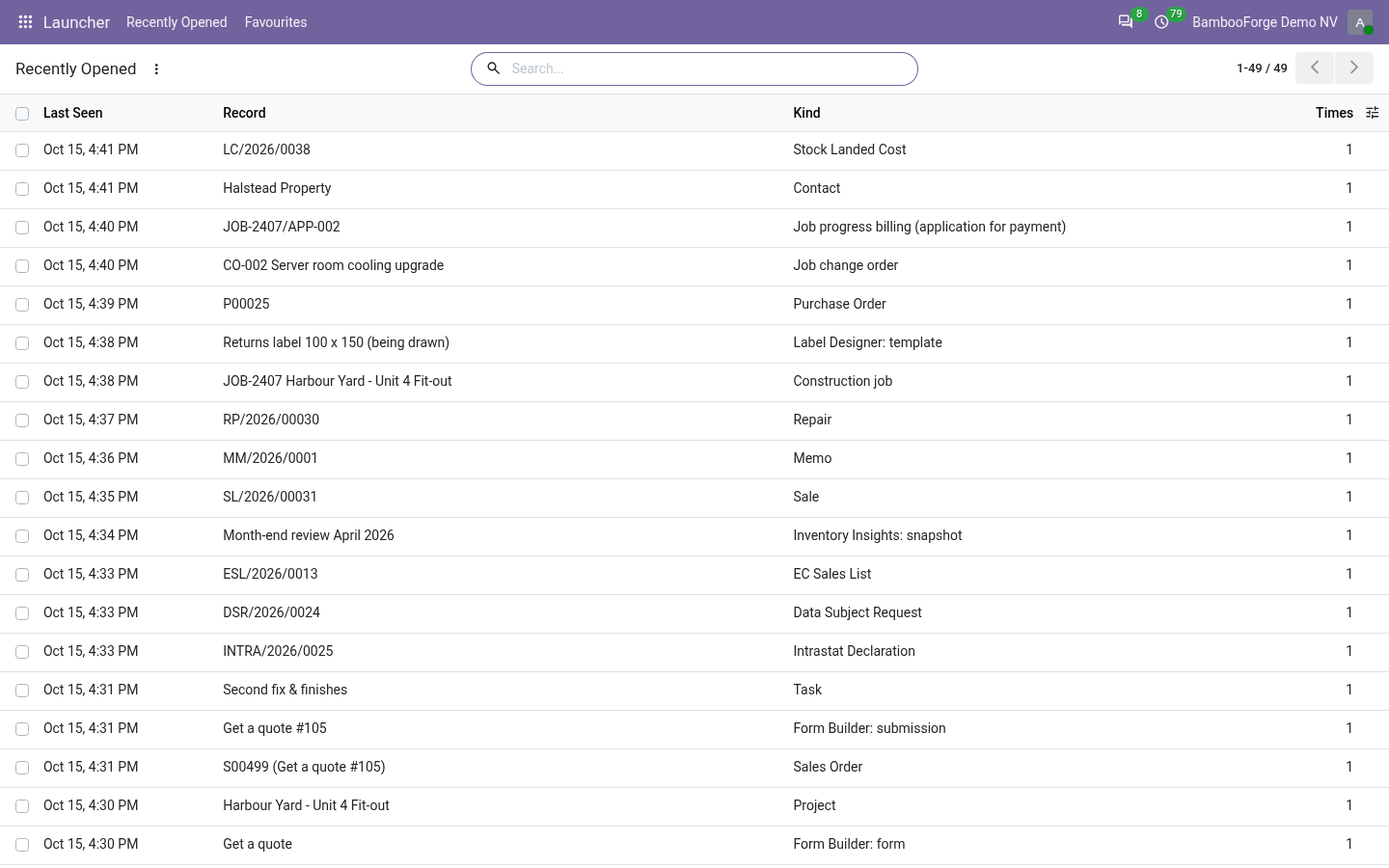
- On the serverThe list is under your account, so it follows you to another browser.
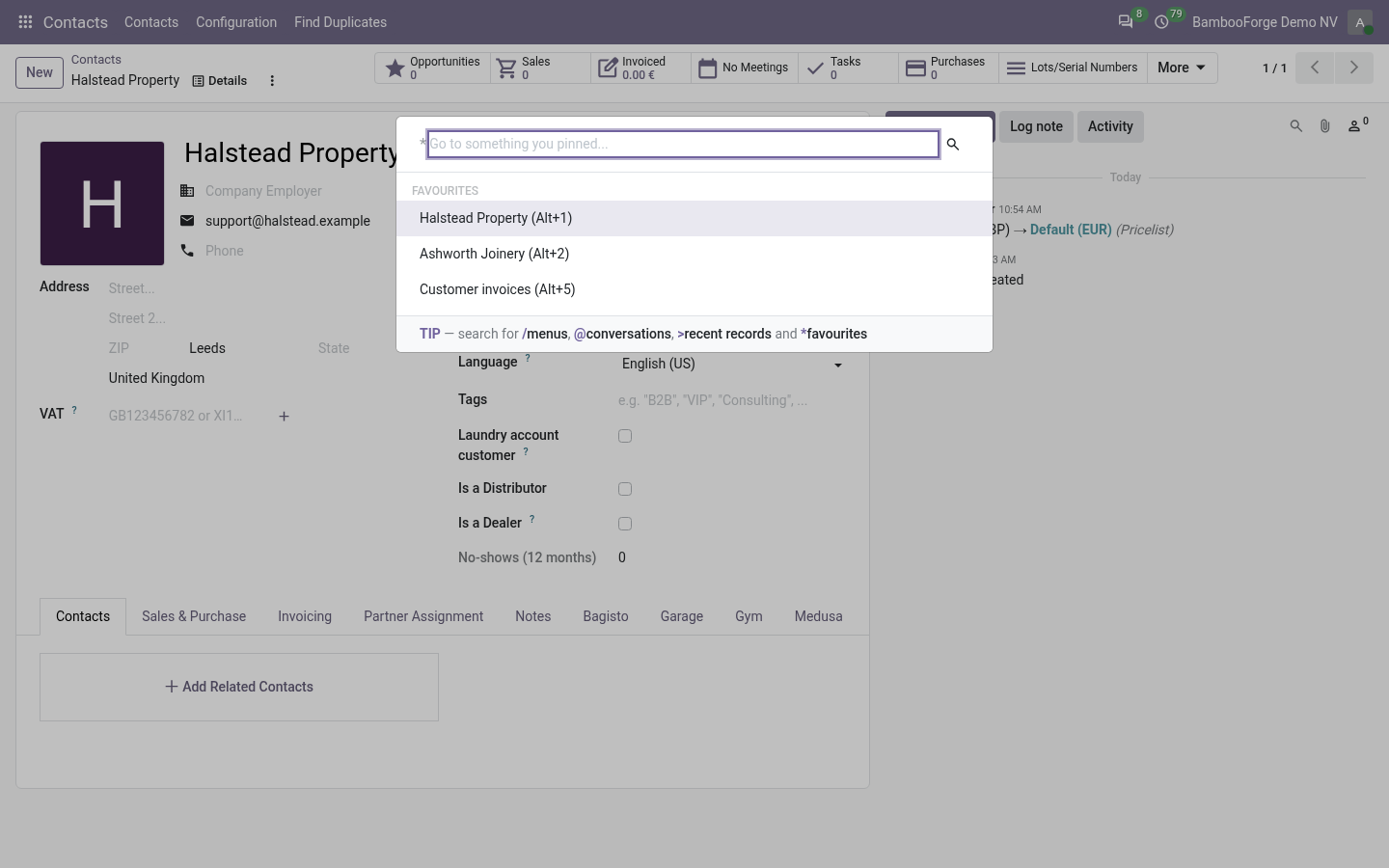
- A key for what you live inGive a favourite a number and Alt with that number goes there from anywhere in the back office.
Runs onOdoo 16 to 20Community or Enterprise, self-hosted or Odoo.sh
NeedsOdoo onlyno Enterprise module
Price99 EURone-time, per series, on the Odoo Apps Store
Demodemo20.bambooforge.devlogin page already filled in
Supportsupport@bambooforge.devfirst reply within one business day
Version20.0.1.0.3
bambooforge_launcher39 automated checks run before every release of this app, the same suite on every series it ships for. The complete list is in the source you receive; run it yourself with --test-enable.
How you use it
Three things you do with it
Flow 01
Go back to a record
For anyone in the back office.
- Press Ctrl+K and type >.
- Keep typing to narrow by name or kind.
- Press Enter on the one you want: its form opens.
Flow 02
Keep a favourite
A record or a menu.
- Open Launcher > Favourites and press New.
- Choose a menu, or type a record's model and id.
- Give it a number from 1 to 9.
- Press Ctrl+K and type * for the whole list.
Flow 03
See the list on a screen
For people who would rather click.
- Open Launcher > Recently Opened.
- Filter on the date, or group by model or day.
- Select a line and use Actions > Forget everything to start over.
Price and where to buy
99 EUR, one payment per Odoo series, on the Odoo Apps Store. Pick your series:
Twelve months of support by the people who wrote the code; bug fixes and improvements within the series free for as long as it is published. Report a bug within two months of purchase and, if it is not resolved within fifteen days, you get a full refund. Full source under OPL-1, no licence key, no phone-home. The whole promise.