 BambooForge Labs

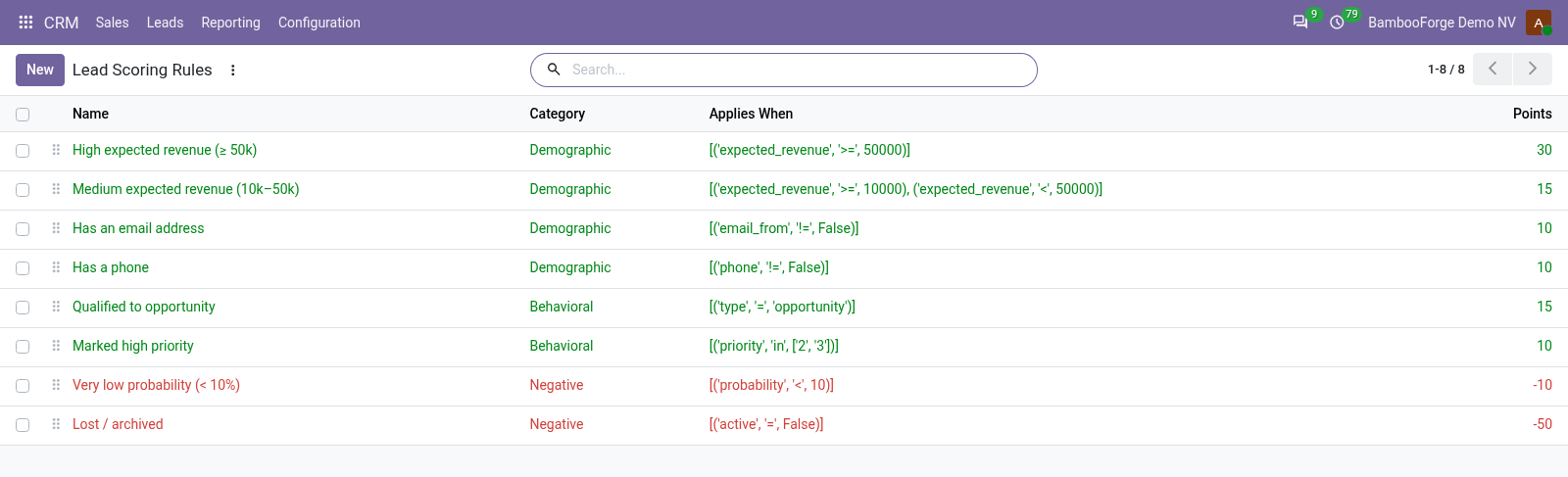
- Your rulesA filter on the lead and its points, negative ones included. Eight come with the app.
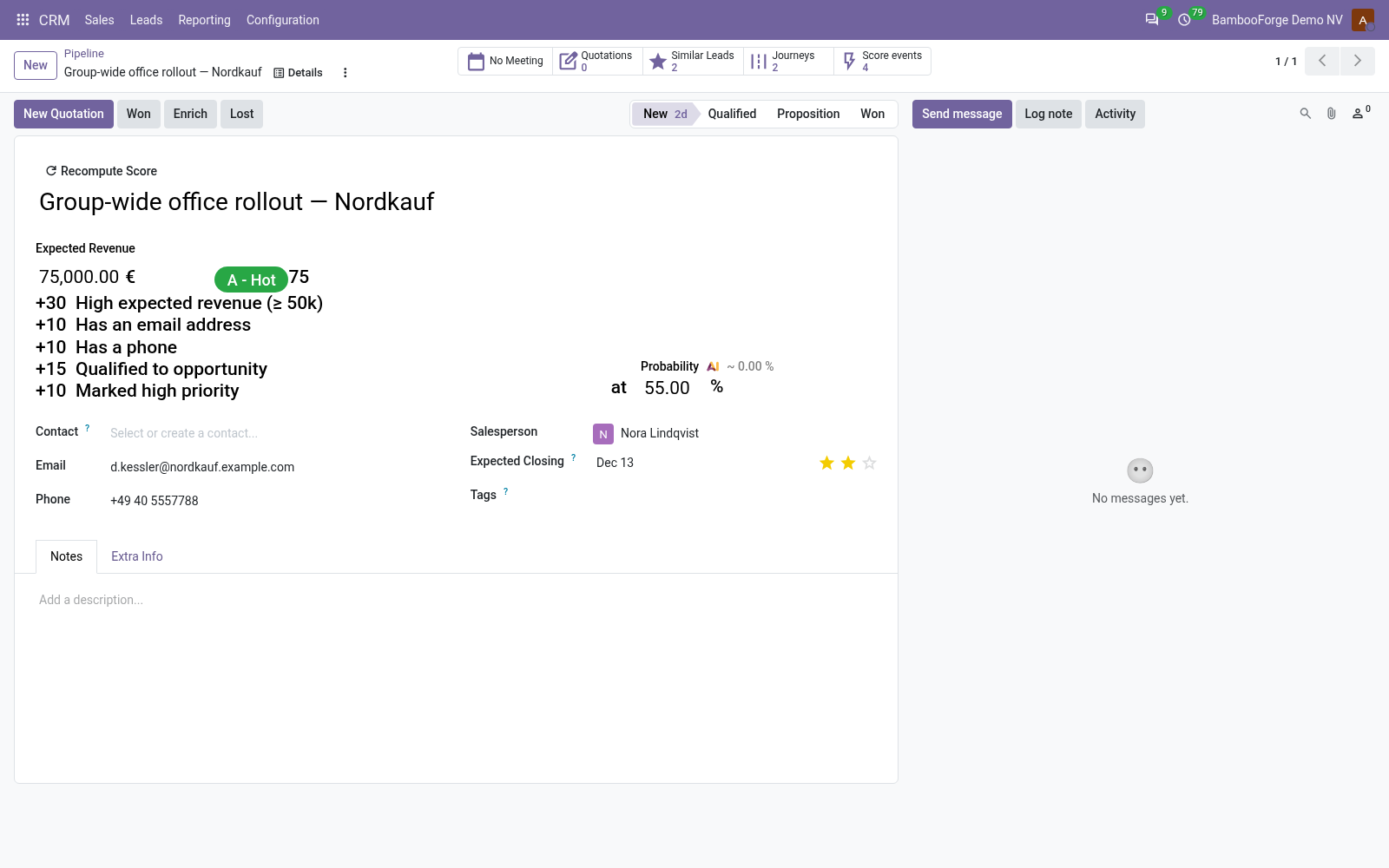
- A score you can readEvery lead lists the rules that paid.
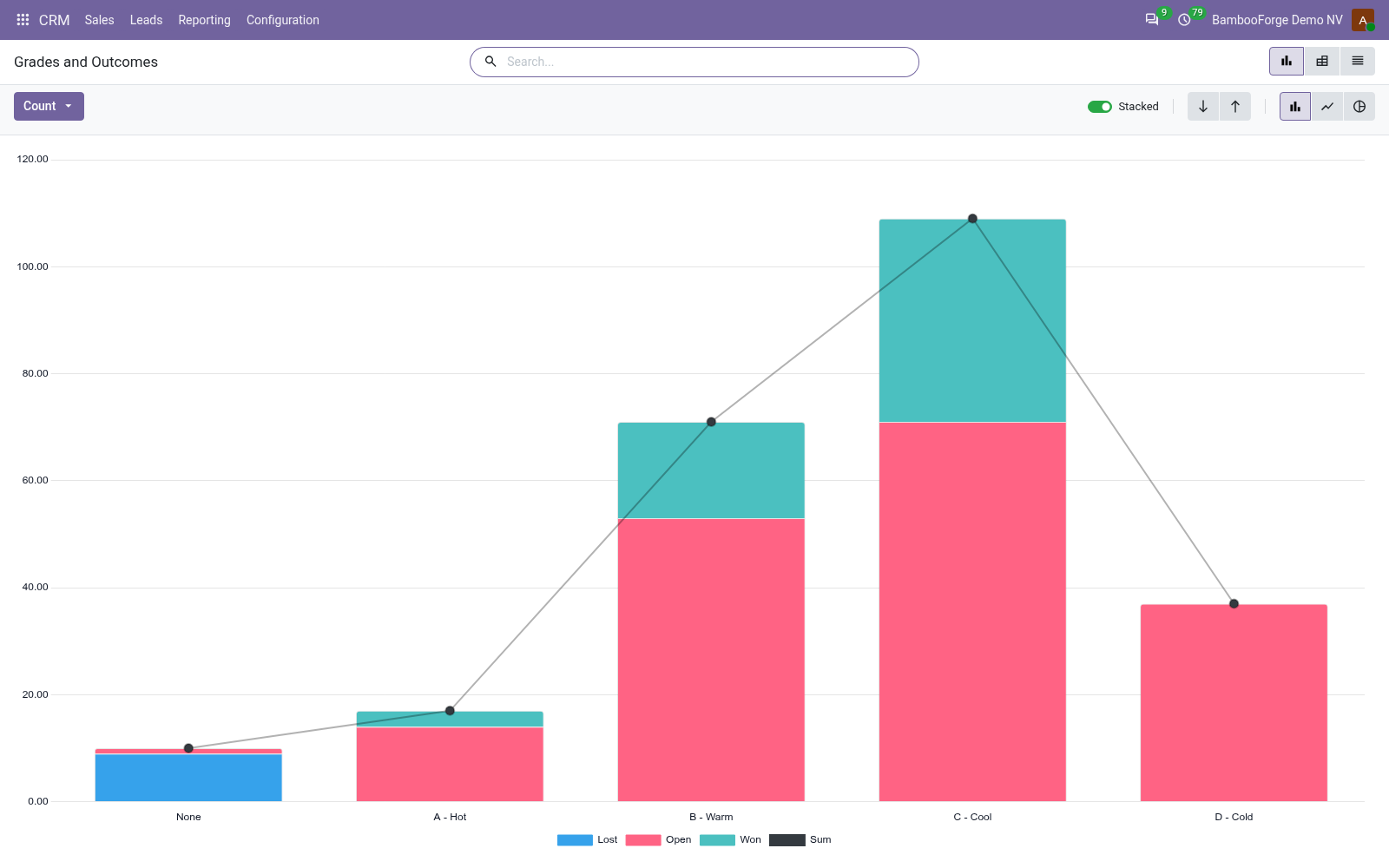
- Grades and outcomesLeads by grade against won, lost and open.
bambooforge_lead_scoring13 automated checks run before every release of this app, the same suite on every series it ships for. The complete list is in the source you receive; run it yourself with --test-enable.
For the people who decide
What your managers see
CRM > Reporting > Grades and Outcomes opens on a chart, with the pivot one click away; the pivot downloads to a spreadsheet from its toolbar.
Grades and Outcomes
leads by grade against won, lost or still open, lost ones included although they are archived, with expected revenue and average score, by salesperson, team, source and month.
The sales manager sees whether the top grade wins more, and which rules to change.
How you use it
From rules to the leads to call
Write the rules
For the sales manager.
- CRM > Configuration > Lead Scoring > Scoring Rules.
- A filter built with the domain editor, and the points.
- Recompute All Leads.
Work the leads
For the salesperson.
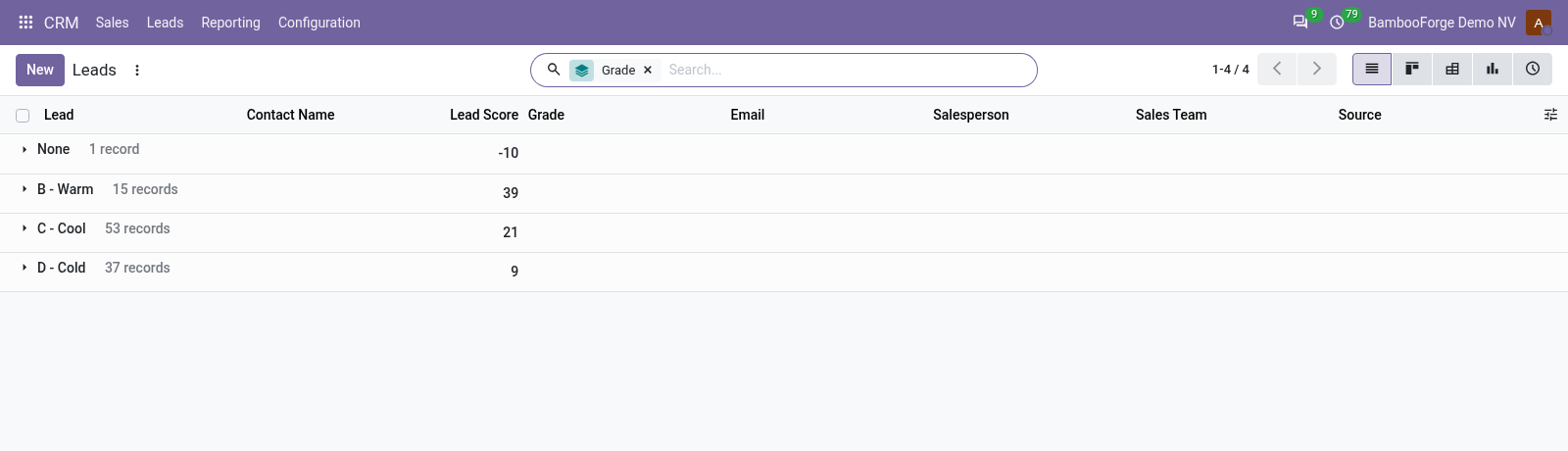
- Group the pipeline by grade, or filter A - Hot.
- Open a lead: grade, score and breakdown under Expected Revenue.
Check the rules
For the sales manager.
- CRM > Reporting > Grades and Outcomes.
- Compare grades with won, lost and open.
Price and where to buy
89 EUR, one payment per Odoo series, on the Odoo Apps Store. Pick your series:
Twelve months of support by the people who wrote the code; bug fixes and improvements within the series free for as long as it is published. Report a bug within two months of purchase and, if it is not resolved within fifteen days, you get a full refund. Full source under OPL-1, no licence key, no phone-home. The whole promise.