 BambooForge Labs

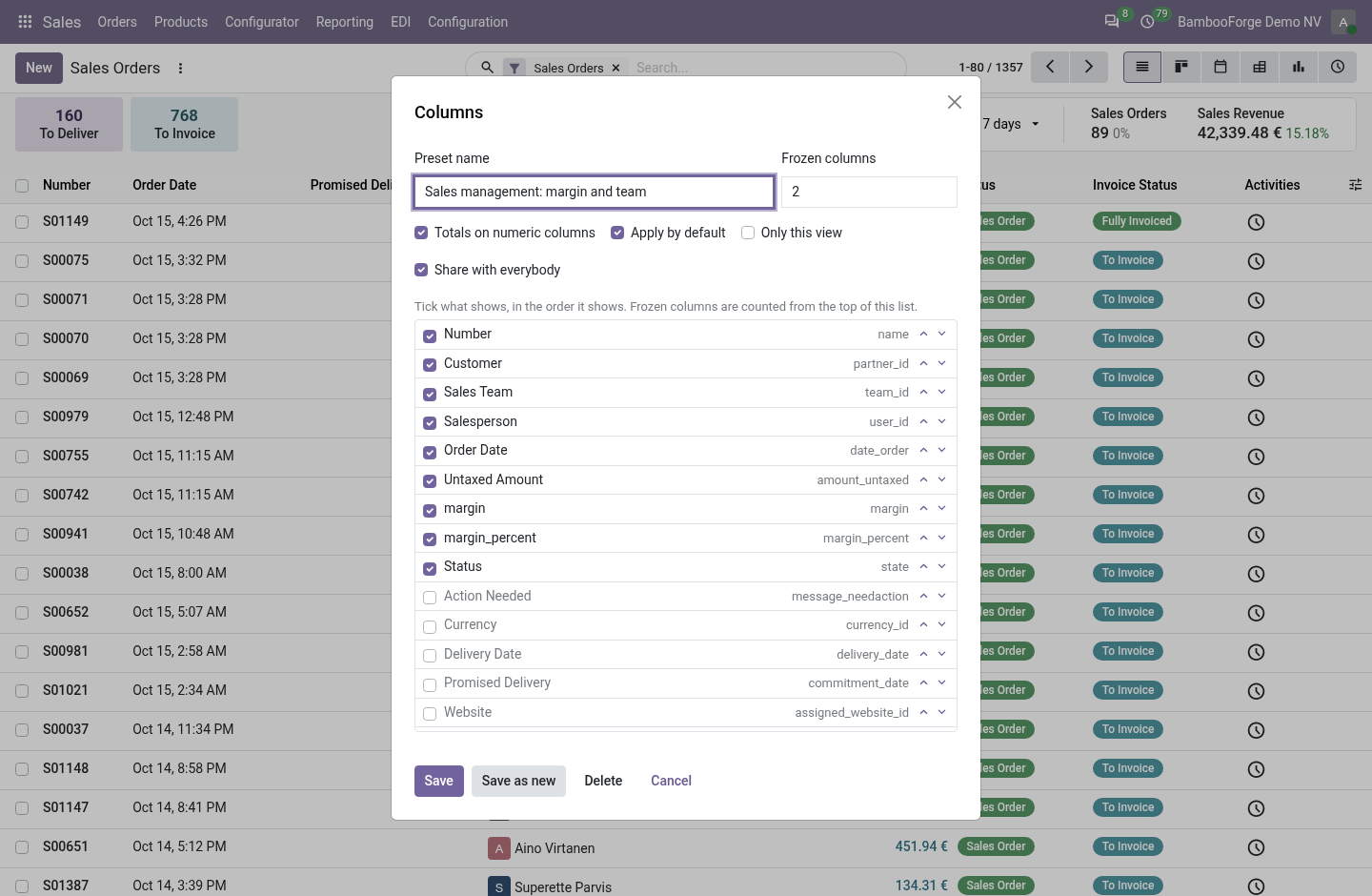
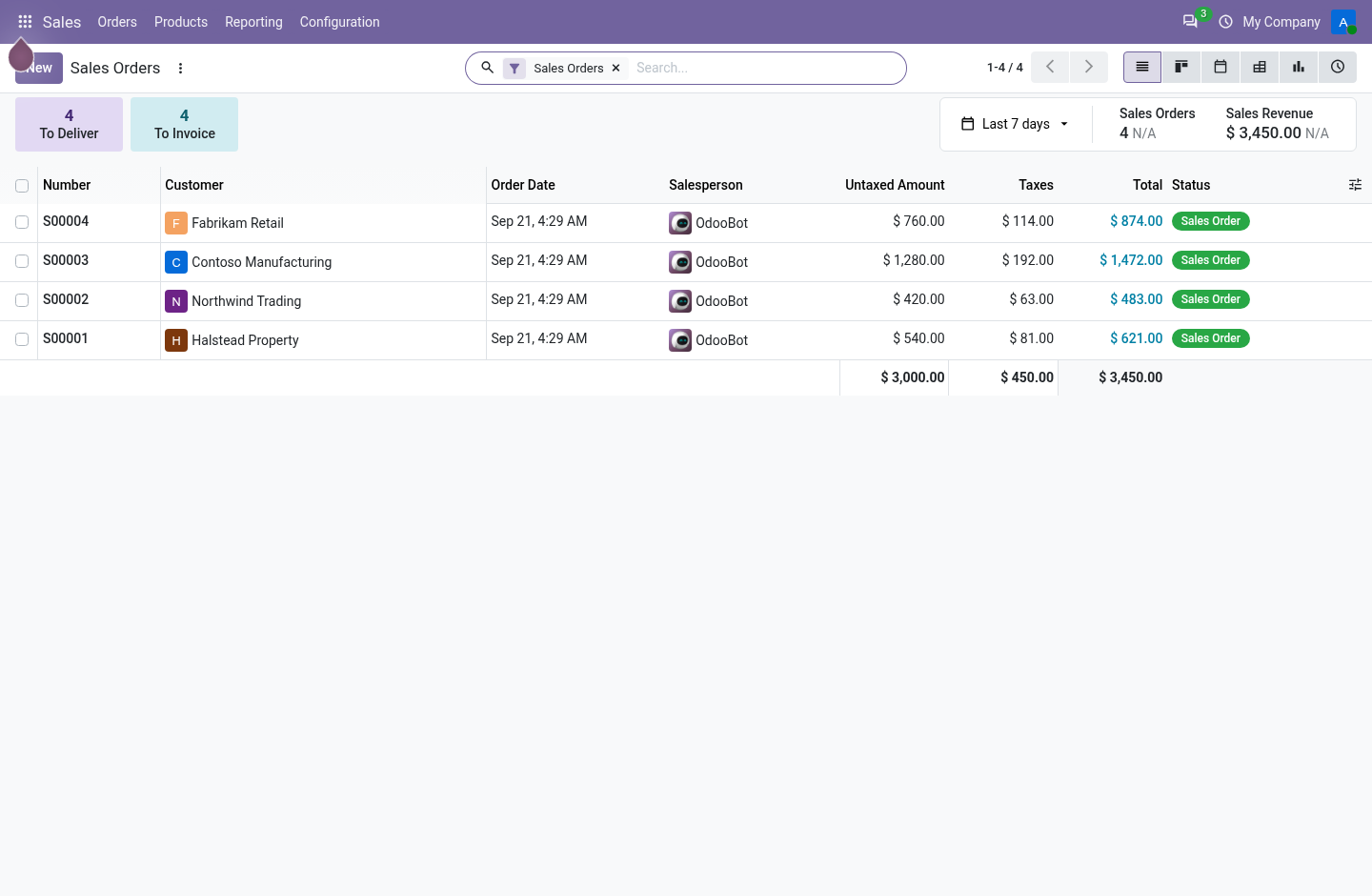
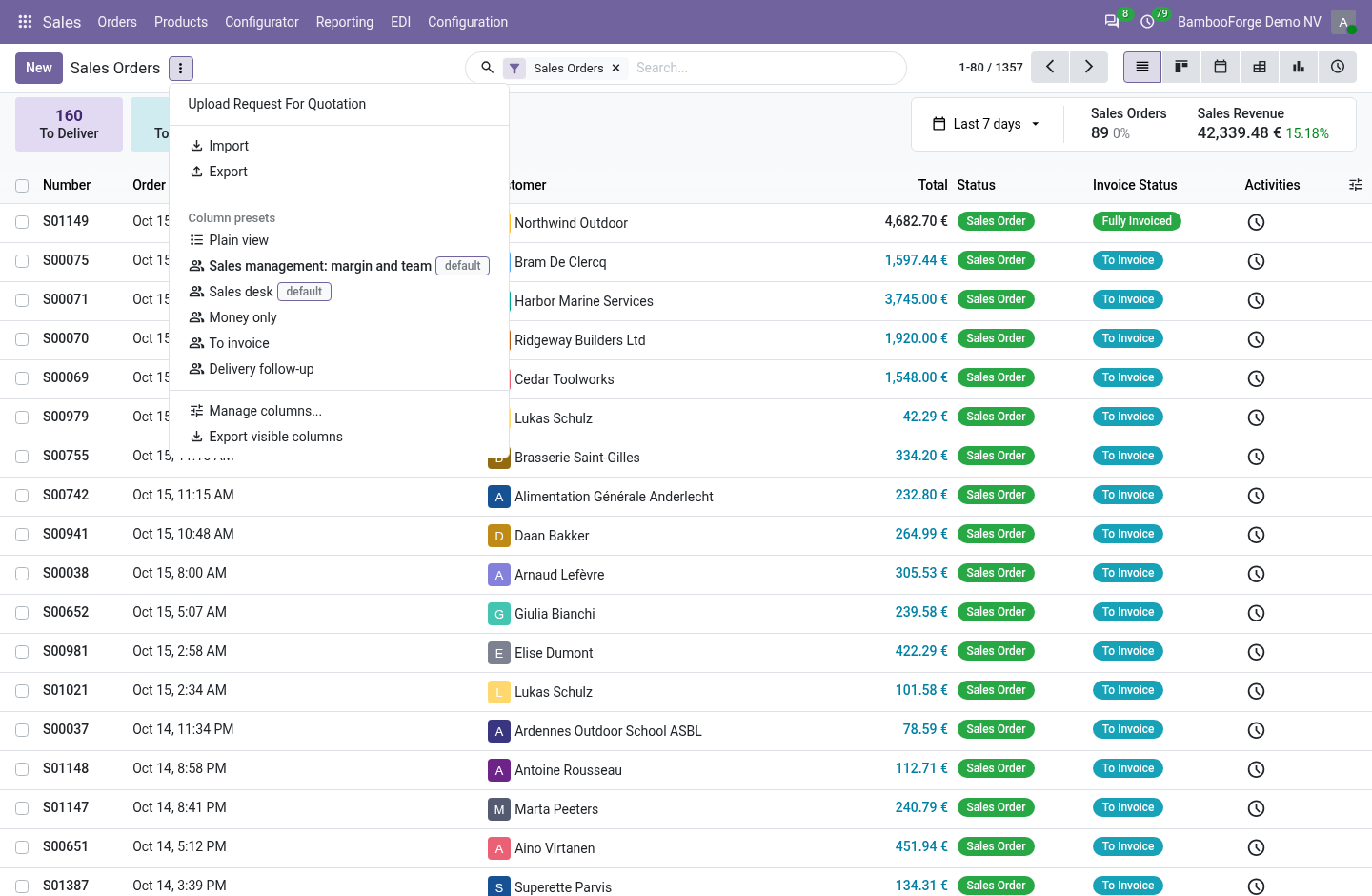
- Columns that stayWhich columns, in which order, under a name, from the cog menu of any list view.
- One set per roleA list manager shares a preset with everybody or with chosen groups, and can make it the default.
- Frozen columns and totalsThe first columns stay put while the rest scroll, and numeric columns carry a sum.
Runs onOdoo 16 to 20Community or Enterprise, self-hosted or Odoo.sh
NeedsOdoo onlyno Enterprise module
Price99 EURone-time, per series, on the Odoo Apps Store
Demodemo20.bambooforge.devlogin page already filled in
Supportsupport@bambooforge.devfirst reply within one business day
Version20.0.1.0.5
bambooforge_list_view_pro39 automated checks run before every release of this app, the same suite on every series it ships for. The complete list is in the source you receive; run it yourself with --test-enable.
How you use it
Three things you do with it
Flow 01
Save a preset
On any list view.
- Open a list, press the cog and choose Manage columns.
- Tick the columns and move them with the arrows.
- Set the frozen columns, and tick totals if you want them.
- Press Save: the list follows the preset.
Flow 02
Share with a role
For a list manager.
- In Manage columns tick Share with everybody and save.
- To aim it at a role, fill Shared With in Settings > Technical > Column Presets.
- Tick Applied by Default so that it loads by itself.
Flow 03
Export what is on screen
With Odoo's export right.
- Search and filter the list.
- Press the cog and choose Export visible columns.
- A new tab downloads an xlsx file with the columns on screen, in their order.
Price and where to buy
99 EUR, one payment per Odoo series, on the Odoo Apps Store. Pick your series:
Twelve months of support by the people who wrote the code; bug fixes and improvements within the series free for as long as it is published. Report a bug within two months of purchase and, if it is not resolved within fifteen days, you get a full refund. Full source under OPL-1, no licence key, no phone-home. The whole promise.