 BambooForge Labs

- Runs by itselfStart enrols every match; a scan every 10 minutes adds the new ones and sends what is due.
- Reacts to the readerBranches on opened, not opened, clicked, not clicked, or an A/B share that stays put.
- Rehearsed, then countedRun Test walks the journey and sends nothing; open, click and goal rates and revenue follow.
Runs onOdoo 16 to 20Community or Enterprise, self-hosted or Odoo.sh
NeedsEmail Marketingno Enterprise module
Price149 EURone-time, per series, on the Odoo Apps Store
Demodemo20.bambooforge.devlogin page already filled in
Supportsupport@bambooforge.devfirst reply within one business day
Version20.0.1.10.5
bambooforge_marketing_automation64 automated checks run before every release of this app, the same suite on every series it ships for. The complete list is in the source you receive; run it yourself with --test-enable.
How you use it
From a filter to a running journey
Flow 01
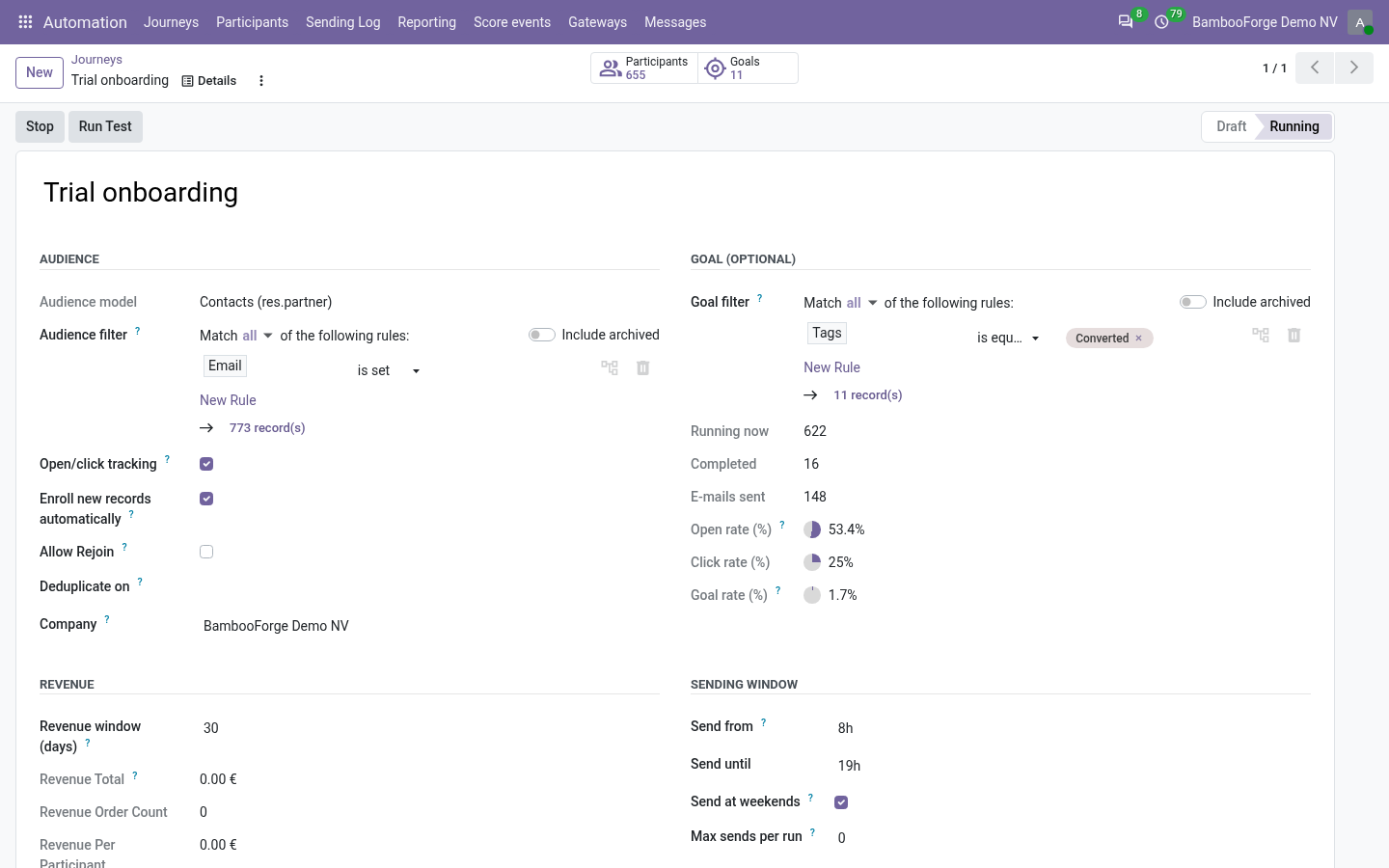
Build and start a journey
For the marketer.
- Automation > Journeys > New: pick contacts, mailing contacts or leads and build the filter.
- Add steps: a mail template, an SMS or a server action, each after a wait.
- Set a goal filter, the sending window and the revenue window.
- Press Run Test, then Start.
Flow 02
Follow the participants
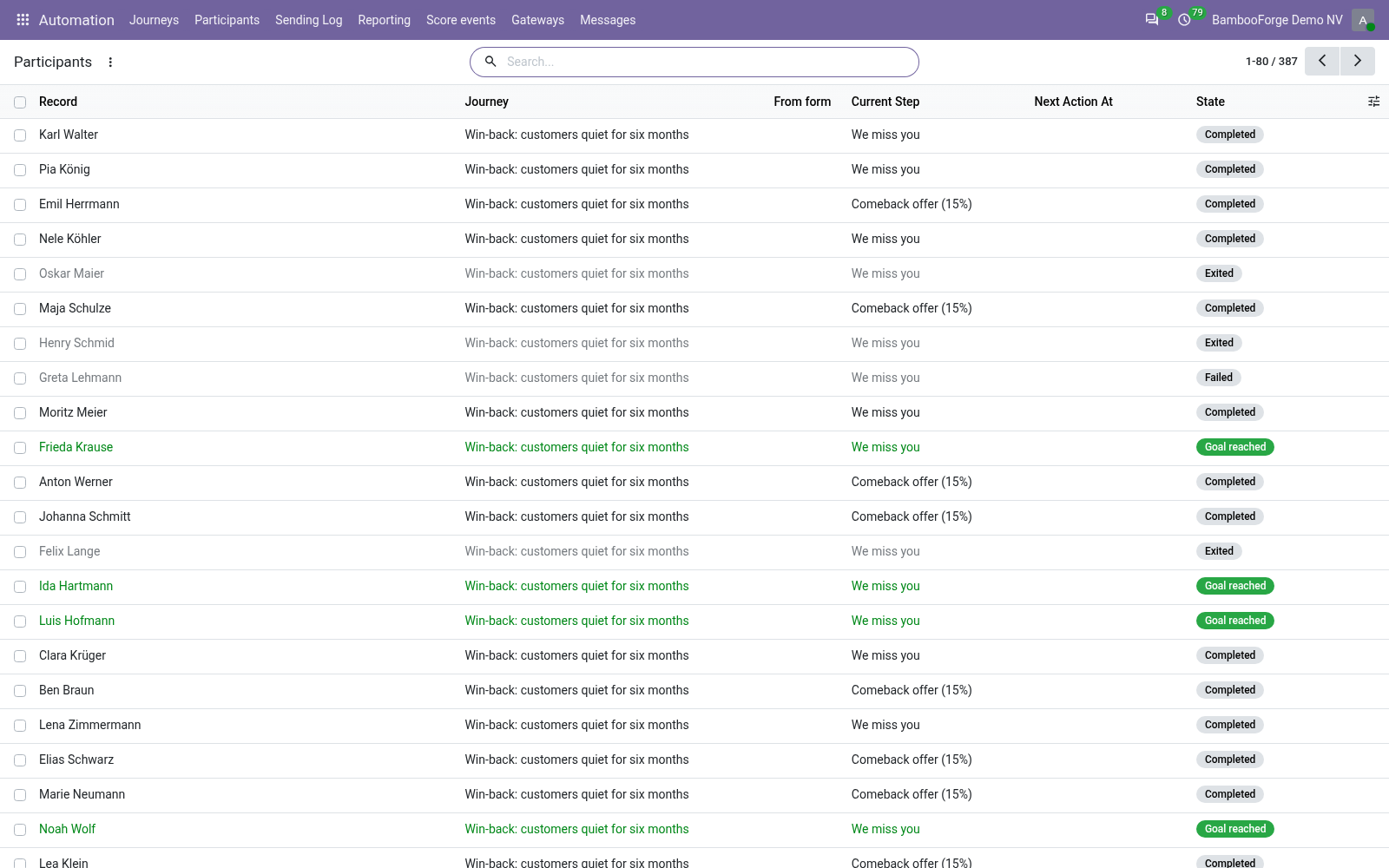
Every 10 minutes the journey does what is due.
- Automation > Participants: each record, its step, its next action and its status.
- Exit Journey takes one out.
- A blacklisted address or number leaves the journey by itself.
Flow 03
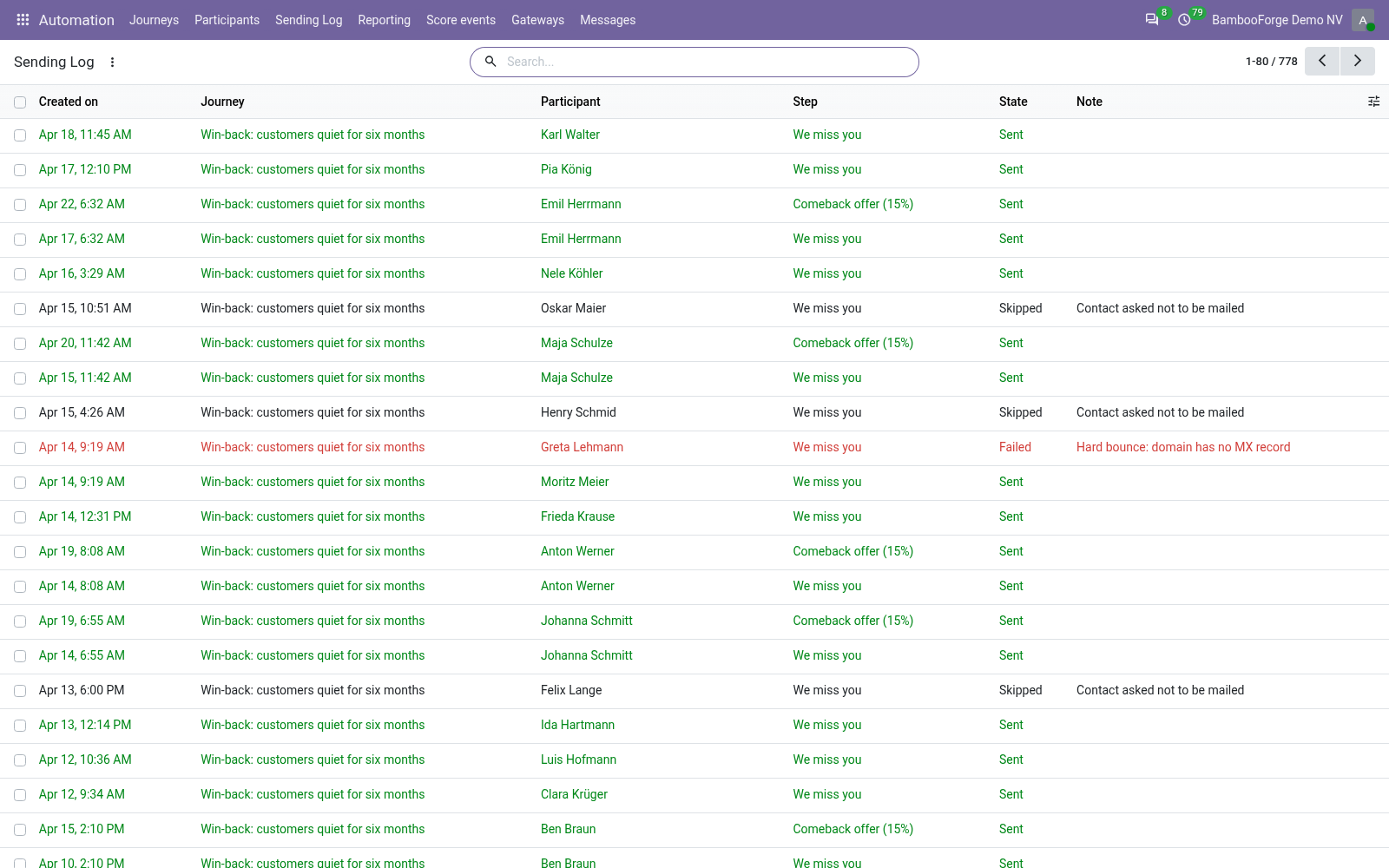
Read what each step did
For whoever asks why.
- Automation > Sending Log: sent, action done, skipped, expired or failed, with the reason.
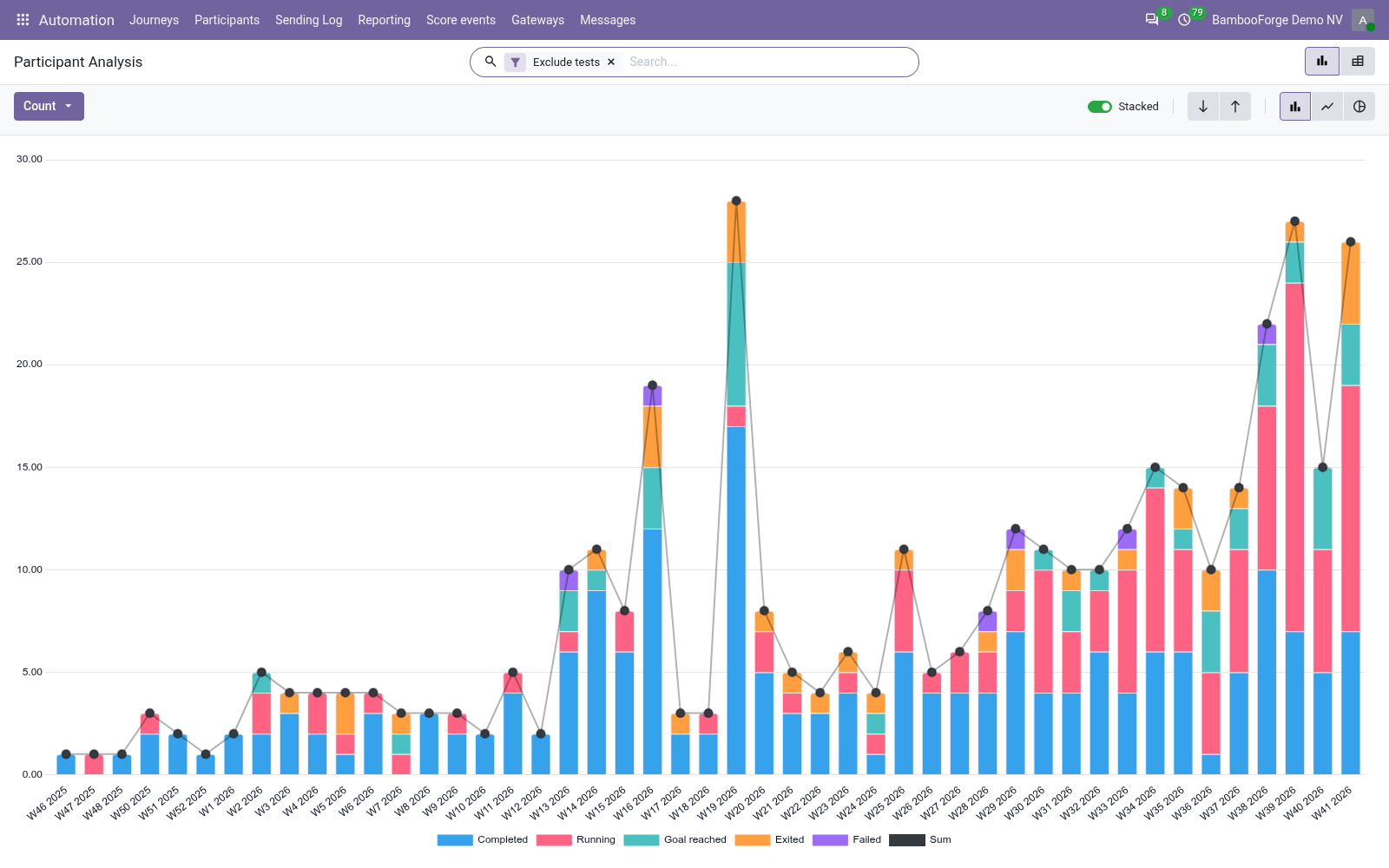
- Reporting > Step Activity: the steps side by side.
Price and where to buy
149 EUR, one payment per Odoo series, on the Odoo Apps Store. Pick your series:
Twelve months of support by the people who wrote the code; bug fixes and improvements within the series free for as long as it is published. Report a bug within two months of purchase and, if it is not resolved within fifteen days, you get a full refund. Full source under OPL-1, no licence key, no phone-home. The whole promise.