 BambooForge Labs

- Read-only on MatomoThe app only reads, with a token you give it: nothing is written back.
- Campaigns next to salesWith attribution on, a conversion is matched to a lead or an order, and their empty campaign, source and medium are filled.
- Dry-run firstA new instance reads Matomo and keeps what it would have written, without writing, until you untick Dry Run Mode.
bambooforge_matomo_connector111 automated checks run before every release of this app, the same suite on every series it ships for. The complete list is in the source you receive; run it yourself with --test-enable.
How you use it
Three flows, in the order you will meet them
Connect: one instance per Matomo server, dry-run first
Test Connection proves the address and the token, and the first import writes nothing.
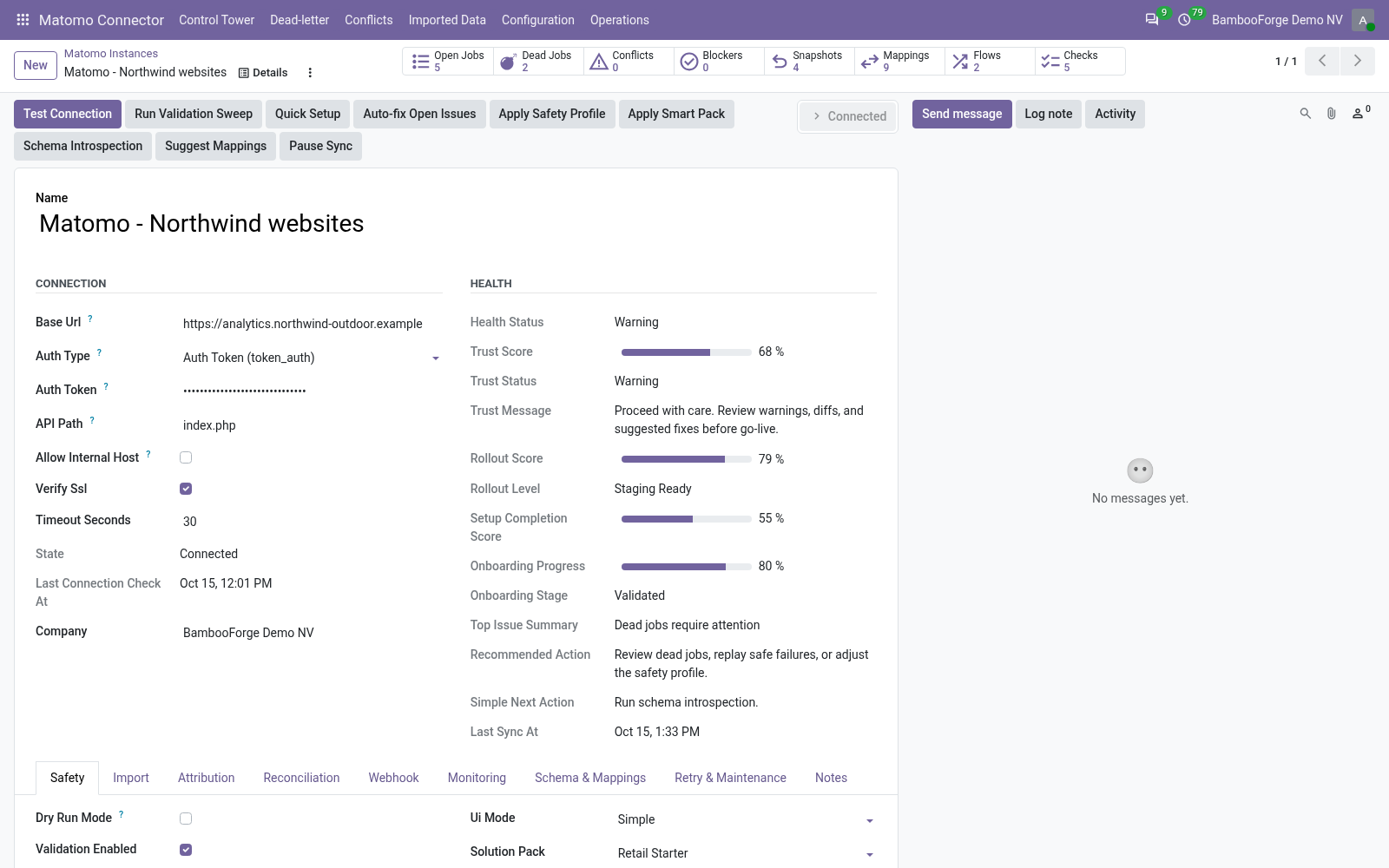
- In Odoo: Matomo Connector > Configuration > Instances > New. Enter the server's address and the auth token.
- Press Test Connection. The state turns Connected.
- On the Import tab press Queue Site Import and Queue Visit Summary Import; read the logs, untick Dry Run Mode and import again.
Sites and today's figures
Each site comes in with its settings, and one summary with its figures of today.
- Imported Data > Sites lists each site with its address, currency, time zone and ecommerce flag.
- Visit Summaries has one row per site: visits, actions, unique visitors, bounce rate, actions per visit and time on site.
- Each import writes over that row with the figures of the moment.
Conversions matched to leads and orders
Goals and ecommerce orders of the latest visits come in with their campaign.
- On the Attribution tab, tick Attribution Enabled and choose what to attribute to and how.
- Press Queue Conversion Import: each conversion comes in with its revenue and campaign.
- Each is matched to the newest lead or order of its campaign, or to the one whose e-mail is the visit's user id, and the empty campaign, source and medium of that record are filled.
- Revenue by Campaign adds Matomo's revenue and the matched orders' totals by campaign.
Price and where to buy
89 EUR, one payment per Odoo series, on the Odoo Apps Store. Pick your series:
Twelve months of support by the people who wrote the code; bug fixes and improvements within the series free for as long as it is published. Report a bug within two months of purchase and, if it is not resolved within fifteen days, you get a full refund. Full source under OPL-1, no licence key, no phone-home. The whole promise.