 BambooForge Labs

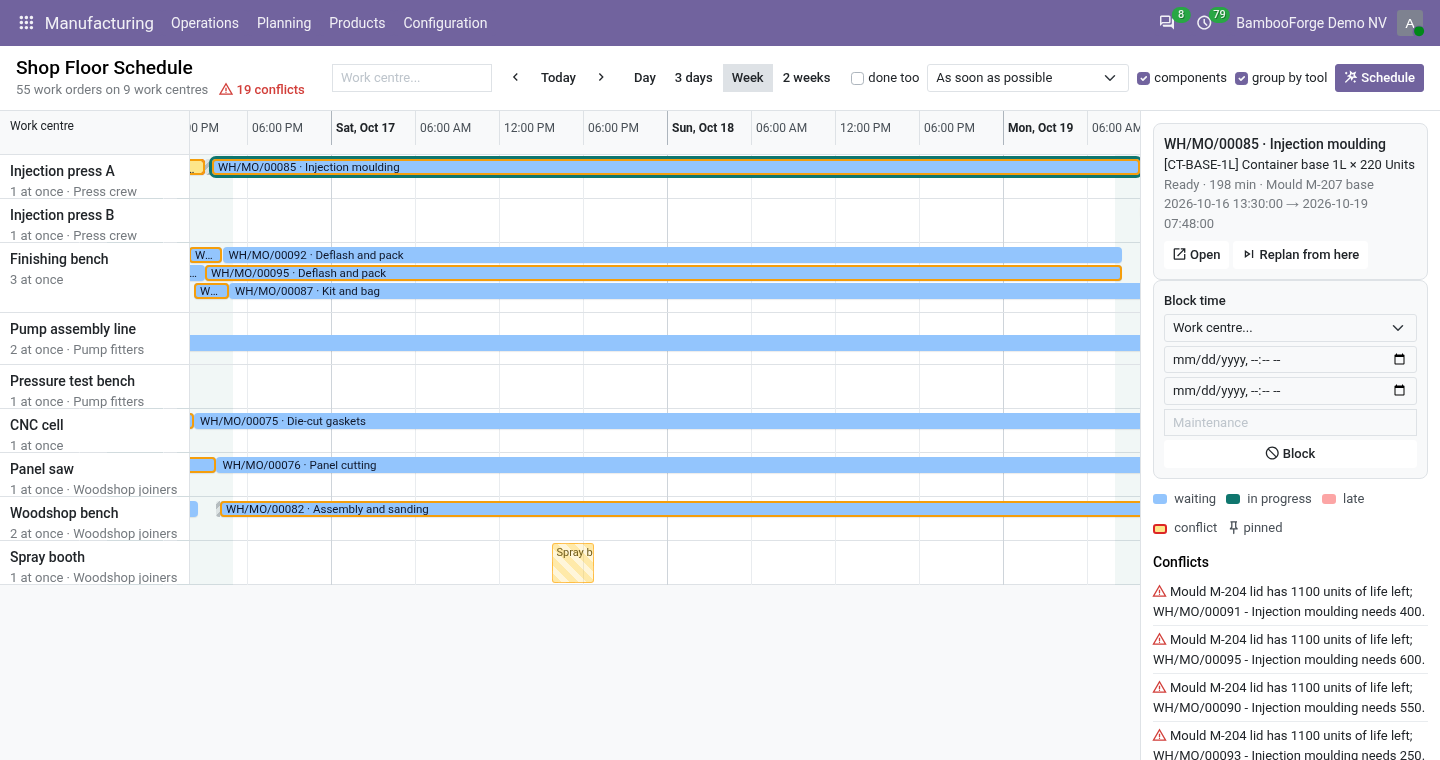
- Finite capacityWork orders placed in working time, after the operations they wait for, never more at once than a work centre runs.
- A plan you steerDrag a work order and it is pinned there; replan from the one that stopped after a breakdown.
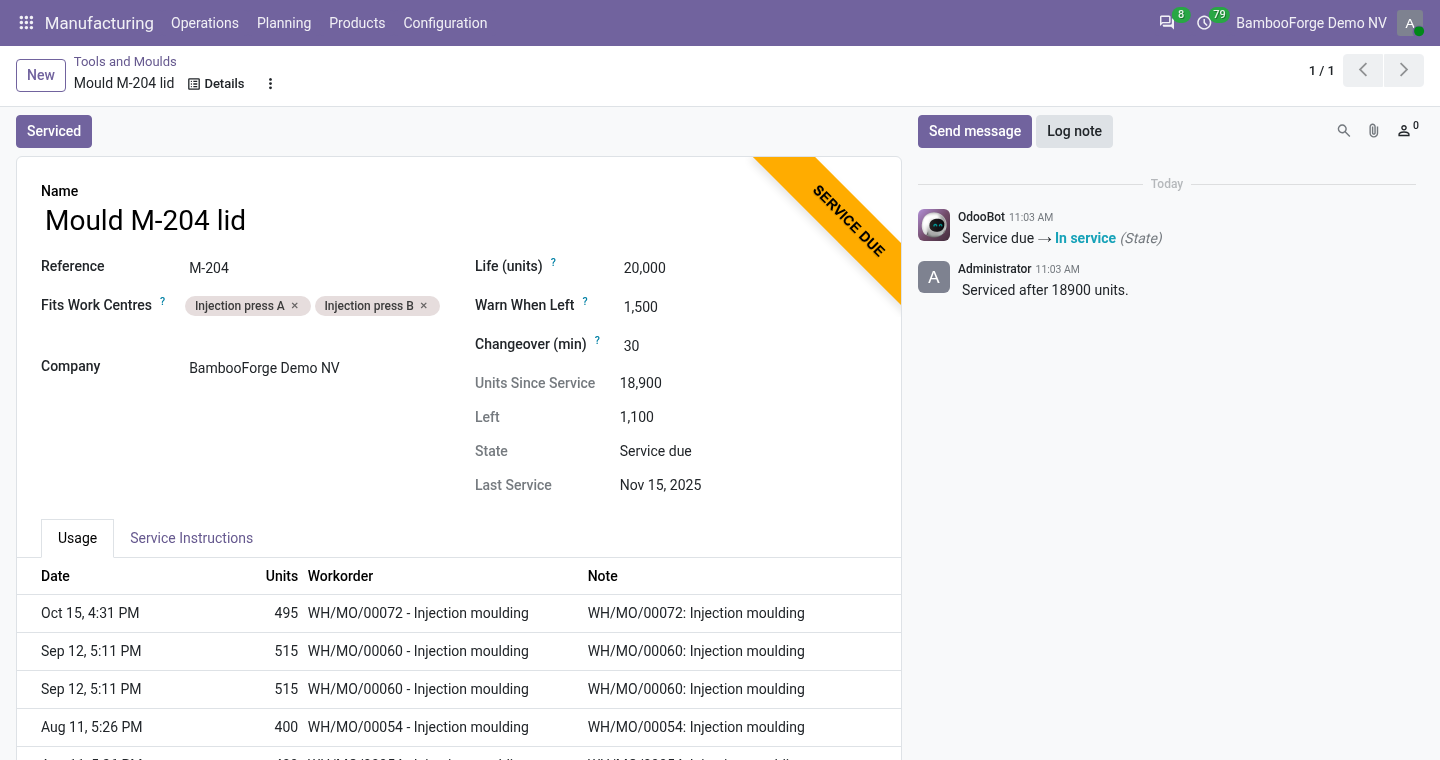
- Tools that countA mould is held by one work order at a time, counted at each finish, and refuses a start once spent.
Runs onOdoo 16 to 20Community or Enterprise, self-hosted or Odoo.sh
NeedsManufacturingno Enterprise module
Price249 EURone-time, per series, on the Odoo Apps Store
Demodemo20.bambooforge.devlogin page already filled in
Supportsupport@bambooforge.devfirst reply within one business day
Version20.0.1.1.8
bambooforge_mrp_scheduler23 automated checks run before every release of this app, the same suite on every series it ships for. The complete list is in the source you receive; run it yourself with --test-enable.
How you use it
From waiting work orders to a plan
Flow 01
Plan the shop
For the planner.
- Manufacturing > Planning > Shop Floor Schedule shows a row per work centre, by the hour.
- Choose as soon as possible or just in time, components and group by tool.
- Schedule plans every waiting work order; running and pinned ones are planned around.
Flow 02
Steer by hand
When the day does not go to plan.
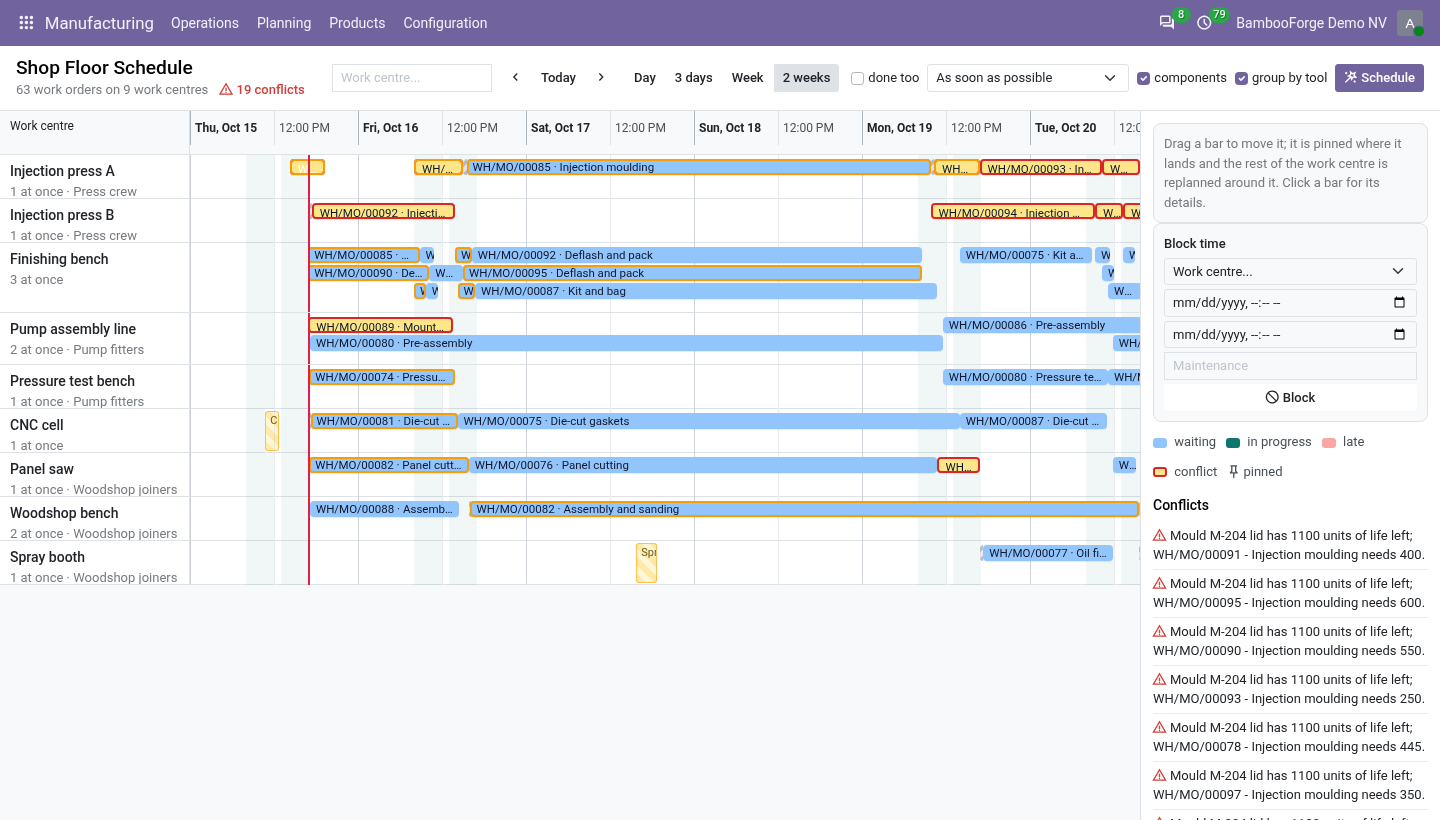
- Drag a bar: it lands at the next working time and is pinned.
- Replan from here keeps what is planned before a work order and replans from it on.
- Block time on a machine for a service; the next Schedule plans around it.
Flow 03
Look after the moulds
For the toolroom.
- Give a tool a life in units, a warning level and a changeover, and put it on the operation.
- Each finished work order adds its units; below the warning the tool is due.
- Spent, it refuses Start until Serviced resets it.
Price and where to buy
249 EUR, one payment per Odoo series, on the Odoo Apps Store. Pick your series:
Twelve months of support by the people who wrote the code; bug fixes and improvements within the series free for as long as it is published. Report a bug within two months of purchase and, if it is not resolved within fifteen days, you get a full refund. Full source under OPL-1, no licence key, no phone-home. The whole promise.