 BambooForge Labs

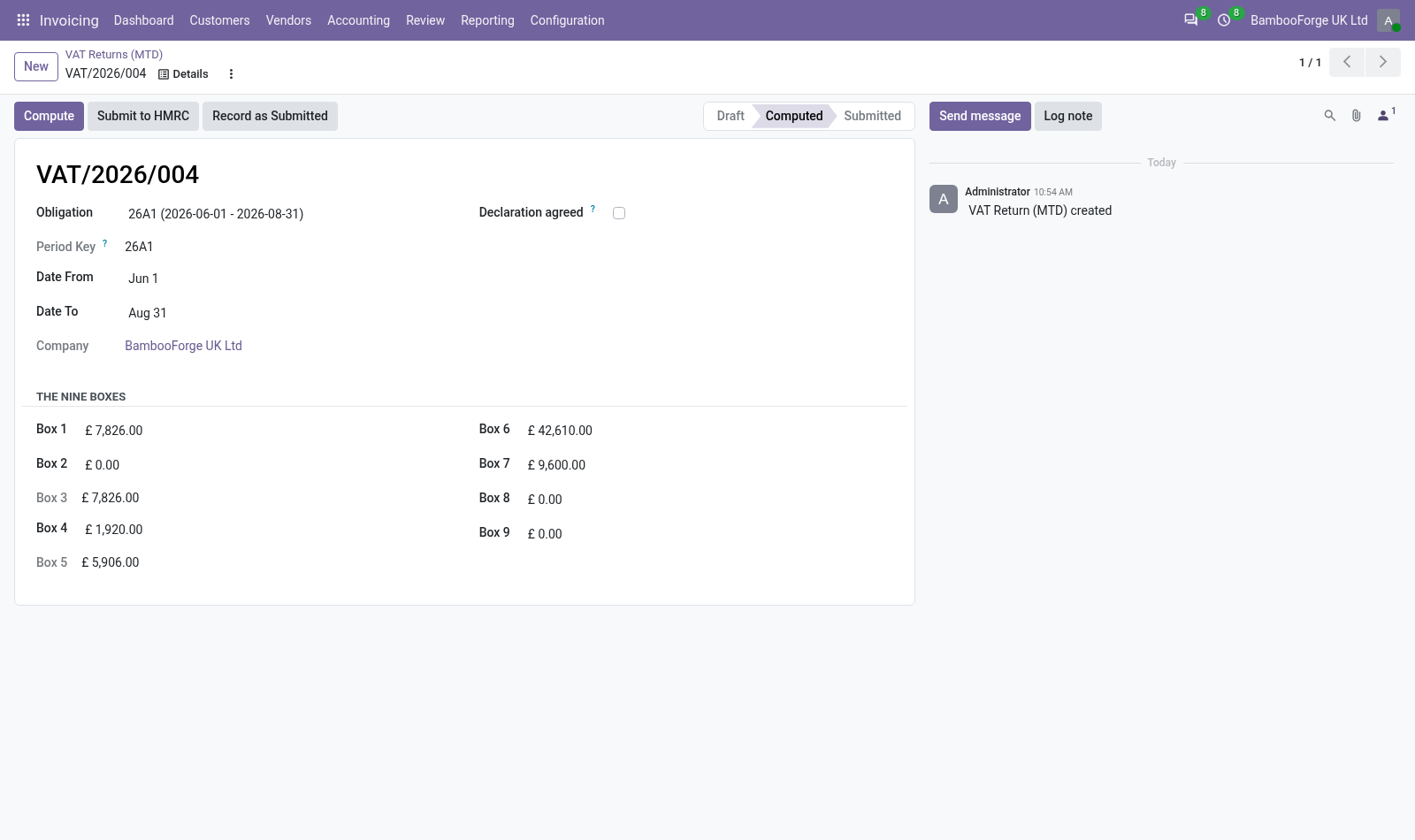
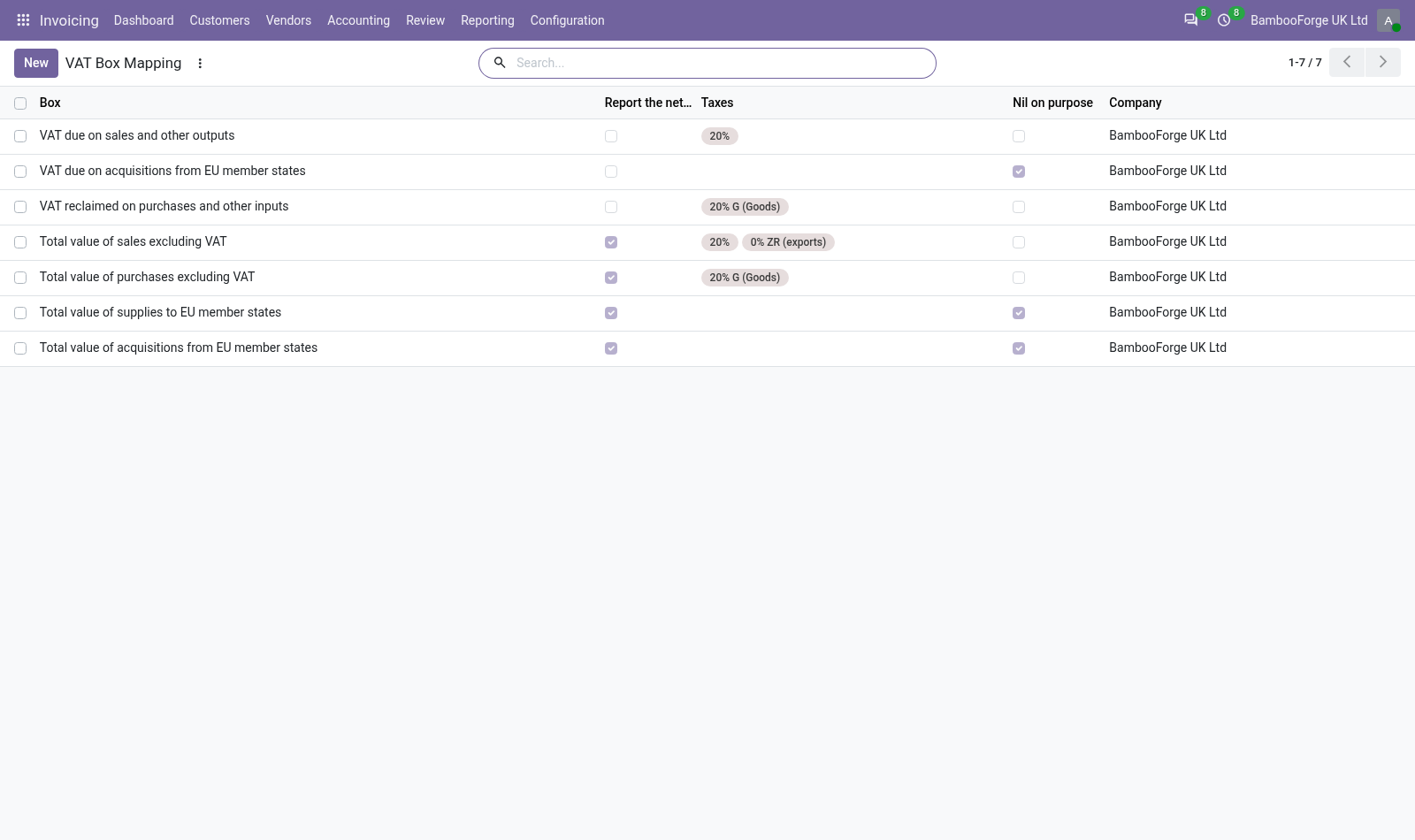
- Boxes from your own taxesEach box says which taxes feed it and whether it reports the VAT or the net amount. Boxes 3 and 5 are computed.
- Checks before submittingA return without obligation, declaration or mapping, or from books not kept in pounds, is refused with a message that says why.
- The submission preparedThe body HMRC's VAT API expects and the fraud-prevention headers the server can fill, handed to one method a developer replaces with a client.
Runs onOdoo 16 to 20Community or Enterprise, self-hosted or Odoo.sh
NeedsInvoicingno Enterprise module
Price249 EURone-time, per series, on the Odoo Apps Store
Demodemo20.bambooforge.devlogin page already filled in
Supportsupport@bambooforge.devfirst reply within one business day
Version20.0.1.1.2
bambooforge_mtd_vat31 automated checks run before every release of this app, the same suite on every series it ships for. The complete list is in the source you receive; run it yourself with --test-enable.
How you use it
Two things you do with it
Flow 01
Map the boxes
Once, then when a tax is added.
- Invoicing > Configuration > VAT Box Mapping: one row per box, 1, 2, 4 and 6 to 9.
- Give each box its taxes; Report the net amount is ticked for boxes 6 to 9.
- Tick Nil on purpose for a box that is always empty for you.
Flow 02
Prepare a return
Each VAT period.
- Invoicing > Configuration > VAT Obligations: type the period HMRC gave you.
- Invoicing > Reporting > VAT Returns (MTD) > New: choose the obligation and its dates, press Compute.
- Tick Declaration agreed once the boxes are checked.
- File, then press Record as Submitted: the obligation turns Fulfilled.
Price and where to buy
249 EUR, one payment per Odoo series, on the Odoo Apps Store. Pick your series:
Twelve months of support by the people who wrote the code; bug fixes and improvements within the series free for as long as it is published. Report a bug within two months of purchase and, if it is not resolved within fifteen days, you get a full refund. Full source under OPL-1, no licence key, no phone-home. The whole promise.