 BambooForge Labs

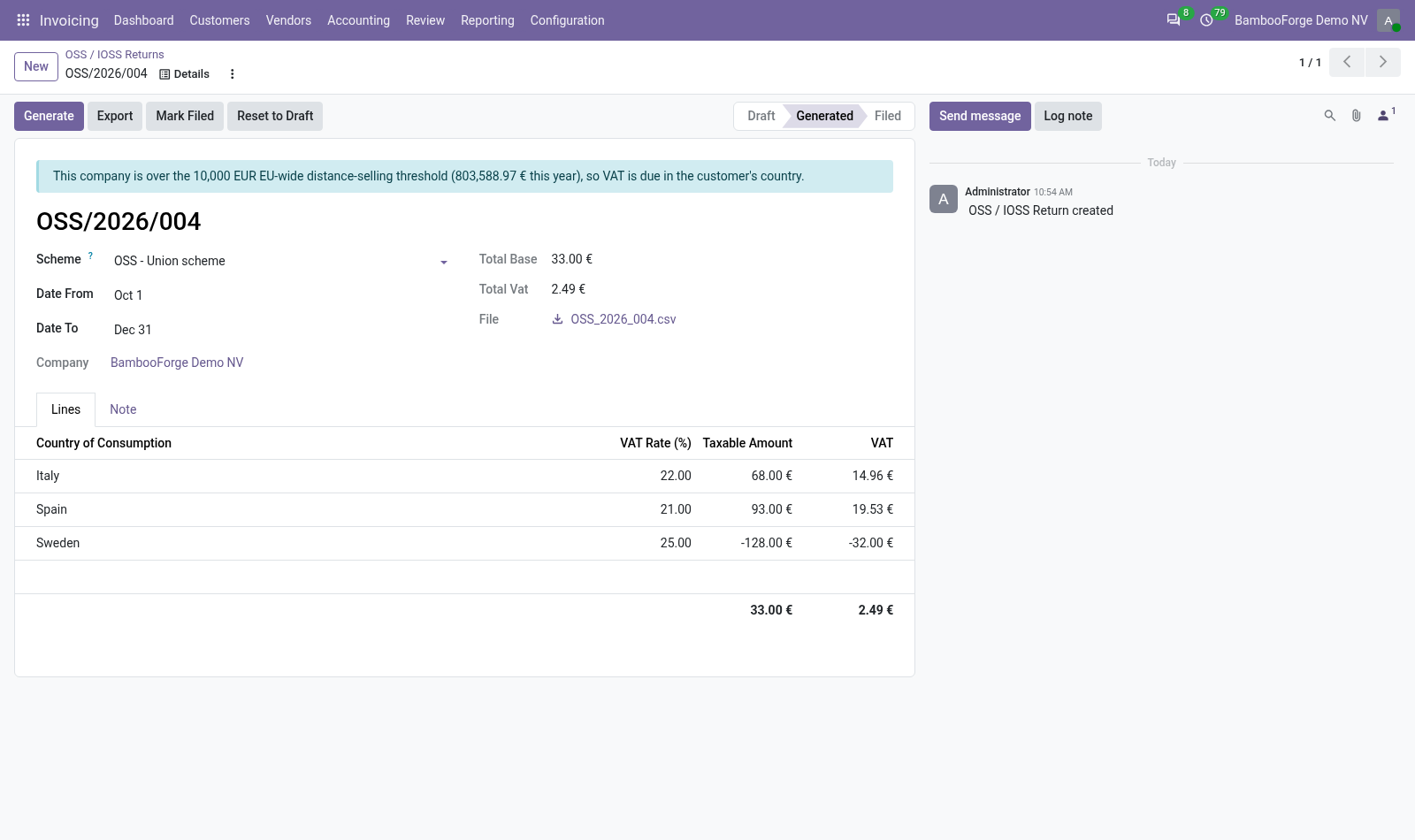
- Per country and rateGenerate adds up the taxable amount and the VAT per member state of consumption and VAT rate. The country is the fiscal position's, else the customer's.
- Credit notes subtractedA credit note is subtracted from the line of its country and rate, in the period of its own date: the return shows what is left.
- The threshold on every returnThis calendar year's sales to consumers in other member states against 10,000: what is left, or a blue box once it is reached.
Runs onOdoo 16 to 20Community or Enterprise, self-hosted or Odoo.sh
NeedsInvoicingno Enterprise module
Price199 EURone-time, per series, on the Odoo Apps Store
Demodemo20.bambooforge.devlogin page already filled in
Supportsupport@bambooforge.devfirst reply within one business day
Version20.0.1.0.3
bambooforge_oss24 automated checks run before every release of this app, the same suite on every series it ships for. The complete list is in the source you receive; run it yourself with --test-enable.
How you use it
Two things you do with it
Flow 01
Prepare a quarter
For an accountant with the OSS right.
- Invoicing > Reporting > OSS / IOSS > New: keep the Union scheme and choose a day of the quarter. The quarter's first and last days are filled in.
- Press Generate: one line per member state and VAT rate, with the totals.
- Press Export and download the CSV: country, rate, taxable amount, VAT.
- Enter the figures in your member state's OSS portal.
Flow 02
File it and watch the threshold
Once the return is in the portal.
- Press Mark Filed: Generate is refused on a filed return.
- Reset to Draft and Generate again to rebuild one; the chatter keeps the status changes.
- Read the box above the title: what is left before 10,000, or that the company is over it.
Price and where to buy
199 EUR, one payment per Odoo series, on the Odoo Apps Store. Pick your series:
Twelve months of support by the people who wrote the code; bug fixes and improvements within the series free for as long as it is published. Report a bug within two months of purchase and, if it is not resolved within fifteen days, you get a full refund. Full source under OPL-1, no licence key, no phone-home. The whole promise.