 BambooForge Labs

- The archive, searchable in OdooCorrespondents, document types, tags and documents, each document with its OCR text, created date and archive serial number, linked to its correspondent, type and tags.
- Draft bills with the PDF on themOff until you tick it: the vendor found by the correspondent's name, the document's date and title, one line when a Paperless custom field holds the total. Nothing posts a bill.
- Read-only on Paperless, dry-run firstEvery call is a GET with the API token, and a new instance writes nothing in Odoo until you untick Dry Run Mode.
bambooforge_paperless_connector125 automated checks run before every release of this app, the same suite on every series it ships for. The complete list is in the source you receive; run it yourself with --test-enable.
How you use it
Four flows, in the order you will meet them
Connect: one instance per Paperless-ngx server, dry-run first
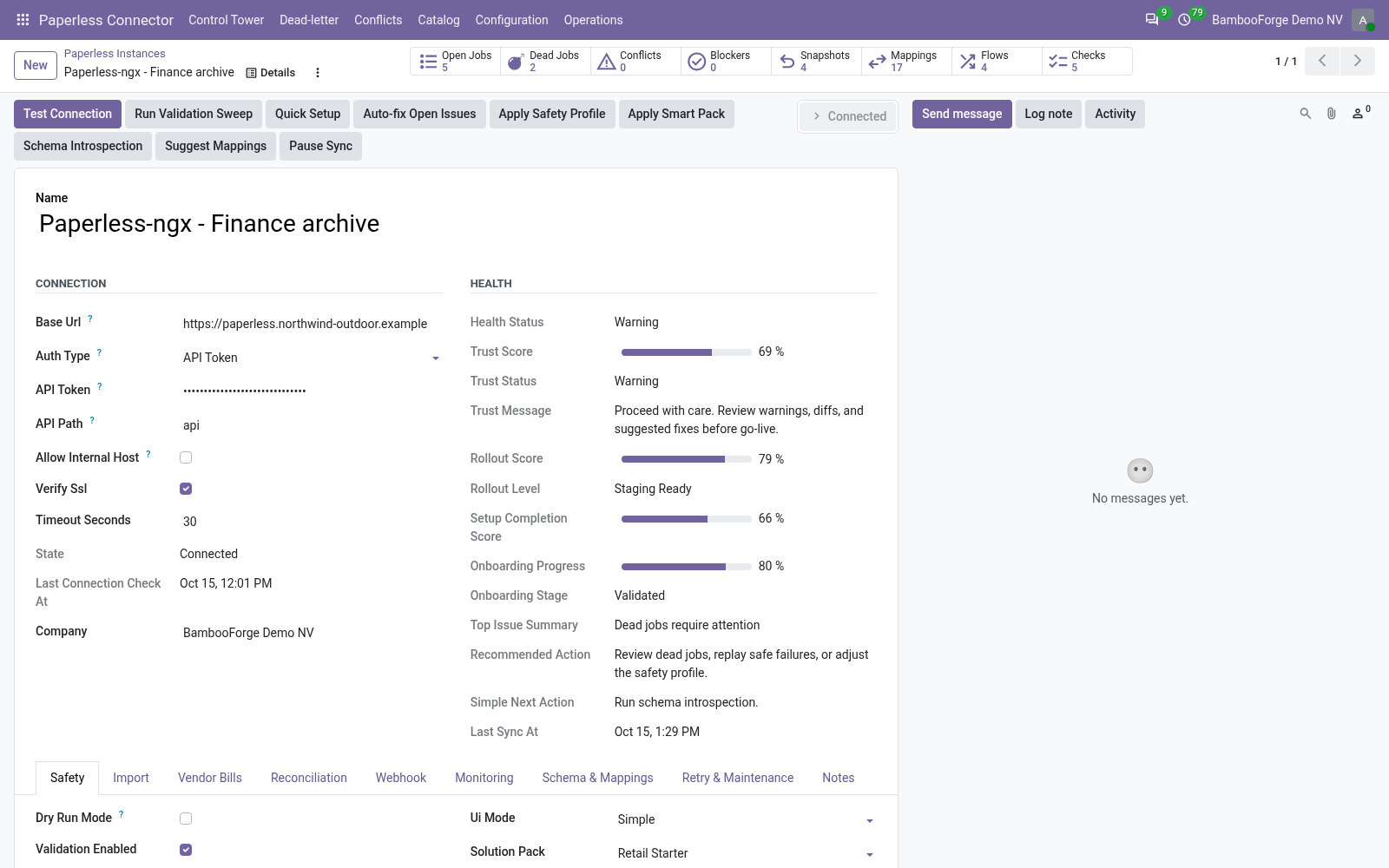
Test Connection proves the address and the token, and the first import writes nothing.
- In Odoo: Paperless Connector > Configuration > Instances > New. Enter the server's address and the API token of a Paperless user.
- Press Test Connection. The state turns Connected.
- On the Import tab press Queue Document Import: correspondents, document types and tags are listed first, then the documents.
- Read Operations > Logs and Validation Results, untick Dry Run Mode and press the button again.
The archive, searchable in Odoo
Odoo's copy of Paperless's names, dates and OCR text; the files stay in Paperless.
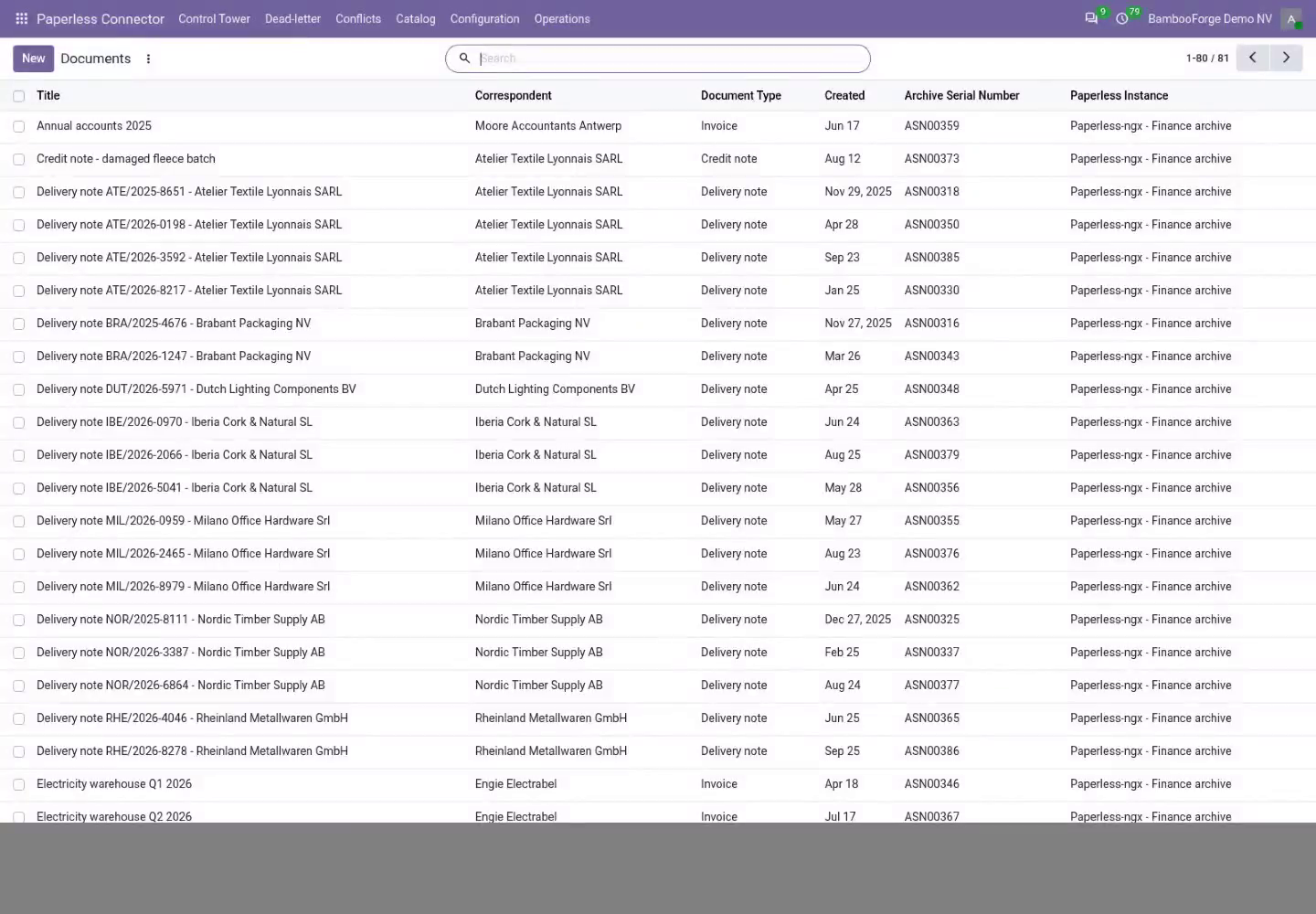
- Catalog > Documents lists each document with its correspondent, type, created date and archive serial number.
- A document's form shows its tags and its OCR text; the list searches that text.
- Catalog > Correspondents, Document Types and Tags list each with the number of documents Paperless counts for it.
A draft vendor bill for each imported document
Off until you tick Create Vendor Bills; every document an import writes gets one, whatever its type.
- On the Vendor Bills tab tick Create Vendor Bills, pick the journal, and for a line set Default Expense Account and Total Custom Field.
- Each document an import writes without a bill gets one in draft: the vendor found by the correspondent's name, the document's date, its title as reference.
- The bill gets one line when the document carries the total in that custom field, and the document's PDF in its chatter.
- An accountant checks and posts it in Invoicing > Vendors > Bills.
Failed jobs are listed, with their error
Every job is retried, set aside after its last try, and shown with its error.
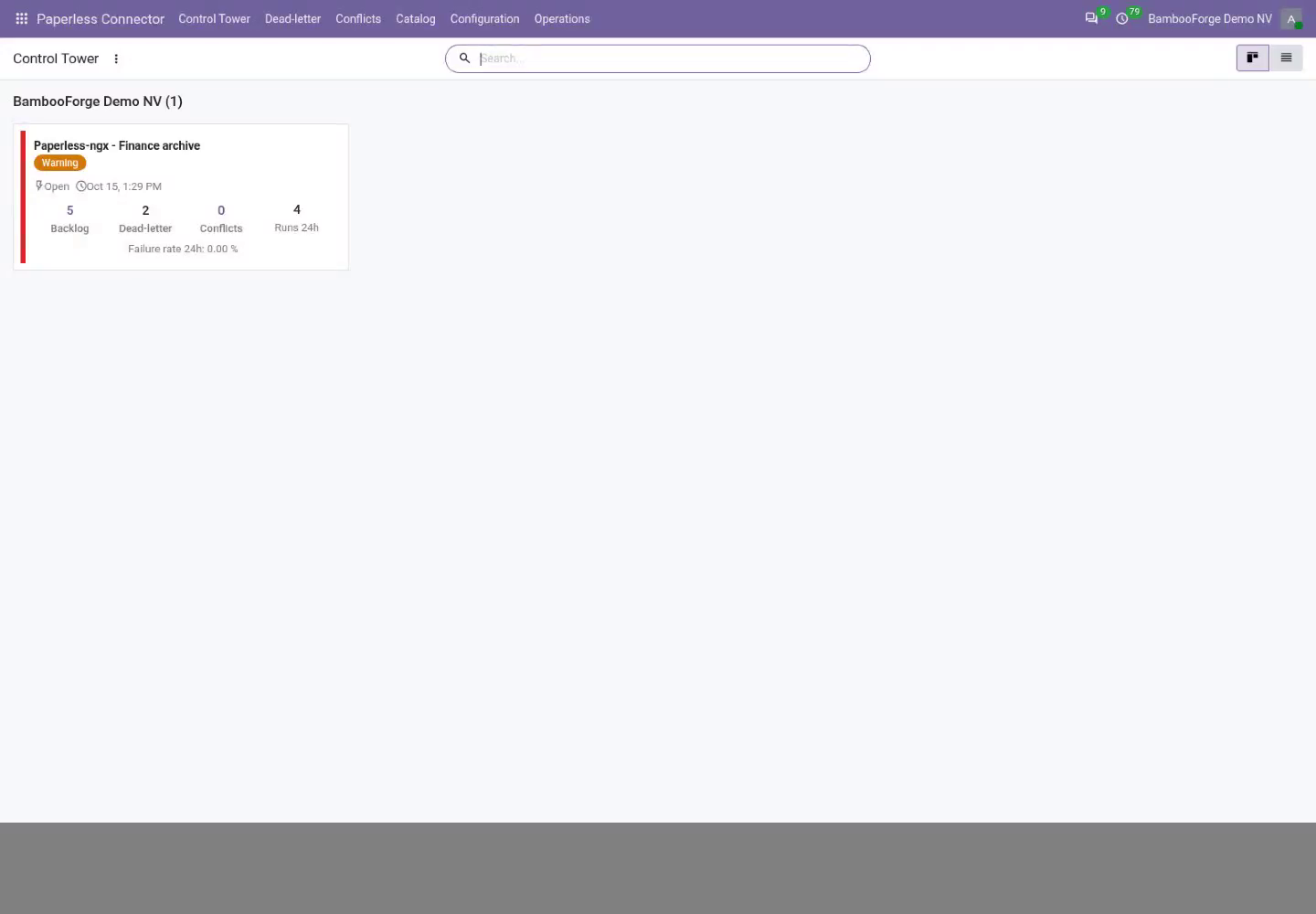
- Open the Control Tower: one card per instance with its backlog, dead letters and conflicts.
- Open Dead-letter, fix the cause the error names, select the jobs and use Requeue Jobs.
- A bill that could not be drafted is an error line under Operations > Logs; the document is imported all the same.
Price and where to buy
89 EUR, one payment per Odoo series, on the Odoo Apps Store. Pick your series:
Twelve months of support by the people who wrote the code; bug fixes and improvements within the series free for as long as it is published. Report a bug within two months of purchase and, if it is not resolved within fifteen days, you get a full refund. Full source under OPL-1, no licence key, no phone-home. The whole promise.