 BambooForge Labs

- Eleven schemes, each with its shapeGLN, and company or VAT numbers from Belgium, France, Germany, Italy, Luxembourg, the Netherlands and Norway. A GLN is 13 digits, a Dutch VAT number is NL, 9 digits, B and 2 digits.
- Only the customers who use PeppolTick Receives via Peppol on the customer. For a customer who takes a PDF by e-mail no Peppol finding is raised, whatever their address.
- One list of what to fixPeppol Readiness shows every marked contact with no address, an identifier that does not fit its scheme, or another country's scheme.
bambooforge_peppol_ops18 automated checks run before every release of this app, the same suite on every series it ships for. The complete list is in the source you receive; run it yourself with --test-enable.
How you use it
Three things you do with it
Marking who uses Peppol
The mark is on the customer company, not on one of its contacts.
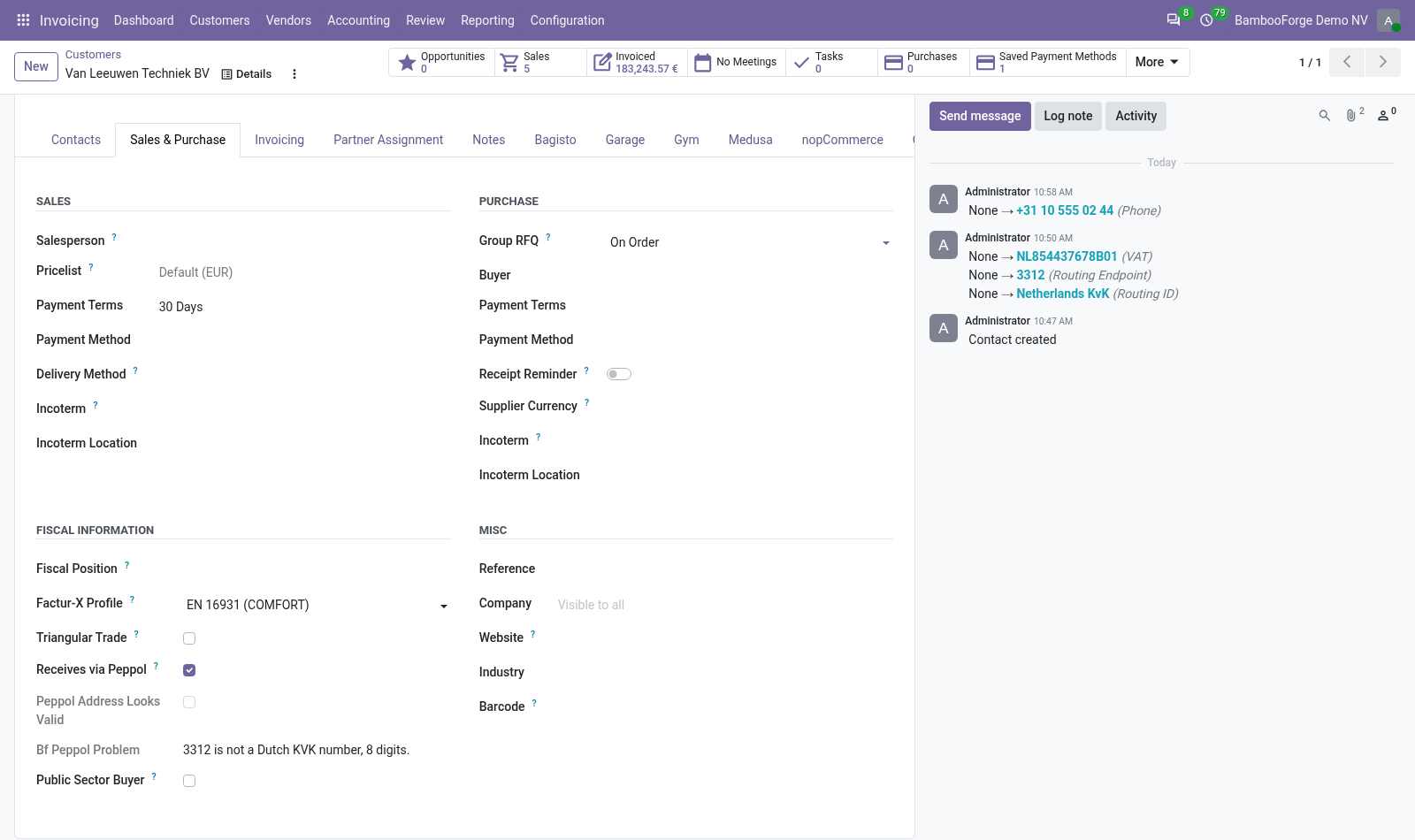
- Open the customer and go to the Sales & Purchase tab: Receives via Peppol is under Fiscal Information.
- Tick it and save: Peppol Address Looks Valid appears below it, and Peppol Problem says in one sentence what is wrong.
- Leave the mark off for a customer who takes a PDF by e-mail.
What is checked
On a customer invoice or credit note of a marked customer, Check E-Invoice adds its findings to those of E-Invoice Pre-Flight Checks.
- Press Check E-Invoice: with a blocking finding, a red block lists each finding with its rule, its severity and a detail.
- With warnings only there is no red block: E-invoice issues at the top of the invoice opens them.
- Correct the address on the customer and check again: the finding is gone.
- In E-Invoice Checks, set the severity of a check or switch it off.
One pass over the customer list
Invoicing > Configuration > Peppol Readiness, for accounting administrators.
- Open the menu: the list Customers not reachable over Peppol.
- Switch on the column Peppol Problem to read the sentence for each contact.
- Correct a contact and open the menu again: it has left the list.
Price and where to buy
348 EUR, one payment per Odoo series, on the Odoo Apps Store. Pick your series:
Twelve months of support by the people who wrote the code; bug fixes and improvements within the series free for as long as it is published. Report a bug within two months of purchase and, if it is not resolved within fifteen days, you get a full refund. Full source under OPL-1, no licence key, no phone-home. The whole promise.