 BambooForge Labs

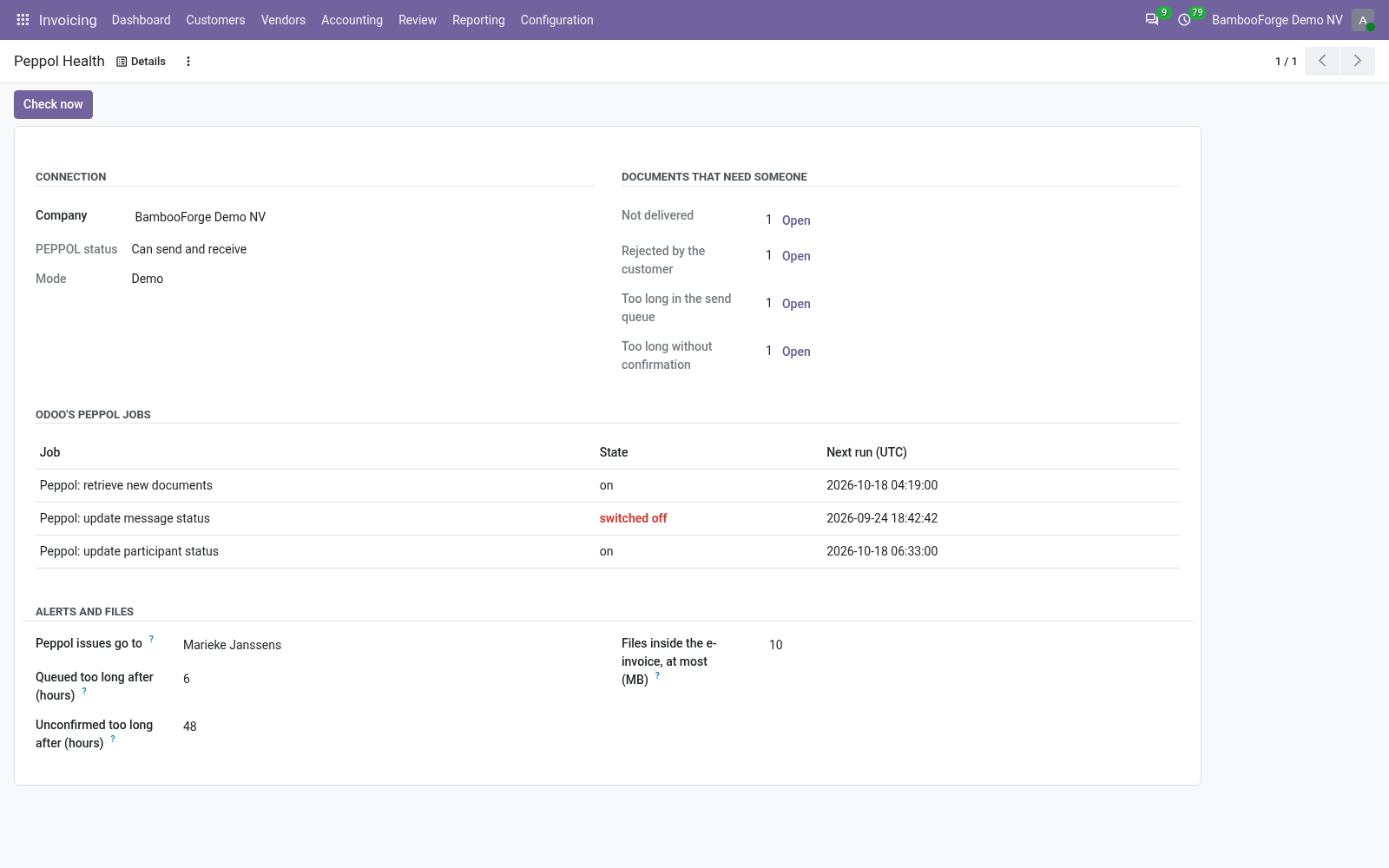
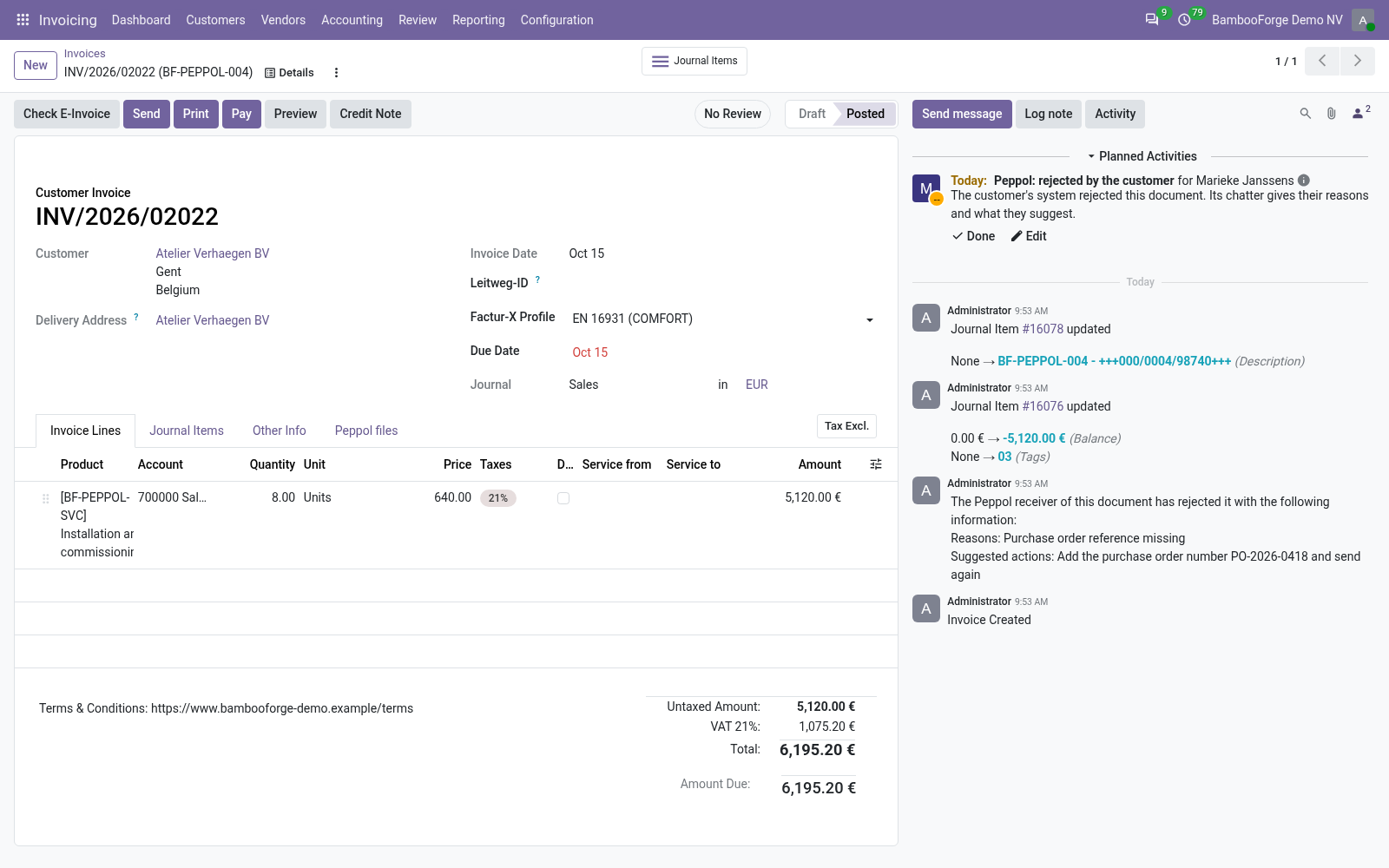
- An alert for a personEvery 30 minutes each invoice in error, rejected by the customer, or waiting too long in the send queue or for a delivery confirmation gets a Peppol issue activity for the user you choose. It is marked done by itself when the invoice recovers.
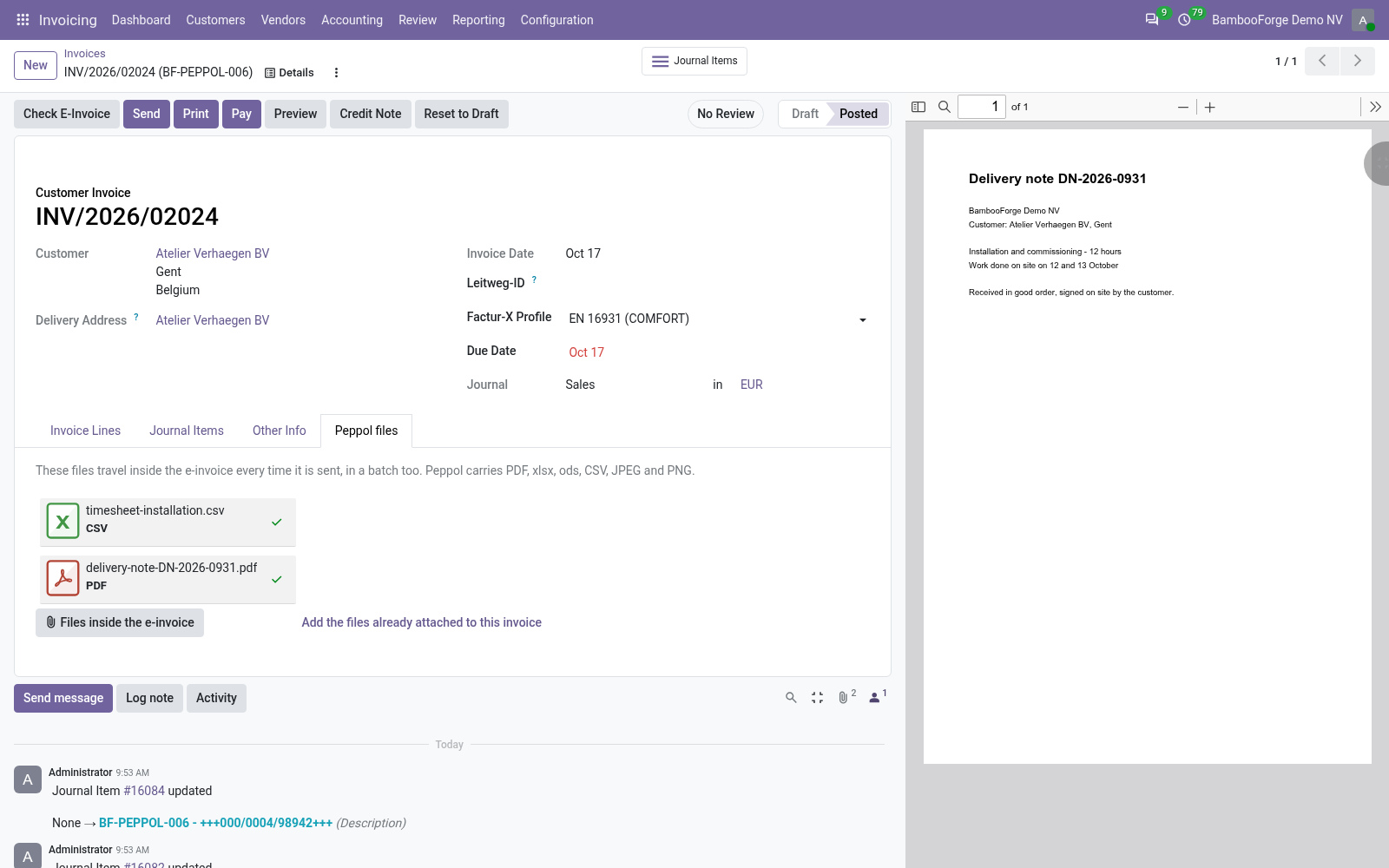
- The invoice's files inside the e-invoiceChoose files on the invoice's Peppol files tab once. They are embedded each time Odoo builds the e-invoice in the format EU Standard (Peppol Bis 3.0), for one invoice, for several or from the send queue.
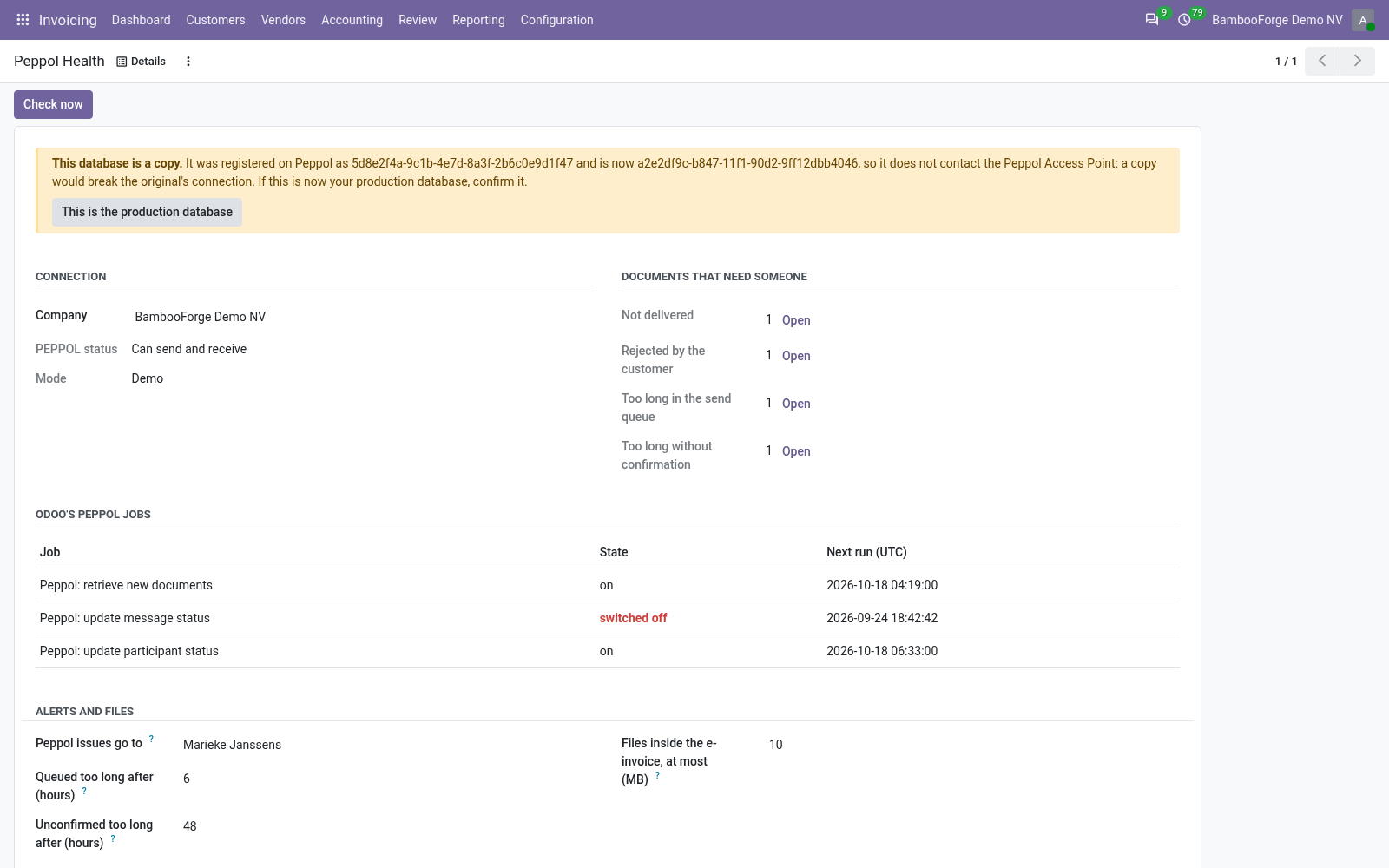
- A copy stays off the live connectionA duplicate, or a backup restored as a copy, has another database identity. Every live Peppol call from it is refused with a message that says why, until an accounting administrator confirms it is the production database now.
bambooforge_peppol_plus15 automated checks run before every release of this app, the same suite on every series it ships for. The complete list is in the source you receive; run it yourself with --test-enable.
How you use it
The screens, in the order you meet them
Alerts
Four cases, read from the Peppol status Odoo keeps on the invoice: Error, Rejected, Queued too long and Pending Reception too long.
- Wait for the next run, or press Check now on Peppol Health: the invoice gets a Peppol issue activity.
- Open the invoice from the activity and read its chatter: Odoo's note says why the document failed, or lists the customer's reasons.
- Correct the invoice or the customer and send it again with Odoo's Send.
- Leave the activity as it is: at the next run it is marked done by itself, with a note such as Now: Done.
Files inside the e-invoice
The tab Peppol files shows on customer invoices and credit notes.
- Open the invoice and go to the Peppol files tab.
- Upload files, or press Add the files already attached to this invoice: it takes every attached PDF, xlsx, ods, CSV, JPEG or PNG except the invoice's own PDF and e-invoice.
- Send the invoice with Odoo's Send. In the format EU Standard (Peppol Bis 3.0) the e-invoice carries the files, after the documents Odoo embeds itself.
- Read the chatter: a file that was left out is named there with the reason.
Copy guard
The app records the database's identity once, on the database with the live connection.
- Duplicate the database, or restore a backup as a copy, without neutralising it.
- On the copy, Peppol Health opens with This database is a copy., the identity it was registered with and its own.
- A live Peppol call from the copy is refused with a message that says why. Nothing is sent and the registration is not changed.
- When the copy really becomes production, an accounting administrator presses This is the production database and confirms.
Price and where to buy
79 EUR, one payment per Odoo series, on the Odoo Apps Store. Pick your series:
Twelve months of support by the people who wrote the code; bug fixes and improvements within the series free for as long as it is published. Report a bug within two months of purchase and, if it is not resolved within fifteen days, you get a full refund. Full source under OPL-1, no licence key, no phone-home. The whole promise.