 BambooForge Labs

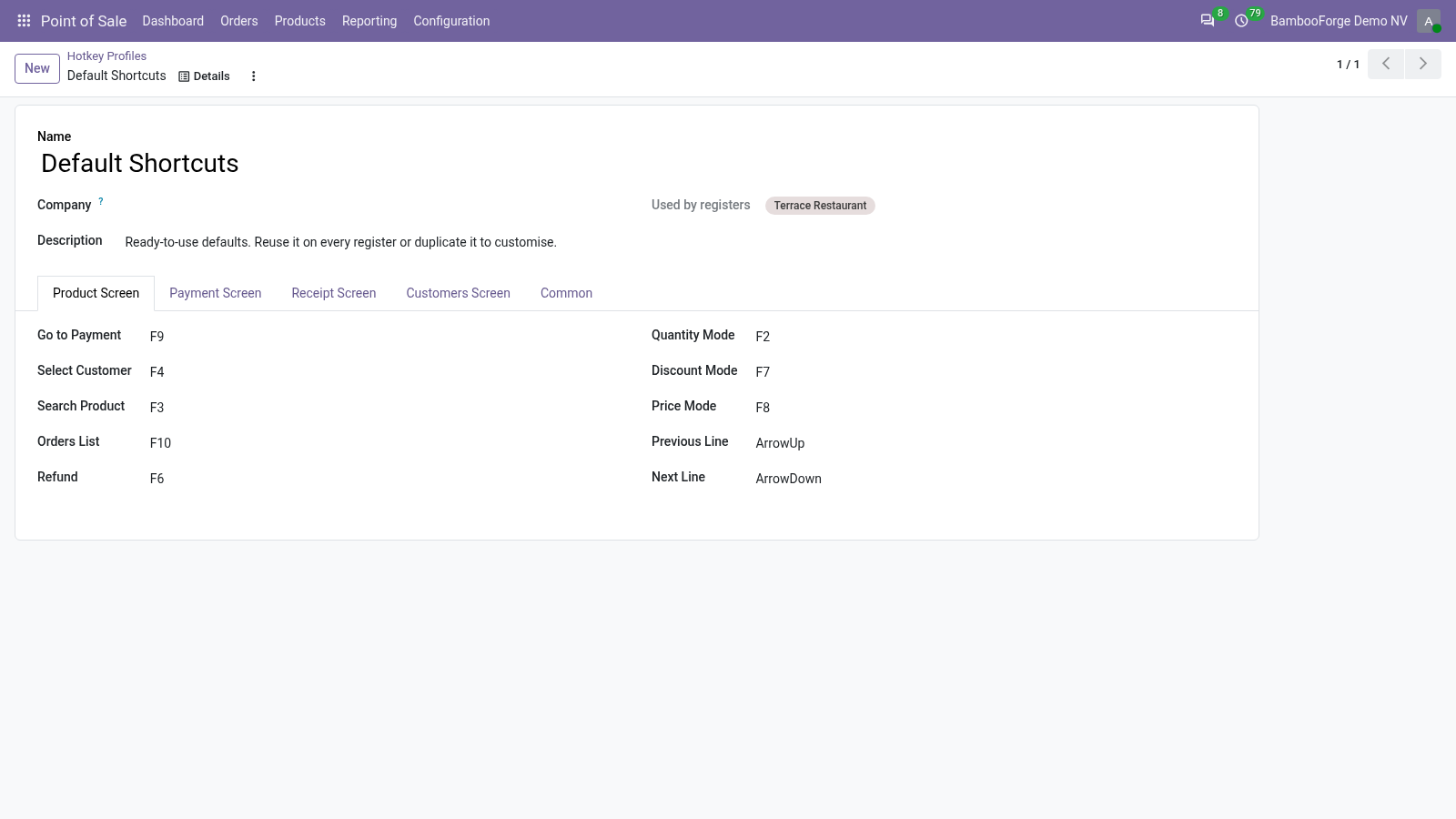
- One profile for every register19 keys in one place, sorted by screen. Change the profile and each register that names it has the new keys the next time it is opened.
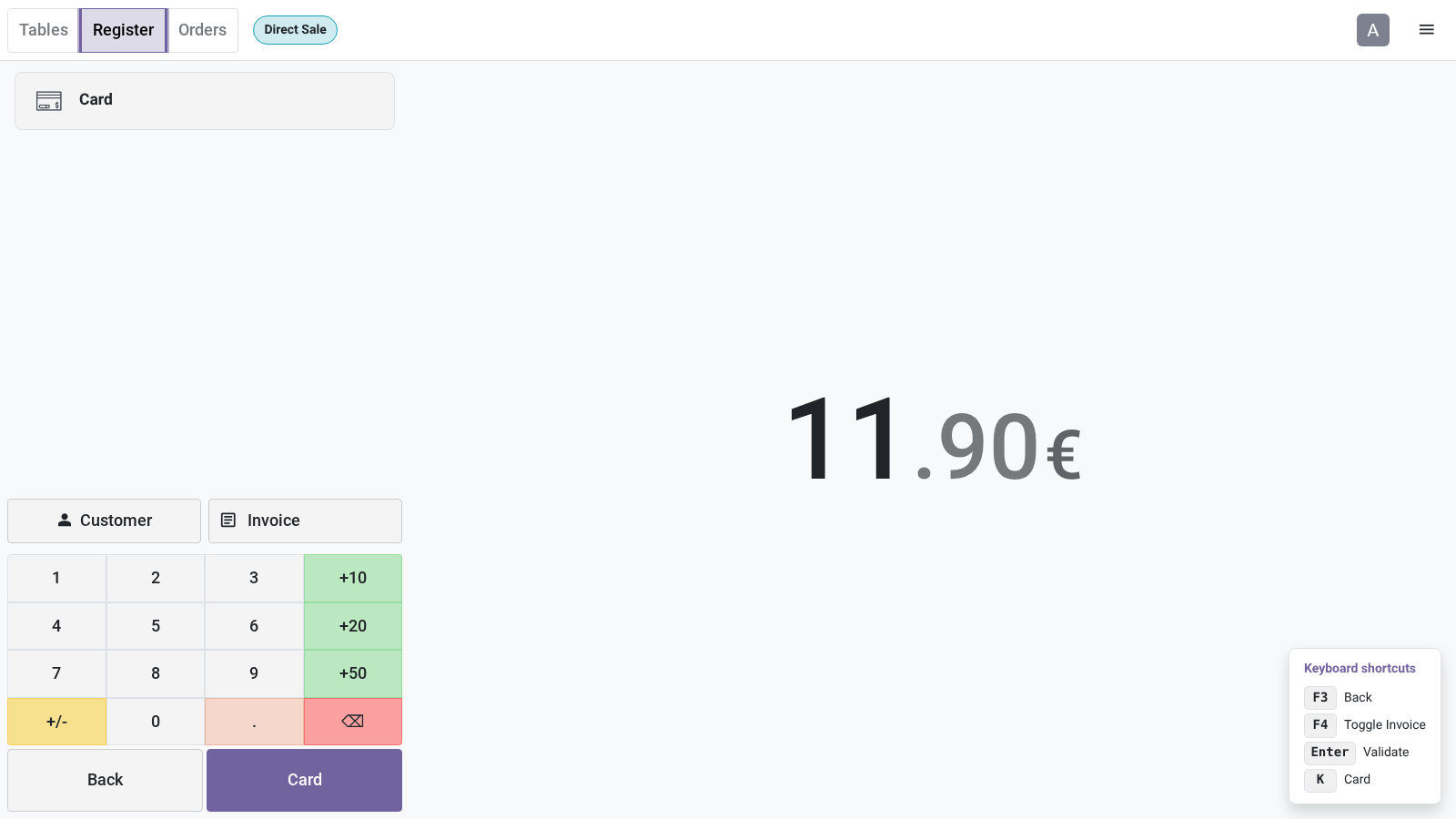
- A key on each payment methodThe key is kept on the method, so each method of a register has its own. On the payment screen it adds the payment line.
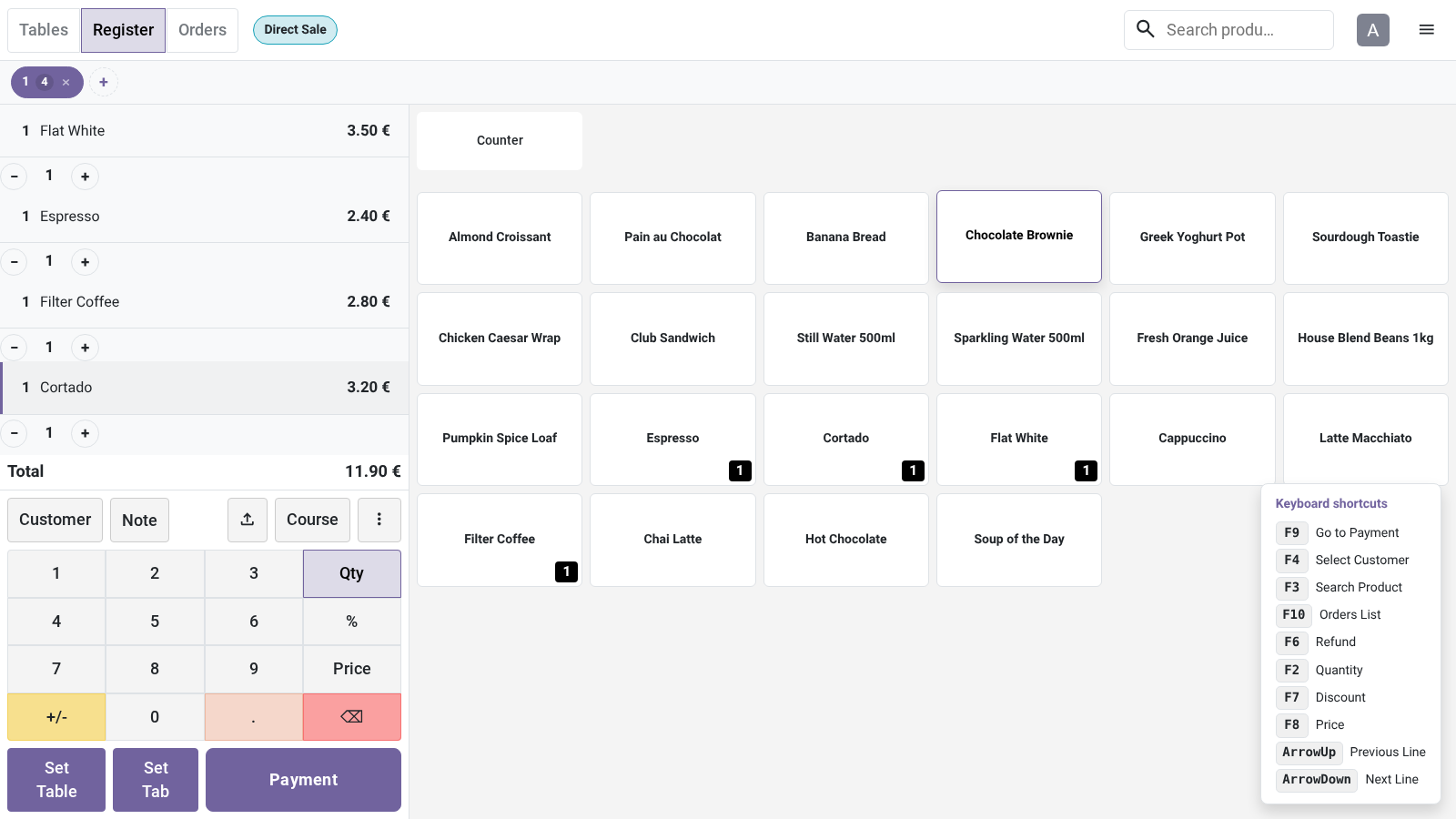
- The keys on screenHold Ctrl and the keys of the screen in front of the cashier are listed in a corner. Release it and the list goes.
bambooforge_pos_hotkeys21 automated checks run before every release of this app, the same suite on every series it ships for. The complete list is in the source you receive; run it yourself with --test-enable.
How you use it
Set it up once, then sell from the keyboard
Switch the keys on for a register
In the back office, by an administrator. The keys are off until you do.
- Point of Sale > Configuration > Settings: choose the register and tick Keyboard Shortcuts under PoS Interface.
- Choose the profile under it. Default Shortcuts comes with the app; Manage Profiles opens the list.
- Point of Sale > Configuration > Payment Methods: give each method of the register a letter under POS Shortcut Key.
- Save, then open the register again or reload its tab.
A sale from the keyboard
The keys below are those of the default profile. Every one can be changed.
- On the product screen: F3 puts the cursor in the product search, the arrows move from line to line, F2, F7 and F8 switch the keypad to quantity, discount and price.
- F4 opens the customer list, where F6 starts a new customer and Escape goes back to the order.
- F9 goes to payment. The key of a payment method adds its payment line; F4 ticks Invoice.
- Enter validates the payment. After payment, Enter starts the next order.
Price and where to buy
49 EUR, one payment per Odoo series, on the Odoo Apps Store. Pick your series:
Twelve months of support by the people who wrote the code; bug fixes and improvements within the series free for as long as it is published. Report a bug within two months of purchase and, if it is not resolved within fifteen days, you get a full refund. Full source under OPL-1, no licence key, no phone-home. The whole promise.