 BambooForge Labs

- A nonconformity follows clause 10.2Reported, contained, root cause, action taken, effectiveness check, closed. Each button asks for what its step needs, and a report that needs no action closes on a note saying why.
- Done is not finishedDone asks for evidence and sets a check one month later. The verdict is It Worked, Partly or It Did Not Work, and the last one sends the report back to root cause. The owner is reminded when an action is overdue or a check is due.
- Audits, reviews and the figuresInternal audits whose findings are nonconformity reports, a management review with nine inputs, three outputs and the counts of its period, four analyses and two PDF documents.
bambooforge_qms47 automated checks run before every release of this app, the same suite on every series it ships for. The complete list is in the source you receive; run it yourself with --test-enable.
For the people who decide
What your managers see
Quality > Reporting is the quality manager's menu. Each analysis opens on a chart, with the pivot one click away, and the pivot downloads to Excel from its toolbar.
Nonconformities
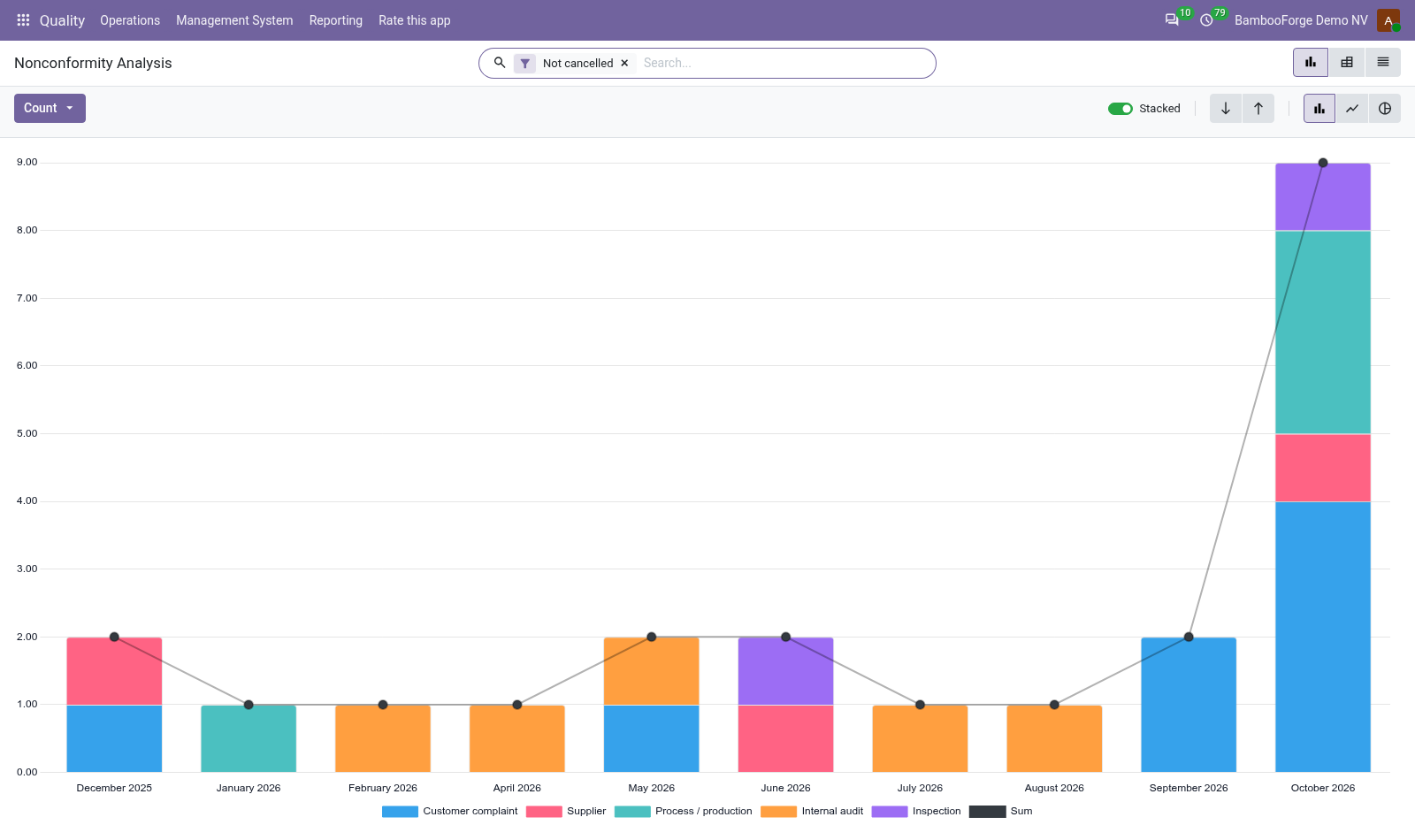
how many reports, with their cost and the quantity affected, by source and month, and on request by customer or supplier, priority, disposition, owner or status. Cancelled reports are left out.
The quality manager decides which problem to fix first and which supplier to audit.
Time to Close
average days from detection to closure of the closed reports, by owner on the chart and by source and quarter in the pivot.
Shows whether closing is getting faster, and who needs help.
Actions
actions by owner and status, with filters for the open ones, the late ones and those judged not or only partly effective, and groupings by type, effectiveness and deadline month. Cancelled actions are left out.
Department heads see who is behind, and which fixes did not work.
Audits
internal audits per quarter by conclusion, cancelled ones left out.
Top management sees whether the system is getting better.
Two documents print from the records, from the three-dot menu on the form:
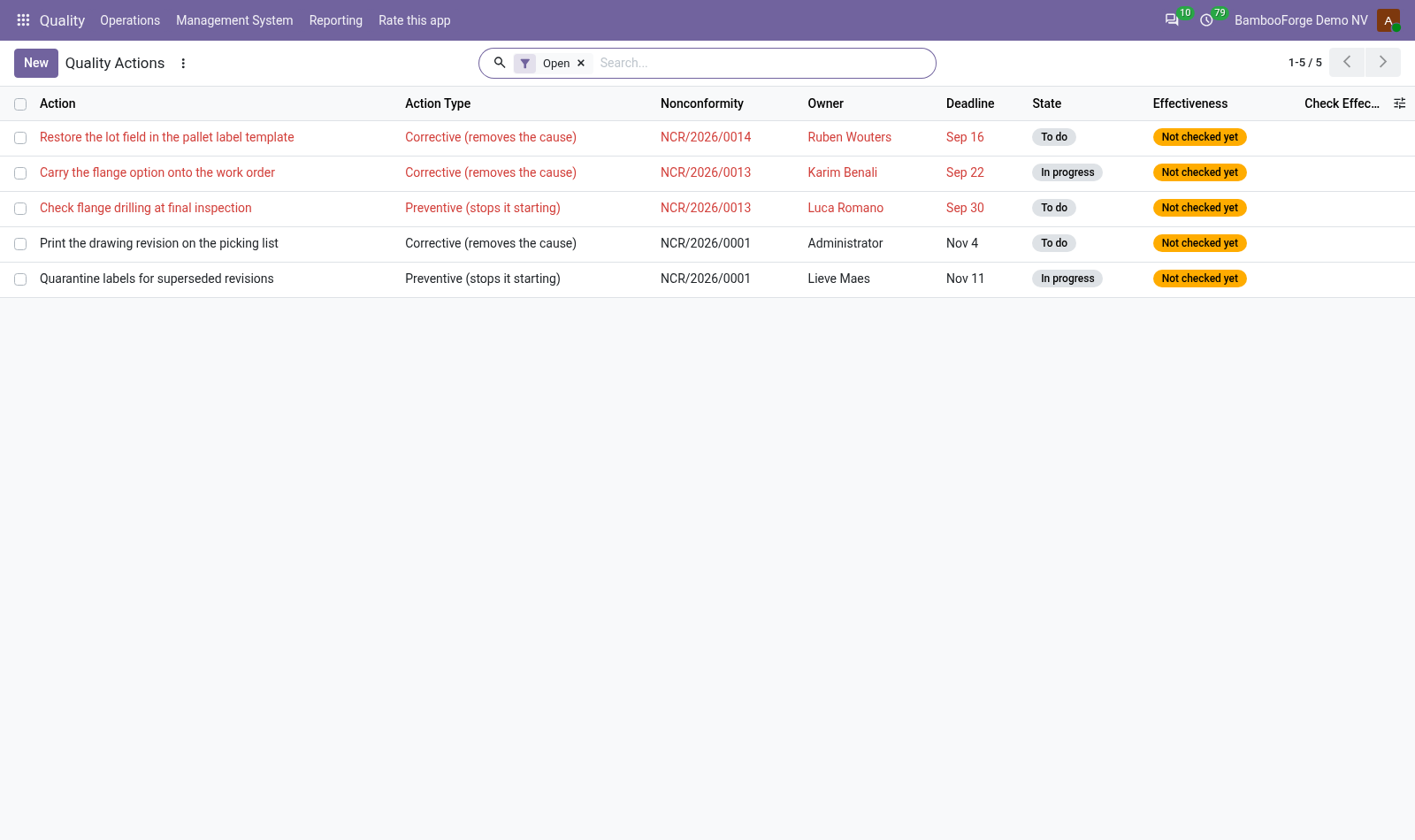
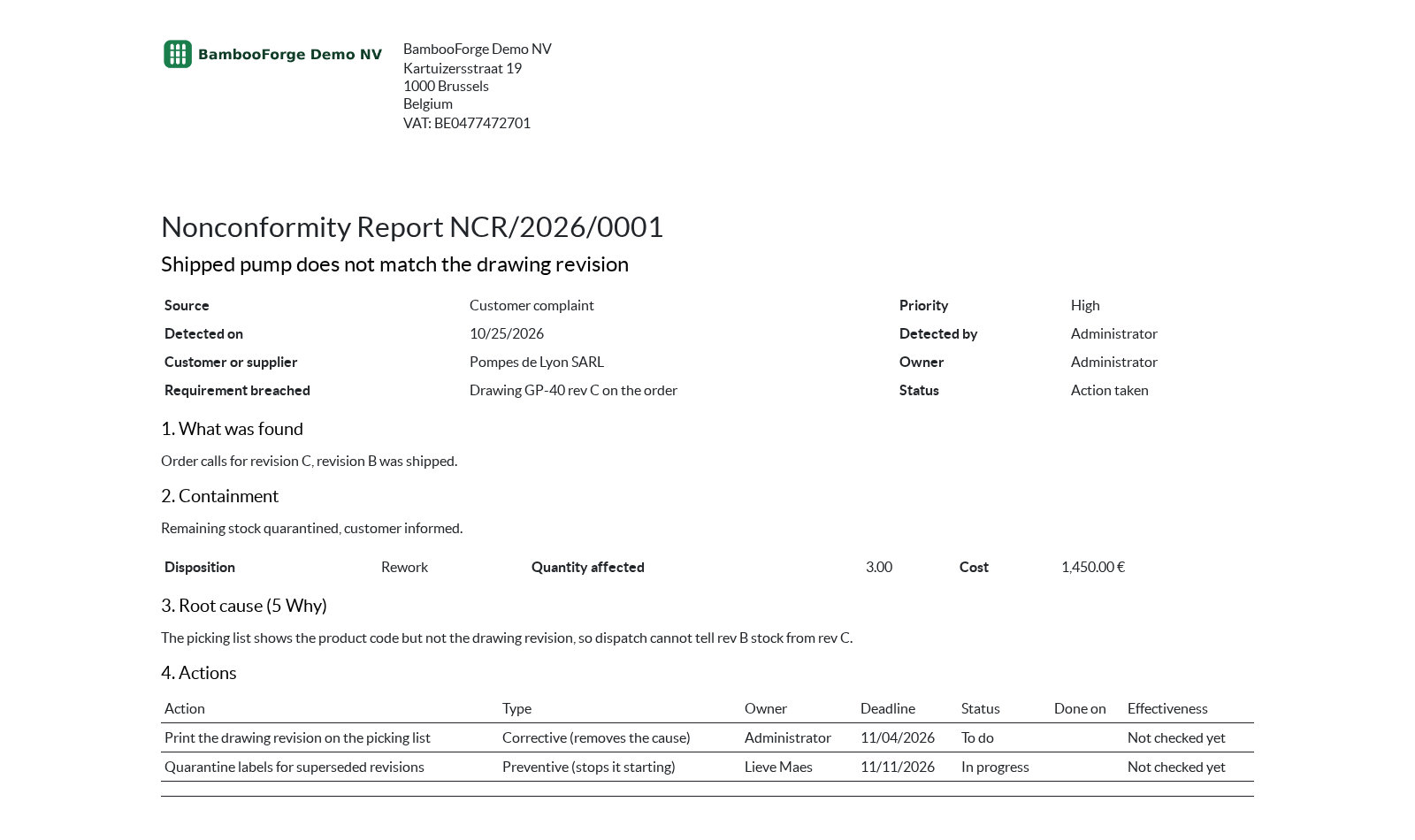
- Nonconformity Report: one document per report, in the order of clause 10.2: what was found, containment, disposition, quantity and cost, root cause with its method, the actions with their owner, deadline, status and effectiveness, and the closure note. The document you send the customer who complained or the supplier concerned.
- Management Review Minutes: the date, the chair, the attendees and the period, the three figures, the nine inputs, the three outputs and the actions decided: the record an auditor asks to see.
How you use it
A nonconformity, an audit and a review, step by step
A nonconformity, from reported to closed
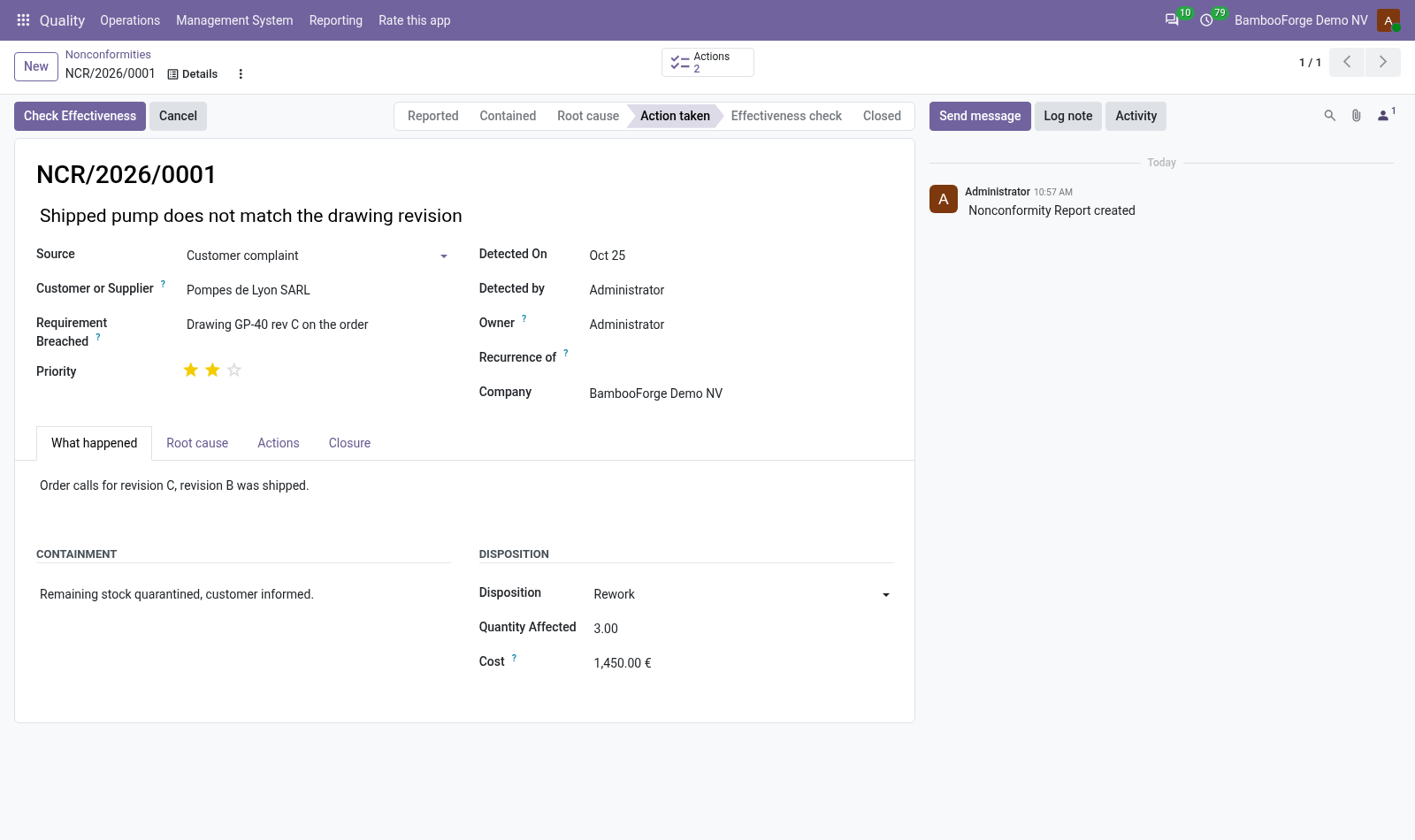
The report follows the steps of clause 10.2, and each button asks for what its step needs.
- Quality > Operations > Nonconformities > New: say what was found, against which requirement, and what was done at once. Contained asks for the containment.
- Analyse Cause, write the root cause with its method, add the actions with their owner and deadline, and press Actions Recorded.
- On each action, Done asks for evidence and sets the effectiveness check one month later.
- Check Effectiveness once no action is open, then give each done action its verdict: It Worked, Partly or It Did Not Work, which sends the report back to root cause.
- Close asks for a closure note. A report that needs no action closes from Root cause, on a note saying why.
An internal audit and its findings
For managers, under Management System > Internal Audits.
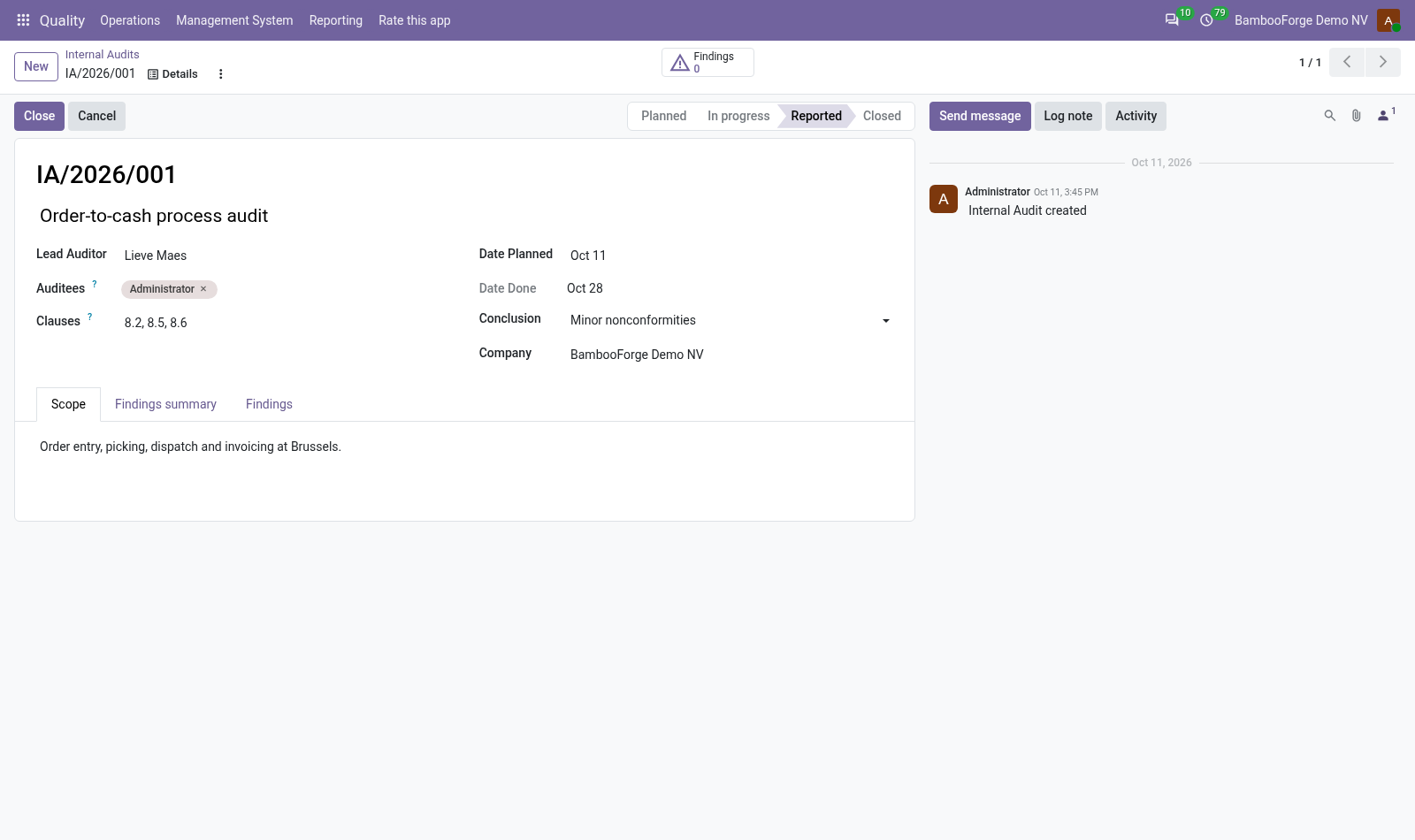
- Plan the audit: title, lead auditor, auditees, clauses, planned date and scope. Saving is refused when the lead auditor is one of the auditees.
- Start, then Raise a Finding for each finding: a nonconformity report opens with the audit already on it.
- Write the findings summary, choose the conclusion and press Report.
- Close once every finding is closed or cancelled.
The management review, with its figures
For managers, under Management System > Management Reviews.
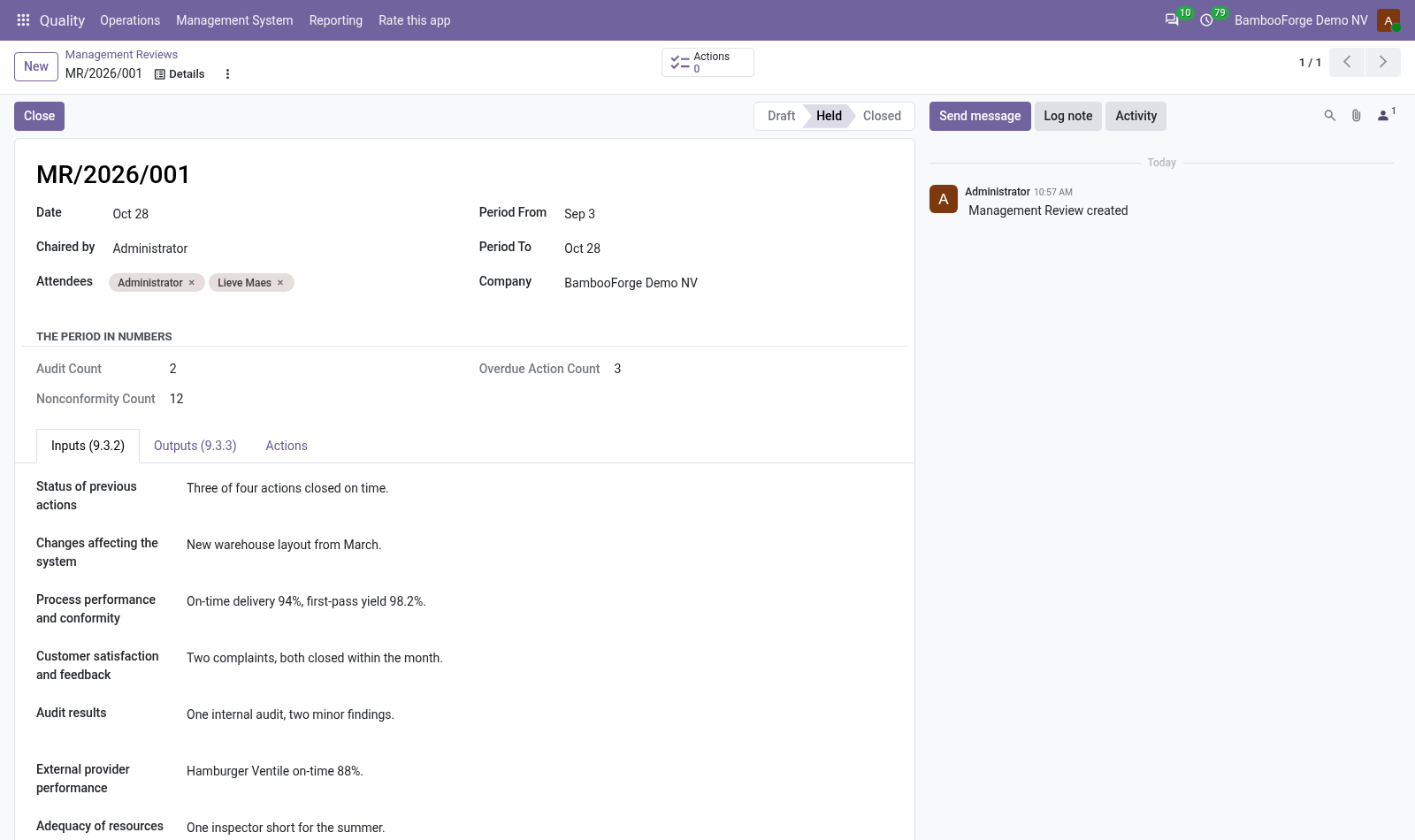
- Set the date, the chair, the attendees and the period. The form counts the audits, the nonconformities and the overdue actions of that period.
- Fill in the nine inputs under Inputs (9.3.2). Held asks for five of them.
- Record the outputs under Outputs (9.3.3) and the actions decided. Close asks for at least one output.
- Print the Management Review Minutes from the actions menu of the form.
Price and where to buy
179 EUR, one payment per Odoo series, on the Odoo Apps Store. Pick your series:
Twelve months of support by the people who wrote the code; bug fixes and improvements within the series free for as long as it is published. Report a bug within two months of purchase and, if it is not resolved within fifteen days, you get a full refund. Full source under OPL-1, no licence key, no phone-home. The whole promise.