 BambooForge Labs

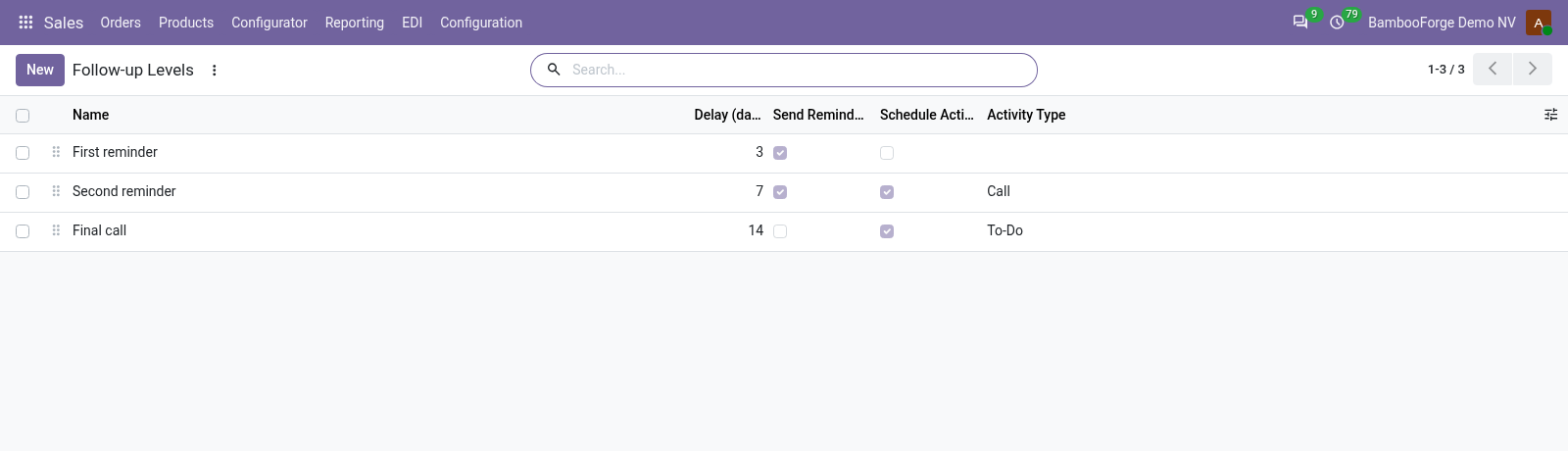
- Levels you setA delay, a reminder e-mail, an activity, or both; three come installed.
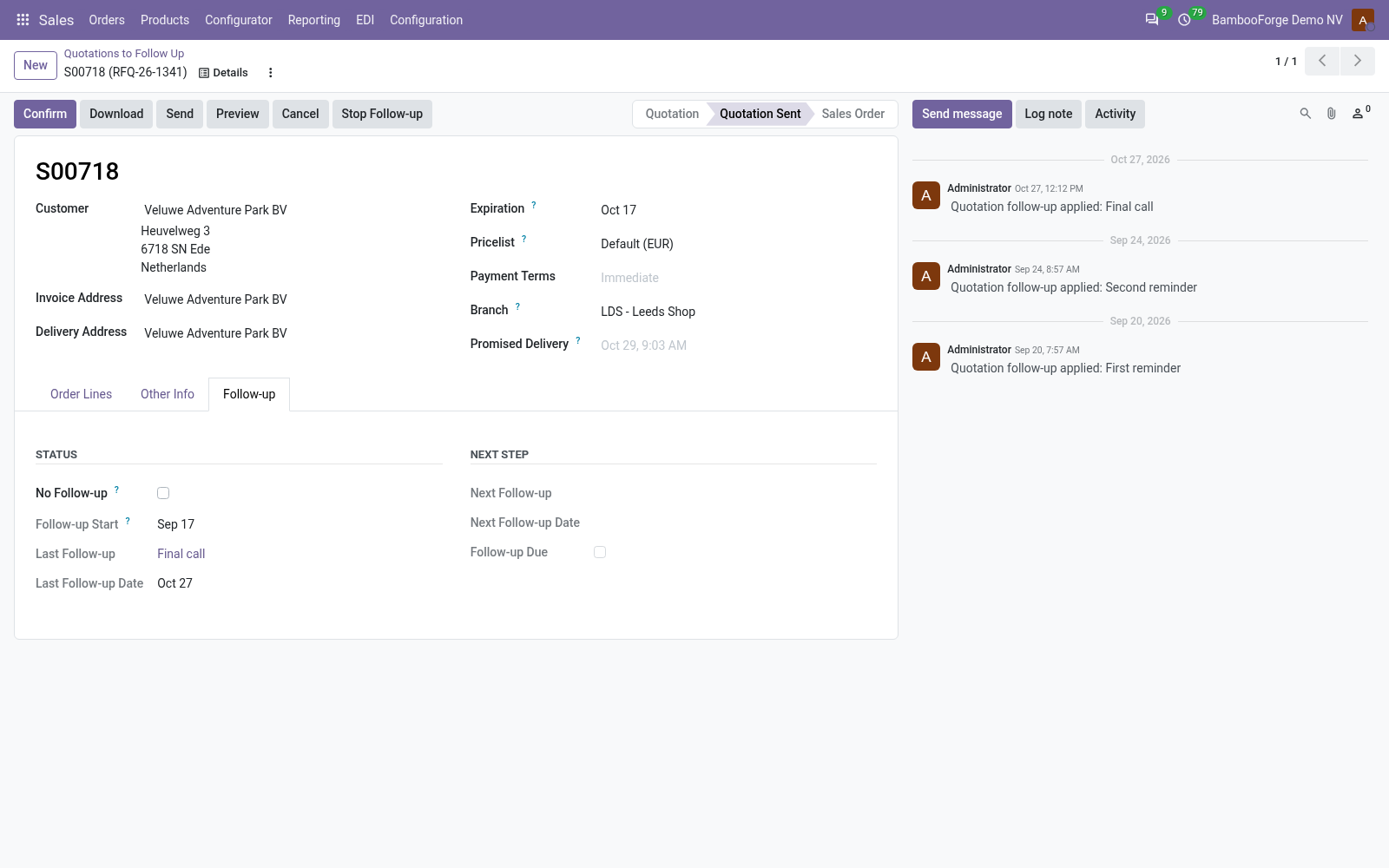
- A pause after a replyAn e-mail from the customer on the quotation holds the next level for the days you set.
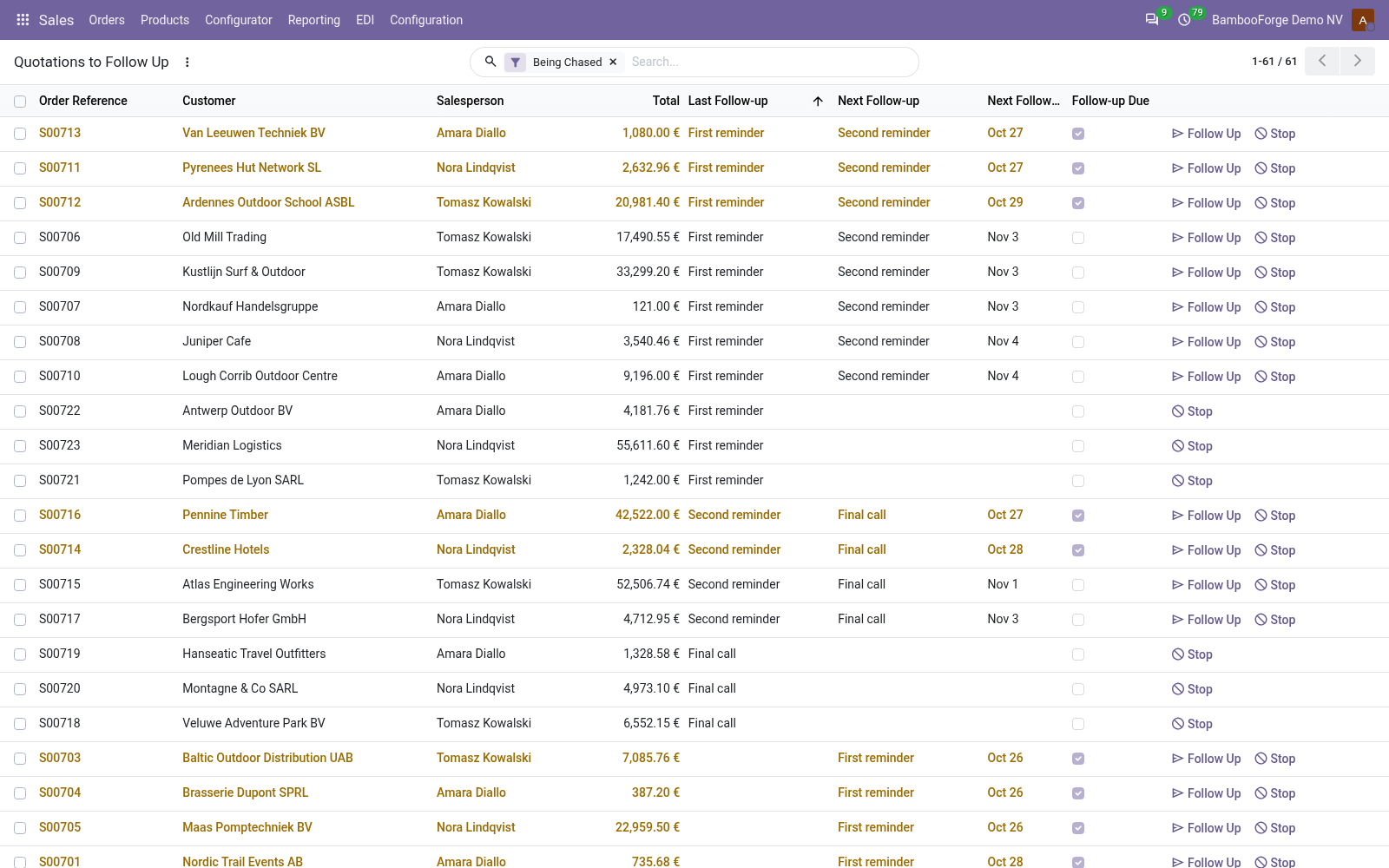
- A list to workEvery sent quotation being chased, its next level and date, the ones due today in colour.
bambooforge_quote_followup20 automated checks run before every release of this app, the same suite on every series it ships for. The complete list is in the source you receive; run it yourself with --test-enable.
For the people who decide
What your managers see
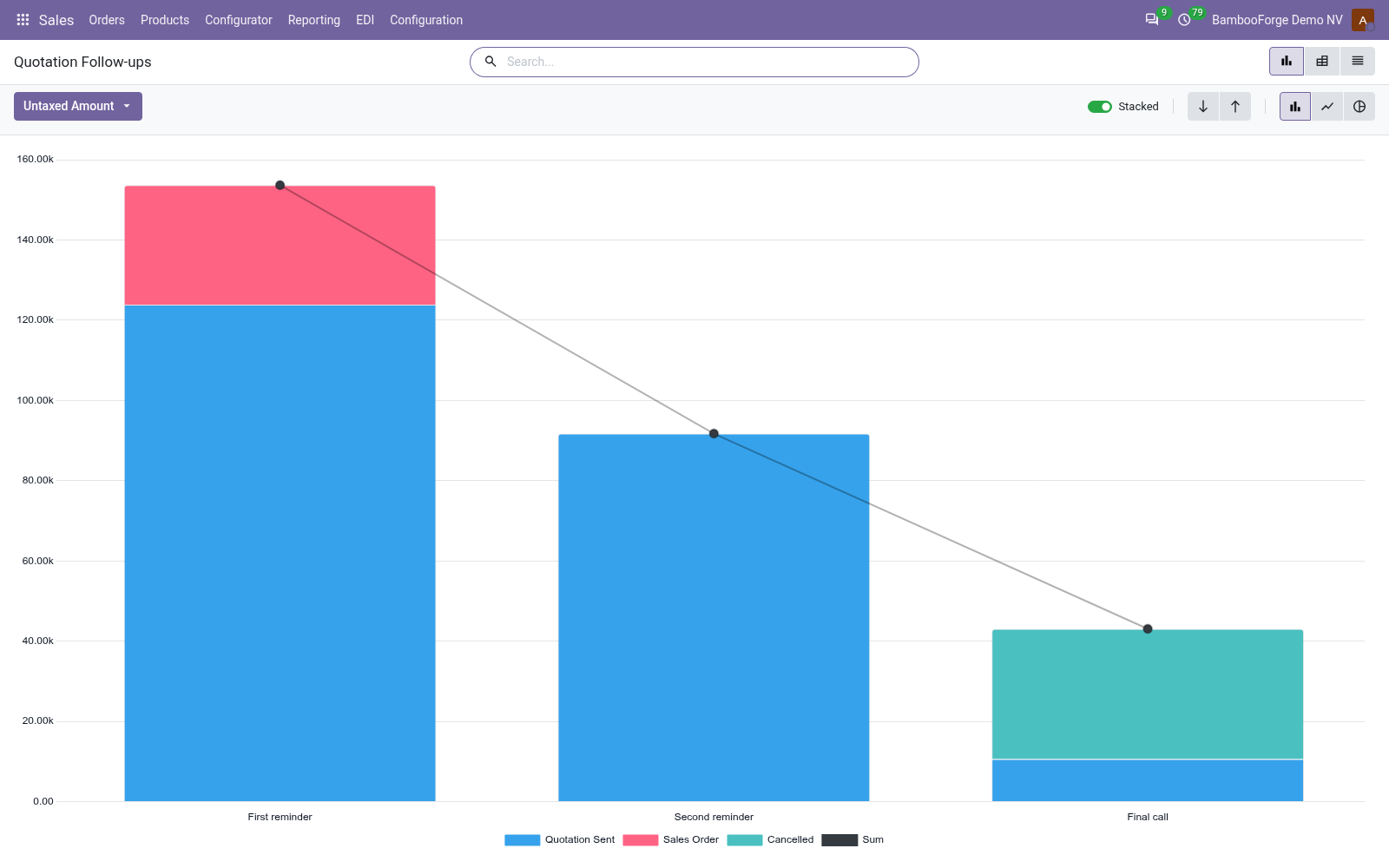
Sales > Reporting > Quotation Follow-ups is the analysis. It opens on a chart of the quotations the follow-up chased at least once, with the pivot one click away, and the pivot downloads to Excel from its toolbar.
Quotation Follow-ups
the chased quotations by the last reminder they got and what became of them, signed, cancelled or still open, with their untaxed amount, by salesperson and month sent, and the ones where the customer replied.
The sales manager sees which step wins quotations back, and how much is still waiting.
How you use it
How it is used
Set the levels
For a sales manager, under Sales > Configuration.
- Give each level its delay in days and its place.
- Tick Send Reminder Email and choose a template.
- Tick Schedule Activity: a type and a summary.
Work the follow-up list
For a salesperson.
- Open Quotation Follow-ups: the sent quotations, soonest first.
- Press Follow Up to apply the next level now, Stop to take one out.
- Open a quotation: its Follow-up tab shows the last and next level.
Read what came back
For the sales manager.
- Open Sales > Reporting > Quotation Follow-ups.
- Read the chased quotations by their last reminder and what became of them.
- Filter the ones where the customer replied.
Price and where to buy
79 EUR, one payment per Odoo series, on the Odoo Apps Store. Pick your series:
Twelve months of support by the people who wrote the code; bug fixes and improvements within the series free for as long as it is published. Report a bug within two months of purchase and, if it is not resolved within fifteen days, you get a full refund. Full source under OPL-1, no licence key, no phone-home. The whole promise.